How to Choose Local LLM Hardware? MacBook Pro vs Mac Mini+iPad In-Depth Comparison

MacBook Pro 32GB vs Mac Mini+iPad for local inference: weighing portability against value.
The article addresses a Reddit user's question about choosing between a 32GB MacBook Pro and a 32GB Mac Mini+iPad for local inference. With training handled by university B200/A100 clusters, the local device only needs efficient inference. The MacBook Pro offers out-of-the-box portability; the Mac Mini+iPad provides better value and expansion but poor portability and limited 256GB storage. The core trade-off is portability vs expandability. The author recommends the MacBook Pro unless the device rarely moves. 32GB unified memory is a reasonable start, though memory bandwidth and quantization limit 70B-level models. The final choice should match your workflow.
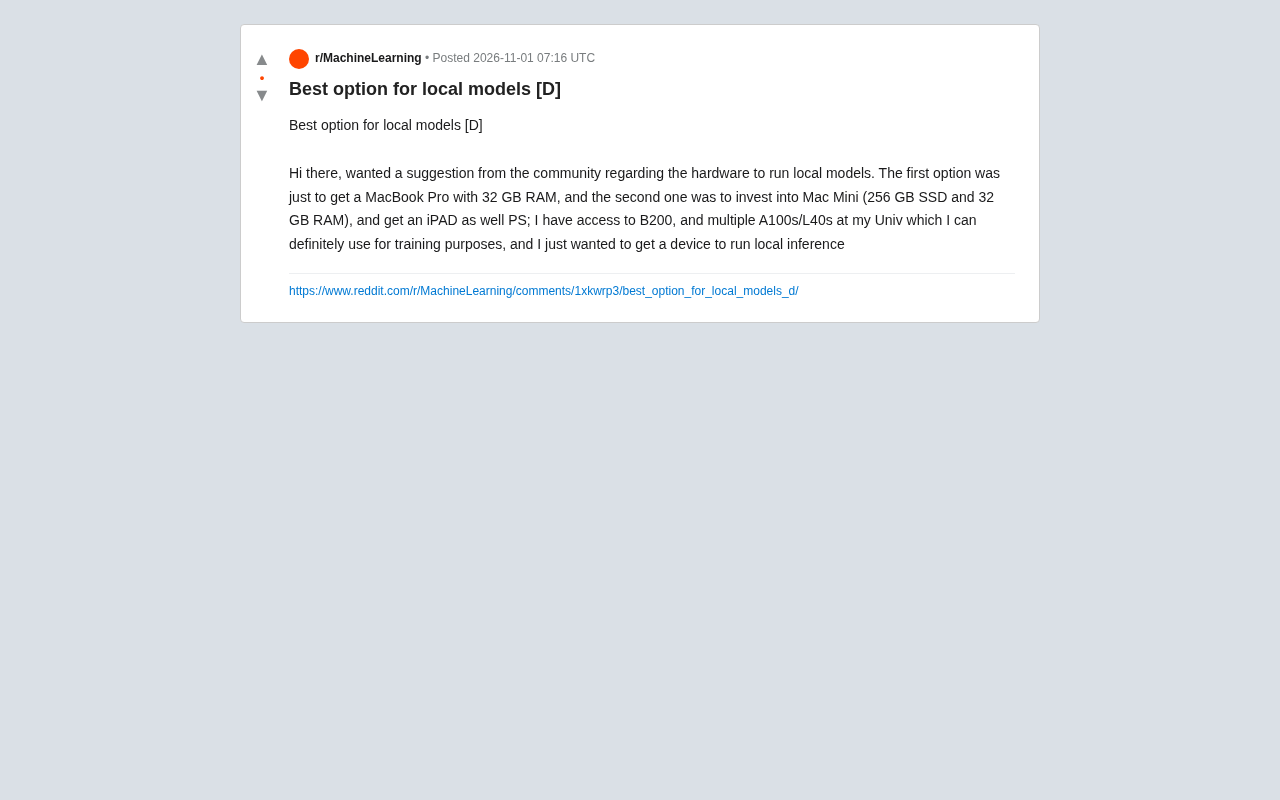
When running large language models locally, hardware choices often become a headache. Recently, a Reddit community user raised a typical question: should I buy a 32GB MacBook Pro, or a 32GB Mac Mini (256GB SSD) plus an iPad? The user also mentioned that they have access to B200 and multiple A100/L40s at their university for training, so the device they need is primarily for local inference. This scenario is quite representative—when training can rely on cloud or university resources, the core task of local devices becomes running inference efficiently and conveniently.
Core Requirements Analysis: What Do You Actually Need?
This user's needs are very clear: local inference, not training. Training tasks are already handled by the university's B200, A100/L40s clusters, which means the local device doesn't need powerful GPU compute—it needs enough memory to hold model weights, along with good energy efficiency and portability (if frequently moving around). A Mac device with 32GB unified memory can run quite a few quantized models, such as 7B, 13B, and even some 30B-level models (depending on the quantization level). But note that memory is only one threshold—inference speed is also affected by memory bandwidth.
From community discussions, many users fall into the trap of "spec comparison" while ignoring their actual use cases. If you work in a fixed location most of the time, a desktop offers better value; if you need mobile productivity or to test models on the go, a laptop's flexibility is irreplaceable.
Unified Memory Architecture: Apple Silicon (M-series chips) uses a unified memory design where the CPU and GPU share the same memory pool, eliminating the need to copy data between system memory and VRAM like traditional PCs. This is a significant advantage for local inference: model weights only need to be loaded once and can be directly accessed by the GPU, reducing data transfer overhead. But this also means the nominal 32GB must simultaneously accommodate the OS, applications, and models, so the actual available headroom is reduced. In addition, inference speed depends not only on memory capacity but is more constrained by memory bandwidth—M-series chips have varying bandwidth by model (e.g., M3 Pro at about 150GB/s, M3 Max up to 400GB/s), and higher bandwidth generally means faster token generation.
MacBook Pro 32GB: An All-in-One Portable Solution
The biggest advantage of the MacBook Pro 32GB is that it's ready out of the box. You don't need to buy an extra monitor, keyboard, or mouse—one device covers the entire workflow of development, debugging, and inference. For users who frequently need to bring devices to the lab, library, or meetings, this convenience is very important. In addition, the MacBook Pro's screen quality, speakers, and battery life are all at a high level, suitable for long coding sessions and document reading.
However, its drawbacks are also obvious: higher price, and under heavy inference loads, fan noise and surface temperatures rise. Also, the 32GB is unified memory shared by the CPU and GPU, so the memory actually available for models is slightly less than the nominal value. If you plan to run larger models (like 70B level), 32GB may be stretched thin—even after quantization, you may run into out-of-memory situations.
Model Quantization: Quantization is a technique that reduces model precision to compress size and accelerate inference. Common 4-bit quantization can compress a 70B model to about 35GB, which may still exceed 32GB of available memory; a 7B model after 4-bit quantization is only about 4GB, 13B about 7GB, and 30B about 17GB. Therefore, the practical upper limit for smoothly running models on 32GB unified memory is roughly the 30B level (4-bit quantized); 70B models are very marginal or even impossible to load. When choosing models, pay attention to the compatibility of quantization formats (such as GGUF, GPTQ) with inference frameworks (such as llama.cpp, Ollama).
Mac Mini + iPad: A Flexible, Cost-Effective Combination
The other option is a Mac Mini (32GB memory, 256GB SSD) plus an iPad. The Mac Mini offers better value—with the same memory configuration, the price is usually lower than a MacBook Pro. It's suitable for a fixed workstation, and connecting a monitor gives you more screen space to view code, terminal, and model output simultaneously. The iPad can be used for reading documents, taking notes, or as a second screen, and can even extend the display area via Sidecar.
But this combination also has obvious shortcomings: poor portability. The Mac Mini requires external power and a monitor and can't be moved around like a laptop. If you need to take the device to class or on business trips, this setup would be very cumbersome. In addition, a 256GB SSD may be on the small side for local model storage—a quantized 13B model may take up several GB to a dozen-plus GB, and multiple models will quickly fill the drive. However, you can mitigate this with external drives or network storage.
Sidecar and Second Screen: Sidecar is a macOS feature that allows an iPad to be used as an extended or mirrored display for a Mac, connected wirelessly or via cable. For Mac Mini users, the iPad can serve as a portable secondary screen to temporarily expand the workspace while on the move, but the core computation still depends on the Mac Mini—it can't run models independently without the host. If you want the iPad itself to participate in inference, you'd need frameworks like MLX that support the Apple Neural Engine, but performance and memory are limited, making it suitable only for very small models.
Key Trade-off: Portability vs Expandability
Choosing which option is essentially a trade-off between portability and expandability/value. According to experiences shared by multiple users in the Reddit community, if you need to move frequently, the MacBook Pro is the more worry-free choice; if you have a fixed work environment and want a larger screen and more flexible storage expansion at lower cost, the Mac Mini+iPad combination is more suitable.
Another point worth noting: this user already has access to the university cluster, which means the local device doesn't need to handle training tasks, so the GPU performance requirements can be relaxed. In this case, memory capacity and user experience (screen, keyboard, portability) become more important decision factors. 32GB of memory is a reasonable starting point for local inference, but if you plan to try larger models, you may need to consider higher-memory configurations.
Summary and Recommendations
For this user's needs, my recommendation is: prioritize the MacBook Pro 32GB, unless you're sure you'll almost never move the device. The reason is that local inference often requires repeated debugging and testing, and a laptop's portability lets you quickly validate ideas in different environments. While the Mac Mini+iPad combination offers better value, the lack of portability may limit your use cases. Of course, if you already have a work computer, the Mac Mini as a dedicated inference server is also a good choice.
Ultimately, there's no absolute right or wrong in hardware choice—the key is matching your workflow. Before buying, clarify your primary use cases: fixed desktop or mobile productivity? Do you need to frequently switch locations? Once you answer these questions, the answer will naturally become clear.
One-line Summary
MacBook Pro 32GB or Mac Mini+iPad for local inference? The key is the trade-off between portability and value.
Paragraph Summary
The article addresses a Reddit user's question—"32GB MacBook Pro or 32GB Mac Mini+iPad"—by analyzing hardware choices for local inference scenarios. The user already has access to university B200/A100 clusters for training, so the local device only needs to run inference efficiently. The MacBook Pro wins on out-of-the-box convenience and portability, suitable for mobile work; the Mac Mini+iPad offers better value and flexible expansion but poor portability and potentially insufficient 256GB storage. The core trade-off is portability vs expandability. The author recommends prioritizing the MacBook Pro unless you're sure you'll rarely move the device. 32GB unified memory is a reasonable starting point, but limited by memory bandwidth and quantization, running 70B-level models is still constrained. The final choice should match your actual workflow.
Related articles

AI Can Read Neural Network Weights Directly: Do Models Already Exceed Expectations?
A Reddit developer experiment shows language models can directly read neural network weights and infer their function. Astra, Opus 5.5, and Muse Spark 1.3 all passed the test, sparking discussion on model generalization and training sources.

India's Microdrama Market Explodes: EloElo Secures $80M Investment from NBCUniversal
EloElo secures $80M from NBCUniversal to boost StoryTV, its microdrama platform with over 33M monthly active users, as India's microdrama market draws global capital.

Acoustic Detection of Multi-Rotor UAVs: Fusing Handcrafted Features with Pre-Trained Embeddings
Study reveals data leakage from random splits in UAV acoustic detection, proposes source-disjoint protocol with stacked ensemble of handcrafted features and YAMNet embeddings, achieving 95.29% accuracy for low-cost drone detection.