inside-llm: An Open-Source Tool That Peeks Inside LLMs and Compares Quantization Differences Token by Token
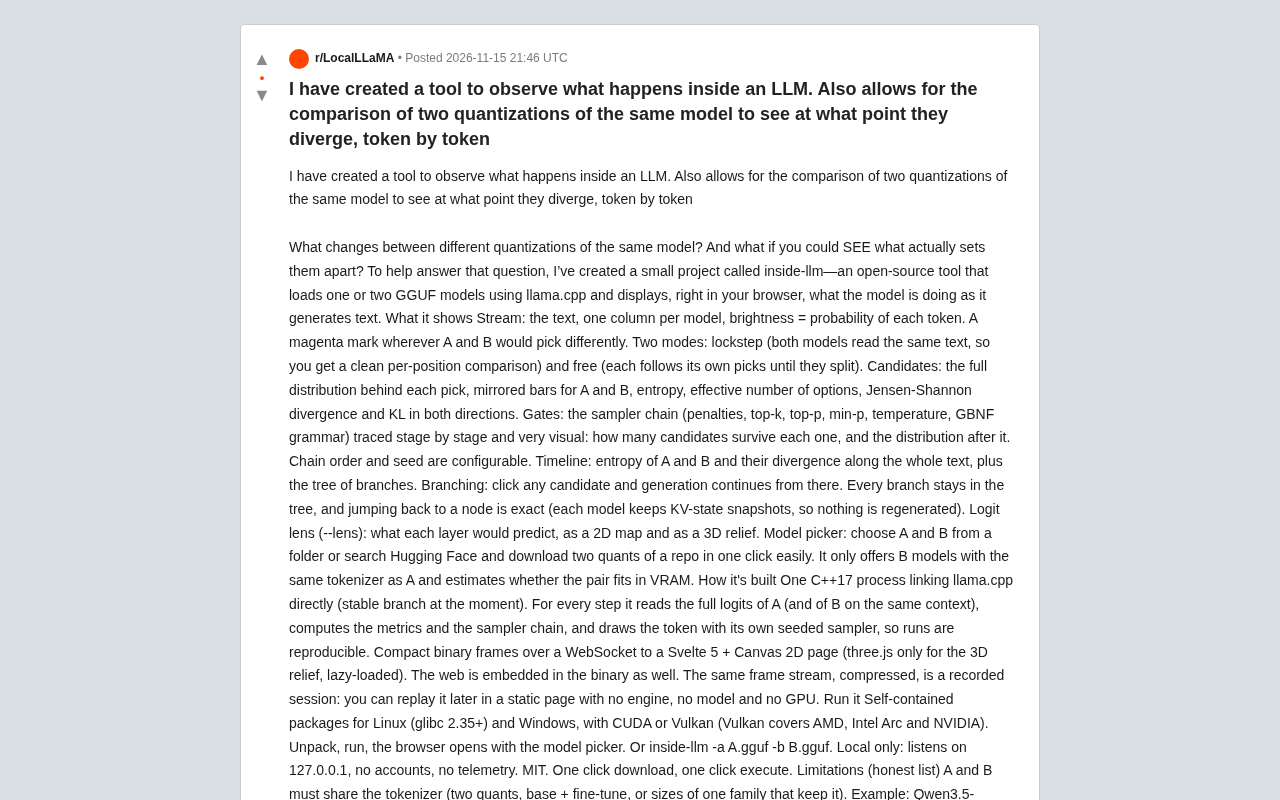
An open-source tool, inside-llm, compares the internal states and sampling chains of two quantized LLMs token by token in the browser.
inside-llm is an open-source visualization tool based on llama.cpp that makes LLM inference visible. It loads two GGUF models sharing a tokenizer, showing each token's probability, full candidate distributions, and candidate retention across sampling chain stages (penalties, top-k, top-p, min-p, temperature, GBNF grammar). It offers lockstep and free modes, marks divergence in magenta, and computes entropy, Jensen-Shannon divergence, and bidirectional KL divergence. A branch tree with KV snapshots enables exact backtracking, and logit lens shows per-layer predictions in 2D/3D. It runs locally via a single C++17 process with WebSocket to a Svelte 5 page, no telemetry.
Why Look Inside an LLM?
LLM inference is often treated as a black box. When comparing different quantization variants of the same model, we typically only see differences in the final output, without knowing at which token the divergence begins or what causes it. A developer has released an open-source tool called inside-llm on Reddit, aiming to make this process visible. It loads one or two GGUF models via llama.cpp and displays the model's internal state in real time in the browser as it generates text.
According to the developer, the tool's core goal is to answer two questions: What exactly changes between different quantizations? And if we can see these changes, can we better understand model behavior?
Feature Breakdown: From Token Probabilities to the Sampling Chain
inside-llm provides multiple visualization modules covering the full pipeline from raw logits to final output.
Stream View
The tool displays each model's text stream as columns, with each token's brightness representing its probability. When two models make different choices at a position, it is marked in magenta. Two modes are supported: lockstep mode (both models read the same text, enabling position-by-position comparison) and free mode (each generates according to its own choices until they diverge).
Candidates
For each choice, the tool shows the full candidate distribution, comparing model A and B with mirrored bar charts, and computes entropy, effective number of options, Jensen-Shannon divergence, and bidirectional KL divergence. These metrics help assess differences in certainty between the two models at the same position.
Jensen-Shannon divergence (JSD) and KL divergence are common metrics for measuring the difference between two probability distributions. KL divergence (D_{KL}(P|Q)) represents the amount of information lost when approximating P with distribution Q, but it is asymmetric and potentially unbounded. Jensen-Shannon divergence first takes the mean of the two distributions (M=(P+Q)/2), then computes (\frac{1}{2}D_{KL}(P|M)+\frac{1}{2}D_{KL}(Q|M)); the result is symmetric and bounded (ranging from 0 to 1 with base 2), making it more suitable for directly comparing the output distributions of two models at the same position. Bidirectional KL divergence computes (D_{KL}(P|Q)) and (D_{KL}(Q|P)) separately, revealing the directionality of divergence: for example, when model A is more concentrated on a certain token while model B is more diffuse, the KL values in the two directions will differ in magnitude. Combined with entropy (measuring the certainty of a single distribution) and effective number of options (the equivalent number of candidates in a probability distribution), these metrics can comprehensively assess whether quantization causes the model to become overly confident or overly random at key positions.
Sampling Chain Tracing (Gates)
Each stage of the sampler chain—penalties, top-k, top-p, min-p, temperature, GBNF grammar—is traced step by step. The tool shows how many candidates remain after each stage and how the distribution changes. The chain order and random seed are configurable, ensuring reproducibility of experiments.
GBNF grammar is the grammar constraint format used by llama.cpp, short for GGML BNF (a variant of Backus-Naur Form). It allows users to describe valid output structures with textual rules, such as JSON schemas or specific programming language fragments, thereby directly masking tokens that do not conform to the grammar during sampling. In the sampling chain, GBNF is typically the last stage: top-k, top-p, and other operations first filter candidates by probability, then grammar constraints remove illegal tokens, and finally temperature scaling is applied before sampling. Since grammar filtering can significantly change the shape of the candidate distribution (some positions may have only one legal token remaining), observing the change in candidate count before and after this stage helps assess the actual impact of grammar constraints on generation diversity, and whether different quantized models exhibit behavioral divergence under grammar constraints.
Timeline & Branching
The timeline shows how entropy and divergence change across the entire text for both models, along with the branch tree. Users can click any candidate node to continue generation from that point. Every branch is preserved in the tree, and jumping back to a node is exact—because each model maintains KV state snapshots, no regeneration is needed.
KV state snapshots refer to the complete saving of the key (Key) and value (Value) caches for each Transformer layer during autoregressive generation. When an LLM generates text, the K/V of already-processed tokens are cached to avoid redundant computation, but standard implementations only retain the cache for the current sequence. inside-llm maintains rollback-capable snapshots for each model, so that clicking any historical node in the branch tree can directly restore the K/V cache to that point and continue generation without recomputing the prefix from scratch. This requires snapshots to occupy storage space proportional to sequence length in memory or VRAM, which is one reason the tool requires both models to fit in VRAM simultaneously. Exact backtracking allows users to repeatedly explore different sampling paths without worrying about generation costs.
Logit Lens
With the --lens parameter, the tool can display each layer's prediction for the next token, presented as 2D heatmaps or 3D relief plots. This provides an intuitive perspective for understanding the layer-by-layer evolution of the model's internal representations.
Logit Lens is a technique for probing the internal representations of a Transformer without additional training. The approach is: feed the hidden state of an intermediate layer directly into the model's final output projection layer (typically the unembedding matrix) to obtain that layer's predicted distribution for the next token. Since the hidden state dimension of each layer matches the final layer, this "early decoding" is computationally feasible. By comparing the predictions of each layer with the final output, one can observe whether the model has already formed a tendency in shallow layers, which layers begin to converge on the correct answer, and whether quantization errors are amplified at a particular layer. In inside-llm, the --lens parameter presents each layer's predictions as heatmaps or 3D relief plots, making the layer-by-layer evolution intuitive—especially suitable for comparing representation differences between two quantization versions at intermediate layers.
Technical Implementation and Usage
inside-llm uses a single C++17 process directly linking llama.cpp (currently using the stable branch). At each step, it reads the full logits of model A (and model B under the same context), computes metrics and the sampling chain, and draws tokens using its own seeded sampler. Compact binary frames are sent via WebSocket to a Svelte 5 + Canvas 2D page (three.js is lazily loaded only for 3D relief plots), and the web page is embedded in the binary.
The same frame stream, when compressed, constitutes a recorded session that can be replayed in a static page without the engine, models, or a GPU.
For usage, the tool provides self-contained packages for Linux (glibc 2.35+) and Windows, supporting CUDA or Vulkan (Vulkan covers AMD, Intel Arc, and NVIDIA). After extracting and running, the browser automatically opens the model selector, or models can be specified via inside-llm -a A.gguf -b B.gguf. The tool only listens on 127.0.0.1, has no accounts, no telemetry, and is MIT licensed.
Limitations and Use Cases
The developer candidly lists the limitations: both models must share the same tokenizer (e.g., two quantizations of the same model, a base model and a fine-tuned version, or sizes within the same family that preserve the tokenizer); both models must fit in VRAM simultaneously, and only one GPU is used at a time; integrated GPUs are not used, falling back to CPU (slower) when no discrete GPU is available; text only, with no support for sharded GGUF or embedding models.
These limitations mean inside-llm is better suited for quantization comparison experiments in a local environment with a discrete GPU. The developer specifically invites feedback: which model pairs would you compare first (imatrix vs. non-imatrix, base vs. abliterated/fine-tuned, Unsloth UD vs. standard quantization, etc.)? And are there other position-by-position metrics you'd like to see added?
Significance for Developers and Researchers
Quantization is a common optimization technique in LLM deployment, but the impact of different quantization schemes on model behavior is often difficult to assess precisely. inside-llm refines the comparison granularity to the token level and provides visualization of the sampling chain and inter-layer predictions, offering a practical tool for quantization research, model debugging, and teaching demonstrations. Its open-source nature and local operation also lower the barrier to use.
For developers concerned with model interpretability or quantization quality, this tool is worth trying. The project code and release packages are available on GitHub, and the project page provides more examples and documentation.
One-line Summary
An open-source tool, inside-llm, compares the internal states and sampling chains of two quantized LLMs token by token in the browser.
Paragraph Summary
inside-llm is an open-source visualization tool based on llama.cpp that aims to make LLM inference visible. It simultaneously loads two GGUF models sharing a tokenizer and displays in real time in the browser each token's probability, the full candidate distribution, and candidate retention at each stage of the sampling chain (penalties, top-k, top-p, min-p, temperature, GBNF grammar). The tool offers lockstep and free comparison modes, marks model divergence points in magenta, and computes entropy, Jensen-Shannon divergence, and bidirectional KL divergence to quantify divergence. A branch tree combined with KV state snapshots enables exact backtracking, while logit lens displays each layer's prediction for the next token in 2D/3D. The tool uses a single C++17 process linking llama.cpp and pushes binary frames to a Svelte 5 page via WebSocket; it runs locally with no telemetry, making it suitable for quantization comparison experiments and model debugging.
Related articles
GLM 5.5 Arrives: Has Claude Cracked the 167-Year-Old Riemann Hypothesis?
Claude and a mathematician claim to have proved the 167-year-old Riemann Hypothesis, Zhipu's GLM 5.5 is imminent, Google's Loop agent surfaces, and Thinking Machines open-sources Inkling 2 Mini.
AI Coding Made Building Cheap, but Not Maintenance
AI coding agents make internal tools cheap to build but not to maintain. This article examines the hidden liabilities of tool sprawl and proposes three governance principles: inventory, ownership, and reuse first.

Microsoft SideWinder Strategic Commander: A Failed Innovation Attempt
A review of Microsoft's SideWinder Strategic Commander gaming peripheral: its design intent, usability flaws, and market positioning, and why peripheral innovation must respect user habits.