Insta360 Launches Affordable Wireless Microphone: Color Screen Trickles Down, What Features Got Cut?

Insta360 launches the affordable Mic wireless microphone, keeping the color E Ink screen but cutting the three-mic array.
Insta360 follows up the Mic Pro with the cheaper Mic wireless microphone, positioned between entry-level and professional. The new product retains the color E Ink screen as its core selling point — useful for displaying custom logos or patterns and adding brand exposure to video — but drops the Mic Pro's three-microphone array and some professional pickup features. The article argues this isn't simple feature stripping but trade-offs based on how creators actually use the product: most use it for solo/two-person talking and vlogs, rarely switching pickup patterns. Bringing the color screen downmarket raises the configuration bar for competitors at the same price, while Insta360 continues its multi-SKU strategy from action cameras to cover different budgets, targeting price-sensitive lightweight creators. For buying: choose the Mic Pro for complex on-location audio; choose the new Mic for lightweight creation and budget priority.
From Mic Pro to Mic: A Precise "Downgrade"
After launching the Mic Pro wireless microphone system last May, Insta360 has released a cheaper alternative — the Insta360 Mic. The new product retains the color E Ink screen as its core selling point, but makes cuts to the microphone array and some professional features. For budget-conscious content creators, this may be the more pragmatic choice.
According to RSS feed reports, the Insta360 Mic Pro originally stood out with two differentiating features: a built-in color E Ink screen for custom branding displays, and a three-microphone array to simulate different pickup patterns. The new Insta360 Mic sits between entry-level and professional, with the company explicitly stating it "skips some features content creators may not miss."
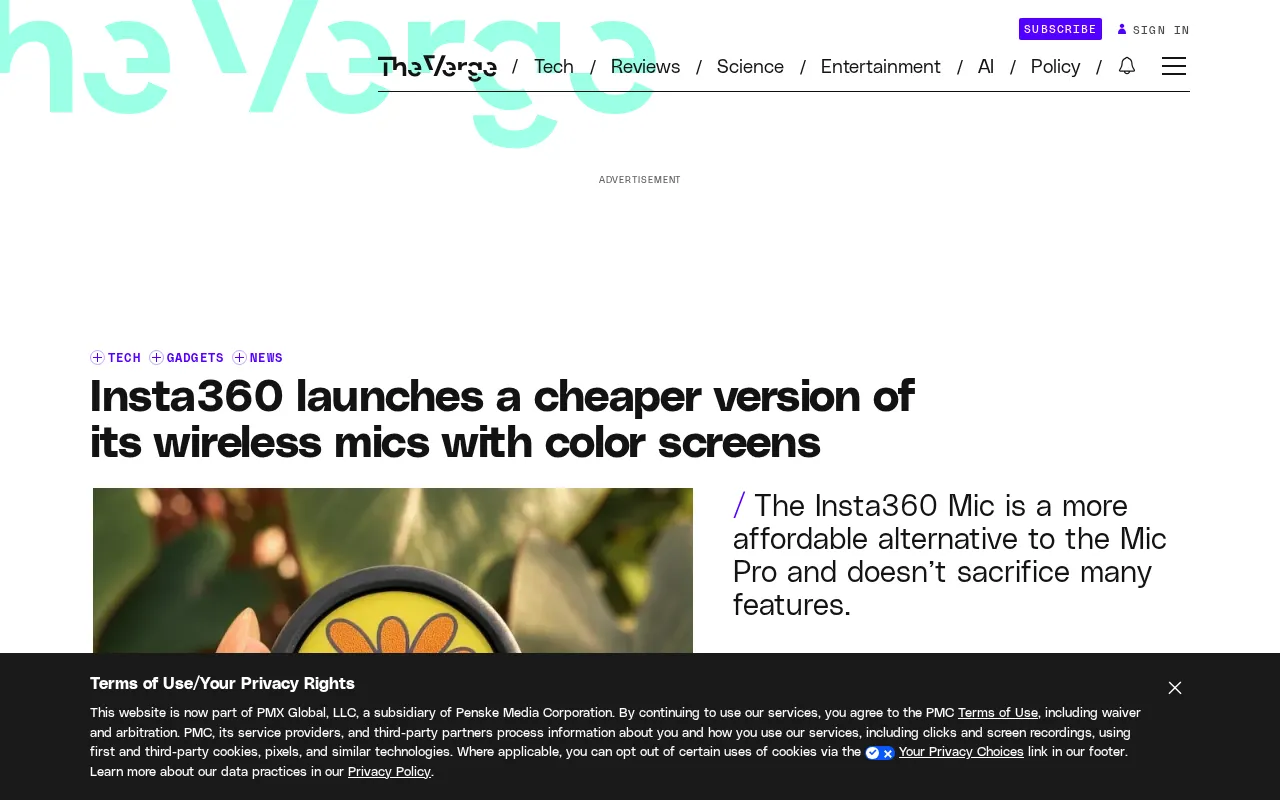
This statement reveals the product logic: Insta360 isn't simply stripping down features, but making trade-offs based on how users actually use the product. The color screen was kept, indicating it's considered practical enough and distinctive enough as a selling point; what was cut is likely the professional parameters that ordinary creators rarely adjust in daily recording.
Color E Ink Screen: Why It's Worth Keeping
In the wireless microphone market, the vast majority of products offer only monochrome LED indicators or minimalist OLED displays on the body to show battery level, connection status, and gain. By bringing the color E Ink screen down to a cheaper model, Insta360 is essentially moving "brand display" from professional scenarios to mainstream ones.
For short video, livestream, and podcast creators, microphones appear on camera quite frequently. A color screen that can display a custom logo or pattern is essentially adding brand exposure to the video frame. During the Mic Pro era, this feature was seen as a premium point; now it's standard on the budget model, which will raise the configuration bar for competitors at the same price point.
E Ink (electronic ink) technology is a low-power display solution that reflects ambient light to show content. Its core mechanism involves charged particles in microcapsules moving under electric fields to form images. Unlike LCD/OLED, E Ink consumes almost no power on static images and retains the image even after power is removed — ideal for devices like microphones that need long battery life and don't refresh screen content frequently. However, traditional E Ink is primarily black and white; color E Ink achieves a limited color gamut by adding color filters or improving the particle system, with slower refresh rates and lower color saturation than conventional screens. That's why on microphones it mainly displays logos, patterns, or simple status information rather than video or high-frequency interactive interfaces.
The Trade-off of the Three-Microphone Array
The Mic Pro's three-microphone array simulates different pickup patterns — a technological moat that sets it apart from ordinary wireless mics. The new Mic doesn't explicitly retain this configuration, meaning it will compromise on pickup flexibility.
But let's be objective: most content creators use their mics for solo on-camera talking, two-person interviews, or outdoor vlogs — situations that rarely require switching between multiple pickup patterns. Rather than paying for features you won't use, it's better to keep costs down. Insta360's product tiering approach aligns with its consistent "multiple SKUs covering different budgets" strategy in the action camera space.
Microphone arrays and pickup patterns: Multi-microphone arrays combine signals from multiple mics with beamforming algorithms to directionally enhance sound from one direction while suppressing noise from others, thereby simulating omnidirectional, cardioid, supercardioid, figure-8, and other pickup patterns. Cardioid is suitable for solo on-camera talking, reducing background noise from behind; figure-8 suits two-person conversations; omnidirectional works for group settings or ambient recording. The advantage of array microphones is flexibility, but the cost is higher hardware expense, power consumption, and algorithm tuning complexity — and pattern switching often requires manual operation via an app or on the device itself, which limits usage for lightweight creators who just want to "power on and record."
Market Position and Competitive Landscape
The wireless microphone segment has seen fierce competition over the past two years. Brands like Rode, DJI, and Hollyland have offerings ranging from around a thousand to several thousand yuan, with obvious product homogenization. Insta360's differentiation has always been "screens" and "ecosystem integration" — its microphones can work with its own camera products.
The specific pricing for the new Mic hasn't been disclosed in the source material, but from its positioning as a "cheaper version," it targets price-sensitive lightweight creators who also want branded aesthetics. This is a sizable demographic and the most fiercely contested zone among brands.
Key technical specifications for wireless microphones: Evaluating these products typically involves transmission stability and latency (2.4GHz digital transmission, frequency hopping for interference resistance), transmission range (up to tens or hundreds of meters in unobstructed environments), audio encoding and sampling specs (e.g., 48kHz/24bit), built-in storage and safety tracks (backup recording to prevent clipping), battery life and charging case design, and receiver compatibility with cameras/phones. The differences between brands like Rode, DJI, and Hollyland at various price points often come down to how these specifications are combined. Insta360's emphasized "ecosystem integration" refers to direct connection and unified audio management between the microphone and its own action cameras and phone app, which reduces pairing and synchronization costs for multi-device users.
Buying Advice: Who Should Wait for the New Model, Who Should Look at the Pro
If you need multiple pickup pattern switching for complex on-location audio, the Mic Pro remains the better choice. If your needs are solo/two-person wireless audio, you want the device to stand out on camera, and your budget is limited, the new Insta360 Mic offers better value.
It's worth watching whether Insta360 will differentiate the two products at the software level — for example, the depth of app-side parameter adjustment or firmware update cadence. These hidden differences often affect long-term user experience more than hardware specs.
Related articles
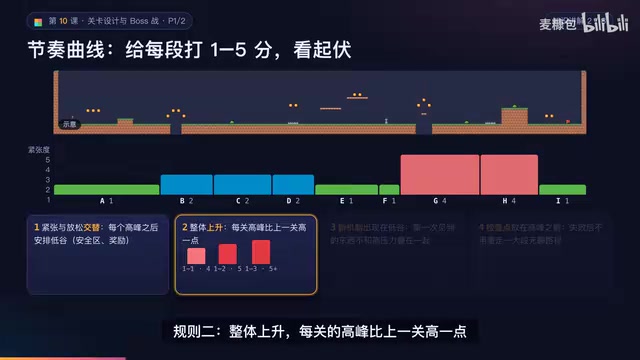
AI Game Development in Practice: Designing Levels with the Four-Step Method and Pacing Curves
AI game development lesson 10: design levels with the four-step method (teach, practice, combine, test) and a 1-5 pacing curve, plus sightline guidance and safety zones—implement Animatable Body 2D moving platforms and generate ASCII sketches for 1-2 Underground Cavern and 1-3 Guard Hall.
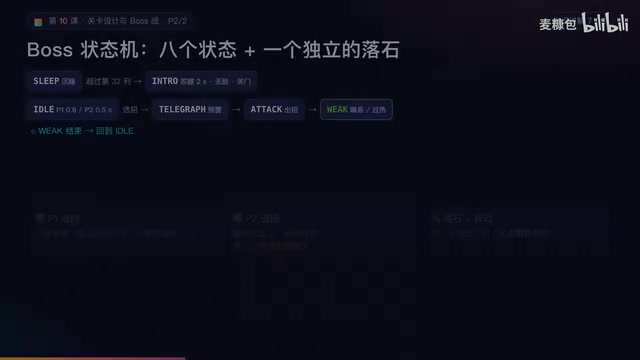
AI Game Development in Practice: Two-Phase Boss State Machines and Death Heatmap Tuning
AI game development lesson 10: implement a two-phase Boss with a state machine, guarantee fairness with color signals and a 0.4-second warning floor, locate difficulty cliffs with a death heatmap, and apply lightest-to-heaviest fixes one at a time, with an acceptance checklist and common pitfalls.
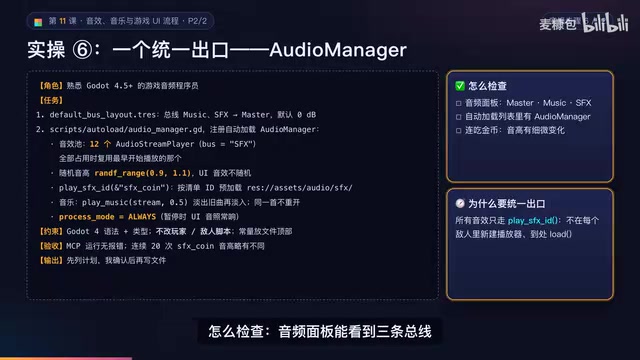
AI Game Development in Practice: Audio Buses and Building the Full UI Flow
AI game dev lesson 11 part 2: Godot's audio trio, audio buses and dB conversion, AudioManager's player pool and random pitch, autoload boundaries, the full UI flow from title to clear, fault-tolerant JSON saves, and pixel font anti-aliasing and integer-size rules.