LangChain, MCP, and Agent Explained: A Complete Guide to the AI Application Tech Stack

A clear breakdown of how LangChain, MCP, Agent, and LangGraph fit together in the AI tech stack.
This article clarifies the relationships between LangChain, MCP, LangGraph, and Agent. LangChain is a framework for building LLM apps; Agent adds conversation management and tool execution on top; LangGraph provides flexible low-level control; and MCP is Anthropic's protocol standard that unifies tool calling across models and frameworks, superseding OpenAI's Function Calling. The key insight: use MCP for tool reusability and cross-framework compatibility instead of reinventing the wheel.
When building AI applications, many developers get confused by concepts like LangChain, MCP, LangGraph, and Agent. How do they relate to each other? Why use a framework instead of writing everything from scratch? And what's the difference between MCP and the earlier Function Calling approach? Based on hands-on experience, this article will help you thoroughly understand the underlying logic of this tech stack.
LangChain: A Development Framework for Building AI Applications
To understand LangChain, you first need to understand what LLMs can do. The core value of large language models lies in their powerful reasoning capabilities — they can understand your intent, give logical responses, and organize messy documents into structured content. But there's an inherent limitation: the content an LLM generates is essentially based on data from the point in time when it was trained.
So here's the question: How do you get an LLM to have conversations that incorporate your company's internal business data? The answer is to equip the LLM with tools. Once the LLM understands your question, it can call tools to retrieve internal business data or text content, and then use its reasoning ability to compile an answer.
If you implement LLM calls, tool management, and conversation history management from scratch, all your energy gets consumed by low-level plumbing, leaving no room to focus on business logic. LangChain was created to solve exactly this problem — it's a framework for developing LLM applications that encapsulates low-level capabilities so developers can focus on business logic.
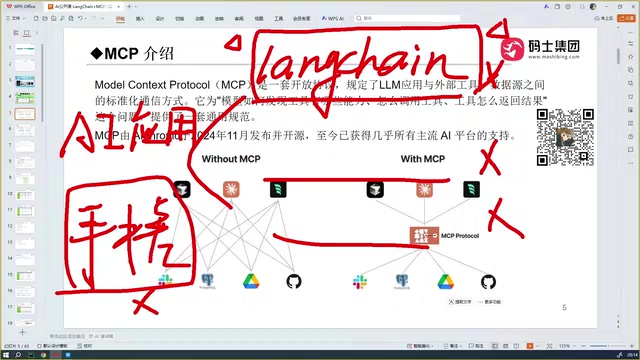
Don't Reinvent the Wheel
One crucial point: don't build your own framework from scratch. Some developers think that since they have access to LLM APIs, they might as well cobble together something similar to LangChain themselves. This is completely unnecessary.
There are many similar frameworks out there — Claude SDK, OpenAI SDK, and others — all capable of building AI applications. These frameworks have already encapsulated low-level LLM calls, concurrency handling, state management, and conversation management. Standing on the shoulders of giants and saving your energy for business logic is the right approach.
Agent: A Higher-Level Abstraction on Top of LLMs
Beyond simply chatting with an LLM and calling tools, the term we hear even more often is Agent. An Agent is essentially a higher-level abstraction on top of the LLM, primarily in two ways:
First, automatic conversation history management. When you chat with an LLM, a large volume of conversation history is generated. An Agent automatically manages this context.
Second, actually executing tool calls. When an LLM calls a tool on its own, it only knows that it "should call a tool" but doesn't actually execute it. An Agent, on the other hand, can actually invoke the tool, return the results, and even decide whether to call additional tools based on those results — forming an automated loop.
Within the LangChain ecosystem, the underlying implementation of an Agent is handled by LangGraph. LangGraph is a lower-level API, while Agent is a higher-level abstraction built on top of LangGraph. Architecturally, the closer you are to the bottom layer, the more flexibility you have; the higher up you go, the better the encapsulation and the easier it is to use.
MCP: A Protocol Standard for Unified Tool Calling
The Pain Points of Early Agent Development
To understand MCP, you first need to understand the pain points of early Agent development. Different LLM providers (DeepSeekAd, OpenAI, Claude, etc.) each had their own API conventions for calling tools. If you needed to call 4 tools, Model A had its own syntax, Model B had a different one, and Model C yet another.
This created a serious problem: every time you switched the underlying LLM, the entire codebase for tool calling had to be rewritten.
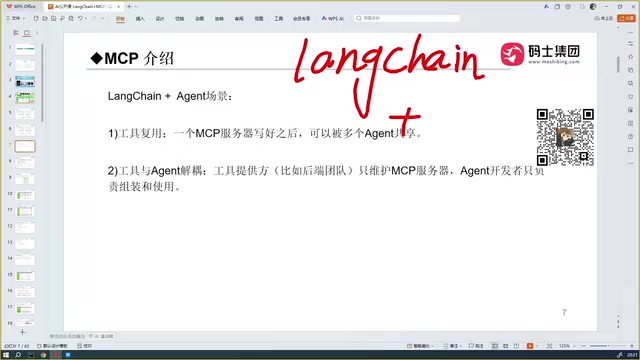
The Birth and Definition of the MCP Protocol
MCP (Model Context Protocol) was created to address this exact issue. It's a protocol standard proposed by Anthropic (the company behind Claude).
The protocol specifies that regardless of which provider's LLM you're using, as long as tools are developed according to the MCP protocol, the tool-calling code remains the same when you build an Agent or swap out the underlying model — no rewriting needed. The protocol covers how to discover tools, how to call tools, and how to handle tool responses.
A helpful analogy: MCP is like a computer's USB port. External tools are like USB drives, hard drives, and other devices — as long as they're compatible with the USB protocol, the computer can recognize them. Similarly, regardless of which LLM you're using, any tool that conforms to the MCP protocol can be called.
Currently, almost all major AI providers — DeepSeek, Tongyi Qianwen, Microsoft, Bailian, and more — support the MCP protocol, bringing tremendous convenience to developers.
The Difference and Connection Between MCP and Function Calling
Many people get hung up on whether "MCP is used more or Function Calling is used more." The answer is: they are fundamentally the same thing, just different names from two different companies.
Function Calling is a concept introduced by OpenAI; MCP is a concept introduced by Anthropic. They do the same thing — enable LLMs to call external tools. The difference is that MCP has evolved further, forming a more complete protocol standard, and OpenAI has now fully embraced MCP compatibility. So while people used to talk about Function Calling, now almost everyone refers to MCP. There's no need to get caught up on this distinction.
Why Use MCP Tools Instead of LangChain's Built-in Tools
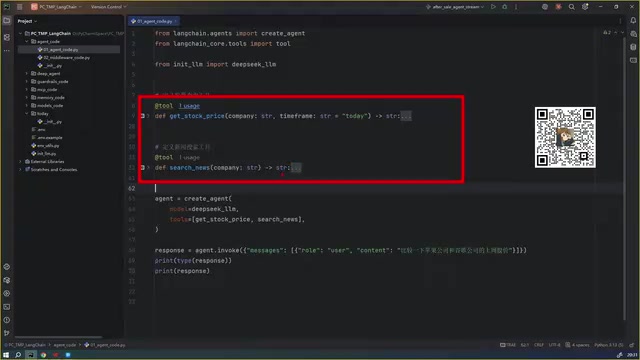
This is the core question. LangChain itself provides ways to define tools. For example, when creating an Agent with create_agent, you can specify tools via the tools parameter, and tools can be defined directly using decorators (like get_stock_price to fetch stock prices or search_news to search news). So why bother developing tools with MCP?
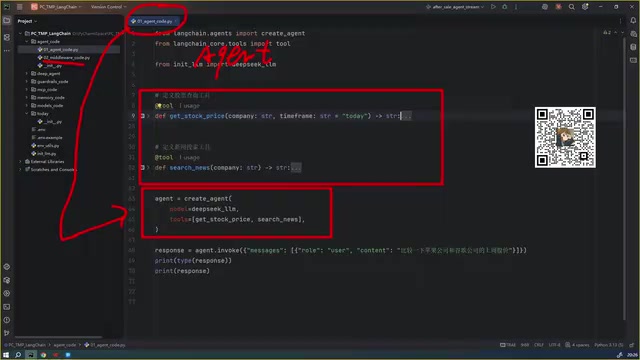
The answer lies in reusability and cross-framework compatibility, with two major benefits:
Benefit 1: Tool Reusability
Tools defined using LangChain's built-in approach can only be used by the specific Agent built in that particular codebase. If you build a new Agent in another codebase and want to use the same tools, you'd have to redefine them — there's no good reusability. Tools developed with the MCP protocol, however, can be centrally managed and reused across multiple Agents.
Benefit 2: Cross-Framework Compatibility
Tools written using LangChain's built-in approach can essentially only be recognized and used by Agents developed within the LangChain framework. But LangChain isn't the only way to build Agents — Claude SDK, OpenAI SDK, and even coding tools like Cursor, Trae, and Windsurf are all essentially intelligent agents capable of calling tools.
LangChain's built-in tools can't be used by these other frameworks, but tools developed according to the MCP protocol can be used by any Agent, regardless of which SDK it's built with. This cross-framework compatibility is where MCP delivers its greatest value.
Tech Stack Layer Overview
Finally, let's lay out the hierarchy of this tech stack (based on LangChain version 1.3):
- LangGraph: The lowest-level API with the highest flexibility, ideal for scenarios requiring fine-grained process control.
- LangChain: Sits on top of LangGraph, providing APIs for developing Agents with greater convenience.
- DeepAgents: An even higher-level abstraction, embodying the Context Engineering architectural philosophy, encompassing tool management, content isolation, file processing, automatic context compression, and more.
From bottom to top: the lower the layer, the more flexibility; the higher the layer, the better the encapsulation and the easier it is to use. What people call "LangChain and MCP integration" is more accurately described as Agent (or LangGraph) and MCP integration — that is, using an Agent built with LangChain to call tools developed with the MCP protocol.
Summary
Understanding the relationships within this tech stack can help you avoid most pitfalls:
- LangChain is a development framework for building AI applications
- Agent is a higher-level abstraction on top of LLMs, with conversation management and tool execution capabilities
- LangGraph is the underlying implementation of Agent, offering more flexible control
- MCP is a protocol standard for unified tool calling, solving cross-model and cross-framework compatibility issues
The core principle: don't reinvent the wheel. Focus your energy on the business itself. Use MCP to achieve tool reusability and cross-framework compatibility — that's the right path to building enterprise-grade AI applications.
Related articles

Firebase AI Logic + Gemini Nano 4: A Practical Guide to Android AI Development
How Firebase AI Logic and Gemini Nano 4 help Android developers ship generative AI: App Check and prompt templates ensure security, hybrid routing cuts latency and cost, Spend Caps control budgets, and AI monitoring provides observability.

Microsoft AI Agent Breakthroughs: More Efficient, Better at Code and Weather Forecasting
Microsoft Research Focus Issue 97: ForkPilot cuts agent inference costs, Cabra reveals coding agents' code-understanding gap, Teletune learns workflows from logs, PBC improves extended forecasts, BioEMU-2 opens preview.

Prime Intellect Releases Prime Mega MoE: Trainable Fused MoE Kernel with 3.11x Forward Speedup
Prime Intellect releases Prime Mega MoE, adding backpropagation to DeepSeek's fused Mega MoE kernel for trainability. Up to 3.11x forward speedup and 34% faster Qwen3 MoE training steps in prime-rl.