Nano Banana 2.1 Tutorial: How to Find and Use It in Google AI Studio

A step-by-step guide to finding and testing Nano Banana 2.1, Google AI Studio's hidden paid image model.
Nano Banana 2.1, a newly launched paid image model in Google AI Studio, is tricky to find due to its non-obvious placement. This article walks through the exact path: open the Playground, switch to the "Images" tab in the right-side model selector, and select the model. A hyper-realistic portrait test shows strong performance in skin texture, eye detail, hair rendering, and fabric — all areas where AI images typically fall short. The article recommends it for photorealistic portrait or product needs, while noting its paid nature warrants cost consideration.
Google AI Studio's newly added image model Nano Banana 2.1 delivers stunning image quality, but many users report that it's tucked away and hard to find on the first visit. This guide walks you through the exact steps to locate and use it, along with an analysis of real-world generation results.
Finding Nano Banana 2.1 in Google AI Studio
Nano Banana 2.1 doesn't appear in any obvious default location — it takes a few steps to get there. After opening Google AI Studio, head to the Playground, which is the main workspace for testing different models.
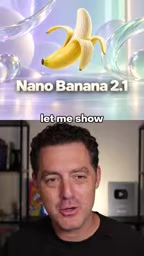
The key is the model selector on the right side of the interface. Many first-time users overlook this area, assuming model switching happens in the top menu — but the actual entry point is in the right-hand panel.
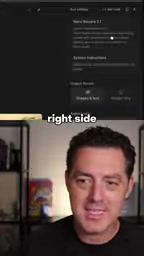
In the model selector, click the "Images" pill (tab) to filter for image models. Only then will you see the Nano Banana 2.1 option. Note that this is a paid model — it's not available for free. Once selected, you can start generating images right away.
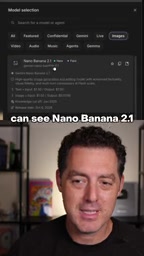
Google AI Studio is Google's AI model testing platform for developers and creators. It lets you call Gemini-series language models and image generation models directly in the browser, with no local deployment required. The Playground is its core workspace, supporting text conversations, multimodal inputs, image generation, and more. The platform divides models into a Free tier and a paid tier — the free tier typically comes with rate limits or reduced functionality, while paid models are billed through Google Cloud based on generation requests or token usage. Understanding this tiered structure helps you anticipate costs when choosing a model.
Real-World Test: Hyper-Realistic Portraits
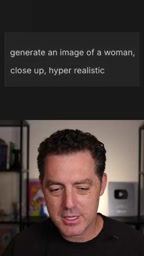
With the model selected, simply enter a prompt to generate an image. The test prompt used was: "generate an image of a woman close up hyper-realistic" — designed to evaluate the model's ability to render fine detail in portrait photography.
Looking at the zoomed-in result, Nano Banana 2.1's detail reproduction is impressive:
- Skin texture: Facial pores and fine texture are clearly visible — no over-smoothed, plastic-like skin;
- Eye detail: Natural fine lines around the eyes add to the sense of realism;
- Hair rendering: Layering and light reflections in the hair are handled exceptionally well;
- Fabric material: The fiber detail on the jacket is crisp and convincingly textured.
These are precisely the areas where AI image generation tends to fall apart — waxy skin, blurred hair, textureless clothing. Nano Banana 2.1's performance across all these points signals meaningful progress in high-resolution detail handling.
"Hyper-realistic" is a commonly used prompt direction in AI image generation, aiming to push the model toward output that resembles high-fidelity photography rather than illustration or painterly styles. Key quality benchmarks for hyper-realistic models typically include: how naturally skin subsurface scattering is simulated, whether anisotropic highlights in hair are accurate, and whether the microstructure of fabric fibers is convincing. Early AI image models often struggled with a "wax figure" or "plastic" look in these areas — largely due to insufficient high-resolution detail in training data, or high-frequency information lost during upsampling. Nano Banana 2.1's performance on these fronts reflects the current state of the art for photorealistic AI image generation.
Usage Recommendations
Since Nano Banana 2.1 is a paid model, it's worth clarifying your use case before committing to bulk generation. For applications that demand photorealistic quality — portraits, product shots, or material rendering — its detail advantage makes it worth trying. For concept sketches or stylized illustrations, though, you may not need to reach for this paid option.
Overall, the model's entry point isn't the most intuitive to find, but once you remember the path — Playground → right-side model selector → Images tab → Nano Banana 2.1 — you'll be able to locate and experience its generation capabilities without any trouble.
Related articles
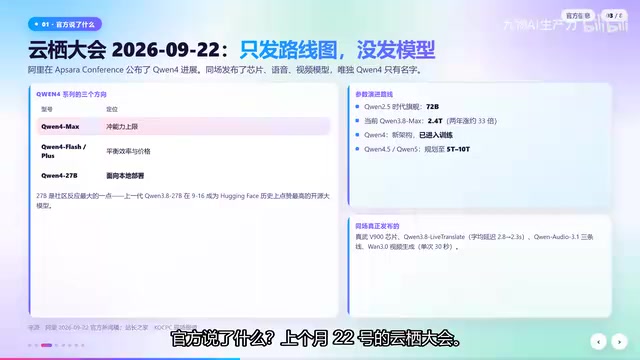
Qwen4 Architecture Preview Open-Sourced: 125B Parameters, 512 Experts, Designed for VRAM-Constrained Hardware
Qwen4 isn't released yet, but its architecture is previewed via open-source Qwen3.8 Flash Next: 125B params, 6B activated per token, 512 experts, 262K context, built for VRAM-limited hardware. This article covers official confirmations, key config.json metrics, and local deployment tests on 24G memory.
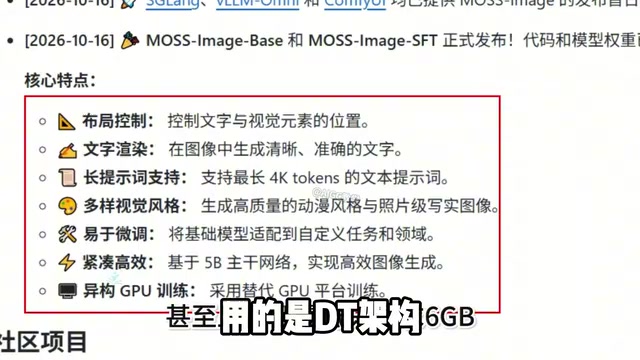
Run 8K Images on 6GB VRAM! Hands-On Test of Fudan's Open-Source MOSS-Image Model
Fudan OpenMouse team and Shanghai MOSS Intelligence open-source MOSS-Image, a 500M-parameter DT architecture text-to-image model that runs locally on 6GB VRAM with precise text rendering, structured layout control, and 4K Token prompt support—ideal for e-commerce posters and local deployment by individual creators.
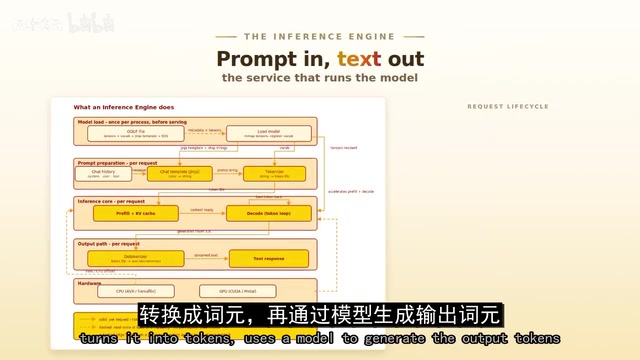
Overseas Blogger Tests Local Deployment of 100B-Parameter MoE Model: Key Lessons on Quantization and Tool Calling
Overseas blogger tests local deployment of Alibaba's Qwen 3.8 Flash Next 100B MoE model on a Strix Halo mini PC and CUDA workstation, revealing how quantization precision affects tool-calling success and the real-world performance of the Strata and GUFO inference engines.