No API Needed! Build a WhatsApp Receptionist with a Free Claude Account

A developer turned free Claude.ai into an automated WhatsApp receptionist using browser scripts and a local server—no API required.
A self-taught developer used a weekend to connect free Claude.ai with WhatsApp Web via browser console scripts and a local Node server for automatic replies. The system monitors whitelisted chats, relays messages through WebSocket, and sends AI-generated responses back automatically. The author solved two key issues—reply loops and page structure changes—using emoji markers, a rate limiter, and delivery-check detection. The zero-cost solution is unstable, text-only, and limited by the free plan, but the architecture offers a useful reference for low-cost automation.
A self-taught developer spent a weekend turning a free Claude.ai web account into an automated WhatsApp receptionist. The entire process didn't call a single API—it relied entirely on in-browser scripts working together with a local server. Though rough around the edges, this experiment demonstrates a low-cost, reusable automation approach.
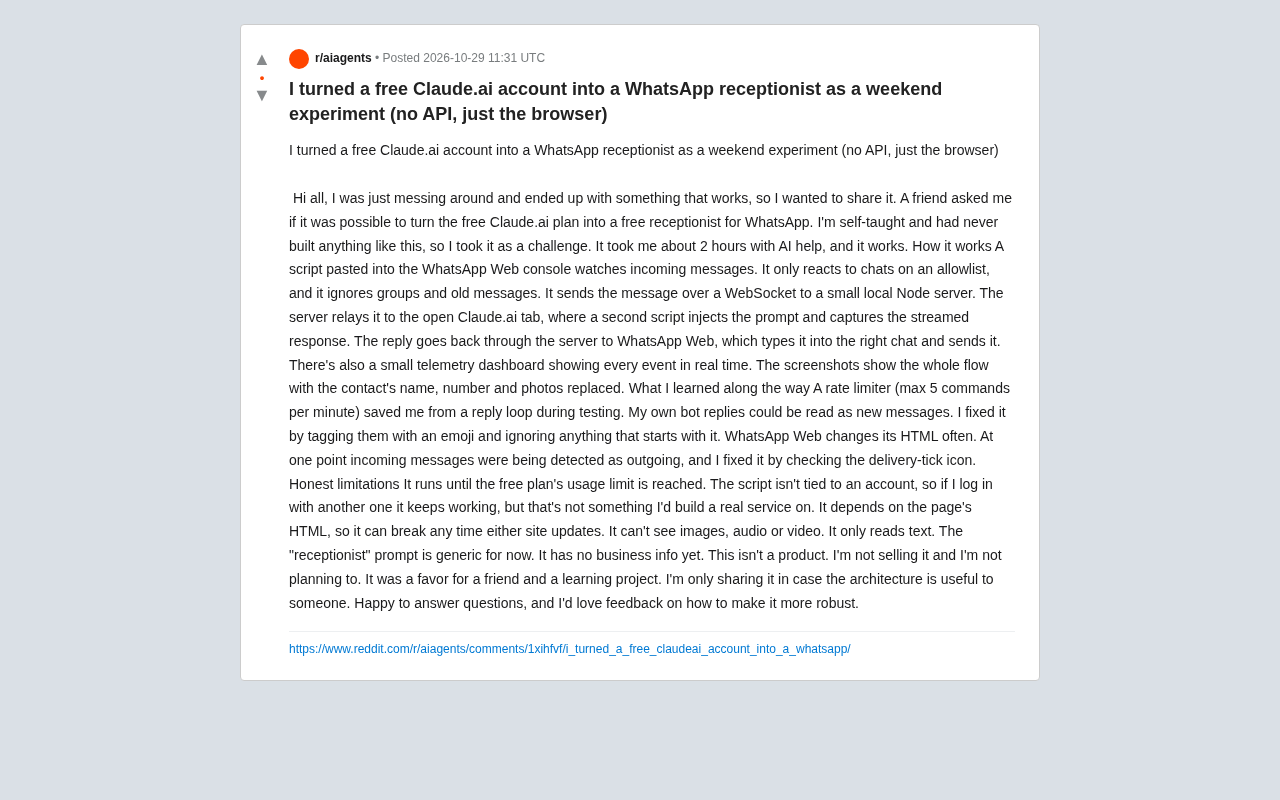
Architecture Breakdown: Browser Console + Local Node Service
According to the author's Reddit share, the system consists of three parts: a script pasted into the WhatsApp Web console, a local Node server, and a script injected into the Claude.ai page. The WhatsApp script only listens to whitelisted chats, ignoring groups and historical messages; when a new message arrives, it sends it to the local server via WebSocket. The server forwards the content to the already-open Claude.ai tab, where a second script injects the prompt and captures the streaming reply. The reply travels back along the same path, and finally the WhatsApp script automatically types and sends it to the corresponding chat window.
The pipeline also includes a real-time telemetry panel that displays the status of each event for easy debugging. The author emphasizes that the entire project took about 2 hours and was built with AI assistance.
WebSocket is a protocol for full-duplex communication over a single TCP connection. Unlike the traditional HTTP request-response model, it allows the server to actively push data to the client. In this project, the local Node server acts as the WebSocket server, while the WhatsApp script and the Claude.ai script act as clients, each establishing a persistent connection to it. When WhatsApp receives a new message, the script sends it to the server in real time via WebSocket, and the server forwards it to the Claude.ai tab; Claude.ai's reply is similarly relayed back through the server. This design avoids the latency and resource waste of polling and is key to achieving low-latency communication between two browser tabs.
Browser console injection refers to developers using the Console panel in browser DevTools to directly execute JavaScript code that manipulates the current page's DOM, listens to events, or calls functions already present in the page. The two scripts in this project—one pasted into the WhatsApp Web console and the other injected into the Claude.ai page—interact directly with the web interfaces by bypassing official APIs in exactly this way. Injected scripts can read chat message elements, simulate typing, and click the send button, thereby achieving unofficial control over web applications. The advantage of this method is that it requires no API key and costs nothing, but the downside is heavy dependence on page structure—it may break as soon as the website updates.
Two Key Pitfalls: Reply Loops and Page Structure Changes
The author encountered two typical problems during testing. The first was a reply loop—messages sent by the bot itself were read as new messages. His solution was to add an emoji marker before the bot's replies and ignore all messages starting with that marker. He also added a rate limiter that processes at most 5 commands per minute to prevent accidental spamming.
The second problem was the frequent changes to WhatsApp Web's HTML structure. At one point, received messages were misidentified as sent messages, and he fixed the detection logic by checking the "delivery checkmark" icon next to messages. This also means the script could stop working at any time due to updates on either website.
A rate limiter is a mechanism that controls the number of operations within a given time period, commonly used to prevent system overload or abuse. In this project, the author set a limit of at most 5 commands per minute to prevent the bot from rapidly spamming messages due to accidental triggers, which could lead to account restrictions or a flood of useless messages. In implementation, a rate limiter typically maintains a count of requests within a time window and rejects or delays new requests when the count exceeds a threshold. For scripts that rely on web automation, a reasonable rate limit not only protects account security but also reduces the risk of being detected by a website's anti-bot mechanisms due to overly rapid operations.
Capability Boundaries and Honest Limitations
The author explicitly lists the limitations of this approach: it runs only until the free plan's usage cap is reached; the script isn't tied to an account—logging in with a different account still works, but it isn't sufficient to support a real service; it depends on page HTML, so stability cannot be guaranteed; it can only read text and cannot see images, audio, or video; and the receptionist prompt is currently a generic template with no business information integrated.
The author repeatedly states that this is not a product, will not be sold, and is just a learning project to help a friend. He shared it in the hope that the architecture might be useful as a reference for others.
Feasibility Assessment from Multiple Perspectives
Although there is currently only a single source on Reddit, the browser automation, WebSocket relay, and UI injection techniques involved in this approach have been widely practiced in the developer community. Its core value lies not in being "free" but in validating the feasibility of chaining two web services together through unofficial means. For individual developers who want to quickly validate a chatbot workflow without paying API fees, this architecture provides an actionable starting point. However, any automation that depends on page structure is inherently fragile; if used for real business purposes, official APIs or more stable integration solutions should still be considered.
UI injection refers to dynamically adding elements to or modifying the behavior of an existing web interface through scripts. For example, in this project, the author injected scripts to capture Claude.ai's streaming replies and display the telemetry panel. The related DOM manipulation is a foundational technique in browser automation: scripts query and modify the Document Object Model to read message content, determine message direction (sent/received), and simulate user input. Because modern web applications (such as WhatsApp Web and Claude.ai) make heavy use of dynamic rendering and obfuscated class names, DOM structures change frequently, making DOM-based automation scripts inherently fragile and requiring regular maintenance. This also explains why the author emphasizes that this approach is not suitable for real business scenarios.
One-line Summary
A developer turned free Claude.ai into an automated WhatsApp receptionist using browser scripts and a local server—no API required.
Paragraph Summary
A self-taught developer spent a weekend connecting the free Claude.ai web version with WhatsApp Web through browser console scripts and a local Node server to enable automatic replies. The system consists of three parts: a WhatsApp script monitors whitelisted chats and sends messages to a local server via WebSocket; the server forwards them to the Claude.ai tab; an injected script captures the streaming reply, which then travels back and is sent automatically. The author solved two key problems: reply loops (using emoji markers and a rate limiter) and page structure changes (by checking delivery checkmarks). The solution costs nothing but has poor stability, can only handle text, and is limited by the free plan's usage cap. The author positions it as a learning project, but the architecture offers reference value for low-cost automation.
Related articles
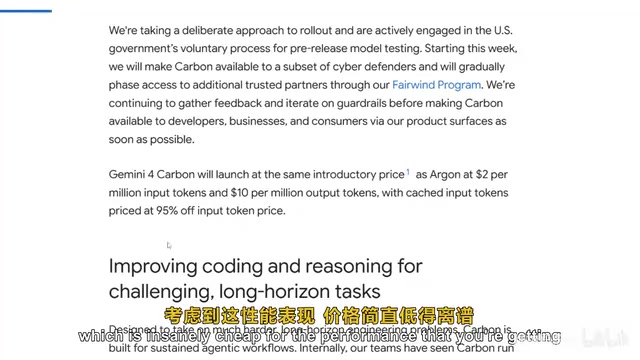
Gemini 4 Carbon Hands-On: The Strongest AI Model? Compared with Claude Opus 5.5
Google's Gemini 4 Carbon tops the Artificial Analysis leaderboard with 71% on CW Bench and leads Vending Bench. Hands-on comparison with Claude Opus 5.5: stunning front-end design but slightly behind in web development, with a clear price advantage.

Gemini 4 Carbon Tops Global Rankings as AI Productivity and Open-Source Ecosystems Surge
Google DeepMind's Gemini 4 Carbon tops global benchmarks, built for complex agents and system security. ByteDance launches Doubao Work integrated with Feishu, Anthropic's AI autonomously breaches 5 system-level attack chains, and ModelBest and Fudan open-source on-device multimodal and image generation models.

Overseas Creator Breaks Down N8n AI Agent Business Playbook: From Tooling to Monetization
An overseas creator breaks down the N8n AI agent business playbook: comparing Zapier, Make, and N8n, detailing four monetizable automation categories—lead capture, WhatsApp follow-up, booking, and content pipelines—plus agency pricing and a sales playbook.