No Coding Experience? Here's How to Use Cursor: An AI Tool Development Guide
Cursor is VS Code with built-in AI, letting non-developers automate tasks with small projects.
The article notes Cursor isn't just for programmers—it's essentially VS Code with deeply integrated AI, capable of reading files, understanding project structure, and generating or modifying code via natural language, greatly lowering the barrier to entry. For non-developers, the author recommends starting with tiny tasks: have Cursor explain every line and error in plain language, change one thing at a time, and treat it as a learning tool rather than just a code generator. Be clear about goals when asking—e.g., "rename images in a folder by date" rather than "optimize code"—to significantly improve output usability. Anyone who's wanted to build small tools or automate repetitive tasks will find Cursor one of today's highest-leverage AI tools; the key is to actually use it.
Why Non-Developers Can Benefit from Cursor Too
Many people assume Cursor is a tool exclusively for programmers, but that's not the case. Even if you only know a little code—or none at all—Cursor can still help you build small tools, automate repetitive tasks, and significantly boost your productivity. At its core, it's VS Code with a powerful AI built in, capable of reading your files, understanding project structure, and writing or modifying code for you using natural language.
This "AI + editor" combination lets people without technical backgrounds accomplish things that previously required professional development. If you've always wanted to build a small tool or are tired of handling repetitive work manually, Cursor may be one of the most cost-effective AI tools available right now.
What Exactly Is Cursor: An AI-Enhanced Version of VS Code
Cursor is built on top of VS Code—a widely popular code editor. The difference is that Cursor deeply integrates AI capabilities into the editor. According to the video's author, you can describe your needs in everyday language just like chatting, and Cursor will understand and generate code based on your project context.
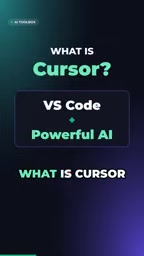
This means you don't need to memorize complex syntax or APIs. You just tell it "write me a script that can batch-rename files," and it will produce runnable code. For non-professional developers, this dramatically lowers the barrier to getting started.
VS Code (Visual Studio Code) is a free, open-source code editor developed by Microsoft, supporting Windows, macOS, and Linux, with a massive extension ecosystem. It is itself an editor rather than a full integrated development environment (IDE), but through plugins it can support virtually any programming language and development workflow. Cursor is a secondary development built on top of VS Code, so the interface layout, keyboard shortcuts, and extensions you're familiar with are largely the same in Cursor; the difference is that Cursor embeds large language model capabilities directly into the editor, terminal, and chat panel, allowing the AI to "see" your entire open project rather than just isolated code snippets.
Strategy for Non-Developers: Start Small
The video gives clear advice: if you're not a strong coder, always start with very small tasks. Specific approaches include:
- Have Cursor explain everything—every line of code, every error message—ask it to explain in plain language;
- Make only one change at a time, avoiding large and complex requests all at once;
- Treat Cursor as a learning tool, not just a code generator.
This "small steps, quick iterations" approach helps you gradually build your understanding of code while reducing frustration. The author emphasizes that non-developers should focus on solving problems rather than pursuing perfect code.
Practical Tips for Natural-Language-Driven Development
Cursor's core interaction method is natural language. You can describe the functionality you want in Chinese or English, and it will try to understand your intent and generate corresponding code. The video mentions that Cursor can read your files and understand project structure, meaning its suggestions will be better tailored to your current context.
For non-developers, it's recommended to be as clear as possible about your goal with each question, such as "I want to rename all images in a folder by date," rather than vaguely saying "help me optimize my code." Clear descriptions can significantly improve the usability of AI output.
"Project context" refers to the scope of information the AI can reference when generating code, including currently open files, directory structure, relevant configurations, and requirements you've mentioned earlier in the conversation. The more complete the context, the less likely the AI will produce code disconnected from your actual project. This is also what distinguishes Cursor from ordinary chat-based AI: it doesn't just answer abstract questions but responds specifically to the project you're working on. However, the context window is limited, and when a project is very large, the AI may only read some of the files. So constraining your request to a clear goal and scope is often more reliable than dumping a massive project on it all at once.
Who Should Use Cursor: From Task Automation to Small Tool Development
Cursor doesn't only serve professional developers. The video clearly states that if you've ever wanted to build a small tool or automate repetitive tasks, Cursor is currently one of the AI tools with the greatest leverage. Whether it's organizing data, batch-processing files, or building a simple internal tool, Cursor can help you get started quickly.
For people in non-technical roles, this opens a door: you don't need to wait for development resources—you can solve everyday efficiency problems yourself. At the end of the video, the author also asks the audience: Have you tried Cursor yet, or are you still on the fence? This reflects that while the tool is great, actually using it is what matters.
"Leverage" here refers to: investing a small amount of time and effort in exchange for multiplied output. For non-developers, building a small tool for batch-processing files used to require learning programming or waiting in line for development resources; with Cursor, you only need to describe your needs in natural language and can get a runnable script in a relatively short time, compressing hours of manual work into a few seconds of automated workflow. The more repetitive and mechanical the task, the more obvious this leverage becomes—which is also the core logic behind the article's recommendation of Cursor to non-technical staff.
One-line Summary
Cursor is VS Code with built-in AI, enabling non-developers to automate via small tasks.
Paragraph Summary
The article points out that Cursor is not exclusive to programmers—it is essentially VS Code with deeply integrated AI, capable of reading files, understanding project structure, and generating or modifying code using natural language, thus significantly lowering the barrier to getting started. For non-developers, the author recommends starting with extremely small tasks: have Cursor explain every line of code and error message in plain language, make only one change at a time, and treat it as a learning tool rather than just a code generator. When asking questions, clearly describe your goal—for example, "rename images in a folder by date" rather than vaguely saying "optimize code"—which significantly improves output usability. The article emphasizes that for anyone who has ever wanted to build a small tool or automate repetitive tasks, Cursor is currently one of the AI tools with the greatest leverage, and the key is to actually start using it.
Related articles
 Tech Frontiers
MuJoCo: An Analysis of DeepMind's Open-Source General-Purpose Physics Simulator
An in-depth analysis of Google DeepMind's open-source physics simulator MuJoCo: high-performance C++ kernel, MJCF modeling format, contact solving principles, MJX GPU acceleration, and robot reinforcement learning use cases.
 Tech Frontiers
Claude API Quick Start: The Official Quickstarts Project Collection
Anthropic's official claude-quickstarts project collection helps developers quickly build deployable apps with the Claude API. Nearly 20k stars, Python-based, great for beginners and prototyping.
 Tech Frontiers
AI Agents Connecting Directly to APIs: Which Calls Can Be Safely Allowed?
AI agents can call any API, but the real challenge is deciding which calls can be safely allowed. This article analyzes allowance decisions from three dimensions—intent matching, least privilege, and controllable impact—and argues that the control layer should sit outside the agent, combined with audit traceability to build a trustworthy API call governance mechanism.