OpenAI Python SDK v3.22.1 Released: Fixes Authentication Error Messages and Type Conversion Issues

OpenAI Python SDK v3.22.1 patches authentication error messages and NotRequired field conversion bugs.
OpenAI's official Python SDK v3.22.1 is a patch release targeting two API-layer bugs: one fixing incomplete error messages on authentication failure, and another correcting the conversion logic for NotRequired optional fields in TypedDict structures to prevent serialization issues with complex request parameters. The release also standardizes test file line endings for cross-platform CI stability and improves streaming documentation examples. As a semantic versioning patch update, v3.22.1 is backward compatible and safe to upgrade via pip.
OpenAI's official Python SDK (openai-python) has shipped a v3.22.1 update. As the core library developers use to integrate with the OpenAI API, this project — which has earned over 31,000 stars and 7,000+ forks on GitHub — directly impacts the stability of countless production applications with every release. This update is primarily a bugfix release, a typical patch version.
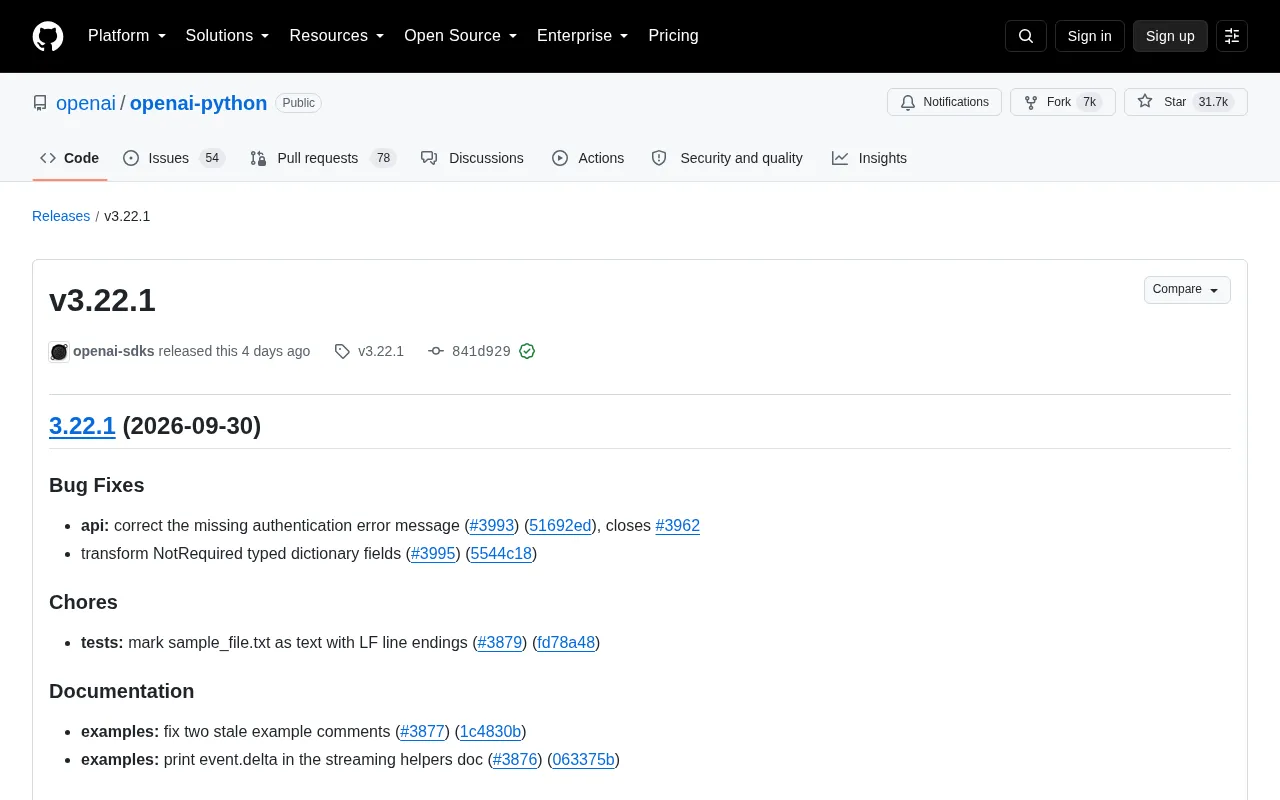
Key Changes in This Update
v3.22.1 is a focused bugfix release with no new features, addressing two critical bugs at the API interaction layer.
The first fix resolves missing authentication error messages (#3993, related to issue #3962). Previously, when a request failed due to authentication, the SDK might return incomplete error information — making it frustrating for developers to diagnose API key configuration or permission issues. After this fix, authentication failures now surface more accurate error messages, helping developers pinpoint the root cause faster.
The second fix addresses a conversion bug in NotRequired typed dictionary fields (#3995). In Python's type system, NotRequired is used to mark optional fields in a TypedDict. The SDK previously had a conversion defect when handling these fields, which could cause request parameter construction to behave unexpectedly. This fix is especially valuable for engineering teams that rely on strict type hints, IDE autocompletion, and static analysis.
NotRequiredis a type annotation utility introduced in Python 3.11 and backported viatyping_extensions. It's designed specifically forTypedDictuse cases. WhileTypedDictlets developers define precise key-value types for dictionaries, all fields are required by default. By introducingNotRequired[T], specific fields can be marked as optional, allowing static type checkers like mypy and pyright to accept requests where those fields are omitted. OpenAI's SDK makes extensive use ofTypedDictto describe request body structures. WhenNotRequiredfields are handled incorrectly, optional fields could be erroneously serialized as null values or trigger runtime exceptions — most noticeably when constructing complex request parameters such as function calling or tool use schemas.
Testing and Documentation Maintenance
Beyond functional fixes, this release includes several project maintenance improvements.
On the testing side, the team marked sample_file.txt as a text file and standardized it to use LF line endings (#3879). While this change may seem minor, it prevents test flakiness caused by line ending differences across platforms — particularly between Windows and Unix systems — improving CI pipeline reliability.
Two documentation cleanups were also made: outdated example comments were corrected (#3877), and an example showing how to print event.delta was added to the streaming helper function docs (#3876). Since streaming responses are one of the most common OpenAI API use cases, improved example documentation helps developers more intuitively understand how to handle incremental content from streamed responses.
Line ending differences (CRLF vs LF) are a common cross-platform pitfall in Python projects. Windows defaults to CRLF (
\r\n), while Unix/Linux/macOS uses LF (\n). When tests involve binary comparison, hash verification, or file upload simulation, inconsistent line endings can cause byte-level content mismatches — making tests pass on some operating systems and fail on others. By explicitly declaring test sample files as text format with forced LF in.gitattributes, Git can ensure consistent checkout behavior across platforms, eliminating hard-to-reproduce "ghost failures" in CI pipelines.
What This Means for Developers
For projects currently using openai-python, it's generally advisable to upgrade promptly when patch releases like this arrive. The authentication error message fix directly improves the development experience — clear error output during initial integration or API key rotation can dramatically cut down troubleshooting time.
The NotRequired field conversion fix is a lower-level robustness improvement. If your codebase relies heavily on TypedDict to constrain API request structures, upgrading will help you avoid potential parameter serialization issues.
From a versioning perspective, 3.22.1 is a patch-level update that follows semantic versioning principles. It should be fully backward compatible, making the upgrade low-risk. Developers can update to the latest version quickly with pip install --upgrade openai.
Summary
v3.22.1 is a classic quality-consolidation release — no breaking changes, but two API-layer bug fixes that meaningfully improve the SDK's usability and reliability. For teams building applications on top of OpenAI services, keeping the SDK on the latest stable version is a foundational practice for maintaining healthy production services.
Related articles

Gemini 4 Argon Hands-On: Aggressive Pricing, 3D Capabilities Need Coaching
Gemini 4 Argon hands-on: limited-time $2/$10 pricing, million-token output, strong 3D and reverse-engineering work, but weak front-end aesthetics and zero-shot ability need coaching.

Build Your Own ChatGPT with Flutter and Gemini API: Streaming Chat in 200 Lines of Code
Learn to build a ChatGPT-like AI chat app with Flutter and the Gemini API: secure API keys via Firebase AI Logic, stream replies with sendMessageStream, maintain memory with chat sessions—all in under 200 lines of code.

A Practical Guide to Pairing a Wear OS Phone with a Virtual Watch
Based on a YouTube walkthrough, this guide details creating a Wear OS project in Android Studio, configuring phone and watch emulators, and completing pairing, with troubleshooting for five common failure scenarios and three verification criteria.