Overseas Blogger Tests It Out: AI Directly Modifies OutSystems Apps — How the MCP Protocol Works in Practice

OutSystems MCP turns natural language requests into a controlled pipeline of app modification, review, publishing, and deployment, emphasizing human confirmation and permission governance.
Through an overseas blogger's hands-on test, this article shows how OutSystems MCP enables an AI Agent to modify applications via natural language. The MCP protocol connects the AI host to OutSystems, and three tool groups — Context, Mentor, and Platform — tie modification, review, publishing, and deployment into a controlled pipeline. Changes occur within a Mentor session without affecting the running app, and must be reviewed before publishing. Publishing and deployment are distinct and both require confirmation. The Agent can also query the enterprise context graph for impact analysis and connect to Jira, Slack, and other tools. Operations run under the user's identity with role-based permissions, and permissions and confirmation are separate controls. The final output remains a standard OutSystems app with a lifecycle consistent with manual development.
When Natural Language Becomes a Development Instruction
Overseas blogger Alex conducted a hands-on test on the "Beyond the Code" channel: by describing a requirement in natural language within an AI host (such as Cloud Code, Cursor, or AWS Kiro), an AI Agent can directly modify an application within the OutSystems environment. This capability is powered by OutSystems MCP (Model Context Protocol) — an open protocol that enables applications to interact with external tools and services.
The significance here isn't "AI can write code" itself, but rather that it connects modification, review, publishing, and deployment into a controlled engineering pipeline. The blogger repeatedly emphasized in the video: what's happening behind the scenes goes far beyond generating code.
Connection Method: Register a Server + Install a Skill
To connect an AI Agent to OutSystems, two steps are needed: register a remote OutSystems MCP server in the MCP host, and install the OutSystems skill. This skill provides instructions that help the Agent understand how to use the available tools and when it should request confirmation. The blogger noted that in Cloud Code, a single plugin installation accomplishes both. The first time an OutSystems tool is invoked, you need to log in via a browser; subsequent requests carry an authentication token, and OutSystems uses it to identify the user who initiated the request.
Background
MCP (Model Context Protocol) is a protocol proposed and open-sourced by Anthropic, designed to provide a standardized way for AI models to interact with external tools and data sources. It uses a client-server architecture: the AI host (such as Claude Code or Cursor) acts as the client, invoking tools exposed by a remote MCP server through a standard interface. Each MCP server can define a set of tools and describe their input/output schemas, based on which the AI decides when to call which tool. This design means the AI doesn't need to write custom integration code for each external system — it only needs to follow a unified protocol to extend its capabilities, and it also provides a unified entry point for permission control and auditing.
The Four-Step Flow: From Context to Publishing
OutSystems MCP groups its tools into three categories: Context, Mentor, and Platform. These three groups play different roles in the request flow.
Step 1: Understand the Application Before Making Changes
The Agent uses the Context tools to inspect information about the affected application, including screens and entities. The blogger specifically pointed out that it does not download the entire application — it only collects the context needed to understand this particular modification. This provides a well-grounded starting point for subsequent changes.
Step 2: Hand the Modification to Mentor
Once the context is obtained, the Agent submits a modification request through the Mentor tool, carrying the information collected in the previous step. Mentor edits the application model within a session on the OutSystems server — and the key detail is: changes stay within the session, and the running application does not change immediately. The Agent polls and waits for Mentor to finish processing, which means modifications can be prepared and reviewed before they enter the published application.
Background
In the OutSystems platform, a "session" refers to an isolated editing context in which changes to the application model are first staged, rather than written directly to the running instance. This is similar to a workspace in version control: developers or AI can repeatedly adjust and preview changes within a session, and commit them once confirmed. This mechanism allows modifications to be reviewed and rolled back without affecting production. The Mentor tool leverages the session mechanism to keep the Agent's modifications in a "preparation" stage — only an explicit publish operation triggers a build and deployment, thereby decoupling "editing" from "taking effect."
Step 3: Review Is Mandatory Before Publishing
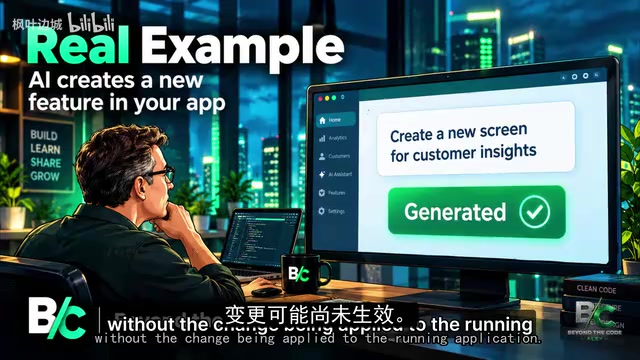
After Mentor finishes, the Agent summarizes what was changed. The blogger cautions here: don't treat the generated summary as a mere formality. You need to confirm whether the result matches the original requirement and whether there are any unexpected changes that need further handling. This round of the Agent's work can end without the changes being applied to the running application — the review step is a real gate.
Step 4: The Distinction Between Publishing and Deployment
After confirmation, the Agent uses the Mentor tool to publish the changes. Publishing builds the edited application and deploys it to the development stage; deployment, on the other hand, promotes an existing revision to another stage without rebuilding. The blogger emphasized this distinction, and deployment operations also wait for confirmation. The separation between editing, review, publishing, and deployment makes it clearer what happens at each stage and makes it easier to control when changes flow through the application lifecycle.
Tenant-Level Visibility and Cross-Tool Collaboration
Beyond modifications to a single application, the blogger demonstrated another more interesting capability: the MCP host can access the enterprise context graph to obtain tenant-level context beyond the currently open application. For example, you can ask the Agent to find which applications interact with the payment system, or to perform an impact analysis after publishing a change to the order application and before deploying it to another stage. The analysis reports deployment-related impacts but does not automatically block deployment — you still need to decide the next step based on the results.
This visibility is especially useful when applications share dependencies or support interconnected business processes: a seemingly simple change within one application may have ripple effects elsewhere.
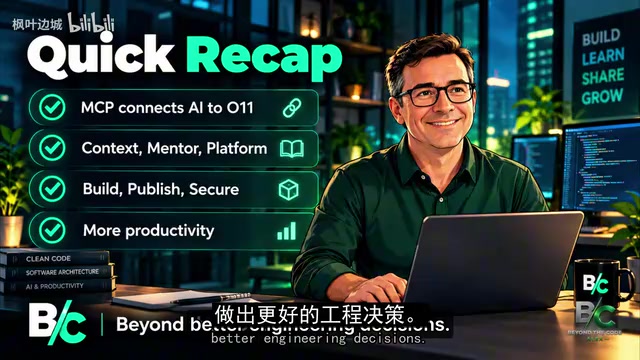
The blogger also mentioned that the MCP host can connect to tools such as Jira and Slack. When these connections are available, a single request can combine information from different systems: the Agent reads a Jira ticket, implements the feature in OutSystems, and then sends a summary to Slack. Publishing and deployment still require your confirmation — the goal is to reduce friction between understanding requirements, implementation, and communication while keeping important operations under your control.
Background
An enterprise context graph is a knowledge base that models the applications, services, data entities, and their dependencies within an organization as a graph structure. Nodes represent assets such as applications, interfaces, and database tables, while edges represent calls, references, or data flows. By querying this graph, AI can answer questions like "which applications depend on the payment service" or "which downstream systems will be affected by modifying the order module." This global visibility compensates for the limitations of single-application context and makes impact analysis possible, but the graph itself does not enforce policies — the final decision still rests with humans.
Governance: Identity, Permissions, and Confirmation Are Two Different Things
Letting an AI Agent directly operate enterprise applications inevitably raises security and governance concerns. OutSystems MCP performs two checks on every request: operations run under your own identity, and the same role-based permissions from the ODC Portal apply. If you don't have permission to perform an operation in the Portal, the equivalent operation through MCP will also fail — the Agent doesn't bypass permissions just because it's using an AI tool.
The blogger deliberately distinguished permissions from confirmation: permissions determine what you are allowed to do; confirmation is an instruction the Agent is expected to follow — OutSystems' tool descriptions and skills tell the Agent to explain changes such as publishing or deployment and wait for approval. If you want confirmation to not rely entirely on whether the Agent follows instructions, you can configure the MCP host to require approval before executing OutSystems tools that modify the tenant. Both matter in enterprise development workflows.
Background
Role-based access control (RBAC) is the permission model used by the OutSystems ODC Portal: the system predefines roles (such as developer, operations, administrator), each role is bound to a set of operation permissions, and users gain the corresponding permissions once assigned a role. When an AI Agent initiates a request through MCP, the protocol carries the user's identity token, and OutSystems performs permission checks under that user's identity, not the Agent's or the system's. This means the Agent cannot exceed its authority — its behavior is entirely limited by the permissions of the user who initiated the request. This design ensures governance consistency between AI-assisted operations and manual operations, avoiding the security blind spots that "AI privileges" could introduce.
The Output Is Still a Standard OutSystems Application
One final point the blogger emphasized: regardless of whether an application is created or modified through the MCP host, through Mentor Studio in ODC Studio, or through Mentor Web in the ODC Portal, the result is a standard OutSystems application. You can open the application in ODC Studio to inspect what Mentor built, or continue refining it manually. Deployment, monitoring, and auditing capabilities apply equally. Introducing an MCP host does not produce a new class of application with a different lifecycle — it's just another way to interact with the OutSystems development platform.
For developers, what's truly worth paying attention to isn't the fact that "AI can modify applications," but how this capability fits into the development lifecycle, how it interacts with existing tools, and how visibility and control are maintained as more and more engineering work becomes AI-assisted.
One-line Summary
OutSystems MCP turns natural language requests into a controlled pipeline of application modification, review, publishing, and deployment, emphasizing human confirmation and permission governance.
Paragraph Summary
Through an overseas blogger's hands-on test, this article shows how OutSystems MCP enables an AI Agent to complete application modifications under natural language instructions. The MCP protocol connects the AI host with the OutSystems environment, and through three groups of tools — Context, Mentor, and Platform — it connects modification, review, publishing, and deployment into a controlled pipeline. Modifications take place within a Mentor session and do not affect the running application; changes must be reviewed before publishing. Publishing and deployment are clearly distinguished and both require human confirmation. The Agent can also access the enterprise context graph for impact analysis and connect to tools such as Jira and Slack. On the governance side, operations run under the user's identity and follow role-based permissions, with permissions and confirmation serving as two independent controls. The final output is still a standard OutSystems application, with a lifecycle consistent with manual development.
Related articles

The Truth Behind Titanic's Sinking: Key Decisions and Communication Failures in the National Geographic Documentary
National Geographic's The Unsinkable Ship uses survivor testimony to reconstruct Titanic's fatal decisions—from the missing MSG telegram prefix and the broken boiler-room-to-bridge link to how 'unsinkable' thinking delayed damage control and evacuation.

74M-Parameter Open-Source Model Partially Outperforms Jev AI in Testing
Fastino AI's Glider 2.5 models, with just 74M–300M parameters, reportedly outperform Jev AI in some guardrail benchmarks per YouTube testing, run on consumer hardware, and even play Doom. We analyze small models' competitiveness and deployment value on specific tasks.

Gemini 4 Argon Hands-On: Aggressive Pricing, 3D Capabilities Need Coaching
Gemini 4 Argon hands-on: limited-time $2/$10 pricing, million-token output, strong 3D and reverse-engineering work, but weak front-end aesthetics and zero-shot ability need coaching.