Pragtical v3.14 Update: Lua Text Editor Adds Menus, Floating Views, and Sessions

Pragtical v3.14 adds menus, floating views, and sessions, filling everyday gaps in the lightweight Lua editor.
Pragtical is a lightweight text editor built around Lua as its core extension mechanism, and v3.14 adds a menu system, floating views, and session management. The article notes that these three updates correspond to discoverability, interface expressiveness, and state persistence: menus are dynamically generated through the Lua API, lowering the barrier for new users while preserving programmability; floating views give plugin developers a new display container and expand plugin expressiveness; and session management makes opened files, cursor positions, and window layouts recoverable, improving the long-term experience. The author argues that these changes reflect a differentiated strategy in which a lightweight editor makes targeted reinforcements around weak points in core workflows, though the maturity of the new features still needs more real-world feedback to verify.
The Evolution of a Lightweight Lua Editor
Pragtical is a lightweight text editor built around Lua scripting as its core extension mechanism, and it has long attracted developers who value deep customizability. The latest v3.14 release brings three notable feature updates: a menu system, floating views, and session management. These changes may look scattered, but they all point in the same direction—filling in key missing pieces of the everyday editing workflow while keeping the core lightweight.
According to discussion on Hacker News, the release post drew community attention. Although the number of comments is modest, the pace of previous iteration suggests that Pragtical is steadily moving from "geek toy" to "editor you can use every day."
Pragtical's predecessor was Lite XL, and Lite XL in turn traces back to the earlier lite editor project. This lineage defines its technical character: the core is written in C to ensure fast startup and low resource usage, while the UI and extension logic are largely delegated to Lua, forming a "small core + scripting layer" architecture. Unlike Neovim, which runs on a dual track of Vimscript and Lua, or VS Code, which relies on Electron and TypeScript extensions, Pragtical exposes almost every customizable surface to Lua, and plugins can directly manipulate the editor's internal objects. This design makes deep customization direct, but it also means the ecosystem scale and documentation completeness are hard to compare with mainstream editors, and users often need to read the source code to understand the API. Understanding this background is essential to seeing why "infrastructure-type" updates such as menus and floating views in v3.14 matter so much.
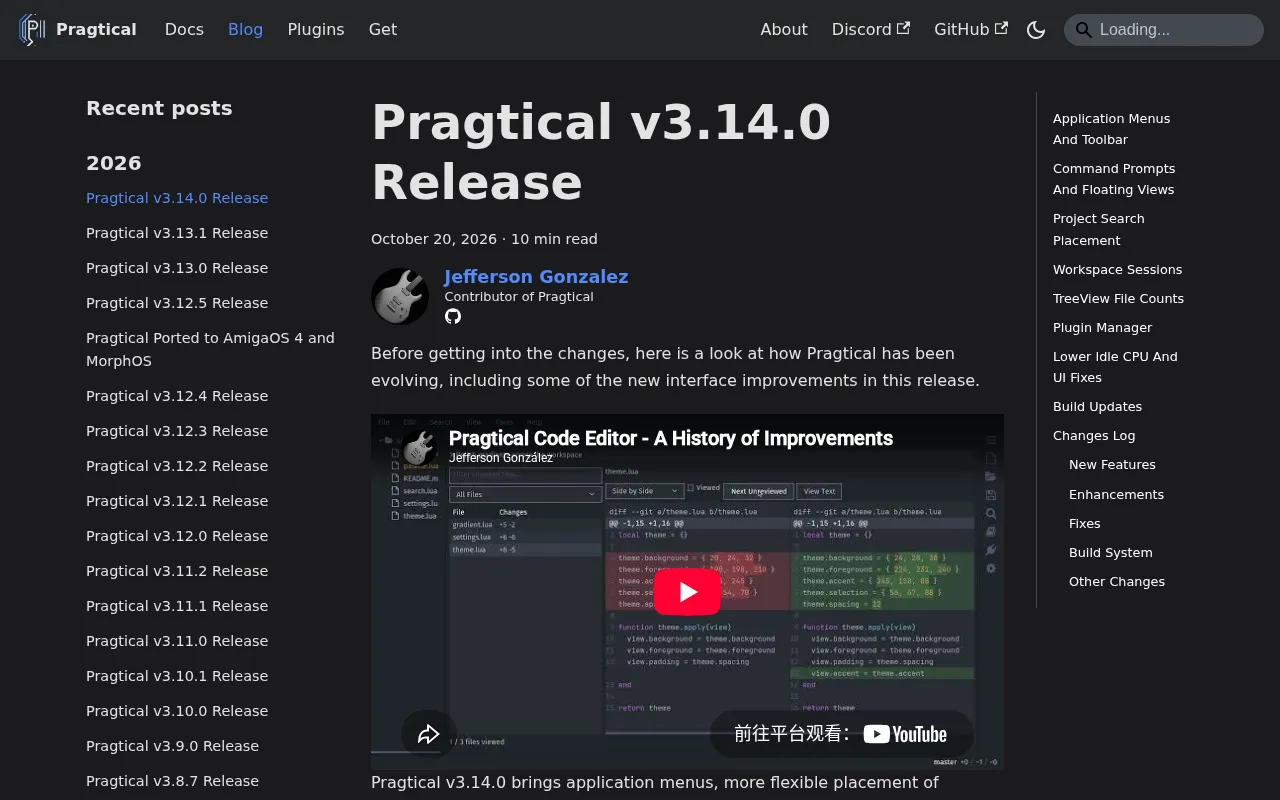
Menu System: Lowering the Barrier to Entry
An inherent contradiction for Lua editors is this: configuration power is high, but discovery cost is high. New users faced with a pile of Lua configuration files often do not know where to begin. The menu feature added in v3.14 essentially builds a visual bridge between commands and users.
Judging from the design logic, the menu is very likely defined through the Lua API, which means it is not a hard-coded static menu bar but something that can be dynamically generated by plugins and user configuration. For experienced users, this adds another programmable entry point; for new users, it removes a layer of friction that would otherwise require digging through documentation to find features.
In the editor world, "discoverability" is an often underestimated metric: it refers to users' ability to find and use features without consulting documentation. Command palettes (such as VS Code's Ctrl+Shift+P) and menu bars are two typical ways to improve discoverability. For configuration-centric editors, features are often hidden behind key bindings and Lua function calls, making the learning curve steep for new users. A visual menu organizes commands into a hierarchy, letting users "see" first and "remember" later, thereby shifting discovery cost from reading documentation to browsing the interface. If the menu is indeed driven by the Lua API, it can also share the same command registration mechanism with the plugin system, avoiding the maintenance of two separate entry points.
Floating Views: A Spatial Solution for Multitasking
Floating views are the more technically substantial part of this update. Traditional editors rely either on tabs or on split panes, while floating views offer a freer way to organize space—windows can hover above the main editing area to display temporary content, auxiliary information, or snippets from a second file.
For a Lua-driven editor, the value of floating views goes beyond visual polish. They provide plugin developers with a new display container, such as floating documentation hints, floating search result previews, or even floating mini terminals. Such capabilities were previously lacking in Pragtical, and once added, the expressive space for plugins expands noticeably.
In implementation, floating views usually involve the editor's view hierarchy and layout system. Traditional splits and tabs belong to "tiled" layouts, where all views share the same grid division; floating views introduce an overlay independent of the main layout, requiring handling of z-order, focus management, mouse event pass-through, and size adaptation. For a lightweight editor based on SDL rendering, this means the rendering pipeline must support the overlay and clipping of multiple view coordinate systems. Such capabilities are not rare in GUI frameworks, but in an editor centered on a text grid they represent a structural extension, and they are also a prerequisite for the plugin ecosystem to move from "tweaking colors and key bindings" to "building complex UI components."
Session Management: Making Work State Continue
The session feature addresses the editor's "memory" problem. Whether previously opened files, cursor positions, and window layouts can be restored after closing and reopening the editor directly affects the smoothness of long-term use. The session mechanism introduced in v3.14 means users can interrupt work and return exactly where they left off without manually rebuilding their editing environment.
This feature may look basic, but for users who use the editor frequently every day, it is often the key factor in whether they stay long term. Taken together with menus and floating views, the three updates in v3.14 correspond to three dimensions—"discoverability," "interface expressiveness," and "state persistence"—covering aspects of the editor experience that are easy to overlook but deeply influential.
Sessions and "recently opened files" are concepts at two different levels. The latter only records a list of paths, while the former must persist the complete editor state: opened files and their cursor positions, scroll offsets, the layout of splits or floating views, and even unsaved buffer contents. Implementation usually requires a serialization mechanism that converts the runtime object tree into a structure that can be written to disk (such as JSON or Lua tables), and then deserializes and rebuilds it at startup. The difficulty lies in edge cases: files modified or deleted externally during the session, whether temporary views registered by plugins should be restored, and how to isolate sessions when switching between multiple projects. These details determine whether the session feature is merely "adequate" or actually "reliable."
Differentiated Competition for Lightweight Editors
With editors such as VS Code, Neovim, and Zed dominating the mainstream, Pragtical's room to survive lies in its Lua-native extension model and lightweight positioning. The v3.14 update does not pursue breadth for its own sake; instead, it makes targeted reinforcements around the weak points in core workflows, and this restraint deserves recognition.
However, with only limited attention and information on Hacker News, it is still difficult to judge how mature these new features are in real use. Whether the menu supports full customization, how floating views perform across multiple monitors, and what edge cases exist in session restoration all require more practical feedback to verify. Developers interested in the Lua editor ecosystem can treat it as a case study and watch the direction of future releases.
One-line Summary
Pragtical v3.14 adds menus, floating views, and sessions, filling in everyday gaps in a lightweight Lua editor.
Paragraph Summary
Pragtical is a lightweight text editor built around Lua as its core extension mechanism, and v3.14 adds a menu system, floating views, and session management. The article argues that these three updates correspond to discoverability, interface expressiveness, and state persistence: menus are dynamically generated through the Lua API, lowering the barrier for new users while preserving programmability; floating views provide plugin developers with a new display container and expand plugin expressiveness; and session management makes opened files, cursor positions, and window layouts recoverable, improving the long-term experience. The author argues that these changes reflect a differentiated strategy in which a lightweight editor makes targeted reinforcements around weak points in core workflows, though the maturity of the new features still needs more real-world feedback to verify.
Related articles

T3 Code: The Open-Source AI Coding Assistant's Comeback Story
T3 Code is an open-source AI coding assistant that unifies subscriptions like Codex and Claude, with powerful remote control and parallel task management.

Never Elected, Yet Ruled New York for 30 Years: The Ultimate Case Study in the Mechanics of Power
Robert Caro's biographies reveal how unelected Robert Moses ruled New York for 30 years through legal drafting and public authorities, and how Lyndon Johnson built leverage as a "powerless" Senate Majority Leader. Unpacking the underlying logic of accumulating and sustaining power.

The CPython 3.10 Recursion Trap and Synthetic Recovery in TokenGuard, an LLM Circuit Breaker
TokenGuard's author recounts a recursion crash caused by OrderedDict.pop in CPython 3.10 and introduces v0.3.0's Loop Nudge synthetic recovery, inline DLP scanning, and other new LLM agent circuit-breaker capabilities.