RAG and Agent in Practice: Two Paths for LLM Integration

Compares local deployment and cloud API calls for LLM integration, demonstrating registration, API Key creation, and free quota management with Alibaba Cloud Bailian.
The article focuses on the first step of LLM application development: model integration. Local deployment via Ollama is hardware-limited to 1.5B/7B/8B distilled models, offering privacy and offline benefits; cloud API calls provide full-parameter models with a better experience but usually cost money. The course uses Alibaba Cloud Bailian for its free quota. It details registration, Alipay verification, and API Key creation in Key Management, explains per-model quota (~1M tokens each, rotatable), and notes that "stop when free quota is used up" prevents unexpected billing. Integration is just the start — RAG and Agent engineering details determine application effectiveness.
LLM Integration: Local Deployment vs Cloud API
The first step in building an LLM application is getting the model connected. According to this course on Bilibili, there are currently two mainstream approaches: local deployment and cloud API calls.
Local deployment relies on the Ollama framework and can run distilled models like Qwen and DeepSeekAd on a personal computer. Limited by hardware, locally runnable models are mostly at the 1.5B, 7B, or 8B parameter level — suitable for scenarios that are sensitive to data privacy or require offline operation.
Cloud API calls, on the other hand, give you access to full-parameter models through a platform. The experience is better, but it usually costs money. The course chooses Alibaba Cloud Bailian (Model Studio) as the integration foundation because it offers free quota, which is enough to cover API costs during the learning phase. Behind this choice is a pragmatic trade-off: during the learning stage, prioritize the upper bound of model capability rather than pursuing localization.
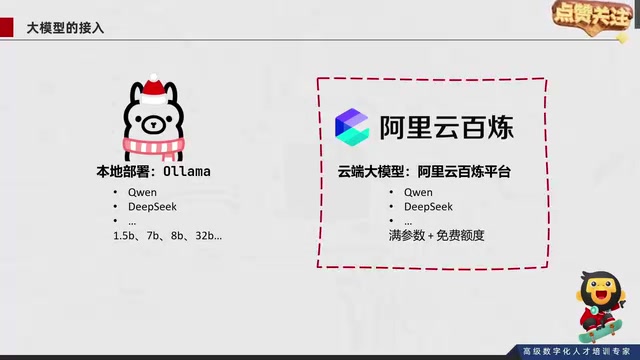
Distilled models refer to compressed versions obtained through Knowledge Distillation, a technique that transfers the capabilities of a large-parameter "teacher model" to a small-parameter "student model." During training, the student model fits both the ground-truth labels and the teacher model's output distribution (soft labels), retaining most of the reasoning ability despite a significant reduction in parameter count. Series like Qwen and DeepSeek offer distilled or small-size versions such as 1.5B, 7B, and 8B — these are precisely the models that make local inference feasible on ordinary personal computers.
Parameter scale (e.g., 1.5B, 7B, 8B): the B stands for billion. More parameters generally mean stronger capability, but also higher VRAM and compute requirements. As a rough estimate, at FP16 precision each billion parameters requires about 2GB of VRAM; a 7B model needs roughly 14GB just to load its weights, which can drop to 4-8GB after quantization. This explains why local deployment generally stays at the 7B/8B level, while full-parameter models can only rely on the cloud.
Bailian Platform Registration and API Key Creation
The integration process itself is not complicated. Open the Bailian official website, register and log in — a new account will pop up a service agreement, and after agreeing you enter the real-name verification step. Individual verification can be completed via Alipay QR code scan with face recognition, while enterprise verification applies to organizational accounts.
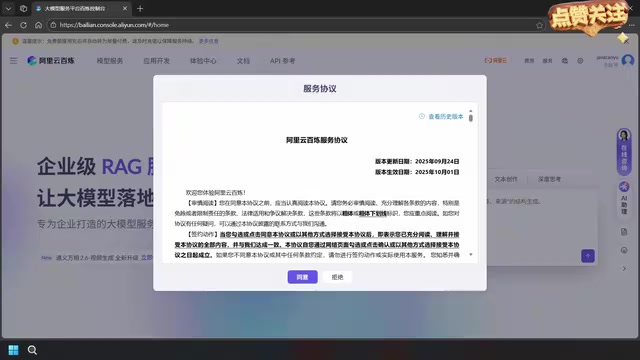
After verification is complete, re-enter the platform and the page will prompt you about the free quota granted; click "Start Experiencing" to try models directly in the web interface. But for developers, the web experience is only for validation — real integration requires calling through code, and the core credential is the API Key.
In the left-hand menu, find "Key Management," create an API Key and select the account it belongs to, and a key string will be generated. This key string is the "key" for your code to call cloud models over the network; all subsequent code requests rely on it for authentication.

API Key is a secret string generated by the platform, used to identify the caller in code requests and to handle authentication and billing attribution. When calling a cloud LLM, programs typically place the API Key in the Authorization field of the HTTP request header (commonly in the form Bearer sk-xxxx), and the platform returns the model result only after validation passes. An API Key is equivalent to account credentials — if leaked, others could steal your quota or even incur charges. Therefore, it should not be hardcoded into public code repositories; in practice, it's recommended to read it from environment variables or a secrets management service. Most platforms support creating multiple keys and revoking them individually, making it easy to isolate by project and to stop the bleeding quickly after a leak.
Free Quota Management and Overspend Protection
The Bailian platform's free quota is calculated independently per model. The course demo mentions that 172 models on the platform have abundant quota, with each model basically offering 1 million free tokens. This means learners can switch to another model after exhausting one model's quota — rotating usage is enough to cover the entire course content.
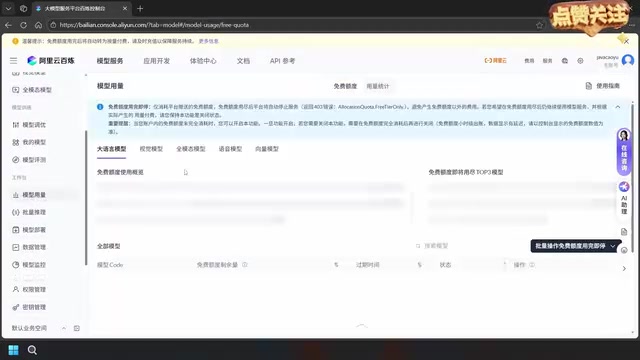
If you're worried about incurring extra charges, you can check "Stop when free quota is used up" on the model usage page. This option works as follows: once the quota is exhausted, the model is automatically disabled to avoid unexpected billing. For learning scenarios, this is a low-cost risk control measure.
The Path from Integration to RAG and Agent
Creating the API Key only solves the question of "where the model comes from." The RAG retrieval augmentation and Agent practice that the course title points to is the main body of application development. RAG addresses the model's knowledge boundaries and hallucination issues by attaching external retrieval so answers are grounded in evidence; Agent gives the model tool-calling and multi-step task planning capabilities.
A reasonable inference is: whether RAG or Agent, both rely on a stable model invocation channel at the bottom. Getting cloud integration working first, managing quota well, then layering on retrieval and tools is the common progressive structure of such courses. The local Ollama approach is suitable for cost reduction or privacy compliance alternative validation in later development stages.
RAG (Retrieval-Augmented Generation) works as follows: first, split external documents into chunks and convert them into vectors stored in a vector database; when a user asks a question, vectorize the question as well and retrieve the most relevant chunks; then concatenate these chunks as context into the prompt and hand it to the LLM to generate an answer. It does not change the model weights; instead, it attaches factual evidence externally through "retrieve first, then answer," thereby mitigating the model's outdated knowledge and hallucination issues.
Agent adds a control loop on top of model invocation: the model decides which tool to call (search, calculation, database query, etc.) based on the task, observes the tool's returned result, then decides the next action until the task is complete. Its core is the iterative orchestration of "reason—act—observe." RAG can be seen as a tool that an Agent can call; the two are often used in combination, and their common prerequisite is a stable, programmable model invocation interface.
Practical Recommendations
For learners just getting started, prioritize getting the cloud integration pipeline working: register and verify, create an API Key, and validate the call with minimal code. Quota monitoring and "stop when used up" should be configured as early as possible to avoid unexpected costs during debugging. Local deployment can serve as a fallback, investing time only when offline operation or sensitive data handling is needed.
Integration is just the starting point. The engineering details of RAG and Agent — document chunking, vector retrieval, tool orchestration — are what determine application effectiveness.
One-line Summary
Compares the two LLM integration paths — local deployment and cloud API calls — and uses Alibaba Cloud Bailian to demonstrate registration, API Key creation, and free quota management.
Paragraph Summary
The article centers on the first step of LLM application development — model integration. Local deployment relies on Ollama and is limited by hardware to running 1.5B, 7B, and 8B distilled models, with advantages in privacy and offline operation; cloud API calls provide access to full-parameter models with a better experience but usually cost money. The course chooses Alibaba Cloud Bailian as the integration foundation because it offers free quota. The article details the registration and login process, Alipay real-name verification, and creating an API Key in Key Management, and explains that the platform calculates quota independently per model (about 1 million tokens each, rotatable), with the "stop when free quota is used up" option preventing unexpected billing. Finally, it points out that integration is just the starting point — the engineering details of RAG and Agent are what determine application effectiveness.
Related articles

The Truth Behind Titanic's Sinking: Key Decisions and Communication Failures in the National Geographic Documentary
National Geographic's The Unsinkable Ship uses survivor testimony to reconstruct Titanic's fatal decisions—from the missing MSG telegram prefix and the broken boiler-room-to-bridge link to how 'unsinkable' thinking delayed damage control and evacuation.

74M-Parameter Open-Source Model Partially Outperforms Jev AI in Testing
Fastino AI's Glider 2.5 models, with just 74M–300M parameters, reportedly outperform Jev AI in some guardrail benchmarks per YouTube testing, run on consumer hardware, and even play Doom. We analyze small models' competitiveness and deployment value on specific tasks.

Gemini 4 Argon Hands-On: Aggressive Pricing, 3D Capabilities Need Coaching
Gemini 4 Argon hands-on: limited-time $2/$10 pricing, million-token output, strong 3D and reverse-engineering work, but weak front-end aesthetics and zero-shot ability need coaching.