Seam Cutter: Simon Willison Releases a Super Practical Seamless Image Cropping Tool

Simon Willison launches Seam Cutter, which seamlessly crops out the middle of an image and joins the two sides.
Simon Willison has released an online tool called Seam Cutter, designed to "carve out" a section from the middle of an image and seamlessly stitch the two sides. Unlike edge-only cropping tools, it lets users draw a horizontal or vertical cut line and slide the two sides to remove the middle precisely. Inspired by the need to delete irrelevant prompts or sensitive info after stitching long screenshots, it suits content creators and developers. It runs locally in the browser, is free, and needs no server upload.
A "Strange" but Precise Cropping Tool
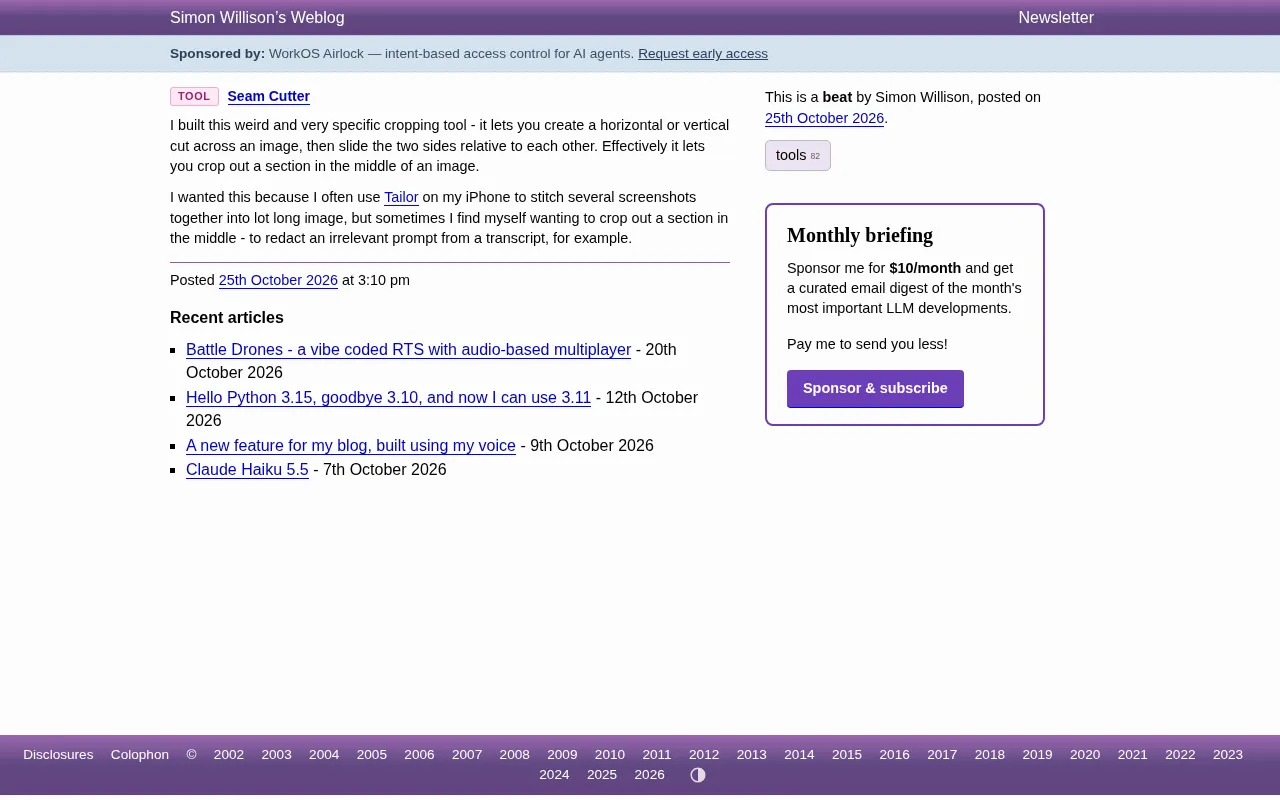
Well-known developer Simon Willison recently released an online tool called Seam Cutter, designed to solve a very specific need: "carving out" a section from the middle of an image while keeping both sides seamlessly stitched together.
Unlike conventional cropping tools that can only trim the edges, Seam Cutter lets users draw a horizontal or vertical "cut line" on the image, then slide the two sides toward each other like a sliding puzzle to precisely remove the unwanted middle portion. Willison himself describes it as a "strange and very specific" tool, but it hits the pain point in certain scenarios perfectly.
Why Is Such a Tool Needed?
In his introduction, Simon Willison revealed the inspiration: he often uses the Tailor app on his iPhone to stitch multiple screenshots into a single long image. But after stitching, he sometimes needs to crop out a middle section from the long image—for example, removing irrelevant prompts from transcript text or hiding certain unnecessary information.
Traditional cropping cuts off edges directly, while Seam Cutter's approach is: keep the top and bottom (or left and right) portions of the image, remove only the selected middle region, and then "pull" the remaining parts together. For long screenshots, chat logs, code screenshots, and similar scenarios, this operation is especially practical.
Tailor is an iOS tool that automatically stitches screenshots, able to recognize overlapping areas across multiple screenshots and intelligently merge them into a single long image—commonly used for organizing chat logs, full web pages, or code snippets. But after automatic stitching, the long image may contain repeated status bars, irrelevant transitional content, or sensitive information. Traditional cropping can only remove from the edges, whereas Seam Cutter fills the gap of "removing from the middle and stitching together." The two complement each other in a workflow.
The Tool's Core Logic and Operation
Seam Cutter's operation is very intuitive:
- Upload an image: Supports common image formats.
- Choose cut direction: Horizontal or vertical.
- Drag the cut line: Determine the region to remove on the image.
- Slide the two sides: Move the images on either side of the cut line relative to each other until the blank middle area disappears.
- Export the result: Get a new image with the middle seamlessly joined after being "carved out."
The entire process is completed in the browser—no software installation required, and no upload to a server—all processing happens locally, balancing convenience and privacy.
Browser-local processing: Seam Cutter doesn't rely on a backend server, thanks to the Canvas API and File API provided by modern browsers. The uploaded image is read via FileReader as a Data URL or Blob, then drawn onto a <canvas> element for pixel-level operations. The exported new image is generated as a download link via canvas.toBlob(). Throughout the process, data never leaves the device, so privacy is excellent—but it also means processing very large images may be limited by browser memory and performance.
Use Cases and Target Users
Although Seam Cutter is niche, its target users are clear:
- Content creators: Need to remove sensitive or irrelevant information from long screenshots while keeping the layout coherent.
- Developers and testers: Remove redundant middle sections when organizing log screenshots or error reports.
- Everyday users: After stitching chat logs, want to hide a certain conversation without leaving an obvious gap.
Willison himself is a typical user—he needs to erase irrelevant prompts from transcript screenshots, and Seam Cutter provides exactly the ability to "delete only the middle without leaving a trace."
The Philosophy of Small but Beautiful Tools
Seam Cutter continues Simon Willison's consistent tool style: solve one specific problem, do it to perfection, and keep it fully open. The tool is hosted on tools.simonwillison.net, and users can access it directly without registration or payment.
In an era where AI-generated content is proliferating and tools are becoming increasingly bloated, this kind of "small but beautiful" single-purpose tool seems all the more precious. It doesn't try to replace Photoshop, nor does it promise to do everything—it simply provides an elegant solution for one niche editing need. For those who frequently work with screenshots, Seam Cutter may become a permanent fixture in the browser bookmarks bar.
Simon Willison is a co-creator of the Django web framework and the author of open-source projects such as Datasette. He has long advocated the "small tools" philosophy—building lightweight, composable, no-install web tools for specific problems—and habitually hosts his creations under his personal domain for free. Seam Cutter is a continuation of this philosophy: concise code, single functionality, ready to use—reflecting an independent developer's commitment to the idea that "tools should serve people, not hold them hostage."
One-line Summary
Simon Willison launches Seam Cutter, which seamlessly crops out the middle of an image and joins the two sides.
Paragraph Summary
Simon Willison has released an online tool called Seam Cutter, designed specifically to "carve out" a section from the middle of an image and seamlessly stitch the two sides together. Unlike traditional tools that can only trim edges, it lets users draw a horizontal or vertical cut line and slide the two sides to precisely remove the middle region. Inspired by the real need to delete irrelevant prompts or sensitive information after stitching long screenshots, it suits content creators, developers, and others. The tool runs locally in the browser, is free, and requires no server upload—continuing Willison's philosophy of small, beautiful, single-purpose tools.
Related articles
Gemini 4 Carbon Hands-On: The Strongest AI Model? Compared with Claude Opus 5.5
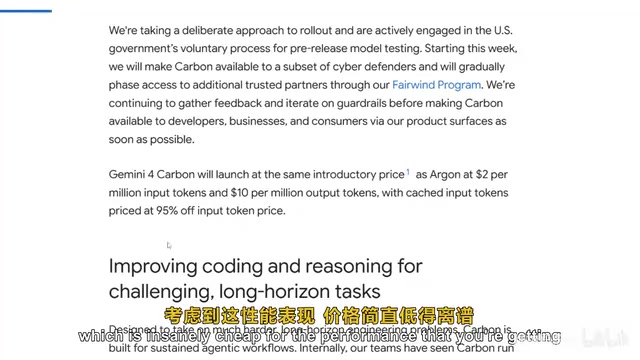
Google's Gemini 4 Carbon tops the Artificial Analysis leaderboard with 71% on CW Bench and leads Vending Bench. Hands-on comparison with Claude Opus 5.5: stunning front-end design but slightly behind in web development, with a clear price advantage.

Gemini 4 Carbon Tops Global Rankings as AI Productivity and Open-Source Ecosystems Surge
Google DeepMind's Gemini 4 Carbon tops global benchmarks, built for complex agents and system security. ByteDance launches Doubao Work integrated with Feishu, Anthropic's AI autonomously breaches 5 system-level attack chains, and ModelBest and Fudan open-source on-device multimodal and image generation models.

Overseas Creator Breaks Down N8n AI Agent Business Playbook: From Tooling to Monetization
An overseas creator breaks down the N8n AI agent business playbook: comparing Zapier, Make, and N8n, detailing four monetizable automation categories—lead capture, WhatsApp follow-up, booking, and content pipelines—plus agency pricing and a sales playbook.