Surface RTX Spark Dev Box Runs 120B Model Fully Offline: An Intelligent Terminal Hands-On

Surface RTX Spark Dev Box runs a 120B model offline, building a bootable VM with one sentence.
The article covers a hands-on demo of Microsoft's Project Zemuth device, the Surface RTX Spark Dev Box: fully offline, it runs a 122B-parameter local QEM model through the agent panel in Intelligent Terminal to automatically build and boot a Hyper-V VM from a Windows WIM image. The model understands the WIM format and local Hyper-V environment, suggests turning repetitive flows into skills, and after requesting permissions, mounts the ISO and builds the virtual disk, reaching the Windows OOBE in minutes. Intelligent Terminal is an open-source fork of Windows Terminal, model-agnostic and ACP-compatible, and can connect to Copilot, Claude, Gemini, or local models on Ollama. The article argues its value lies in keeping data local and free from network and metering limits, offering a clear path for local AI inference and terminal automation.
Microsoft's Project Zemuth device—the Surface RTX Spark Dev Box—has recently drawn attention in the developer community. A hands-on demo from YouTube shows the device running a 120B-class large model through Intelligent Terminal completely offline, and successfully completing a real DevOps task: automatically building a bootable virtual machine from a Windows image.
Key Highlight: A Local 120B Model Driving a Terminal Agent
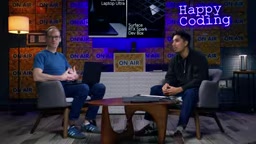
The demo was conducted by Clint and a co-host. Clint's daily pain point is repeatedly creating virtual machines by hand and applying new images to test app experiences. The team wants to do quick smoke tests in VMs before physical devices are ready, but the process is tedious and highly repetitive.
This time they tried solving the problem with the built-in agent panel in Intelligent Terminal. Intelligent Terminal is an open-source fork of Windows Terminal, with an interface similar to a regular terminal but with an agent status bar added at the bottom. Press Ctrl+Shift+Period to bring up the agent panel, which always retains the context of the current shell—essentially a built-in pair-programming assistant.
The host pasted a description into the agent panel: "I have a Windows image I want to create a VM from, but I do this often—what should I do?" The locally running QEM model (referred to in the demo as QEM 3.5, with 122 billion parameters) almost immediately suggested: if this is a routine task, you should create a skill, and recommended skills named WIMFoldered or Hyper-V VM. This shows it understood that WIM is a Windows image format and that the local environment uses Hyper-V.
WIM (Windows Imaging Format) is a file-based disk image format Microsoft has used since Windows Vista to package Windows installation media and system images (such as install.wim). Unlike earlier sector-based images, WIM supports single-instance storage (identical files are stored only once), can be mounted and edited, and can be split and incrementally appended, which is why it became the foundation of Windows deployment and recovery. The model in the article recognizing that "WIM is a Windows image format" means it correctly interpreted the build artifact provided by the user as a deployable system image, and chose the steps for mounting and applying the image accordingly, rather than treating it as an ordinary compressed archive.
Model-Agnostic and ACP-Compatible: Bring Your Own Agent
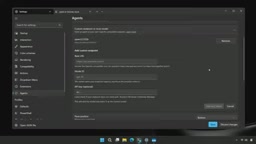
Another key design of Intelligent Terminal is that it is model-agnostic. You can switch to any agent in the agents tab in settings. In the demo, the host showed how to connect a local model: click add endpoint, fill in the URL and ID, add an API key if there is one, and QEM was configured in seconds.
This means the same agent panel can connect to GitHub Copilot, Claude, Gemini, or local models running on Ollama. The host emphasized that Intelligent Terminal is fully open source, is an open-source fork of Windows Terminal, and is compatible with the ACP protocol—any agent that supports ACP can connect directly to the agent panel.
ACP (Agent Client Protocol) is a protocol that standardizes communication between terminals/editors and AI agents: the client handles the interface and user interaction, while the agent side handles reasoning and tool calls, with the two exchanging context, permission requests, and execution results through structured messages. Its significance lies in decoupling—as long as an agent implements ACP, it can be connected by any compatible host, without the need to adapt separately for each product. "Model-agnostic" and "ACP-compatible" in the article refer to two different layers: the former means the underlying model can be switched (cloud or local), while the latter means the agent implementation itself can be switched. Only with both can users employ Copilot/Claude as well as local models on Ollama while keeping the interface and workflow unchanged.
In Practice: One Sentence Lets a 120B Model Build a Bootable VM
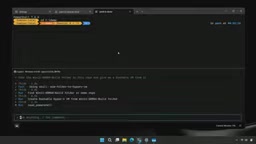
The highlight of the demo was letting the model actually execute the task. The host placed a WIM image file in a demo folder and then entered into the agent panel: "take the build that I have in this repo and give me a bootable VM".
The model identified that it should use the WIM to Hyper-V skill just created, automatically found the build file, and began creating the VM. During the process it requested sudo permissions, then mounted the ISO and built the virtual hard disk, all without manual step-by-step intervention.
The host opened Task Manager to show resource usage: this device has 128GB of memory, and the model used about 98GB while running, truly pushing the hardware to its limit. Even so, the entire VM build process took only a few minutes.
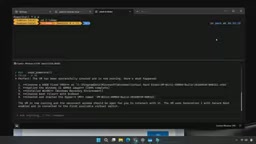
Ultimately, the VHD booted completely and entered the Windows out-of-box experience, and a bootable virtual machine pointing to the specified image was ready. The host concluded: next time a new VM is needed, just open the folder in Intelligent Terminal and say "give me VM", and the agent knows what to do.
Hyper-V and VHD/VHDX are key background for understanding this demo. Hyper-V is the Type-1 hypervisor built into Windows, hosting virtual machines through components such as virtual switches and virtual disks; VHD/VHDX are the virtual hard disk formats it uses, with VHDX supporting larger capacities, journaling, and corruption resistance. To turn a WIM image into a "bootable virtual machine", the typical process is: create a virtual hard disk, partition and format it, apply the WIM image, configure the boot record and BCD, and then attach it to Hyper-V to boot. In the demo, the model automatically completed steps such as mounting the ISO and building the virtual hard disk, precisely orchestrating these discrete commands into a reusable skill—which also explains why it needed to request sudo/administrator permissions.
Why Local Models Are Worth Watching
The host made it clear that the same task could absolutely be done with cloud models such as Copilot, Claude, or Gemini, but this time everything happened on this local device. The value lies in: data always stays local, unaffected by network conditions, providing "unmetered intelligence".
For Project Zemuth-class devices (including laptops and dev boxes), this capability means developers can work offline anywhere. The demonstrator also emphasized that this is just one niche example: distilling repetitive tasks into skills so that next time only one sentence is needed. In daily work, he also jumps into the agent panel while running NPM builds or fixing bugs to say "remember this, create a skill", letting the terminal gradually accumulate reusable automation capabilities.
"skill" in this context refers to a task encapsulation reusable by the agent: solidifying a successful operation flow (such as "WIM to Hyper-V bootable VM") into a skill with a name, trigger conditions, and steps, so that it can be invoked by name in natural language next time without re-deriving the command sequence. It differs from traditional scripts in that skills are generated and maintained by the model during conversation, can carry intent descriptions and contextual assumptions, and are more easily retrieved automatically by the model in similar scenarios. That is precisely why the demonstrator emphasized letting the agent "remember this, create a skill" at any time when running builds or fixing bugs in daily work, so that the terminal's automation capabilities accumulate gradually with use rather than being consumables of one-off prompts.
How to Get It
Intelligent Terminal can be installed via the Microsoft Store, GitHub, or winget, with the command winget install microsoft.intelligentterminal. The demonstrator encouraged developers to connect local models and their favorite agents and give it a try, and to provide feedback to the open-source community.
For developers interested in local AI inference and terminal automation, this demo shows a clear path: large models do not have to go to the cloud—the terminal itself can become the runtime carrier for intelligent agents.
One-line Summary
Surface RTX Spark Dev Box runs a 120B model offline, building a bootable VM with one sentence.
Paragraph Summary
The article introduces a hands-on demo of Microsoft's Project Zemuth device, the Surface RTX Spark Dev Box: completely offline, it runs a local QEM model with 122 billion parameters through the built-in agent panel in Intelligent Terminal, completing a real operations task of automatically building and booting a Hyper-V virtual machine from a Windows WIM image. The demo shows that the model understands the WIM format and the local Hyper-V environment, proactively suggests distilling repetitive processes into skills, and after requesting permissions, automatically mounts the ISO and builds the virtual hard disk, reaching the Windows out-of-box experience within minutes. Intelligent Terminal is an open-source fork of Windows Terminal, model-agnostic, and compatible with the ACP protocol, and can connect to Copilot, Claude, Gemini, or local models on Ollama. The article argues that its value lies in keeping data local and free from network and metering constraints, offering a clear path for local AI inference and terminal automation.
Related articles

Anthropic IPO Explained: Fuel for the AI Boom or the Spark for a Bubble?
Anthropic files for an IPO under ticker ANT. Breaking down the prospectus: 80% of revenue from usage-based pricing, $72B of an $80.7B net loss being non-cash charges, 900% net revenue retention, and how past IPOs like SpaceX performed on day one and over three years — answering the AI bubble question.

Will AI Kill the Research Paper? Mathematicians Offer a New Answer
Mathematicians on the Lex Fridman podcast discuss whether AI will kill research papers—from journal review pressure to Lean formal verification, GitHub open source fatigue to Mathlib's crowdsourcing model, exploring the evolution of academic contributions and the future of mathematical knowledge verification.

Enterprise LLM Development: From RAG to Multi-Agent in Practice
A course breakdown of enterprise LLM application development: from prompt engineering and RAG to multi-agent engineering practice and FDE project delivery, helping developers understand why Agent technology is a key focus for enterprise deployment and learn systematically to avoid detours.