Tether: A Physics Ball Hanging in Your Mac Menu Bar — The Perfect Antidote to Boring Meetings

Tether is a Mac menu bar physics ball toy built for sneaking a mental break during boring meetings.
Tether is a Mac menu bar app that climbed the Product Hunt charts with a simple premise: give you something fun to do during dull meetings. Its core experience is a ball on an elastic tether powered by real physics simulation, capable of bouncing off and rolling along actual desktop windows — with every interaction playing out differently. A one-tap hide feature lets you make it vanish the moment you're called on. With no account, no subscription, and fully local data, Tether's zero-burden approach mirrors its laid-back ethos. Its popularity reflects a growing counter-trend: in a world obsessed with productivity, a desktop toy focused purely on emotional relief and instant delight can still hit a genuine nerve.
A Physics Ball Hanging in Your Menu Bar
In an era overflowing with productivity tools, a Mac app taking the complete opposite approach has climbed the Product Hunt charts — Tether. Its positioning is refreshingly honest: "a ball for boring meetings, so you have something to do." The app earned 116 upvotes on Product Hunt, landing at #5 for the day, categorized under Mac, Productivity, and Menu Bar apps.
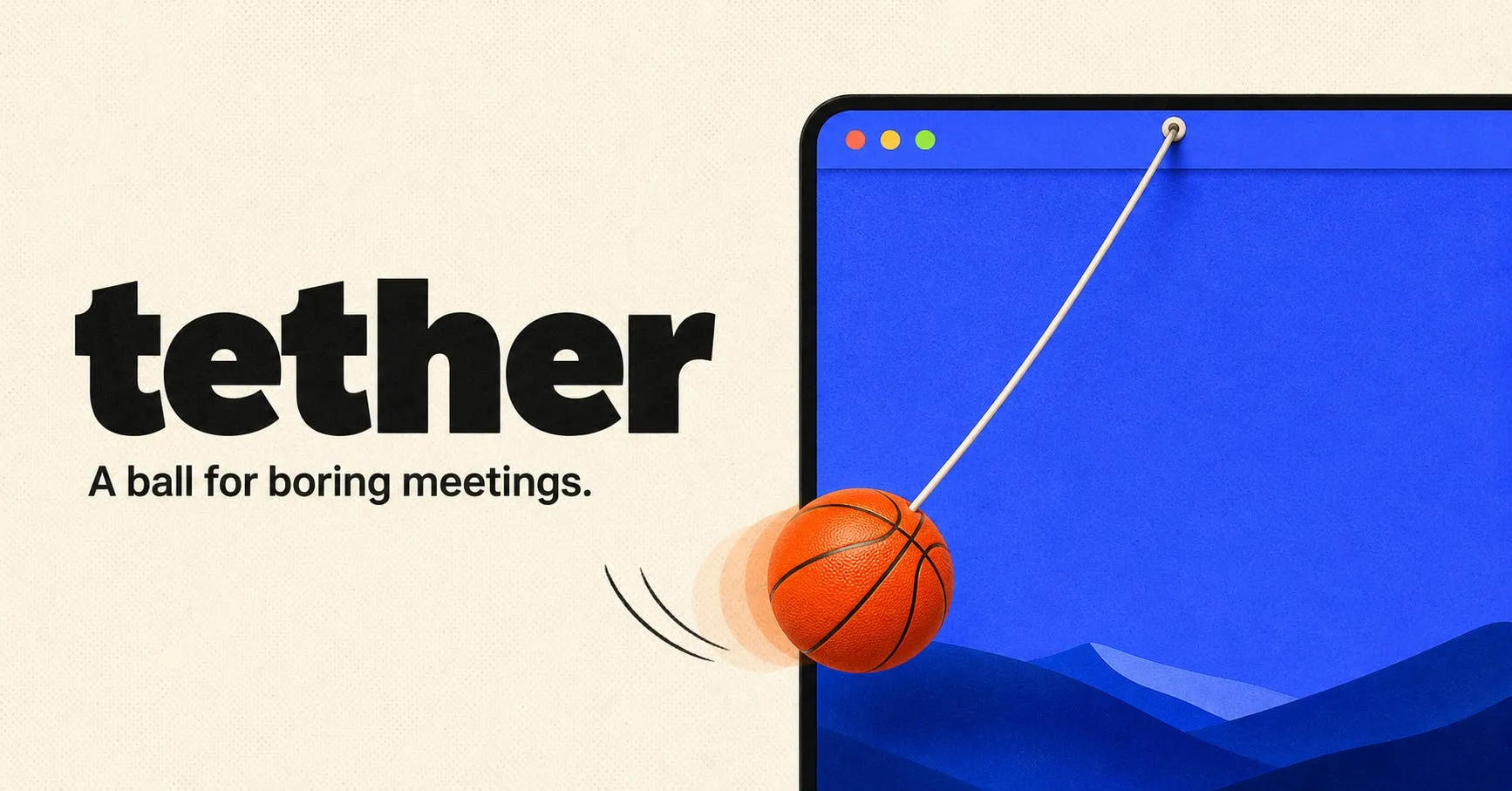
Unlike the serious tools that claim to boost focus and manage your time, Tether's core experience is simply play. A small ball hangs from your Mac menu bar via an elastic tether — you can drag it, fling it, and even launch it like a slingshot.
A Real Physics Engine: Every Interaction Feels Different
Tether's most notable technical highlight is its use of genuine physics simulation rather than pre-scripted animations. This means the ball's trajectory is never quite the same twice.
Deep Collision Interactions with Desktop Windows
According to the official description, the ball collides with actual application windows on your desktop — bouncing off their edges, rolling along their borders, and eventually tumbling into the Dock. When you "cut" the tether, the ball breaks free and rolls around your desktop on its own.
The clever part of this design is how it transforms the otherwise static operating system interface into an interactive physics sandbox. Because it uses real physics calculations, the ball's behavior can't be fully predicted — "it never does the same thing twice" — which is exactly what keeps the experience feeling fresh.
One-Tap Hide: A Panic Button for Getting Caught
There's another thoughtfully designed detail: a one-tap hide feature. The moment someone calls your name in a meeting, you can instantly press a key and make the ball vanish. This feature precisely addresses a very real pain point in remote work and video call scenarios — you want a quick mental break, but you definitely don't want to get caught.
This kind of scenario awareness reflects developer Alex's sharp understanding of the target user's mindset. Tether isn't a tool you sit up straight to use — it's a small moment of fun tucked into the gaps of your workday.
Privacy First: No Account, No Subscription, No Data Leaving Your Mac
As data privacy becomes an increasingly important concern, Tether takes an impressively clean approach: no account required, no subscription, and all data stays on your Mac. Every calculation and interaction happens locally, so users don't need to worry about any information being uploaded or collected.
This "zero-burden" product philosophy aligns perfectly with its lightweight, pressure-free positioning. Download and play — no sign-up flow, no paywall, no privacy risks.
The Value of Anti-Productivity Tools: Why a Little Ball Can Win Users Over
Tether's rise to popularity reflects an interesting product trend. At a time when the entire software industry is chasing maximum productivity, a desktop toy designed to help you kill time manages to stand out.
It's a reminder that emotional value and psychological relief matter in the workplace too. During a long, mind-numbing meeting, having something small to occupy your hands and attention may do more to ease anxiety than yet another to-do list. This category of "toy-style" desktop apps has been popping up regularly in the developer community in recent years — they don't solve grand problems, but they deliver immediate, genuine delight.
From a product design perspective, Tether's success comes down to three things: the unpredictability that real physics delivers, a one-tap hide feature that fits the use case perfectly, and a minimalist, zero-burden privacy approach. It's a small but elegant example of how a great product doesn't need complex features — nailing a specific emotional need is more than enough to win people over.
Related articles

OpenAI Math Breakthrough, Anthropic IPO, and Reasoning Model Tutorial
OpenAI unveils math, CS, and physics results, claiming proof that ETH is false; Anthropic files for IPO, disclosing revenue and customer data; SpaceX gets $40B GPU financing; open-source model tool-calling accuracy issues and constrained decoding; 8-video reasoning model tutorial.

14 Core Concepts of Reasoning Models: From Chain of Thought to GRPO Explained
A systematic breakdown of 14 core concepts of reasoning models: chain of thought, test-time compute, verifiers, RLVR and GRPO, distillation, and reward hacking, plus rules for controlling thinking-token costs to help you decide when reasoning is worth paying for.
OpenAI's Claimed Refutation of ETH Sparks Debate, Meta Bets Big on AI Infrastructure
OpenAI claims an AI-assisted discovery that challenges the Exponential Time Hypothesis (ETH) and launches the mid-tier GPT-6.1 Tera. Cloudflare discloses a cross-customer data leak postmortem, and Meta plans $95B in AI infrastructure financing.