Textly: The Productivity Powerhouse for Capturing Text and Tables Anywhere on Mac
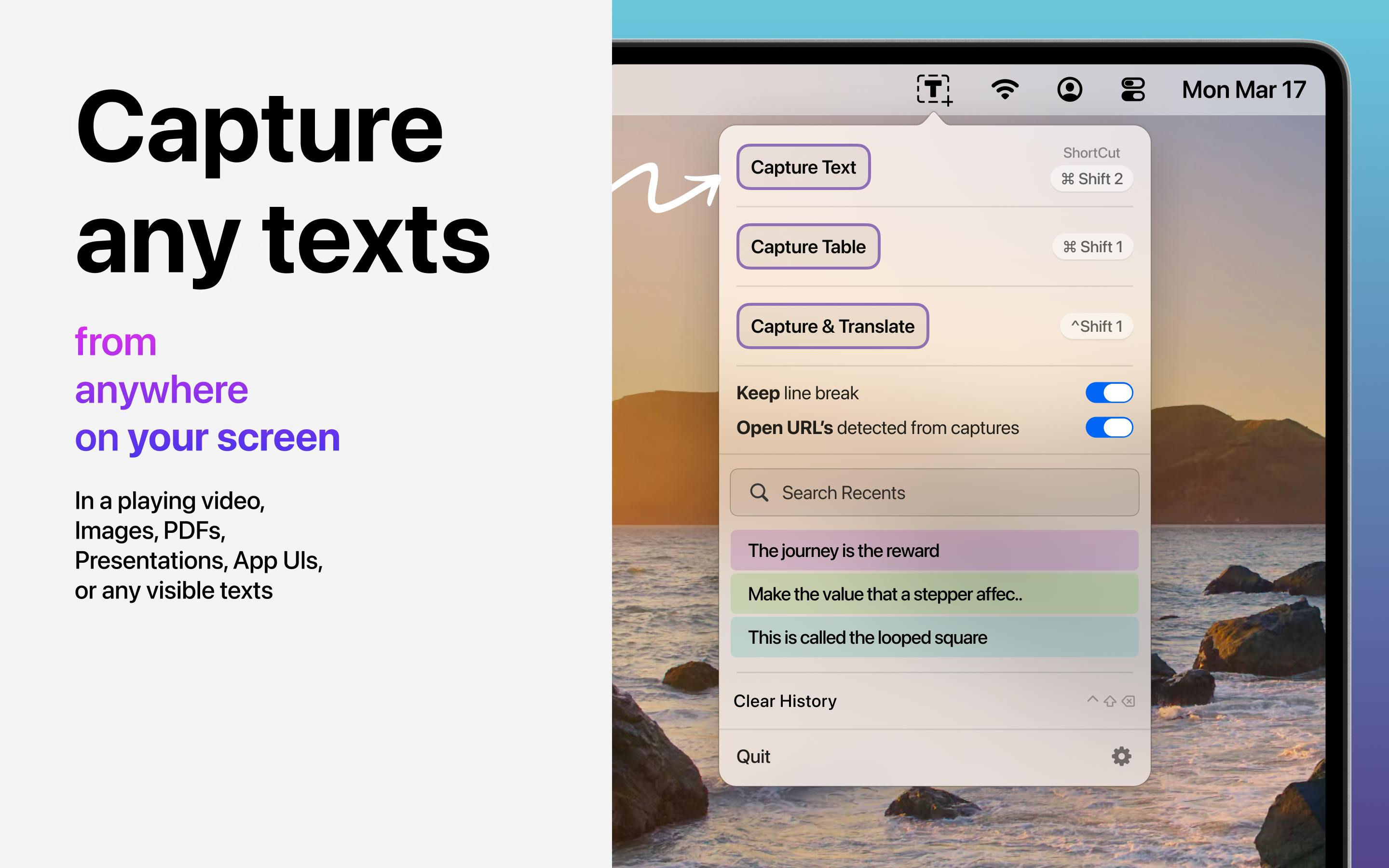
Textly is a Mac menu bar OCR tool for capturing text and tables via area selection, preserving rows/columns and exporting to CSV/Markdown/TSV.
Textly is a Mac productivity tool ranked #12 on Product Hunt. Its core feature is capturing text and tables by area selection anywhere on screen, especially for unselectable or uncopyable content. Its biggest differentiator is preserving rows and columns during table extraction, with export to CSV, Markdown, and TSV for direct use in data analysis or documentation. It also includes instant translation and clipboard history, shortening the path from acquiring to understanding information. Positioned as a lightweight menu bar app for researchers, analysts, and content workers, it has 76 upvotes on Product Hunt and limited buzz, but addresses a real need—table recognition accuracy will be the key test in practice.
On Mac, do you find yourself retyping text that can't be selected or copied? Want to turn a table in a screenshot into editable data, but have to rebuild it row by row? Textly, ranked #12 on Product Hunt, targets exactly these two high-frequency pain points.
Core Features: More Than Just OCR Screenshot Text Capture
Textly positions itself as a tool to "capture text and tables anywhere on Mac." Its workflow is straightforward: select a screen area, capture, and get back to what you were doing. Compared to common screenshot OCR tools, it focuses on two easily overlooked scenarios.
The first is "unselectable" content. Text in many app interfaces, video frames, and images doesn't support cursor selection. Textly extracts it directly via area selection, bypassing the prerequisite of copy-paste. The second is table structure preservation—something similar tools generally fail at.
OCR (Optical Character Recognition) refers to the technology that converts text in images into editable, searchable text. Traditional OCR tools typically output only plain text streams, with limited ability to reconstruct layout structures (such as columns and tables). Textly strengthens table structure recognition on top of OCR, meaning it not only recognizes characters but also attempts to understand their spatial organization in two dimensions, thereby preserving row and column logic.
Table Extraction: Preserving Rows and Columns Is the Biggest Differentiator
Textly explicitly emphasizes that it "preserves rows and columns intact" when extracting tables from screenshots, PDFs, videos, and apps. This is worth elaborating on. Ordinary OCR often outputs a jumble of scattered text lines after recognizing a table, requiring users to manually align them. Textly, however, recognizes the table structure, and the exported results can go directly into the next step of processing.
The supported export formats are CSV, Markdown, and TSV. These three formats cover two main use cases: data analysis (CSV/TSV) and document writing (Markdown), indicating that the product was designed with "capture and use" in mind, rather than making users do format conversions afterward.
CSV (Comma-Separated Values), TSV (Tab-Separated Values), and Markdown are three common data interchange formats. CSV and TSV represent tables in plain text, with one record per line and fields separated by commas or tabs, directly readable by tools like Excel and Python pandas. Markdown uses pipes and hyphens to represent tables, suitable for embedding readable structured data in documents. Textly's support for these three export formats means captured tables can seamlessly enter data analysis or document writing workflows.
Additional Capabilities: Translation and Clipboard History
Beyond the core capture functionality, Textly also includes instant translation—captured text can be translated directly, saving the step of switching to a translation tool. It also provides clipboard history for conveniently reviewing previous captures.
Neither of these features is novel on its own, but combined with the main "select and capture" workflow, they form a short path from acquiring information to understanding it. For users who frequently handle multilingual materials or repeatedly capture content, the reduced switching cost is tangible.
Clipboard history continuously records content the user has copied (text, images, etc.) and allows retrospective retrieval. For users who need to repeatedly capture text, it serves as a temporary information relay station, preventing important content from being lost when the clipboard is overwritten. Combined with Textly's area capture, each capture automatically enters the history, forming a traceable workflow.
Who Is It For
From a product perspective, Textly is a menu bar app, following the typical path of lightweight productivity tools. Its target user profile is fairly clear: researchers who need to organize data from PDFs and screenshots, analysts who frequently work with tables, and content workers who need to quote text from images or videos in documents.
Its 76 upvotes and #12 ranking on Product Hunt indicate it has identified a real need among some users, but the 2 comments also reflect limited discussion buzz. The value of such tools often lies not in the day-one hype, but in whether they can become a stable productivity link in daily work.
A Brief Observation
Textly's feature combination doesn't aim for breadth but goes deep around a single action: "capture"—recognizing text, recognizing tables, translating, and archiving. This restrained product approach tends to build reputation more easily in the productivity tool space. The real test lies in table recognition accuracy—the original text doesn't provide specific metrics, and this will be the first thing users verify in actual use.
One-line Summary
Textly is a Mac menu bar OCR tool that supports area capture of text and tables, preserves rows and columns, and exports to CSV/Markdown/TSV.
Paragraph Summary
Textly is a Mac productivity tool ranked #12 on Product Hunt. Its core feature is capturing text and tables by selecting any area on screen, especially for scenarios where content can't be selected or copied. Its biggest differentiator is preserving rows and columns during table extraction, with support for exporting to CSV, Markdown, and TSV for direct use in data analysis or document writing. Textly also includes instant translation and clipboard history, shortening the path from acquiring information to understanding it. Positioned as a lightweight menu bar app, it targets researchers, analysts, and content workers. With 76 upvotes on Product Hunt and limited discussion buzz, the need is real, but table recognition accuracy will be the key test in actual use.
Related articles
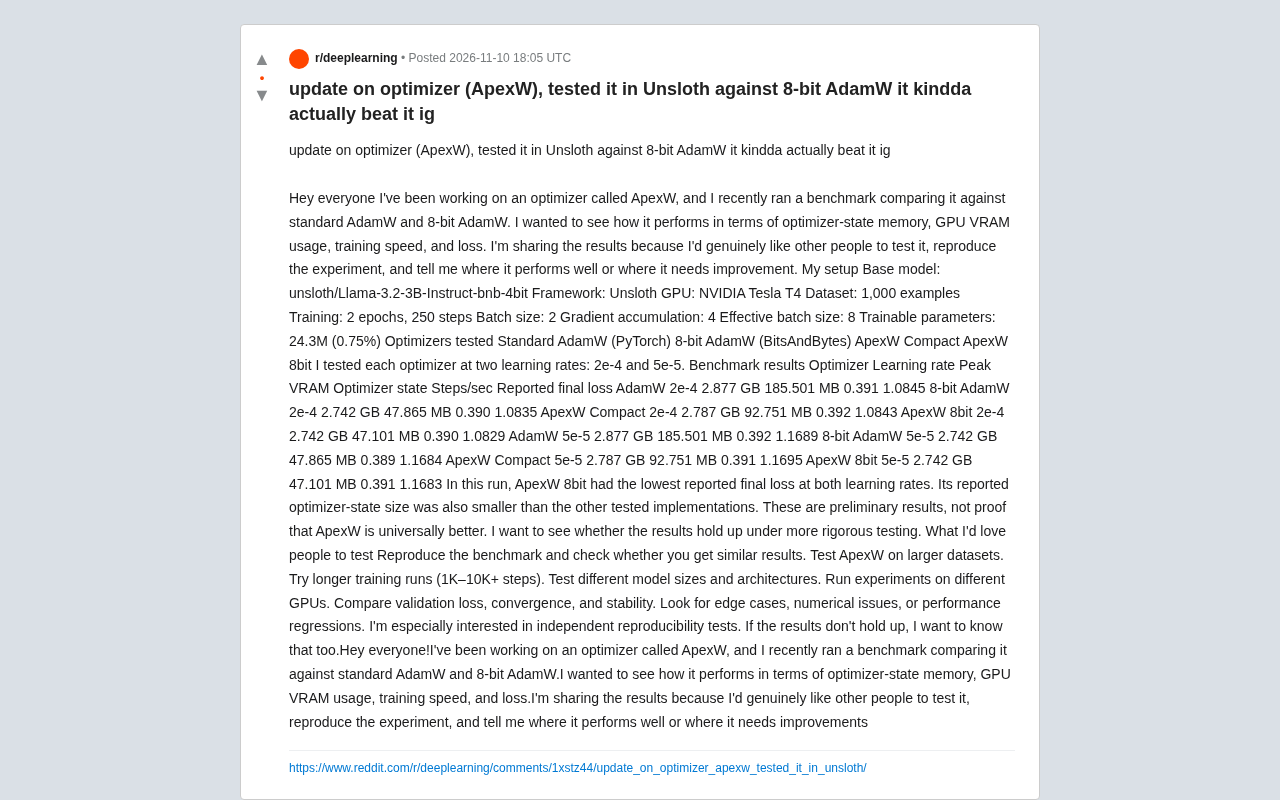
ApexW Optimizer Benchmark: Matches 8-bit AdamW in Unsloth with Lower Memory Usage
Developer shares benchmark of ApexW optimizer in Unsloth: ApexW 8bit has lower optimizer state memory (47.101 MB) and slightly better final loss than 8-bit AdamW, but similar speed. Needs independent reproduction.

US Computer Science Enrollment Drops 12.4% — Is CS Still Worth Studying?
CS enrollment fell 12.4% while health majors grew 6.2%. A CS master's grad explains why the degree's real value isn't coding but systems thinking.
Training 15+ Models on Your Own Data to Predict Blood Glucose: A Personal Health Data Modeling Case Study
A Reddit user trained 15+ machine learning models on personal blood glucose and metabolic data, revealing the technical challenges, overfitting risks, and implications for personal AI health apps.