Tilde: A Finder Alternative File Manager Worth Trying on Mac
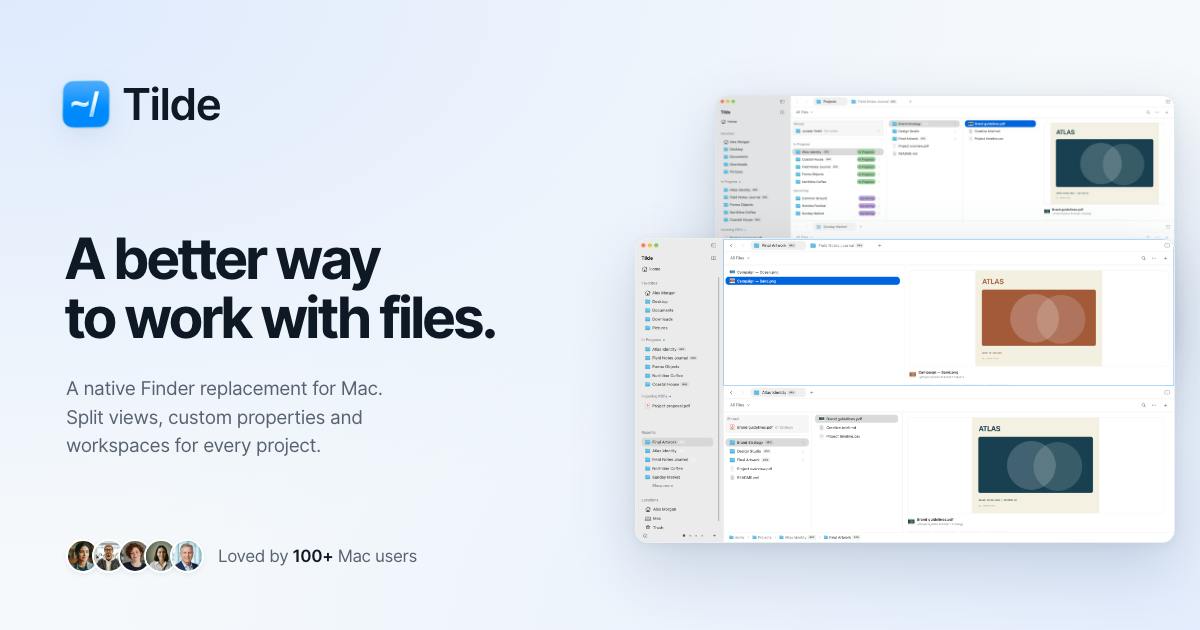
Tilde is a third-party Finder alternative for Mac featuring custom attributes, column layouts, and workspace saving, with a one-time purchase.
Tilde is a Mac file manager that appeared on Product Hunt, positioned as a native Finder alternative. It introduces custom attributes to let users tag files by status, client, or project, shifting management from path thinking to tag thinking. Key designs include customizable column layouts, saved workspaces that restore tabs and layouts, and a one-time purchase with no subscription. It targets freelancers, multitaskers, and productivity enthusiasts. The article notes that stability and system integration matter more than feature count, and that with only 76 votes on Product Hunt, users should try before migrating.
Mac users often have mixed feelings about Finder—it's the system's default file manager, but it always feels like it's missing something. A new app called Tilde recently appeared on Product Hunt, positioned as a native Finder alternative that aims to offer a more efficient approach to file management.
What Problem It Aims to Solve
Finder's core pain point is that its "organization is too one-dimensional." You can only sort by system-preset dimensions like name, date, and size, and once your folder structure gets complex, finding files becomes manual labor. Tilde's approach is to introduce custom attributes, letting users tag files by status, client, or project, shifting file management from "path thinking" to "tag thinking." For freelancers or small teams juggling multiple projects simultaneously, this is clearly more practical.
"Tag Thinking" and File System Metadata
Traditional "path thinking" relies on a file's unique location in the directory tree to locate content; when a file belongs to multiple projects at once, you can only work around it by duplicating it or creating aliases. macOS's file system (APFS) itself supports extended attributes and Finder tags, and Spotlight can index some metadata, which provides the underlying foundation for third-party tools to achieve "one file, multiple affiliations." Tilde's custom-attribute approach is in the same lineage as macOS's native Finder tags and the popular Tag-based file management style in the industry—the difference is that it elevates attributes to the primary dimension for browsing and filtering rather than an auxiliary sorting condition. This model shows clear advantages when there are large numbers of files and frequent cross-project reuse, but it also requires the tool to maintain attribute indexes reliably and to keep metadata intact after files are moved or renamed—exactly the engineering details a third-party implementation must guarantee.
Three Designs Worth Noting
Custom column layout. Tilde supports a customizable column browsing mode, letting users adjust the view structure to match their own information-processing habits. Finder's column view is classic, but its customizability is limited, and Tilde extends this.
Workspace saving and restoration. The app offers a "Saved Workspaces" feature that can restore tabs and layouts. This means you can create separate workspaces for different work scenarios and avoid reopening a bunch of folders when switching projects. This feature is highly valuable for users working on multiple tasks in parallel.
One-time purchase, no subscription. The official description clearly states a one-time purchase with no subscription. For foundational tools like file management, a one-time purchase is usually more appealing than a subscription and also lowers long-term usage costs.
"Saved Workspaces" and Window State Persistence
macOS natively provides a "restore windows" mechanism: when an app quits and reopens, it can restore the previous windows and tabs according to system preferences, but users cannot define multiple named, switchable layout snapshots for different tasks. Tilde's "Saved Workspaces" essentially explicitly serializes and stores window, tab, and column states—similar to the workspace concept in IDEs, where developers can save independent editor layouts and open file sets for different codebases. For file management, this means "Client A's project folder + related asset directories + commonly used tool directories" can be packaged into a one-click-callable view, reducing repetitive navigation costs. Implementing this feature depends on persisting window states and directory paths, and it needs to handle edge cases such as invalid paths and unmounted external disks.
Who It's For
Judging from Product Hunt's category tags (Mac, Productivity, User Experience) and the feature description, Tilde targets Mac users with high demands for file organization—people who need to manage large numbers of files by client or status, people accustomed to working with multiple windows in parallel, and productivity-tool enthusiasts dissatisfied with Finder's native capabilities.
However, it's worth noting that file managers are high-frequency, heavy-duty foundational tools, where stability and system integration matter more than the number of features. As a third-party alternative, whether Tilde can approach the native experience in permissions, keyboard shortcuts, and system service integration is the key thing to verify in actual use. Currently, the product has 76 votes and ranks 10th on Product Hunt; discussion heat is not particularly high, and community feedback samples are limited. Users who are interested are advised to try it first before deciding whether to migrate their daily file management workflow.
The System Integration Barrier for Third-Party File Managers
Replacing Finder on macOS is no easy task. Finder is deeply embedded in the system: it is the default source for Open/Save dialogs, serves as the drag-and-drop target, handles Quick Look previews, the Services menu, and the entry points for Automator and Shortcuts, and is bound to system capabilities such as iCloud Drive, AirDrop, and Finder tag syncing. Third-party apps typically cannot fully take over these system-level entry points and can only simulate similar experiences within their own windows, so gaps easily appear in areas such as context menu services, default open-with behavior, and Full Disk Access authorization. When evaluating such tools, beyond the feature list, pay more attention to whether it requests and correctly uses disk access permissions, whether it supports standard keyboard shortcuts, and whether it integrates seamlessly with the system clipboard and drag-and-drop protocols—these details directly determine whether it can handle daily high-frequency use.
Conclusion
Tilde represents a pragmatic direction for third-party file managers: it doesn't seek to overturn Finder but rather to fill in organizational dimensions and workflow restoration capabilities on top of it. Its one-time purchase pricing strategy also makes it easier to accept than subscription-based tools. For Mac users who find Finder awkward to use, this is an option worth adding to their trial list.
One-line Summary
Tilde is a third-party Finder alternative for Mac, featuring custom attributes, column layouts, and workspace saving, with a one-time purchase.
Paragraph Summary
Tilde is a Mac file manager that appeared on Product Hunt, positioned as a native Finder alternative. Addressing Finder's one-dimensional organization, it introduces custom attributes that let users tag files by status, client, or project, shifting management from path thinking to tag thinking. The product has three main designs: a customizable column browsing layout, a workspace feature that saves and restores tabs and layouts, and a one-time purchase pricing with no subscription. Target users are freelancers managing large numbers of files by client or status, multitaskers working on multiple projects in parallel, and productivity-tool enthusiasts. The article also notes that file managers are high-frequency foundational tools where stability and system integration matter more than feature count, and that the product has only 76 votes and ranks 10th on Product Hunt with limited community feedback, so users are advised to try it before migrating their workflow.
Related articles
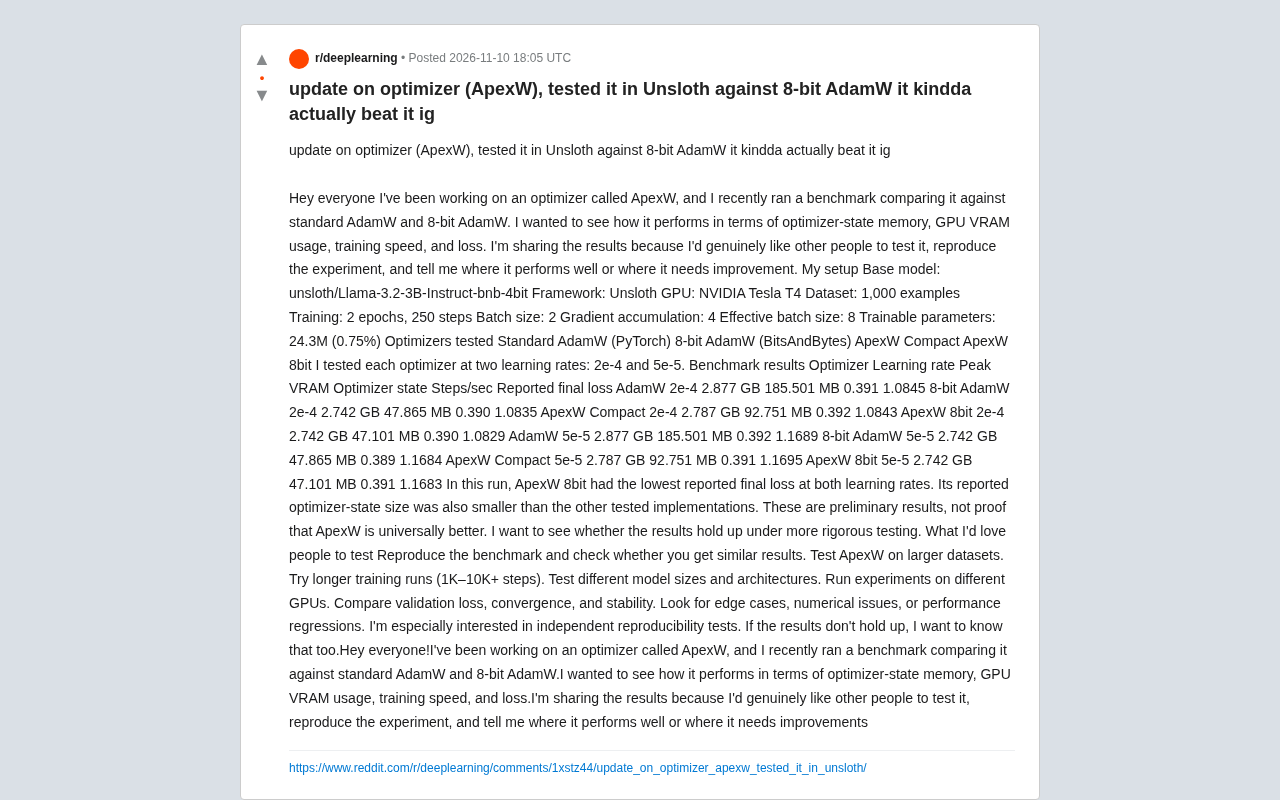
ApexW Optimizer Benchmark: Matches 8-bit AdamW in Unsloth with Lower Memory Usage
Developer shares benchmark of ApexW optimizer in Unsloth: ApexW 8bit has lower optimizer state memory (47.101 MB) and slightly better final loss than 8-bit AdamW, but similar speed. Needs independent reproduction.

US Computer Science Enrollment Drops 12.4% — Is CS Still Worth Studying?
CS enrollment fell 12.4% while health majors grew 6.2%. A CS master's grad explains why the degree's real value isn't coding but systems thinking.

Training 15+ Models on Your Own Data to Predict Blood Glucose: A Personal Health Data Modeling Case Study
A Reddit user trained 15+ machine learning models on personal blood glucose and metabolic data, revealing the technical challenges, overfitting risks, and implications for personal AI health apps.