Using Emacs as a Browser: A Geek's Alternative Way to Surf the Web
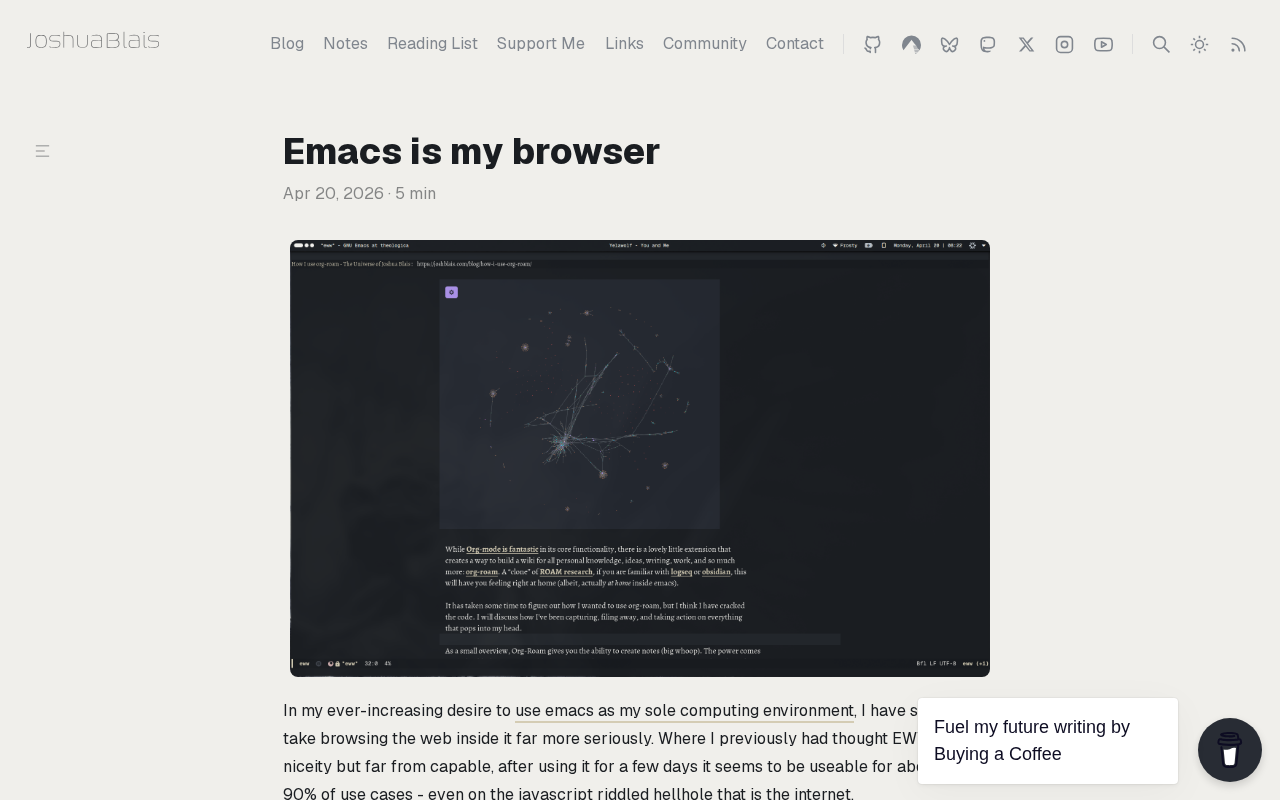
A developer's use of Emacs as a browser sparks debate, revealing the efficiency and costs of the programmable tool philosophy.
A blog post titled "Emacs Is My Browser" sparked nearly 200 upvotes and over 100 comments on Hacker News, where author Josh Blais shares his practice of using Emacs as a daily browser. The article analyzes the motivation: Emacs's "everything is text, everything is programmable" philosophy lets users fully control their browsing experience, block ads and animations, and focus on text extraction and quick navigation. Technical paths include the built-in eww text browser, combining external tools to fetch and parse HTML, and third-party dedicated clients for specific sites. It also notes clear costs: modern web pages rely heavily on JavaScript, and text browsers like eww cannot handle videos, charts, or interactive forms. Ultimately, it elevates the discussion to tool philosophy, arguing the core value is letting software adapt to people's workflows, not the reverse, while warning against "tinkering for tinkering's sake."
On Hacker News, a blog post titled "Emacs Is My Browser" has sparked nearly two hundred upvotes and over a hundred comments. The author, Josh Blais, shares his practice of using Emacs—a text editor that has been around for decades—as his daily browser. For most users accustomed to Chrome or Firefox, this sounds like performance art; but for Emacs fundamentalists, it is yet another victory for the philosophy of the "programmable editor."
Why Would Anyone Want to Browse the Web with Emacs
The core appeal of Emacs lies in "everything is text, everything is programmable." Although browsers are powerful, they are essentially closed rendering engines, and users find it hard to deeply customize their browsing behavior. In Emacs, every mode and every keybinding can be modified through Emacs Lisp. Pulling web content into an editor buffer means the browsing experience is entirely under your control.
There are actually many practical scenarios for this approach. Developers frequently need to consult API documentation, read technical blogs, and search through mailing lists and forums. The core of these tasks is text extraction and quick navigation, not visual presentation. Turning web pages into plain text buffers can instead block ads, pop-ups, and animation distractions, keeping attention focused on the content itself.
Technical Paths and Implementation Approaches
Browsing the web in Emacs is not a single path. The most common solution is to use eww—Emacs's built-in text browser, which can render basic HTML and convert links into clickable text buttons. For more complex pages, users can combine external tools to fetch HTML into an Emacs buffer and then hand it to shr or libxml-parse-html-region for parsing.
Another approach is to install third-party clients through Emacs's package manager, such as dedicated front-ends for specific websites (e.g., HN, Reddit, Wikipedia). These tools bypass the complexity of general-purpose browsers and directly interface with a site's API or structured data, resulting in higher rendering efficiency and interactions that better suit keyboard habits.
In community discussions, many commenters mention a hybrid mode of using the browser together with Emacs: the browser handles only login and rendering complex pages, while Emacs handles text editing and note-taking. This division of labor may seem like a compromise, but it reflects a reality—fully replacing the browser still faces many limitations today.
eww (Emacs Web Wowser) is the built-in text browser introduced in Emacs 24.4. Its rendering backend is shr (Simple HTML Renderer), which parses HTML into Emacs text properties, thereby enabling basic formatting such as links, bold text, and lists. shr itself relies on libxml-parse-html-region provided by libxml2 to build the DOM tree, so the system needs the corresponding dynamic library support. Besides eww, external browsers such as w3m and emacs-w3m can also be integrated through Elisp wrappers, but eww has become the default choice because it requires no additional dependencies.
For pages that require JavaScript, the Emacs ecosystem currently has no complete JS engine integration solution. A common workaround is to call an external headless browser (such as wkhtmltopdf or puppeteer) to render the page and then pull the result back into the buffer, but this already deviates from the original "pure Emacs" intention.
Advantages and Costs
The efficiency gains brought by plain text browsing are real. Keyboard-driven navigation, seamless integration with org-mode, full-text search, and macro recording—these capabilities require a patchwork of plugins in traditional browsers, but exist natively in Emacs. For users whose work is primarily text-based, this consistency reduces the cost of context switching.
The costs are equally obvious. Modern web pages rely heavily on JavaScript rendering, and text browsers like eww cannot handle this; videos, charts, and interactive forms are also basically unusable. In the Hacker News comments, some users bluntly stated that browsing modern web pages with Emacs is a hit-or-miss experience, and complex sites often require falling back to a regular browser.
The integration of org-mode with web content is a major selling point of the Emacs browsing approach: users can capture links or selected text from the current buffer directly as org entries, and with org-capture templates, achieve unified management of excerpts, to-dos, and notes. In addition, Emacs's occur, isearch, and keyboard macros can be reused in any text buffer, which means full-text search or batch reordering of web content requires no additional plugins.
However, eww's rendering capability is limited by the degree of CSS support in shr—it handles only a very small number of inline styles, and float layouts, responsive grids, and custom fonts basically fail. Therefore, even if a page contains no JavaScript, sites with complex visual structures may still have problems with reading order.
Implications for Tool Philosophy
The significance of this matter may not lie in "whether one should use Emacs to browse the web," but rather in the fact that it reveals a view of tools that the mainstream has overlooked: software should adapt to people's workflows, not the other way around. As browsers become increasingly bloated and harder to customize, retreating to a text interface is instead a rebellious choice for efficiency.
For ordinary users, copying this approach wholesale is not realistic. But its thinking can be borrowed: simplify high-frequency tasks and replace repetitive operations with programmable tools. Whether it's using scripts to fetch web content or using shortcuts to replace mouse clicks, the essence is to reclaim control over tools.
Of course, we should also be wary of this practice sliding into "tinkering for the sake of tinkering." There is no shortage of such voices in the Hacker News comment section: spending time configuring Emacs may take more time than actually getting work done. Tools are ultimately a means, not an end.
One-line Summary
A developer's use of Emacs as a browser sparked heated discussion, revealing the efficiency and costs of the programmable tool philosophy.
Paragraph Summary
A blog post titled "Emacs Is My Browser" sparked nearly two hundred upvotes and over a hundred comments on Hacker News. The author, Josh Blais, shares his practice of using Emacs as his daily browser. The article analyzes the motivation behind this approach: Emacs's philosophy of "everything is text, everything is programmable" allows users to fully control their browsing experience, block ads and animation distractions, and focus on text extraction and quick navigation. Technical paths include the built-in eww text browser, combining external tools to fetch HTML for parsing, and third-party dedicated clients for specific sites. The article also points out obvious costs: modern web pages rely heavily on JavaScript, and text browsers like eww cannot handle videos, charts, and interactive forms. Ultimately, the article elevates the discussion to the level of tool philosophy, arguing that its core value lies in letting software adapt to people's workflows rather than the reverse, while warning against the trap of "tinkering for the sake of tinkering."
Related articles

GLM 5.5 Arrives: Has Claude Cracked the 167-Year-Old Riemann Hypothesis?
Claude and a mathematician claim to have proved the 167-year-old Riemann Hypothesis, Zhipu's GLM 5.5 is imminent, Google's Loop agent surfaces, and Thinking Machines open-sources Inkling 2 Mini.
AI Coding Made Building Cheap, but Not Maintenance
AI coding agents make internal tools cheap to build but not to maintain. This article examines the hidden liabilities of tool sprawl and proposes three governance principles: inventory, ownership, and reuse first.

Microsoft SideWinder Strategic Commander: A Failed Innovation Attempt
A review of Microsoft's SideWinder Strategic Commander gaming peripheral: its design intent, usability flaws, and market positioning, and why peripheral innovation must respect user habits.