Vercel CLI Update: AI Agents Can Now Enable Web Analytics and Observability Plus Autonomously

Vercel CLI update lets AI agents enable Web Analytics and Observability Plus without an interactive terminal, reducing automation breaks.
The latest Vercel CLI version removes the interactive terminal dependency for enabling Web Analytics and Observability Plus. AI agents can now run `vercel project web-analytics enable` and `vercel project observability enable` directly. Enabling Observability Plus requires a team subscription and CLI version 64.2.0+. This eliminates manual intervention points in agent workflows, enabling end-to-end automation from code commit to observability, especially for bulk project management. The article argues this reflects developer tools shifting from a "human operator" to a "human and agent co-operator" design assumption, with developers focusing more on intent definition and result review.
A new change in the Vercel CLI is reshaping how AI agents collaborate with developer tools: agents can now enable Web Analytics and Observability Plus for projects directly, without needing an interactive terminal. This means automated workflows can cover a more complete portion of the project configuration process, no longer requiring human intervention to execute commands.
From Interactive Terminal to Agent Autonomy
Previously, enabling Web Analytics or Observability Plus required developers to manually run commands in an interactive terminal. The latest version of the Vercel CLI removes this restriction, allowing agents to complete the enablement operation on their own without asking developers for command execution permission.
This adjustment may seem minor, but it points to a clear trend: developer tools are paving the way for autonomous AI agent operations. When agents can independently complete key steps in project configuration, true end-to-end automation becomes possible.
How to Enable Features via the CLI
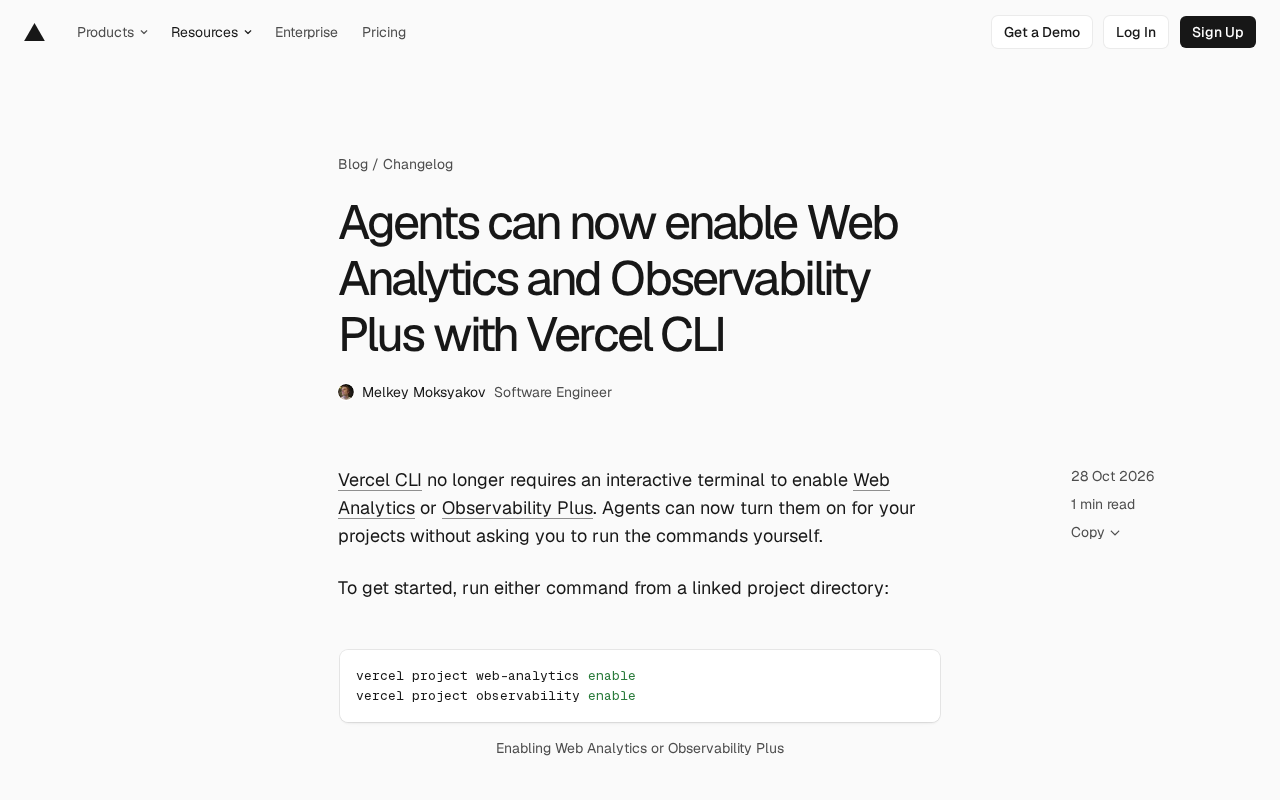
In a linked project directory, run either of the following commands:
vercel project web-analytics enable
vercel project observability enable
Note that enabling Observability Plus has one prerequisite: the team must already be subscribed to Observability Plus in order to enable the feature for a specific project. In addition, users need to update the Vercel CLI to version 64.2.0 or higher. For more details, refer to the Vercel CLI project documentation.
Vercel CLI (command-line interface) is the official command-line tool provided by the Vercel platform, allowing developers to perform project deployments, environment variable management, domain configuration, and other operations via the terminal. Its commands typically follow the structure vercel <resource> <action>, for example vercel project is used to manage project-level settings. The web-analytics and observability subcommands involved here fall under the project configuration category. CLI version numbers (such as 64.2.0) follow semantic versioning conventions; major version changes may include breaking updates, so it is advisable to check the changelog before upgrading.
Observability Plus is an advanced observability plan offered by Vercel that includes longer log retention, more granular performance metrics, and tracing capabilities. It is a paid subscription feature. A team-level subscription is a prerequisite for project-level enablement, reflecting Vercel's team-based billing product structure. In contrast, Web Analytics is Vercel's built-in lightweight traffic analytics feature, which typically can be enabled without an additional subscription but may be subject to plan traffic limits.
Implications for AI Agent Workflows
The core value of this update lies in reducing friction points in human-agent collaboration. In agent-driven development processes, any step that requires manual execution becomes a break in the automation chain. By freeing the enablement operation from the interactive terminal, Vercel has cleared a configuration-level obstacle for agents.
For teams building automated deployment, monitoring configuration, or project initialization workflows, agents can now cover the complete path from code commit to observability activation. This capability is especially useful in scenarios that require managing multiple projects in bulk.
AI Agent refers to a software entity capable of perceiving its environment, making autonomous decisions, and executing actions to accomplish specific goals. In development and operations scenarios, agents can replace humans in executing commands, calling APIs, and modifying configurations. Traditional CLI tools are designed with the assumption that the operator is human, and often include interactive confirmations, colored output, and pagination prompts, which pose obstacles for agents. Agent-friendly design typically requires commands to support non-interactive modes (such as a --yes flag), structured output (such as JSON), and explicit exit codes. Vercel's removal of the interactive terminal dependency is a step toward agent-friendly interfaces, enabling agents to reliably invoke commands in unattended pipelines.
The Trend of Toolchains Adapting to Agents
This change by Vercel is not an isolated event. Developer tools are systematically reducing their reliance on interactive operations to adapt to the new reality of AI agents participating in development workflows. As the primary interface between developers and the platform, the CLI's design assumptions are shifting from "human operator" to "human and agent co-operators."
From a broader perspective, when agents can autonomously complete operational actions such as project configuration and monitoring enablement, the developer's role will further shift toward intent definition and result review. This Vercel update is a concrete footnote in that transition, and its actual impact depends on how many other toolchain components follow with similar agent-friendly designs.
Practical Recommendations
If your team already uses AI agents for project management, it is recommended to upgrade the Vercel CLI to version 64.2.0 or higher and incorporate these two enablement commands into your agent's workflow. For teams that have not yet subscribed to Observability Plus, you will need to complete the subscription first before agents can enable the feature for projects.
Enabling Web Analytics, on the other hand, has no additional subscription prerequisites, so agents can operate it directly.
Related articles

The Truth Behind Titanic's Sinking: Key Decisions and Communication Failures in the National Geographic Documentary
National Geographic's The Unsinkable Ship uses survivor testimony to reconstruct Titanic's fatal decisions—from the missing MSG telegram prefix and the broken boiler-room-to-bridge link to how 'unsinkable' thinking delayed damage control and evacuation.

74M-Parameter Open-Source Model Partially Outperforms Jev AI in Testing
Fastino AI's Glider 2.5 models, with just 74M–300M parameters, reportedly outperform Jev AI in some guardrail benchmarks per YouTube testing, run on consumer hardware, and even play Doom. We analyze small models' competitiveness and deployment value on specific tasks.

Gemini 4 Argon Hands-On: Aggressive Pricing, 3D Capabilities Need Coaching
Gemini 4 Argon hands-on: limited-time $2/$10 pricing, million-token output, strong 3D and reverse-engineering work, but weak front-end aesthetics and zero-shot ability need coaching.