Vercel Connect CLI New Feature: Discover 1000+ Services in Your Terminal
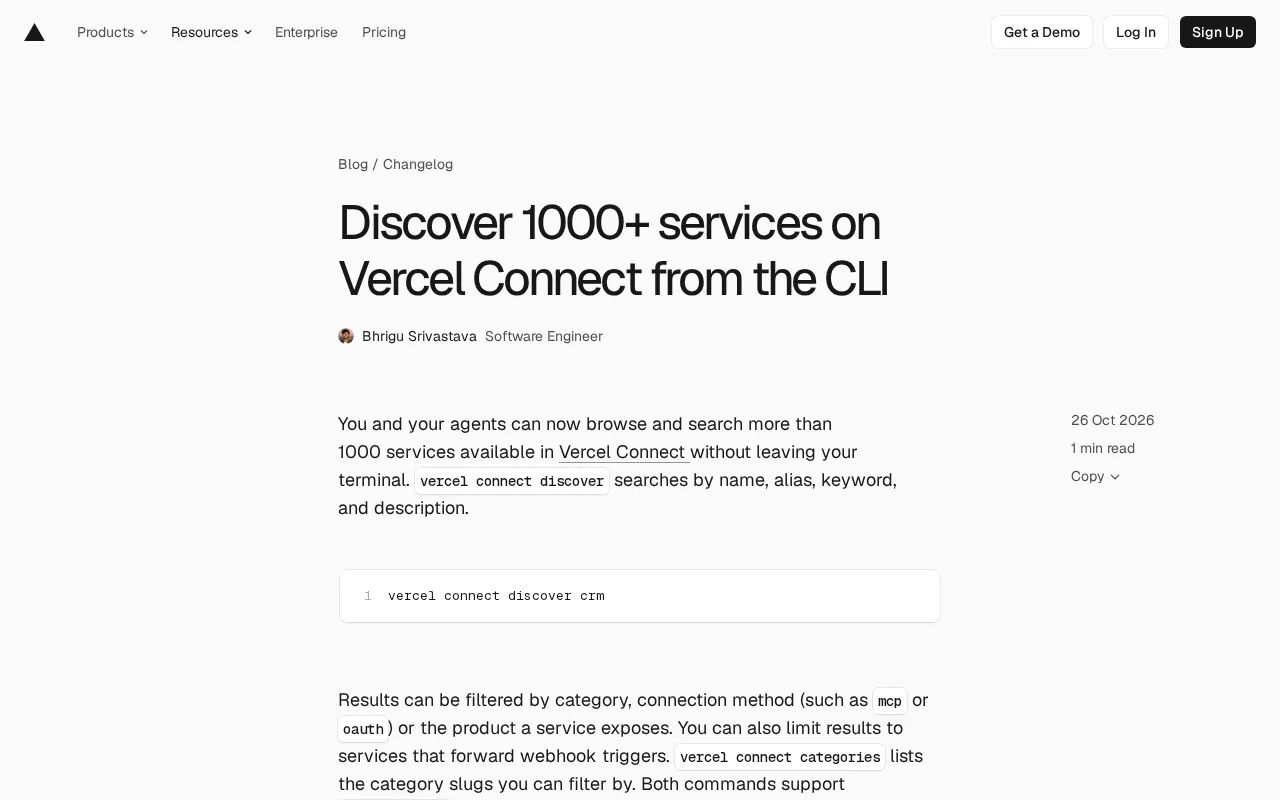
Vercel CLI adds a discover command to search 1,000+ services in the terminal and create connectors directly.
Vercel introduced the `vercel connect discover` command for its CLI, letting developers and AI agents browse and search over 1,000 available services in Vercel Connect without leaving the terminal. The command supports searching by name, alias, keyword, and description, and filtering by category, connection method (such as MCP or OAuth), and whether Webhook triggers are supported. The companion `vercel connect categories` command lists all category identifiers, and both commands support `--format=json` output for easy parsing by scripts and AI agents. After discovering a service, you can create a connector directly with `vercel connect create`, seamlessly connecting discovery and creation. Using these features requires CLI version 64.1.0 or higher. This update significantly improves service integration efficiency for developers who rely on terminal environments and teams building automated agents.
Vercel recently introduced the vercel connect discover command for its CLI tool, allowing developers and AI agents to browse and search over 1,000 available services in Vercel Connect without leaving the terminal. This update streamlines the service discovery process and is especially well-suited for automated workflows and script integration.
Service Discovery and Search Capabilities
vercel connect discover supports searching by name, alias, keyword, and description. For example, running vercel connect discover crm quickly finds CRM-related services. Developers can also filter results by category, connection method (such as MCP or OAuth), or the products a service exposes. In addition, the command supports limiting results to services that forward Webhook triggers, making it easy to build event-driven integrations.
MCP (Model Context Protocol) is an open protocol designed to standardize how AI models connect to external tools and data sources. In the context of Vercel Connect, a service with an MCP connection method means AI agents can directly invoke these services through a unified protocol interface, without writing separate adapter code for each service. This contrasts with the traditional OAuth connection method: OAuth is primarily used for user authorization and access token management, focusing on secure delegation, while MCP focuses on providing discoverable, invocable tool interfaces for AI agents. Understanding this distinction helps developers choose the right connection method for their integration scenario—prioritize MCP when AI agents need to autonomously invoke tools, and use OAuth when user-level authorization is required.
Category Listing and JSON Output
The vercel connect categories command lists all available category identifiers (slugs) for reference when filtering. Both commands support the --format=json option, making it easy for scripts and AI agents to parse the output. For example, the following command combination finds services in the AI and Data categories:
vercel connect discover --category ai --category data
Or find only services that use the MCP connection method:
vercel connect discover --connection-method mcp
You can also filter for services that support triggers:
vercel connect discover --supports-triggers
Category identifier (slug) is a unique string identifier defined by Vercel Connect for its service classification system, typically a short lowercase English word (such as ai, data, crm). Unlike display names, slugs contain no spaces or special characters and are designed specifically for command-line arguments and API calls, ensuring no escaping or encoding issues when filtering. After obtaining the full list of slugs via vercel connect categories, developers can reuse them in the --category parameter of the discover command to combine multiple categories. This design allows scripts and AI agents to reference categories in a stable, predictable way that won't break due to localization or changes to display names.
Quickly Creating Connectors
After discovering a service, you can pass the service name directly when creating a connector. For example, running vercel connect create slack creates a Slack connector via the CLI. This flow seamlessly connects discovery and creation, reducing context switching.
Version Requirements and Documentation
To use these new features, you need to update the CLI to version 64.1.0 or higher. For more details, see the Vercel Connect CLI documentation. This update was contributed by Hedi Zandi.
For developers who rely on terminal environments and teams building automated agents, the enhancements to Vercel Connect CLI significantly improve service integration efficiency by embedding service discovery capabilities directly into the development workflow.
Related articles

Gemini 4 Carbon Tops Global Rankings as AI Productivity and Open-Source Ecosystems Surge
Google DeepMind's Gemini 4 Carbon tops global benchmarks, built for complex agents and system security. ByteDance launches Doubao Work integrated with Feishu, Anthropic's AI autonomously breaches 5 system-level attack chains, and ModelBest and Fudan open-source on-device multimodal and image generation models.

Overseas Creator Breaks Down N8n AI Agent Business Playbook: From Tooling to Monetization
An overseas creator breaks down the N8n AI agent business playbook: comparing Zapier, Make, and N8n, detailing four monetizable automation categories—lead capture, WhatsApp follow-up, booking, and content pipelines—plus agency pricing and a sales playbook.

Empacer: The Voice-First AI Assistant for Small Business Owners That Topped Product Hunt
Empacer is a voice-first AI assistant for small business owners: three-question setup, voice requests turned into customer replies, social posts, and invoices—all owner-approved. It won #1 Product of the Day on Product Hunt with 231 upvotes and 47 comments.