WorkBuddy Agent Runs the Entire GEO Database Mining Pipeline with a Single Prompt

WorkBuddy agent automates the entire GEO data mining-to-bioinformatics-report pipeline with one prompt.
The article explains how the WorkBuddy agent automates the complete GEO database mining workflow with a single prompt. Unlike traditional AI chat tools that only generate code, the agent directly controls the computer—automatically installing software, running scripts, debugging errors, and producing chart-based reports. Using Alzheimer's disease as an example, it retrieves 16 eligible datasets, handles downloading, grouping, probe annotation, and filtering, then runs packaged Skills for batch correction, differential analysis, co-expression networks, feature gene screening, immune infiltration, and regulatory network construction. Limitations are noted: output quality depends on prompt accuracy and Skill reliability, and users still need to understand analytical principles to interpret results.
WorkBuddy Agent Runs the Entire GEO Database Mining Pipeline with a Single Prompt
Bioinformatics analysis is often seen as a high-barrier field. From data search, download, and curation to complex downstream analysis, every step can become a stumbling block for researchers. Traditional AI chat tools can only assist with writing scripts, but cannot solve practical issues such as environment configuration and error debugging. Now, the emergence of AI agents is changing this situation. According to tutorials from the Bilibili creator and Shenxin Self-Study Network, the WorkBuddyAd agent can automate the complete GEO database mining workflow through a single prompt—from data acquisition to analysis report generation—without manual intervention.
The Core Difference Between Agents and Traditional AI Chat Tools
Ordinary AI chat tools like ChatGPT can only play the role of a "code assistant" in bioinformatics analysis. Users need to manually input requirements, the AI generates scripts, and then the user runs them locally. Once a script errors out, the user must copy the error message back into the chat window, the AI modifies it, and the user runs it again—repeating this cycle. This process is time-consuming and requires users to have some debugging ability.
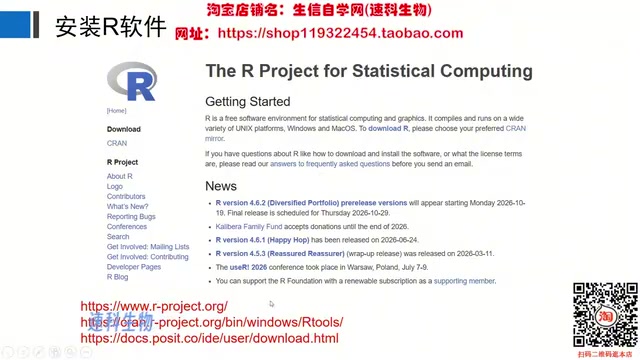
Agents are completely different. They can not only write scripts but also directly control the computer: automatically installing required software and dependency packages, running scripts while monitoring errors in real time, and autonomously modifying code and testing feasibility until the analysis is successfully completed. Ultimately, the agent generates charts and an analysis report, essentially serving as a "bioinformatics analysis assistant" that never rests. According to the tutorial, WorkBuddy is very easy to install—just download and double-click to use—greatly lowering the barrier to entry.
From Data Search to Curation: The Agent's Automated Workflow
Taking Alzheimer's disease research as an example, the user only needs to enter a prompt in WorkBuddy specifying the disease keywords, sample screening criteria (e.g., at least 5 samples each in the control and disease groups), and data filtering requirements, and the agent will automatically search the GEO database for relevant datasets. In the tutorial, the agent successfully found 16 eligible datasets and displayed them in a table, including dataset IDs, platform information, sample counts, and tissue types. Users can select 3 to 5 datasets for multi-chip joint analysis as needed.
After selecting the datasets, the user tells the agent the data IDs to download and the format requirements via a prompt. The agent automatically downloads the data and performs curation: identifying sample grouping information and storing control and disease group samples separately; completing the conversion from probe IDs to gene names; and filtering the data. Each dataset ultimately generates three files: an expression matrix file, a control group sample information file, and a disease group sample information file. This process is fully automated, eliminating the tedious steps of manual downloading and format conversion.
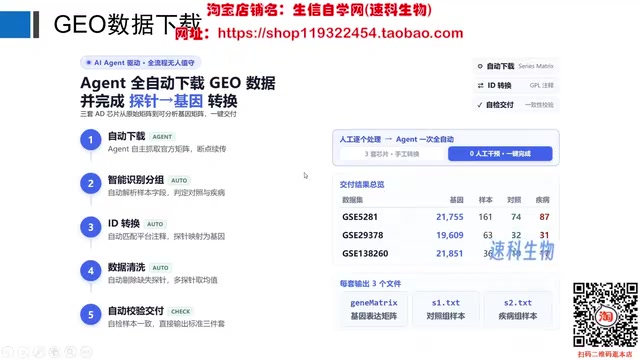
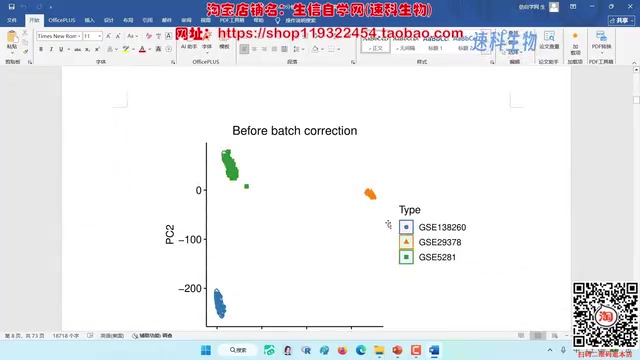
The GEO database (Gene Expression Omnibus) is a public gene expression data repository maintained by the National Center for Biotechnology Information (NCBI), containing high-throughput experimental data such as microarrays and RNA-seq uploaded by researchers worldwide. Each dataset is organized under a three-level numbering system: GSM (sample), GSE (series), and GPL (platform). When searching, conditions such as disease keywords, species, and sample size must be combined for filtering. Because different datasets use different chip platforms and preprocessing methods, direct merging produces a batch effect—systematic bias introduced by non-biological factors such as experiment time, reagent batches, and operators. Therefore, batch correction must be performed before joint analysis of multiple datasets; otherwise, downstream differential analysis and clustering results will be masked by technical noise.
Automated Bioinformatics Analysis: From Batch Correction to Report Generation
Once the data is ready, the user only needs to enter a single line of prompt to invoke the Skill written by Shenxin Self-Study Network, and the agent will automatically execute the complete bioinformatics analysis pipeline. The analysis report includes the following key steps:
- Data correction and merging: Merge multiple datasets and perform batch correction. Visualization results are shown via box plots and PCA plots; after correction, samples are randomly distributed, indicating that the batch effect has been eliminated.
- Differential analysis: Identify differentially expressed genes between the control and disease groups and generate volcano plots and heatmaps.
- Co-expression analysis: Construct a gene co-expression network, select the optimal soft threshold, divide genes into modules, and screen modules highly correlated with the disease through module correlation analysis.
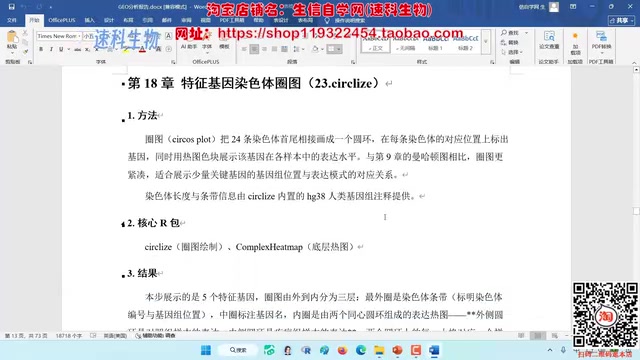
- Intersection gene extraction: Intersect differentially expressed genes with disease-related module genes to obtain candidate genes, and draw a Manhattan plot to show chromosomal distribution.
- Functional enrichment analysis: Perform GO and KEGG enrichment analysis on the intersection genes to reveal potential functions and pathways.
- Protein-protein interaction network: Construct a PPI network and screen the top 20 hub genes by connectivity.
- Feature gene screening: Screen feature genes using four methods—LASSO regression, SVM, random forest, and the Boruta algorithm—and take the intersection to obtain 5 key genes.
- Diagnostic model construction: Draw ROC curves (all AUCs greater than 0.7), nomograms, and calibration curves to evaluate gene diagnostic accuracy.
- Immune infiltration analysis: Analyze differences in immune cell abundance and perform correlation analysis with feature genes.
- Regulatory network construction: Construct ceRNA regulatory networks and transcription factor regulatory networks, and predict drug sensitivity.
The entire analysis workflow requires no directory opening or manual script running by the user; the agent automatically completes all computations and generates an illustrated report.
LASSO regression, SVM, random forest, and Boruta are four commonly used feature gene screening methods with different principles and preferences: LASSO compresses the coefficients of unimportant genes to zero through L1 regularization, making it suitable for high-dimensional sparse data; SVM-RFE is recursive feature elimination based on support vector machines, ranking genes by their contribution to classification; random forest uses feature importance scores from an ensemble of decision trees; and Boruta determines whether a gene is truly important by competing against "shadow features" randomly shuffled from the original features. Taking the intersection of the four methods reduces the false-positive risk of any single algorithm and improves the robustness of candidate genes.
Immune infiltration analysis typically uses deconvolution algorithms such as CIBERSORT and xCell to estimate the relative abundance of 22 immune cell types from tissue expression profiles, then performs correlation analysis with feature gene expression to infer whether a gene participates in disease onset by regulating the immune microenvironment. The ceRNA network is based on the "competing endogenous RNA" hypothesis: long non-coding RNAs or circular RNAs adsorb miRNAs through miRNA response elements, indirectly relieving miRNA-mediated repression of target mRNAs. Constructing this network helps understand disease mechanisms at the post-transcriptional regulatory level.
Advantages and Limitations of Agents in Bioinformatics Analysis
The automation capabilities demonstrated by WorkBuddy significantly lower the technical barrier to bioinformatics analysis. For researchers lacking programming experience, the agent can quickly complete data mining and routine analysis, accelerating scientific discovery. However, the quality of the agent's output depends on the accuracy of prompts and the reliability of Skills. Users still need to understand the principles of the analysis to correctly interpret the results. In addition, the agent currently targets standard workflows; for personalized analysis needs, more complex prompt design or custom Skills may be required.
According to the tutorial author, they have packaged commonly used bioinformatics analysis workflows as Skills, which users can invoke by entering specific prompts. This model is expected to promote the standardization and popularization of bioinformatics analysis. As agent technology evolves, it may be able to handle more complex analysis tasks in the future and become a standard tool for researchers.
This article is based on a video tutorial by the Bilibili creator "Shenxin Self-Study Network"; views are for reference only.
One-line Summary
WorkBuddy agent automates the entire pipeline from GEO data mining to bioinformatics reports with a single prompt.
Paragraph Summary
The article explains how the WorkBuddy agent automates the complete GEO database mining workflow through a single prompt. Unlike traditional AI chat tools that only generate code, the agent can directly control the computer—automatically installing software, running scripts, debugging errors, and generating chart-based reports. Using Alzheimer's disease as an example, the agent automatically retrieves 16 eligible datasets, completes downloading, grouping and curation, probe annotation, and filtering, then invokes packaged Skills to perform downstream analyses such as batch correction, differential analysis, co-expression networks, feature gene screening, immune infiltration, and regulatory network construction, ultimately producing an illustrated report. The article also notes limitations: output quality depends on prompt accuracy and Skill reliability, and users still need to understand analytical principles to correctly interpret results.
Related articles

Mistral Large 4 Open-Sources a Trillion Parameters, Microsoft Offers Voluntary Severance to 60,000 Employees
Mistral Large 4 open-sources a trillion-parameter multimodal model with a coding agent score of 48; SanDisk earnings show AI inference reshaping NAND demand; Google Gemini adds in-app file editing, OpenAI raises Codex quotas, and Microsoft offers voluntary severance to 60,000 employees.
Mistral Large 4 Opens Its Weights: AI Morning Brief Roundup of Models and Ecosystem Trends
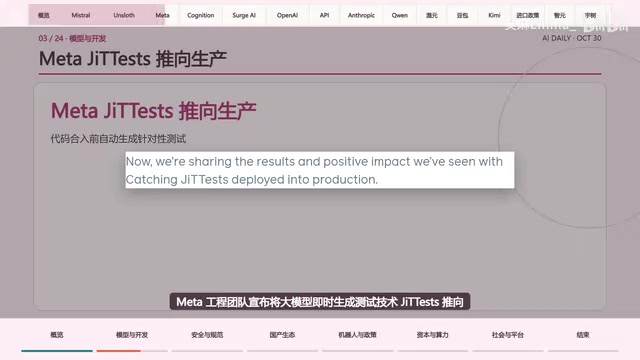
Mistral Large 4 opens its weights, a 1-trillion-parameter MoE architecture that can run locally on MacStudio; Meta's test-generation technology enters production; top tax benchmark pass rate only 10.8%; Canadian government takes a stake in Cohere; Doubao Work opens third-party model calls. This AI Morning Brief rounds up model, ecosystem, capital, and policy developments.
Mistral Large 4 Goes Open Source: A 1T-Parameter European Qwen Challenging DeepSeek
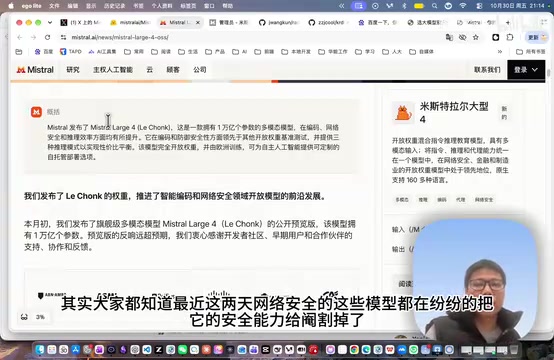
Mistral Large 4 is now open source: 1T total parameters, 52B activated, focused on coding and cybersecurity, with ~610G NVFP4 weights. We analyze its comparison with DeepSeek V4 Flash, API pricing, demo realism, and local deployment value.