WorkBuddy Beginner's Guide: How Tencent's AI Agent Disrupts Traditional Office Work
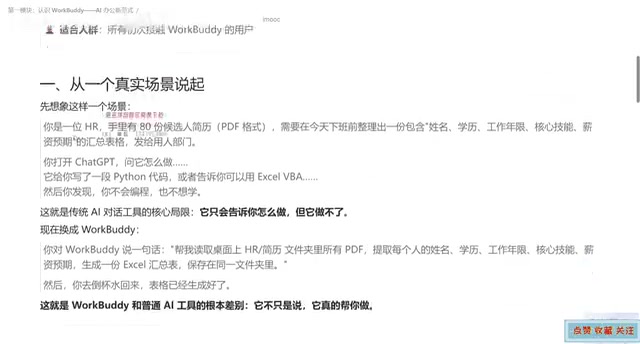
Tencent WorkBuddy is an AI agent desktop workbench that reads/writes local files, executes multi-step tasks, and delivers finished files.
Using an HR sorting 80 resumes as an example, the article contrasts conversational AI with WorkBuddy: the former only provides code and instructions, while the latter directly reads folders, extracts fields, and generates a finished Excel file. WorkBuddy is broken down into an AI brain, computer operator, and automation engine, covering local file read/write, multi-step task execution, scheduled tasks, WeChat remote control, and external system expansion via MCP protocol and skill packages. A dimension comparison table illustrates its essential differences from traditional AI in positioning, output, and unattended operation, and provides a scenario criterion: it's worth using for local file operations, multi-step chaining, or repetitive tasks, while lightweight Q&A still suits conversational tools. It ultimately emphasizes that instruction clarity determines execution quality.
Starting with a Resume Sorting Task
Imagine this scenario: an HR professional has 80 candidate resumes on hand and needs to compile an Excel summary table containing fields like name, education, years of work experience, core skills, and salary expectations before the end of the day, then send it to the hiring department for screening.
With traditional conversational AI tools (like ChatGPT, Doubao, Tongyi Qianwen), the response you get is usually a piece of Python code plus operating instructions, telling you "you can use a certain library to read PDFs and pandas to generate tables." Everything that follows—setting up the environment, modifying paths, running scripts, handling errors—requires you to do it yourself. The AI gave you an answer, but didn't do the work for you.
Switch to WorkBuddyAd, and you only need to issue one instruction: read all candidate resume PDFs in the specified folder, extract name, education, years of work experience, core skills, and salary expectations, generate an Excel summary table, and save it to a certain directory. Then you can go grab a glass of water, and by the time you're back, the table is already sitting in the target folder.
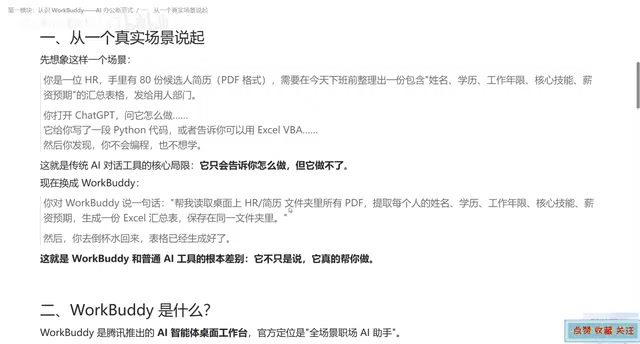
This comparison reveals WorkBuddy's core value: it doesn't just "tell you how to do it," it "does it for you." As the video author puts it, ordinary AI is a smart consultant, while WorkBuddy is a capable employee with hands and feet.
What Exactly Is WorkBuddy
WorkBuddy is Tencent's AI agent desktop workbench, officially positioned as a "full-scenario workplace AI assistant." This description is somewhat abstract; it's easier to understand when broken down—it's a combination of three things:
- AI brain: understands your natural language needs and plans the implementation path
- Computer operator: can execute file reading/writing, software operations, and other actions locally
- Automation engine: turns solidified processes into tasks that can be triggered on a schedule
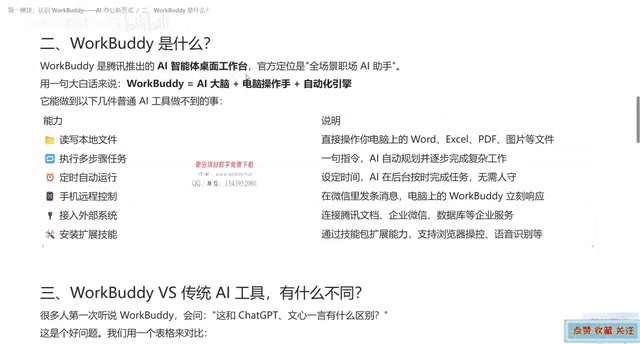
Combining these three means WorkBuddy can truly complete a series of operations on your computer, rather than just outputting text in a chat window. It does similar things to agent products like OpenClawAd, but backed by Tencent's ecosystem, it has natural advantages in connecting with WeChat, WeCom, Tencent Docs, and other scenarios.
What It Can Do That Ordinary AI Cannot
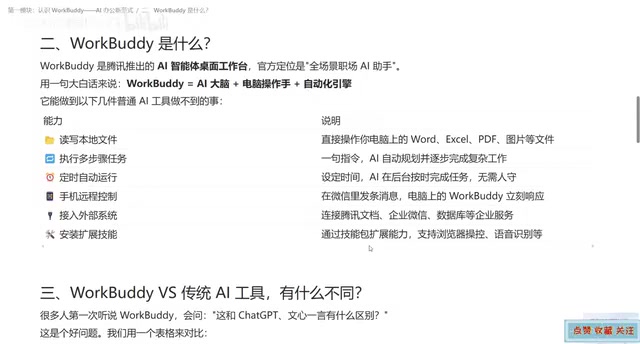
Based on the video's breakdown, WorkBuddy's capability boundaries can be summarized in five directions:
Local file operations. Reading and writing various files such as Word, Excel, PDF, and images—this is the first dividing line that sets it apart from pure conversational tools.
Multi-step task execution. You give a goal, and it breaks down the steps and advances step by step on its own; if it finds a problem with the path midway, it can replan. This is especially critical in complex tasks—real work rarely gets done in one step.
Scheduled tasks. After setting a time node, as long as WorkBuddy on the computer is running, it can execute automatically in the background without anyone watching the screen. Repetitive work like automatically compiling weekly reports every week falls right within its range.
Remote control. Send an instruction through the WorkBuddy mini-program on your phone or the WeChat client, and you can drive WorkBuddy on the computer to work; the results can also be sent back to your phone.
External system integration and skill expansion. Through the MCP protocol, you can connect to Tencent Docs, WeCom, or even databases to bring in external data; through skill packages, you can expand capabilities, such as browser data browsing and screenshots, audio-to-text summaries, and more.
MCP protocol (Model Context Protocol) is an open protocol proposed and open-sourced by Anthropic, used to let AI models connect to external data sources and tools in a standardized way. It's akin to defining a unified "plug specification" for AI: any service that supports MCP (such as Tencent Docs, databases, WeCom) can be invoked by AI in a consistent manner, without writing separate adaptation code for each system. For WorkBuddy, MCP means it doesn't have to built in all connectors, but can mount external capabilities on demand—this is also the technical foundation that enables it to "connect to external systems."
Skill packages can be understood as pluggable capability modules, each encapsulating a type of specific operation (such as browser control, audio transcription). Users enable them as needed, and the agent invokes the corresponding skills when planning tasks, thereby continuously expanding capability boundaries without modifying the core program.
The Essential Difference from Conversational AI Tools
The video makes a dimension comparison worth expanding on:
| Dimension | Traditional AI chat tools | WorkBuddy |
|---|---|---|
| Core positioning | A consultant for Q&A | An employee that can execute |
| Local file operations | Not supported | Supports reading and writing |
| Multi-step tasks | Hard to chain together | Automatically plans and executes |
| Unattended operation | Requires a person present to give instructions | Supports scheduled tasks |
| Output | Mainly text | Can directly deliver finished files such as Word/Excel/PDF |
| Suitable tasks | Single-step information queries and generation | Complex multi-step workflows |
The most underestimated column in this table is "Output." Conversational AI gives you a piece of text, and you still have to copy it, format it, and save it as a file; WorkBuddy directly delivers the final file product. For workplace professionals who deal with documents every day, this difference directly determines whether it's a "toy" or a "tool."
Another key difference is unattended operation. Traditional AI tools must have someone present to issue instructions in order to run, while WorkBuddy's scheduled tasks allow it to work without real-time human supervision—this is the true meaning of the word "automation."
AI Agent and conversational AI differ fundamentally in "autonomy": conversational models are only responsible for generating output based on input, while agents add a closed loop of goal decomposition, tool invocation, execution feedback, and environmental interaction on top of that. A typical agent usually includes a planning module (breaking goals into steps), a tool layer (file reading/writing, API calls, interface operations), and a memory module (saving intermediate states). WorkBuddy's "AI brain + computer operator + automation engine" is exactly the concrete implementation of this architecture, and products like OpenClaw follow a similar approach. Understanding this layer makes it clear why agents can deliver finished files while chat tools can only deliver text.
When to Use It
The criterion is actually simple: does the task involve local file operations, does it require multi-step chaining, and does it recur.
If any one of these three conditions is met, WorkBuddy is worth trying; if all are met, it's basically its home turf. Batch resume sorting, automatic weekly report compilation, cross-document data extraction, and audio-to-text archiving all fall into this category.
Conversely, if you're just asking about a piece of knowledge, writing a paragraph of copy, or translating a sentence, conversational AI tools are faster and lighter—there's no need to deploy an agent. The essence of tool selection is matching task complexity, not the heavier the better.
One point the video author emphasizes at the end is worth remembering: anything you can do on a computer, WorkBuddy can basically accomplish—provided you tell it your needs clearly. The clarity of your instructions directly determines the quality of its delivery. This is also the part that beginners most need to practice.
Related articles

DoorDash Announces Acquisition of Instacart: The Local Delivery Landscape Shifts
DoorDash officially announces its acquisition of Instacart, shifting the local delivery market. This article outlines the deal, the divided views in 472 Hacker News comments, and the key variables of regulatory review and business integration.

Vercel Firewall New Feature: Manage AI Crawlers and AI Assistants Separately
Vercel Firewall adds an AI Bots managed ruleset to separately log or block AI crawler and AI assistant requests, configurable via console and CLI on all plans.

Google Search's Share of Revenue Falls Below 50% for the First Time — Alphabet's Inflection Point Has Arrived
Google Search's share of Alphabet revenue falls below 50% for the first time, signaling search ads are no longer the sole pillar. This article examines the AI disruption, revenue diversification logic, and ripple effects on the digital ad industry behind this inflection point.