WorkBuddy Complete Guide: How AI Agents Automate File Conversion for You

Bilibili creator tests WorkBuddy: how AI agents let non-programmers batch-convert files in three minutes
Based on a Bilibili creator's hands-on tutorial, this article introduces the AI agent tool WorkBuddy and how to get started. Using "batch-converting dozens of Word files to PDF" as an example, it explains that chat LLMs can only give plans while agents can execute after authorization. It covers installation and the points mechanism (2,000 points on registration, 100 claimed daily), demonstrates a three-minute PDF conversion costing 1.55 points, compares WorkBuddy with Codex, and emphasizes the shift from answering questions to executing tasks.
Many people first encounter AI tools through chatbots like Doubao and DeepSeek. They can understand requests and propose solutions, but they can't operate your computer directly. AI agent tools like WorkBuddy fill in the "hands-on" piece—they not only understand what you want but actually do the work for you. This article is based on a hands-on tutorial from a Bilibili creator and walks you from zero to getting started with WorkBuddy.
Why Do You Need an AI Agent? Starting with a File Conversion Task
Suppose you have a folder with dozens of Word documents, and you need to convert them all to PDF and archive them into a new folder. The traditional way: open WPS and convert them one by one, and once the free quota runs out, you pay. With Doubao or DeepSeekAd, they'll tell you to "install the dependencies first, then run this Python code"—you get a plan, but a non-programmer can't run it at all.
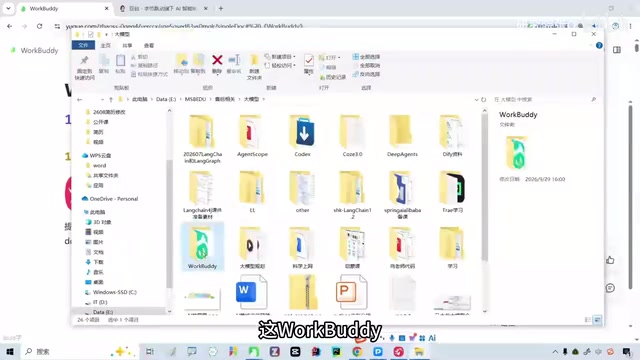
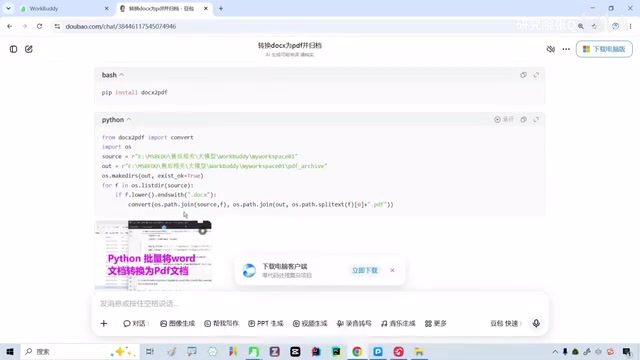
The Bilibili creator demonstrated this scenario live in the video: he pasted the folder path to Doubao, and Doubao did understand the request and generated a conversion script. But the immediate problem was very real—Doubao has no permission to access local files and can't execute commands. It stays at the "give advice" stage, one step away from "delivering results."
This is exactly where AI agents come in: after obtaining user authorization, an agent can read local directories, call system capabilities, batch-process files, and finally place the finished output where you specify. In the creator's words, an agent is "a little employee who does the work for you."
The core difference between an AI Agent and a chat LLM lies in "action capability." A chat model is essentially a text generator: it takes input and outputs text, with no interaction with the outside world throughout the process. An agent adds three key modules on top of that: tool calling (executing operations through APIs or system interfaces, such as reading/writing files, running commands, and accessing the network), task planning (breaking a vague goal into an executable sequence of steps), and memory and state management (remembering context and intermediate results across multi-step execution). Take file conversion as an example: the agent must first call a directory-listing tool to get the file list, then call the conversion tool for each file, and finally call the file system interface to create the archive folder—each step is a "perceive-decide-act" loop. It is precisely this loop that lets AI cross from "telling you how to do it" to "doing it for you."
First Impressions of WorkBuddy: Installation and the Points System
WorkBuddyAd has a very low barrier to installation. No VPN is needed—just download and log in. New registrations get 2,000 points, and after that you can manually claim 100 points per day. The creator used it for about half a month, including a long holiday when the computer wasn't even turned on, and still had 3,900 points in the account—for daily learning and lightweight tasks, the free quota is basically enough.
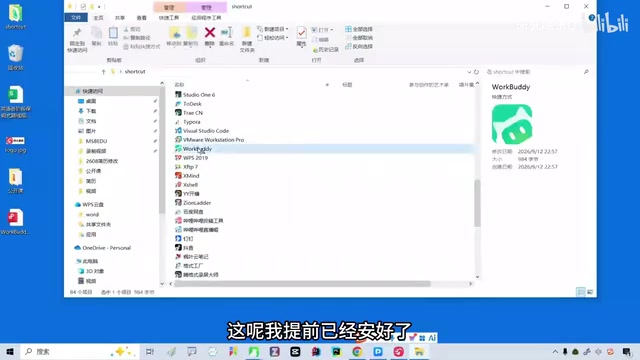
Note that daily points must be claimed manually; they don't arrive automatically. If you only use the agent occasionally for odd jobs, this mechanism is completely sufficient; if your workload is heavy, consider a paid plan.
The points system is a common billing model among domestic AI agent products today; in essence, it is a prepaid model converted from Token consumption. When an agent executes a task, every interaction with the model (understanding instructions, planning steps, generating tool-call parameters) consumes Tokens—the more complex the task and the more dialogue turns, the greater the points consumption. WorkBuddy simplifies this consumption into a "points" display, reducing the user's cognitive load. The manual daily claim design balances user retention and cost control—automatic distribution would mean all registered users consume server resources every day, while manual claiming naturally filters out a large number of silent users. For users, the key to evaluating whether an agent product is "enough" is the ratio between the points consumed by a typical single task and the daily amount obtained: if you get 100 points per day and a single task consumes about 1.5 points, in theory you could run more than 60 lightweight tasks per day, far exceeding daily needs.
Hands-On: Batch PDF Conversion in Three Minutes
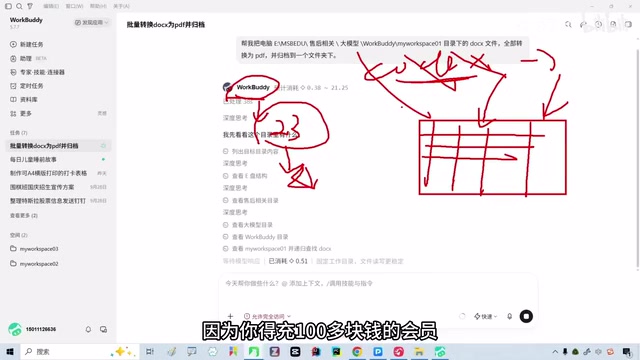
Back to the request at the beginning. In WorkBuddy's chat box, enter: "Help me convert all docx files in this directory on my computer to PDF and archive them into a folder," then grant full access. The agent immediately starts working: first it identifies the files in the directory, then converts them one by one, and finally automatically creates the archive folder.
The whole process takes about three minutes and consumes 1.55 points. The creator showed the conversion results live—file naming was standard, formatting was lossless, the archive folder was generated with a timestamp, and clicking into it showed the completed PDFs. The interface also provides a previewer on the right side, which can be closed when not needed.
The value of this case is not "converting to PDF" itself, but the new interaction paradigm it demonstrates: you describe the goal, the agent breaks down the steps and executes them, and you only need to accept the results.
Comparison with Codex: Capability Gaps and Cost Trade-offs
The creator also candidly shared WorkBuddy's limitations. He once asked WorkBuddy to design a table based on a screenshot of an Excel sheet on Xiaohongshu (RED). WorkBuddy spent 23 minutes on it and the result was unsatisfactory; the same task given to Codex reached expectations in just two or three minutes.
The gap objectively exists, but you need to do the cost math clearly: Codex membership costs over a hundred yuan per month, plus the cost of a VPN, so the overall investment is not low; WorkBuddy relies on daily free points for a zero-cost start, at the price of being slower and less capable. The creator's strategy is to "keep talking to it and have it revise"—after multiple rounds of adjustments, WorkBuddy can ultimately meet the requirement.
His judgment is that domestic and international agent products will gradually converge after feature alignment, and the gaps in understanding, reasoning, and action capabilities will narrow—it just takes some time. For budget-sensitive users, using WorkBuddy to practice at this stage is a reasonable choice.
Codex here refers to OpenAI's coding agent product (based on the codex model), which excels at turning natural language requirements into executable code and running it directly in a sandbox environment. The positioning difference from WorkBuddy is: Codex leans more toward developer scenarios, emphasizing the accuracy of code generation and automated execution; WorkBuddy targets ordinary users, emphasizing zero-barrier file operations and daily tasks. The speed difference when executing the same task is obvious, and the underlying factors include: model reasoning capability (a stronger model can plan the correct steps in one go, reducing trial-and-error rounds), tool-call precision (wrong tool parameters lead to repeated retries), and the execution efficiency of the sandbox environment. Notably, "multi-turn dialogue gradually approaching the requirement" is an effective compensation strategy, but the cost is time—the gap between 23 minutes and 2 minutes is essentially the model capability gap amplified by the number of dialogue turns.
From Chat to Execution: The Core Change Brought by Agents
The most fundamental change brought by tools like WorkBuddy is pushing AI from "answering questions" to "executing tasks," and from "giving suggestions" to "delivering results." A chat LLM is a consultant; an agent is an employee.
For non-computer people, this distinction is especially critical. You don't need to know Python, don't need to configure an environment, and don't need to understand error messages—you just need to state the requirement clearly and grant the right permissions. The creator himself used WorkBuddy to build a check-in workbench for his child, running on a phone for daily use—this ability to "casually build tools" was previously available only to programmers.
Of course, granting full access also means responsibility: the agent can read your files and also modify them. It's recommended to use a separate folder during the testing phase and only expand the scope after confirming the behavior meets expectations.
Getting-Started Advice
If you also want to try WorkBuddy, start with these three steps: first, after registering, claim your points and familiarize yourself with the chat box and permission settings; second, find a low-risk repetitive task to practice, such as batch renaming, format conversion, or file archiving; third, observe the agent's execution logs to understand how it breaks down steps—this will help you write clearer instructions.
The upper limit of an agent's capability depends largely on how clearly you describe your requirements. Treat it like a new employee: when assigning a task, specify the input, output, and acceptance criteria, and the results will be much better.
One-line Summary
Bilibili creator tests WorkBuddy: how AI agents let non-programmers complete batch file conversion in three minutes
Paragraph Summary
The article is based on a hands-on tutorial from a Bilibili creator, introducing the positioning and getting-started method of the AI agent tool WorkBuddy. It opens with "batch-converting dozens of Word files to PDF" as an example, explaining that chat LLMs can only give plans and cannot execute, while an agent can read directories, call system capabilities, and deliver results after authorization. It then covers WorkBuddy's installation and points mechanism: 2,000 points on registration and 100 points claimed manually each day, with the free quota sufficient for light use. The hands-on section demonstrates the complete process of completing batch PDF conversion in three minutes at a cost of 1.55 points. The article also candidly compares WorkBuddy with Codex—slower and less capable, but with a zero-cost start and the ability to gradually approach requirements through multi-turn dialogue. Finally, it emphasizes that the core value of agents is shifting from "answering questions" to "executing tasks" and offers three steps for getting started.
Related articles

The Truth Behind Titanic's Sinking: Key Decisions and Communication Failures in the National Geographic Documentary
National Geographic's The Unsinkable Ship uses survivor testimony to reconstruct Titanic's fatal decisions—from the missing MSG telegram prefix and the broken boiler-room-to-bridge link to how 'unsinkable' thinking delayed damage control and evacuation.

74M-Parameter Open-Source Model Partially Outperforms Jev AI in Testing
Fastino AI's Glider 2.5 models, with just 74M–300M parameters, reportedly outperform Jev AI in some guardrail benchmarks per YouTube testing, run on consumer hardware, and even play Doom. We analyze small models' competitiveness and deployment value on specific tasks.

Gemini 4 Argon Hands-On: Aggressive Pricing, 3D Capabilities Need Coaching
Gemini 4 Argon hands-on: limited-time $2/$10 pricing, million-token output, strong 3D and reverse-engineering work, but weak front-end aesthetics and zero-shot ability need coaching.