WorkBuddy vs Codex vs Claude Code: AI Agent Selection and Office Automation in Practice

Choosing an AI Agent is not about model strength but matching tools to deliverables, interface habits, and costs.
Based on a Bilibili WorkBuddy course, the article argues that "which is stronger" is a false question when choosing an AI Agent; what matters is whether the platform matches daily deliverables. It suggests three judgments first: deliverable type, interface preference, and willingness to learn Git, permissions, and configuration. It then compares WorkBuddy for office delivery with a lower threshold, Codex as a graphical workbench for software projects with project isolation and diff review, and Claude Code for deep code engineering but with higher thresholds and account costs. It also outlines WorkBuddy's path from installation and core features to connectors, MCP practice, and scheduled automation, with pragmatic beginner advice.
In an era when AI Agent tools are emerging in droves, many people's first instinct is to compare model capabilities side by side and ask, "Which one is actually stronger?" But the author of a detailed WorkBuddy course on Bilibili offers a different perspective: what really affects efficiency is often not how much the models differ, but whether the work platform you choose matches what you need to deliver every day. Starting from a beginner's perspective, this course covers WorkBuddy's installation and deployment, core features such as experts/skills/connectors, and extends to building an HTML personal profile website, MCP in practice, and automated scheduled tasks. This article draws on the course content to sort out the positioning differences and selection methods of three popular AI Agent tools, and to lay out a practical path for using WorkBuddy to implement office automation.
Why "Which one is stronger" is a false question
Make three judgments before choosing
The course author proposes that before choosing an AI Agent tool, you should answer three questions. First, look at the delivery target: is what you ultimately want a document, a spreadsheet, a PPT, or a runnable, testable, committable result in a code repository—different deliverables mean the tool's default way of working will be completely different. Second, look at the operating interface: are you more accustomed to selecting files in a desktop graphical interface, or are you willing to enter an IDE or terminal? An IDE is an integrated development environment used for writing code, while a terminal operates the project through commands and provides deeper control, but requires understanding more code-level technical details. Third, look at the cost of control: how much time are you willing to invest in learning Git, permissions, and configuration? Git is a version management system for code and files that records every change and makes comparison, rollback, and collaboration easier; the more finely permissions and configuration are set up, the deeper the processes a tool can usually participate in, but the higher the upfront learning and maintenance costs.
The value of this judgment framework lies in downgrading "model capability" from the sole dimension of selection to one of many dimensions. For users in most office scenarios, the importance of deliverable form and onboarding threshold is far higher than differences in a model's score on some benchmark test.
Positioning differences among the three tools
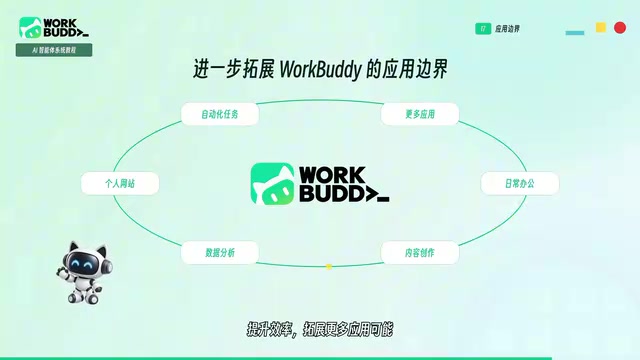
According to the course's analysis, WorkBuddyAd's default home turf is office delivery: install the desktop client, choose a workspace, and then directly describe the finished product you want—for example, organizing a batch of course materials into lecture notes, compiling research information into a report, or making a PPT based on existing content and batch-processing local files. The key point is that you do not need to first translate the task into a set of engineering commands; instead, you start from "what do I need to deliver." The basic threshold is relatively low, making it more suitable for operations staff, instructors, content creators, and lightly technical teams that need to handle multiple types of files, and it can be further extended through Skills, connectors, and automation.

Codex is more like a graphical workbench for software projects: after opening a local project, you choose Local, WorkTree, or Cloud according to the task—Local works directly in the current project directory, WorkTree creates an isolated workspace for the task to reduce interference between different changes, and Cloud lets the task run in a prepared remote environment. Its advantage is not in changing a few lines of code, but in putting code, files, and task review into the same process, checking exactly what was changed through diff comparison, and then linking project skills and reusable processes together. The threshold is moderate, and issues such as installation and deployment, accounts, and membership are the most common blockers.
Claude Code's core advantage is deep understanding and handling of code engineering. The official product forms already cover the terminal, IDE, desktop, and web, so beginners do not necessarily have to start from the command line, but when moving into advanced usage, the terminal, IDE, and CLI remain important. Its threshold is likewise not low, and the course author specifically mentions account stability—Claude Code is prone to account bans, and for most people, even if they want to use higher-end capabilities, they often at most reach the Codex level.

It should be noted that the above evaluation comes from a single course source and carries the color of the author's personal experience; the specific causes of phenomena such as account bans are not expanded on in the material, so readers can treat it as a reference rather than a conclusion.
"Experts," "skills," and "connectors" in WorkBuddy are three progressive concepts. An "expert" is equivalent to a role template preset with domain-specific knowledge and ways of working; by choosing different experts, the tool handles tasks from different professional perspectives and processes. A "skill" is a reusable capability module that encapsulates a certain type of repetitive operation for direct invocation when needed. "Connectors" are responsible for connecting external systems, enabling the Agent to access data sources such as email, cloud drives, and document platforms. Combined, the three upgrade the platform from "single-turn Q&A" to an orchestrated workflow engine, which is also the underlying logic of the course starting from core features and then extending to MCP in practice.
Building an automated workflow with WorkBuddy
From basic understanding to installation and deployment
The course starts with basic understanding of AI office tools, then guides learners through the installation and deployment of both the domestic and international versions of WorkBuddy, gradually mastering core features such as experts, skills, and connectors, as well as global memory and personalized settings, so that the tool can better understand needs and adapt to different work scenarios. The design logic of this path is: first establish an understanding of the tool's boundaries, then start installing, so as to prevent beginners from exhausting their patience on environment issues.
From single-point features to a complete workflow
The course author observes that when many people encounter AI tools, they only learn a single feature but do not know how to combine capabilities to complete a full piece of work. Therefore, after the basic features, the course moves into practice: using WorkBuddy to create an HTML-format personal profile website, and expanding the Agent's capability boundaries through the practical application of connectors and MCP. After mastering these, learners go further into automation and scheduled tasks, so that WorkBuddy can not only complete a one-off task but also continue executing according to a set process.

This progression line of "basic operations—practical application—automated workflow" essentially turns AI from a Q&A tool into a production tool for deliverable results. For people who want to use AI to improve efficiency and explore side-business opportunities, the point is not to learn a tool, but to truly use it in real tasks and produce visible results.
MCP (Model Context Protocol) is an open protocol that establishes standardized connections between AI models and external tools and data sources. It can be understood as a "universal interface" for the AI world: before this, each external service connected (such as a database, calendar, or file system) often required separately developed adaptation code; with MCP, tool providers only need to expose capabilities according to the protocol, and AI clients can call them uniformly. In Agent platforms such as WorkBuddy, MCP allows the Agent to break through the boundary of "only being able to converse" and truly read local files, query online data, or trigger third-party services, making it key infrastructure for building complex automated workflows.
Scheduled Tasks refer to letting the Agent automatically execute a certain process according to preset time rules, for example, summarizing industry news every morning or generating a weekly report draft every Monday. Its essential difference from one-off conversational tasks lies in being "unattended": after a task is saved as a reusable process, the system triggers it at a specified time, and people only need to review the result after it is produced. This is precisely the dividing line that turns AI from a "Q&A tool" into a "continuously running production tool," and it is also why the course places automation and scheduled tasks in the advanced stage.
Selection advice for beginners
Based on the course's viewpoint, a pragmatic path is: beginners aiming at office delivery should start with WorkBuddy first, using a lower threshold to complete the loop of "describe the need—get the finished product"; when there is a genuine software project need, then transition to Codex and use its project isolation and diff review capabilities; Claude Code is suitable for users with deep needs in code engineering who can also bear the account and configuration costs. Tools are not substitutes for one another but correspond to different delivery targets and operating habits. The endpoint of selection is not finding the strongest Agent, but finding the one that best matches your daily work.
One-line Summary
When choosing an AI Agent, do not just compare model strength; match the tool to your deliverables, interface habits, and costs.
Paragraph Summary
Based on a detailed WorkBuddy course on Bilibili, the article argues that "which one is stronger" is a false question when choosing an AI Agent tool; what really affects efficiency is whether the platform matches your daily deliverables. The author suggests making three judgments before choosing: whether the delivery target is a document, a spreadsheet, or runnable code; whether you prefer a desktop graphical interface or an IDE/terminal; and how much time you are willing to invest in learning Git, permissions, and configuration. On this basis, it compares three tools: WorkBuddy focuses on office delivery with a lower threshold; Codex is a graphical workbench for software projects, with advantages in project isolation and diff review; Claude Code is strong in deep code engineering but has higher thresholds and account costs. The article also outlines WorkBuddy's progression path from installation and deployment, core features to connectors and MCP in practice, and automated scheduled tasks, and gives pragmatic beginner selection advice.
Related articles

Private Key Set to 4? CA's Elementary Mistake Leaves TLS Exposed
CA eMudra set private keys to tiny values like 4, making TLS certificates brute-forceable. A Computerphile video demonstrates the full process from extracting public keys to forging certificates, and explores the fragility of the PKI trust chain.

How Gen Turns Data into Decisions with ChatGPT Work
In an OpenAI user case, business leader Gen shares how ChatGPT Work turns data into decisions: within hours of launch, teams can judge whether integrations and onboarding flows work, shifting decision iteration from hundreds of trial-and-error attempts to a fast feedback loop.

ChatGPT vs. Claude In-Depth Comparison: Strong at Coding but Weak at Research — How to Bridge the Gap?
A user considers switching from ChatGPT to Claude, finding Claude stronger at coding but shallower at research. We analyze the differences and share tips to make Claude's research deeper.