Zed Editor v1.25.1-pre Released: What a Minor Version Update Signals

Zed releases v1.25.1-pre pre-release tag with only a version bump and no disclosed changes.
Zed tagged v1.25.1-pre on GitHub, corresponding to commit 305afe0, with a commit message reading only "Bump to 1.25.1 for @bennetbo"—no changelog or feature list. The article notes that this minimal-information release style actually signals three things: a highly automated release process, version bumps precisely attributed to specific contributors (PR-level management), and a persistent pre channel. Release page details also show the commit carries GPG signing and a GitHub verified badge with vigilant mode enabled, reflecting mandatory signature verification standards. The article advises regular users to wait for the stable version, while plugin developers and downstream maintainers can use the pre version for early compatibility validation, emphasizing that all judgments are based solely on release page metadata with no speculation about specific changes.
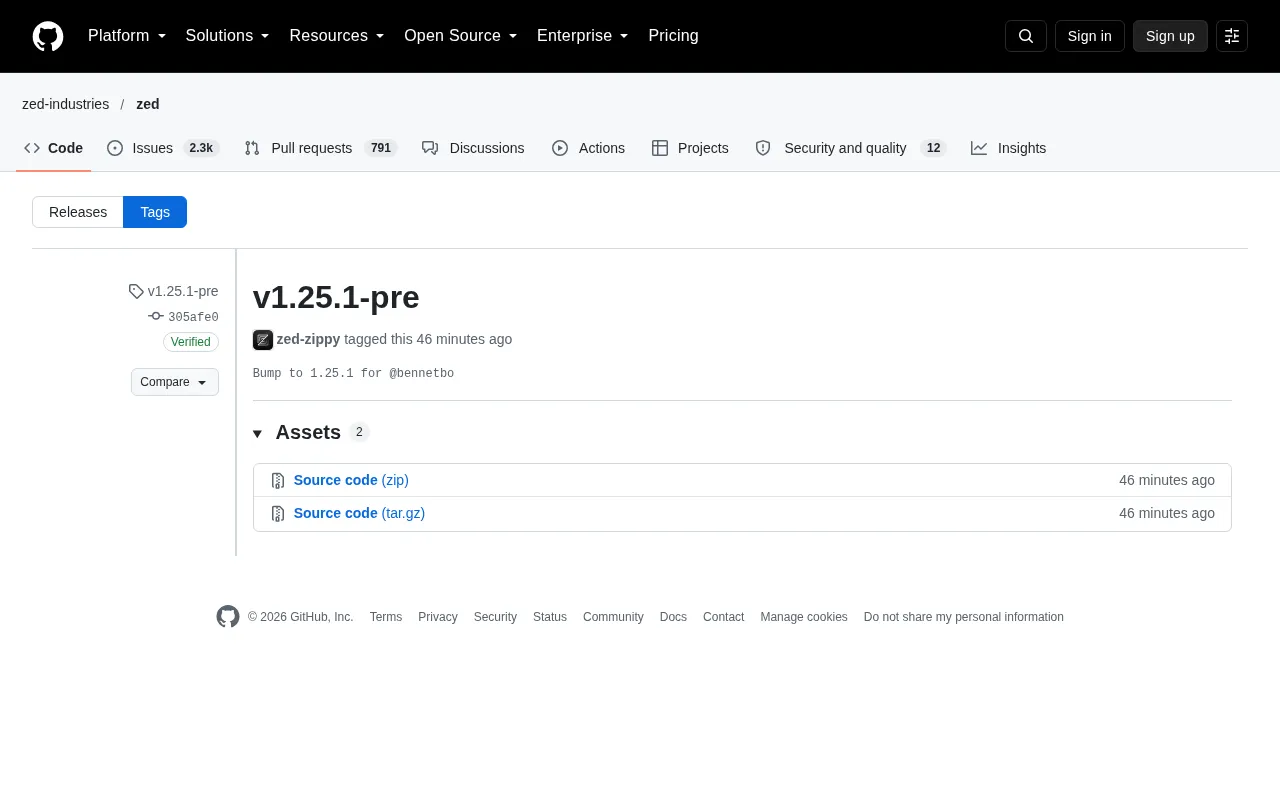
Zed has tagged v1.25.1-pre on GitHub. The commit was marked by zed-zippy on October 20 at 09:27, with a single-line commit message: "Bump to 1.25.1 for @bennetbo". No changelog, no release notes, no feature list—but it's precisely this "minimal information" release style that reveals Zed's current versioning cadence and team collaboration model.
What v1.25.1-pre Actually Ships
Based on the available information, v1.25.1-pre is a pre-release tag corresponding to commit 305afe0. The commit carries GitHub's verified signature with GPG key ID B5690EEEBB952194, confirming the submission source is verifiable and untampered.
The "Bump" in the commit message typically refers to a version number increment—a mechanical step in the release process. "for @bennetbo" indicates that this version bump primarily serves the work of a specific contributor (GitHub user bennetbo). In other words, this isn't a user-facing feature release, but rather a version baseline prepared for a particular development line.
Zed follows a cadence where pre tags come first and stable releases follow. The community and downstream packagers can validate early, while regular users simply wait for the official release.
Pre-release tags and SemVer pre-release identifiers: In Semantic Versioning (SemVer), the -pre in 1.25.1-pre is a "pre-release identifier" that sorts lower than the corresponding stable version 1.25.1. This means package managers (like npm, Cargo) won't include pre-release versions in their default upgrade paths—only an explicit request will pull them. Zed uses this naming rather than 1.25.1-alpha.1, indicating it only distinguishes between "pre-release" and "stable" without granular testing phases, consistent with its dual-track cadence of "pre first, stable later."
GitHub Release vs. git tag: A git tag is simply a pointer to a commit, while a GitHub Release is a wrapper layer on top of the tag that adds release notes, asset files, and subscription notifications. Zed chooses the Release mechanism so that version changes can be picked up by the Release API, RSS, and automation tools—this is the key advantage over plain tags for downstream integration.
Why Even a "Bump" Commit Is Worth Noting
For most projects, a version bump is the least article-worthy type of commit. But in Zed's case, it tells us at least three things.
First, the release process is highly automated. Tags, signatures, and asset uploads all follow a fixed pipeline—humans just trigger it. This kind of "no surprises" release is precisely a sign of engineering maturity.
Second, collaboration between maintainers and contributors is fine-grained. Version bumps are precisely attributed to individuals, showing the team manages release content at PR-level granularity rather than accumulating a big version and releasing it all at once.
Third, the pre channel is persistent. For developers who use Zed as their daily driver editor, pre tags mean earlier access to fixes; for plugin authors and downstream distributions, it's a window for compatibility validation.
What the Release Page Details Reveal About Zed's Engineering Standards
The release page itself reveals quite a few engineering habits. The commit carries a GitHub verified badge, uses GPG signing, and has vigilant mode enabled—meaning signature verification is mandatory, not just a routine reminder.
The Assets section lists 2 files, but an error appeared during page load, making it impossible to confirm the specific contents. The page also showed "Compare," "Choose a tag to compare," and multiple "Sorry, something went wrong" loading failure messages—these are common issues with GitHub's dynamic page loading and don't indicate any problem with the repository itself.
One detail worth noting: Zed chooses to publish pre versions through GitHub's native release mechanism rather than relying solely on git tags. This lets users subscribed to releases and automation tools detect version changes immediately.
GPG signing and vigilant mode: GitHub's vigilant mode is an account-level setting that, once enabled, marks the signature status of all commits—unsigned commits show as "Unverified" rather than silently passing. Combined with GPG signing, maintainers can prove that a given commit genuinely came from the person holding the private key, preventing impersonation attacks on the repository. The key ID B5690EEEBB952194 mentioned above is the short identifier of the signing public key, which can be used to look up the signer's identity on key servers.
The verified signature chain: When GitHub verifies a commit signature, it compares the signature in the commit against the public key bound to the committer's account—only a match displays Verified. This chain guarantees that "the commit came from that account," not that "the code content is correct," making it a necessary but not sufficient condition for supply chain security.
How Developers Should Use This Version
For regular users, the conclusion is straightforward: unless you deliberately chase the latest, waiting for the stable version is safer. Pre versions come without accompanying notes, meaning the scope of changes is undisclosed and troubleshooting costs are higher if problems arise.
For plugin developers and downstream maintainers, v1.25.1-pre is a good opportunity to run compatibility tests early. Watch for regressions in editor APIs, LSP behavior, and extension loading mechanisms, and report issues before the official release.
For those tracking Zed's evolution, this type of commit carries limited information on its own—but comparing it against the changelog of the subsequent stable release can reveal which changes were quietly fixed in minor versions, which often reflects the project's true priorities better than major release announcements.
Finally, a note: this release provides no feature descriptions or fix lists, so this article makes no speculation about the specific changes in v1.25.1. All judgments are based on metadata visible on the release page (tag, commit signature, commit message, committer) and Zed's consistent release habits.
FAQ
Is v1.25.1-pre an official release? No, pre is a pre-release tag intended for early validators.
What changed in this version? The official source has not disclosed the changes; the commit message only mentions a version bump.
Should regular users upgrade? We recommend waiting for the stable version; developers who want to try it early or run compatibility tests can give it a try first.
One-line Summary
Zed releases the v1.25.1-pre pre-release tag, bumping only the version number with no disclosed changes.
Related articles

T3 Code: The Open-Source AI Coding Assistant's Comeback Story
T3 Code is an open-source AI coding assistant that unifies subscriptions like Codex and Claude, with powerful remote control and parallel task management.

Never Elected, Yet Ruled New York for 30 Years: The Ultimate Case Study in the Mechanics of Power
Robert Caro's biographies reveal how unelected Robert Moses ruled New York for 30 years through legal drafting and public authorities, and how Lyndon Johnson built leverage as a "powerless" Senate Majority Leader. Unpacking the underlying logic of accumulating and sustaining power.

The CPython 3.10 Recursion Trap and Synthetic Recovery in TokenGuard, an LLM Circuit Breaker
TokenGuard's author recounts a recursion crash caused by OrderedDict.pop in CPython 3.10 and introduces v0.3.0's Loop Nudge synthetic recovery, inline DLP scanning, and other new LLM agent circuit-breaker capabilities.