A Comprehensive Guide to the OpenAI Codex APP: Feature Breakdown and the New Paradigm of AI Programming
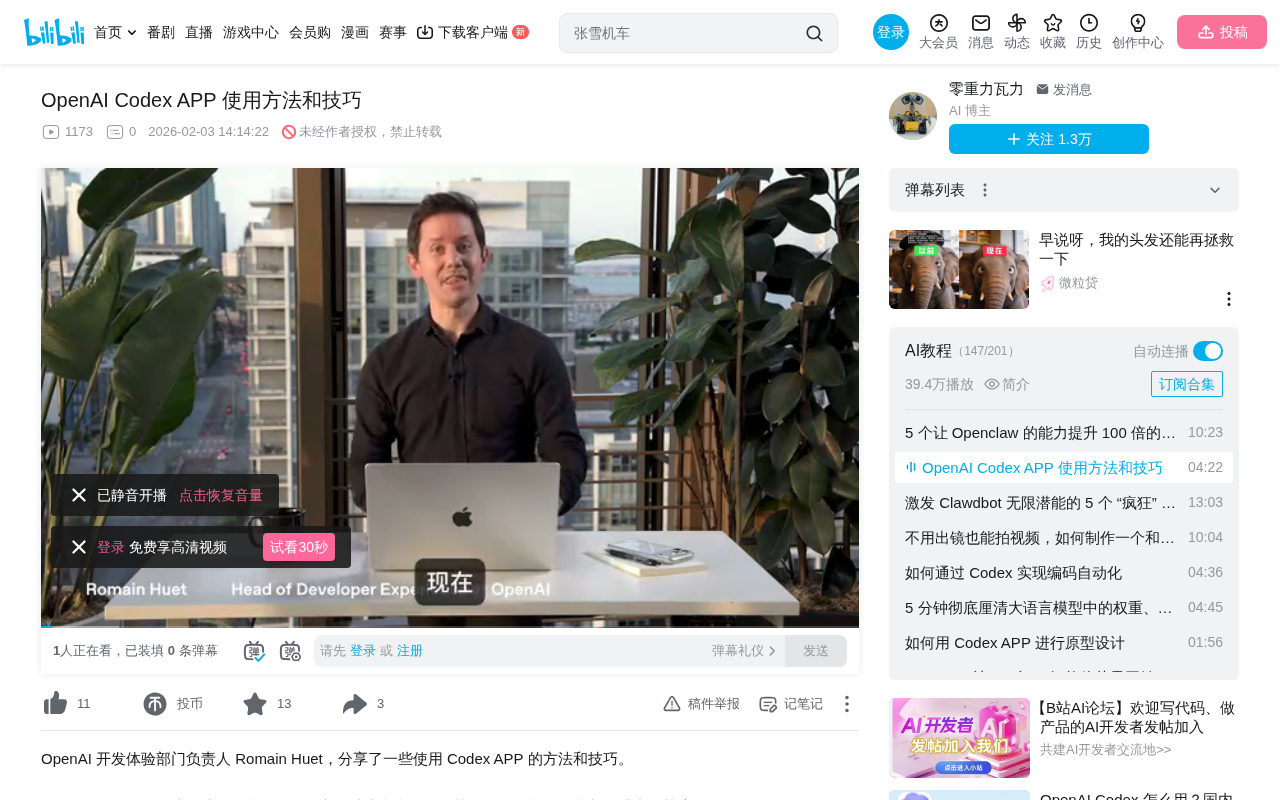
OpenAI launches the Codex desktop app, transforming developers from code writers to AI programming supervisors.
OpenAI has officially launched the Codex desktop application — a complete AI programming command center, not just a code completion tool. It provides a unified interface for managing multiple AI Agents working in parallel, supports asynchronous task collaboration, code review with iterative feedback, floating window mode for visual collaboration, and connects to third-party toolchains like Figma via the MCP protocol. Combined with Work Trees for isolated environments and automated task capabilities, the Codex APP marks a paradigm shift in software development from "writing code by hand" to "supervising AI writing code."
OpenAI has officially launched the Codex desktop application (Codex APP). This isn't just a code completion tool — it's a full-fledged AI programming command center. It transforms developers from "people who write code by hand" into "people who supervise AI writing code," fundamentally reshaping the software development workflow. This article provides a comprehensive analysis of the Codex APP's core capabilities, covering everything from its feature architecture and usage methods to practical tips.

A Unified Command Center: Say Goodbye to Multi-Terminal Window Switching
In the past, developers had to constantly switch between multiple terminal windows to manage different projects and tasks. The Codex APP consolidates everything into a single, unified interface.
On the left is the project list, giving you an at-a-glance view of all ongoing projects; on the right is the main conversation interface for interacting with Codex. Under each project, you can see completed tasks as well as tasks running in real time. The design philosophy is crystal clear — you're no longer an "executor" but a "manager," simultaneously overseeing multiple AI Agents working in parallel.
The "AI Agent" mentioned here is one of the most important developments in the field of artificial intelligence today. Unlike traditional chat-based AI or code completion tools, AI Agents possess the ability to plan autonomously, invoke tools, and execute continuously — they don't just answer questions but can break down complex tasks, formulate execution plans, call external tools, and dynamically adjust strategies based on intermediate results. In the context of the Codex APP, each Agent can independently complete the entire workflow from understanding requirements, finding API documentation, and writing code to running tests. This is fundamentally different from the line-by-line completion experience of early Copilot.
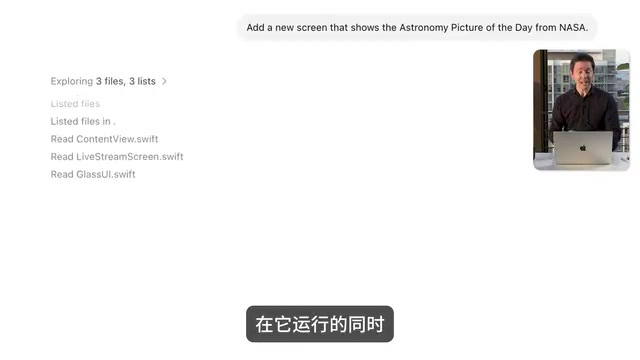
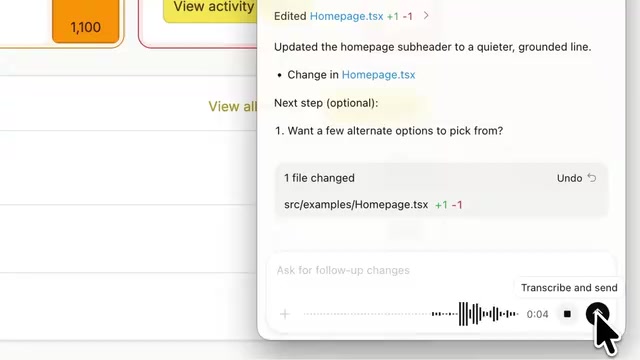
What's even more noteworthy is that the Codex APP supports voice input. You can describe your requirements directly in natural language — for example, "I need a new page that displays NASA's Astronomy Picture of the Day" — and Codex will automatically find the appropriate API and complete the development. This interaction model dramatically reduces the friction between "idea" and "implementation," making programming truly a matter of "say it and it gets done."
Real-Time Task Management: Asynchronous Collaboration from Minutes to Hours
Task Execution and Progress Tracking
One of the core design philosophies of the Codex APP is asynchronous collaboration. After you assign a task, Codex continues working in the background, and you can check its execution steps and progress at any time. Some tasks may take a few minutes, while others could take hours — especially when working on large codebases.
This asynchronous collaboration model represents a major shift in how software is developed. Traditional software development is highly synchronous: developers write code, wait for compilation, run tests, and review results — every step requires manual intervention and waiting. Even with CI/CD (Continuous Integration/Continuous Deployment) pipelines, developers still need to complete core coding work locally. The asynchronous model introduced by the Codex APP borrows from the delegation mindset in project management — similar to a tech lead assigning tasks to team members and then moving on to other matters. This model also has theoretical foundations in computer science, paralleling asynchronous I/O in operating systems and the producer-consumer model in message queues. The core idea is the same: decouple "task initiation" from "task execution" to improve overall throughput. You don't need to stare at the screen waiting for compilation to finish — you can go do other things and come back to review the results once the AI Agent is done.
Code Review and Iterative Feedback
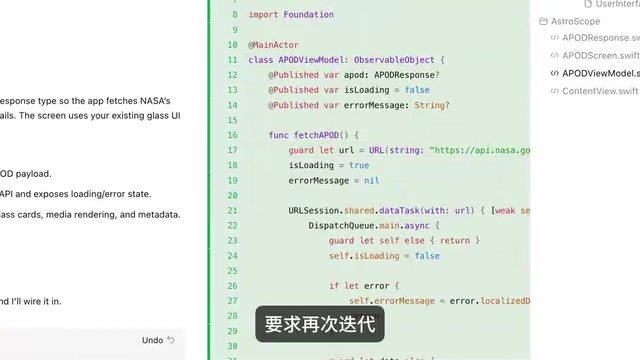
Once a task is complete, Codex generates a full code diff (a differential comparison view of code changes that shows every line added, deleted, or modified). You can:
- Review changes line by line to see what Swift, JavaScript, or Python code Codex modified
- Add inline comments to provide feedback on specific code segments
- Request re-iteration, having Codex make revisions based on your feedback
- Merge directly if the code quality meets expectations
If you need a deeper inspection, you can always open the changes in native IDEs like Xcode or VS Code. But in most cases, building and running directly within the Codex APP is sufficient.
Floating Window Mode: Seamless Collaboration with Visual Projects
For visually intensive projects like frontend development or mobile apps, the Codex APP offers a highly practical feature — floating window mode.
By clicking the button in the upper right corner, you can pop the conversation window out as an independent floating panel. This lets you view the application interface being built on one side while conversing with Codex on the other. For example, when developing a fitness tracker web app, you can simply say "add animation effects to the progress bar," and within seconds you'll see the changes take effect in real time.
This experience truly achieves "collaborating like working with a teammate" — you're responsible for ideas and direction, while Codex handles the implementation details.
Skills System: Connecting Your Entire Toolchain via MCP
Built-in Skills and MCP Protocol Integration
Skills are one of the most extensible features in the Codex APP. They allow Codex to connect to the various development tools and third-party services you commonly use.
The official demo showcased an impressive example: through the Figma skill, Codex doesn't simply "look at" a design from a screenshot. Instead, it directly reads the structure of Figma design files — including spacing, text styles, design variables, and other metadata — then generates real, usable frontend code based on your design system. Automatically generating frontend code from design files (Design-to-Code) has long been an important topic in frontend engineering. Early approaches relied primarily on screenshot recognition, using computer vision to analyze UI layouts, but the generated code often lacked semantic structure and was difficult to maintain. Later, solutions based on design tool APIs emerged, such as Figma's REST API and plugin system, which can directly access a design file's node tree, style properties, and Design Tokens. Codex's Figma skill adopts the latter approach — it calls the Figma API via the MCP protocol to read the complete design file structure rather than pixel information. This enables it to accurately obtain spacing values, font hierarchies, color variables, and other metadata, then combine them with the project's existing design system (such as Tailwind CSS configuration or custom component libraries) to generate production-grade code that conforms to team standards. This is the key reason why the generated code can closely match the design mockups.
Behind this is MCP (Model Context Protocol). MCP is a standardized protocol open-sourced by Anthropic in late 2024, designed to solve the connectivity problem between large language models and external tools and data sources. Before MCP, integrating each AI tool with third-party services required developing separate adapters, leading to severe ecosystem fragmentation. MCP defines a unified communication standard, similar to what the USB protocol is for hardware devices — any service that follows the MCP specification can be directly called by AI models. In the Codex APP, tools like Figma, Sentry, and Linear expose their capabilities through MCP Servers, while Codex acts as an MCP Client that automatically discovers and invokes these capabilities. Developers don't need to manually configure complex connection parameters or write glue code.
Custom Skill Extensions
Beyond built-in skills, you can also create custom skills for yourself or your team, allowing Codex to perfectly adapt to your workflow. This means that regardless of what toolchain your team uses — Jira, Notion, Slack, or internal systems — it can all be brought into Codex's capability scope. As long as the target service has an MCP Server implementation (or you write one for it), Codex can interact with it just like calling a built-in feature, truly achieving a "single entry point, connected to everything" development experience.
Automated Tasks: Let AI Work Continuously in the Background
A more advanced use of Skills is transforming them into automated tasks. You can set specific execution frequencies, letting Codex automatically handle repetitive work on a schedule:
- Automatically classify and handle error alerts from Sentry (a widely used application error monitoring platform that captures exceptions and performance issues in production environments in real time)
- Automatically organize bugs and tickets in Linear (a project management tool designed for engineering teams, known for its speed and simplicity)
- Periodically run code quality checks or dependency updates
- Generate project progress reports on a schedule
These automated tasks run silently in the background, essentially transforming work that traditionally required manual triggering or script maintenance in DevOps workflows into intelligent pipelines autonomously executed by AI Agents. Meanwhile, you can focus your energy on work that truly requires creativity.
Work Trees: Isolated Environments to Eliminate Code Conflicts
The Codex APP introduces the concept of Work Trees, providing each AI Agent with an independent copy of the codebase. This solves the most painful problem when multiple Agents work in parallel — code conflicts.
Work Trees are not an entirely new invention by Codex but rather an engineered wrapper around the existing git worktree feature in the Git version control system. git worktree allows checking out multiple working directories from the same repository, each corresponding to a different branch, sharing the same Git history but with independent workspaces. The Codex APP automates this underlying capability: whenever a new AI Agent task is launched, the system automatically creates an isolated worktree where the Agent can freely modify code without affecting the main branch or other Agents' work. Once the task is complete, changes are merged back into the main branch through standard Git merge or rebase workflows.
Each task runs in an isolated environment, without interfering with one another or breaking your main branch. For large projects and team collaboration, this feature is critical — imagine five Agents simultaneously modifying different modules of the same project. Without an isolation mechanism, code conflicts would throw the entire process into chaos.
Additionally, any task — especially long-running ones — can be delegated to Codex in the cloud for execution. The interface and experience are identical to local execution, without consuming local computing resources. This seamless switching between local and cloud means that developers can drive large-scale AI programming tasks even on a lightweight laptop.
A Fundamental Shift in the AI Programming Development Paradigm
The Codex APP represents not just a new tool, but a fundamental shift in the software development paradigm:
- From writing code to supervising code: The developer's core work shifts from "how to write" to "what to write"
- From synchronous to asynchronous: No longer needing to wait for each step to complete, you can advance multiple tasks simultaneously
- From tool switching to a unified platform: One interface to manage projects, conversations, reviews, and deployments
- From manual to automated: Repetitive work is handed off to AI for scheduled execution
This shift is consistent with several major paradigm migrations in software engineering history: from assembly language to high-level languages, developers no longer worried about register allocation; from manual memory management to garbage collection, developers no longer worried about memory leaks; and now, from hand-writing code to supervising AI Agents, developers are being further liberated from implementation details, freeing up more cognitive resources for architecture design, product thinking, and user experience.
As OpenAI officially stated: "Spend less time writing code and more time creating, refining ideas, and bringing them to life." For developers, mastering AI programming tools like the Codex APP may be the key step toward entering the era of AI-native development.
Related articles
 Product Reviews
Qoder vs Cursor Real-World Comparison: Which $20/Month AI IDE Is Better?
Hands-on comparison of Qoder vs Cursor AI IDEs: Agent autonomy, human interaction count, and architecture decisions. Qoder needed only 2 interactions vs Cursor's 8.
 Product Reviews
Cursor Cloud Agent Demo: Eliminating Bottlenecks Across the Entire Software Development Lifecycle
Deep analysis of Cursor's Cloud Agent demo showing how cloud VMs, automated test artifacts, and a full-chain control plane systematically eliminate human bottlenecks across the software development lifecycle.
 Product Reviews
Cursor 3.0 Deep Dive: Multi-Agent Parallelism, Design Mode, and Best-of-N Model Comparison
Cursor 3.0 evolves from an AI coding assistant into an Agent fleet command center. Explore multi-agent parallelism, Design Mode, and Best-of-N model comparison.