Claude Code Setup Guide for China: Environment Variables + Verification Bypass + Connecting Domestic Models
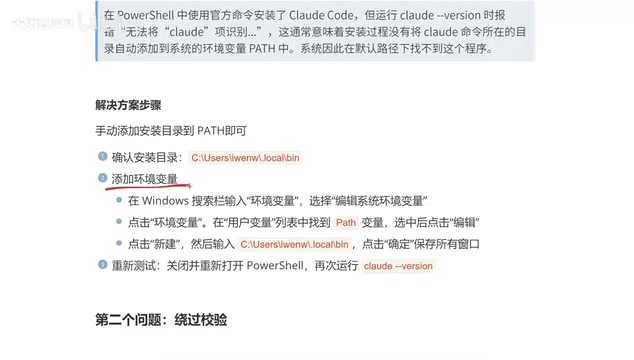
A three-step guide to configuring Claude Code for users in China with domestic LLM integration.
This guide walks Chinese users through the complete Claude Code setup process: adding the bin directory to Path environment variables to fix 'command not found' errors, modifying .claude.json to bypass Anthropic's network verification, and connecting to Alibaba Cloud Bailian's free domestic LLMs via environment variables for a fully functional local AI coding assistant.
Introduction
Installing Claude Code doesn't mean you can use it right away. For users in China, there are three key issues to resolve between installation and actual usage: environment variable configuration, verification bypass, and connecting to an available large language model. This article breaks down each of these three steps to help you complete the full Claude Code setup from scratch.
Claude Code is essentially a command-line interface (CLI) tool that communicates with backend large language models via API. Users type natural language instructions in the terminal, and Claude Code packages them as API requests sent to the model, then executes code operations locally based on the returned results. This architecture means its core capabilities depend on the connected LLM, while the local client primarily handles context management, file operations, and command execution. Understanding this makes it clear why we need to solve two separate layers of problems: "the client can launch" and "the model is reachable."
Configuring Environment Variables: Fixing the "Command Not Found" Issue
After installing Claude Code, some users encounter an error when typing the claude command in the terminal — the system reports that the command cannot be found. This happens because the executable file path for Claude Code hasn't been added to the system environment variables.
What are environment variables? Environment variables are key-value pairs used by the operating system to store configuration information. Path is one of the most important — it tells the system which directories to search for executable files. When you type a command in the terminal, the system searches through the directories listed in Path one by one for the corresponding executable. If it can't find one, you'll get a "not recognized as an internal or external command" error. User variables only apply to the current user, while system variables apply to all users. It's generally recommended to modify user variables to avoid affecting other accounts.
Confirm the Installation Directory
First, confirm where Claude Code is installed. The default path is:
C:\Users\YourUsername\AppData\Local\bin\claude.exe
If you can find claude.exe in this directory, the installation itself is fine.
Add the Path Environment Variable
Follow these steps:
- Type "environment variables" in the Windows search box and open "Edit the system environment variables"
- Click the "Environment Variables" button
- Find
Pathunder User variables and double-click to open it - Click "New" and paste the bin directory path (e.g.,
C:\Users\YourUsername\AppData\Local\bin) - Click OK to save each dialog
After configuration, close the current terminal, reopen PowerShell or CMD, and type the claude command. If the Claude Code interactive interface appears, the environment variable configuration was successful.
Tip: You don't have to use PowerShell — pressing Windows+R to open CMD works just as well for running the
claudecommand.
Bypassing Network Verification: Fixing Connection Authorization Failures
After configuring environment variables, running claude may hit a second issue — connection authorization failure. This is because the domestic network environment in China cannot directly access Claude's servers, and even proxy tools may be unreliable.
From a technical perspective, Claude Code attempts to establish a connection with Anthropic's servers on startup to perform identity verification and authorization checks. This process involves an OAuth authentication flow where the client needs to prove the user's legitimate identity to the server. In China's network environment, due to DNS pollution, IP blocking, or TLS handshake timeouts, this verification request often fails to complete. By modifying verification-related fields in the local configuration file, you can make the client skip this step and go directly to a usable state.
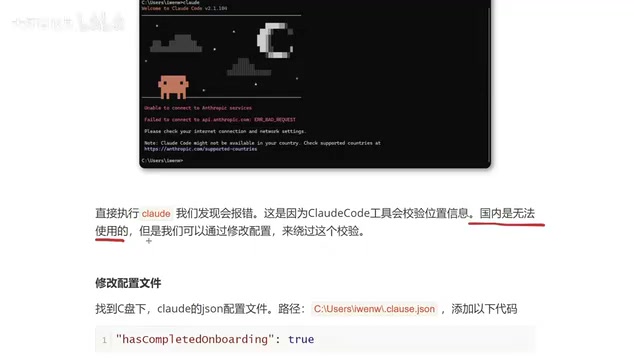
Modify the .claude.json Configuration File
The solution is to bypass verification by modifying the local configuration file:
- Navigate to the
C:\Users\YourUsername\directory - Find the
.claude.jsonfile (note the dot at the beginning) - Open the file with Notepad
- Add the verification bypass configuration entry to the JSON object (make sure to add a comma after the previous entry)
- Save the file
Note: Files starting with a dot are visible by default in Windows File Explorer, but if you can't find it, you can type the full filename
.claude.jsondirectly in the address bar. JSON format is strict — an extra comma or missing quotation mark will cause parsing failures. It's recommended to back up the original file before making changes.
After making the changes, run the claude command again. If the normal interactive interface appears (prompting whether to trust the current folder), the verification bypass was successful.
At this point, Claude Code can launch normally, but since we're not paying Claude subscribers, the built-in LLM still won't work. If you are a paying Anthropic subscriber, you can start using it directly at this step.
Connecting to Alibaba Cloud Bailian Free LLM
For non-paying users, you need to replace Claude Code's underlying model with a domestic LLM. Here we recommend Alibaba Cloud Bailian Platform for a simple reason — generous free quotas.
Alibaba Cloud Bailian is a large model service platform launched by Alibaba, offering unified API access to various domestic LLMs. It adopts an OpenAI-compatible API format (the Chat Completions API standard), meaning any client tool that supports the OpenAI API format can seamlessly switch to Bailian's models by simply changing the Base URL and API Key. Claude Code leverages this compatibility by setting the ANTHROPIC_BASE_URL environment variable to redirect requests to Bailian's endpoint. This "API compatibility layer" design has become standard practice among domestic LLM platforms in China — besides Bailian, platforms like SiliconFlow and DeepSeek have adopted similar compatibility approaches.
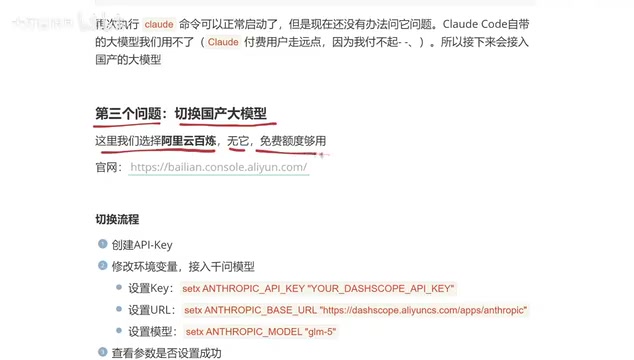
Register and Confirm Free Quotas
- Visit the Alibaba Cloud Bailian website and log in
- Click "Models" → "Model Usage" in the upper left corner
- Check available free models and their quotas
The platform offers multiple model choices, including GLM-5, Qwen 3.6 Plus, and more. Green indicators mean quotas are sufficient. Different models have varying strengths in code generation, logical reasoning, etc. Choose based on your actual use case. For programming tasks, the Qwen series models typically perform well.
Create an API Key
Find "API Key" in the left navigation bar of the Bailian platform, click "Create API Key," set a name, and generate it. Copy and save this Key — you'll need it for the configuration steps ahead.
Security Tip: An API Key is essentially your account password. Don't share it with others or commit it to public code repositories. If a Key is leaked, delete it immediately on the platform and create a new one.
Connect the Model via Environment Variables
You need to execute three commands sequentially in CMD to set the Key, URL, and model name. Here we use the setx command rather than set — there's a fundamental difference: set creates a temporary variable that only exists in the current terminal session and disappears when the window closes; setx creates a permanent variable written to the registry that takes effect in subsequently opened terminal windows but doesn't affect the current one. Therefore, after setting environment variables with setx, you need to close the current CMD window and open a new one for the new environment variables to take effect.
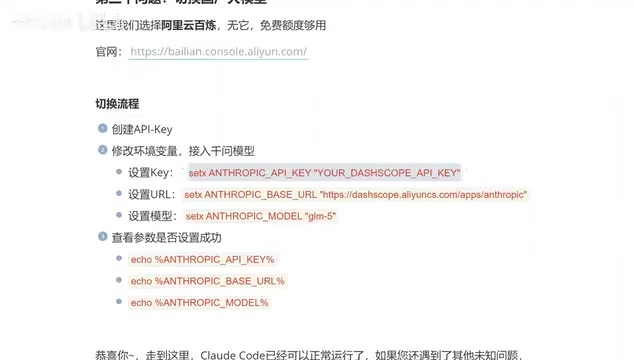
Set the API Key:
setx ANTHROPIC_API_KEY "your-API-Key"
Replace the Key in the command with the API Key you created on the Bailian platform. After execution, you should see "SUCCESS: Specified value was saved."
Set the API URL:
setx ANTHROPIC_BASE_URL "Alibaba Cloud Bailian public API address"
This is Alibaba Cloud Bailian's unified endpoint address, the same for all users — just copy it directly. This address is essentially an API gateway; the Bailian platform routes requests to the corresponding model inference service on the backend based on the model name in your request.
Set the model name:
setx ANTHROPIC_MODEL "qwen-glb-5"
Fill in the model name according to which model you want to use, such as GLM-5, Qwen 3.6 Plus, etc., corresponding to the model ID on the Bailian platform. The model ID can be found on the model details page of the Bailian platform. Make sure to use the exact ID string — case sensitivity and hyphens matter.
Verify the Configuration
Use echo commands to output the values of the three environment variables and confirm they match what you set:
echo %ANTHROPIC_API_KEY%
echo %ANTHROPIC_BASE_URL%
echo %ANTHROPIC_MODEL%
- API Key matches the one created on the Bailian platform
- URL address is correct
- Model name is correct
Once all verifications pass, Claude Code can properly call domestic LLMs to work. If echo outputs the variable name itself rather than its value, it means you're still in the same CMD window where you ran setx — close it and open a new one.
Configuration Steps Summary
Users in China need to solve three core issues to use Claude Code:
| Step | Problem | Solution |
|---|---|---|
| 1 | Command not found | Add the bin directory to the user Path environment variable |
| 2 | Connection authorization failure | Modify .claude.json to bypass verification |
| 3 | Model unavailable | Connect to Alibaba Cloud Bailian free models |
After completing the above configuration, Claude Code can function normally as a local AI coding assistant. The core logic of the entire process is: first make the client launchable (environment variables), then make the client error-free (bypass verification), and finally give the client a model to use (connect to Bailian). All three steps are essential and must be done in order. The next step is learning how to use it for actual development tasks.
Key Takeaways
Related articles
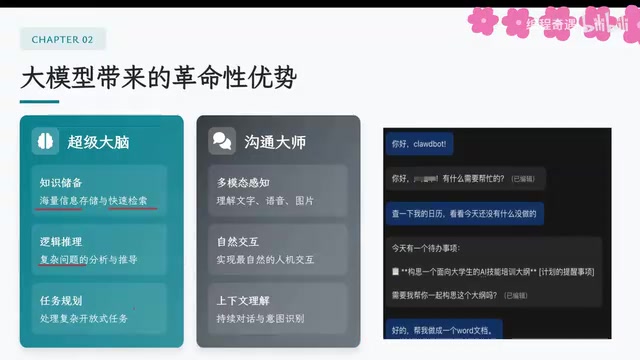
AI Agent Core Architecture Breakdown: From Concept to Enterprise-Grade Intelligent Agent Development
Deep dive into AI Agent architecture: perception, brain, and action modules. Covers RAG memory systems, tool calling mechanisms, Chain of Thought reasoning, and enterprise agent development roadmap.
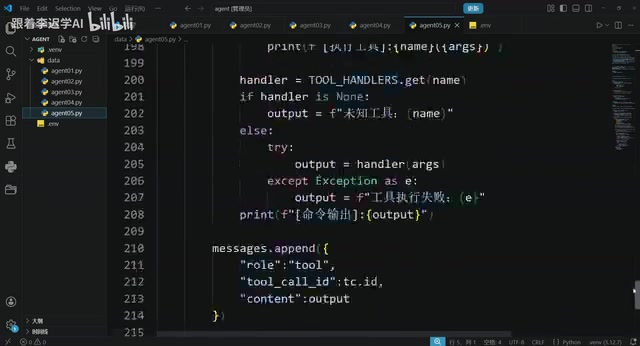
Hands-On Tutorial: Build an AI Agent from Scratch with 200 Lines of Python
Build an AI Agent from scratch with 200 lines of Python, covering prompts, memory, tool calling, RAG, and Skills — a practical guide for developers.
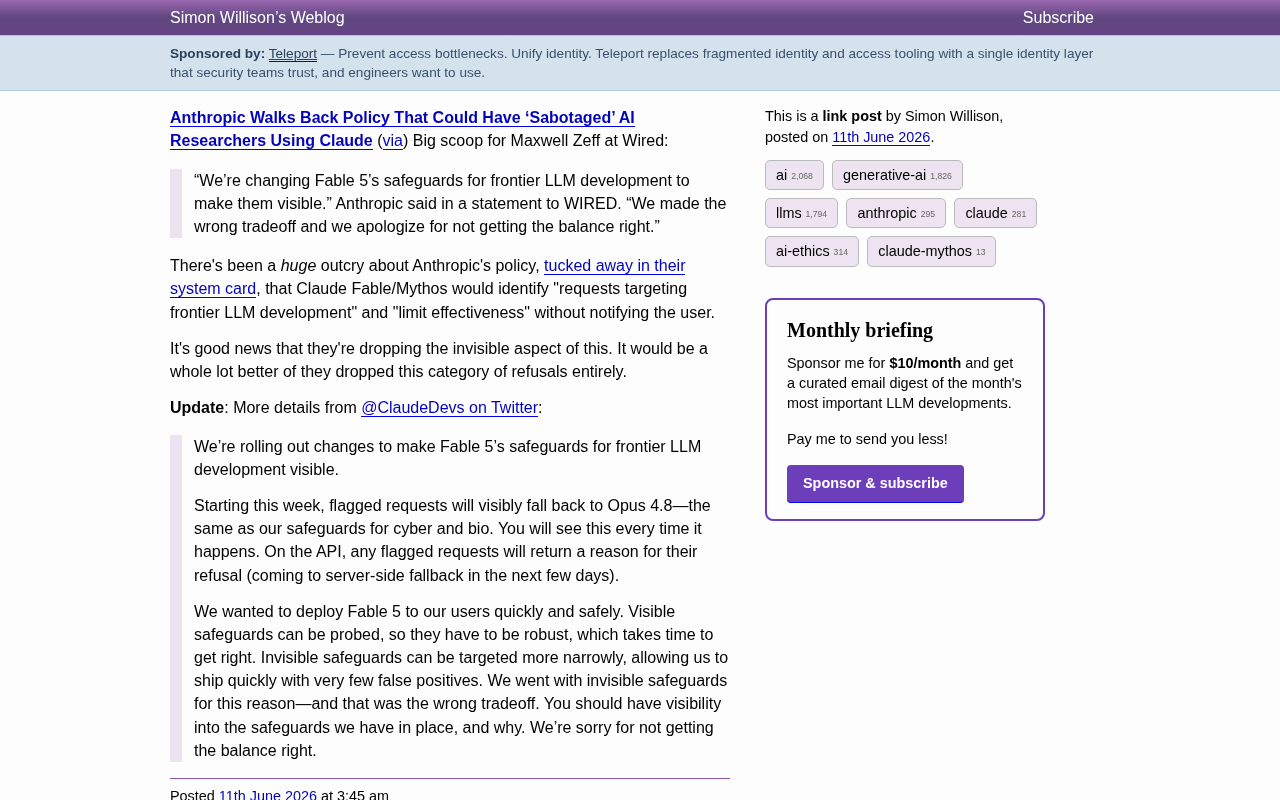
Anthropic Reverses Controversial Policy of Secretly Throttling AI Researchers Using Claude
Anthropic reverses its controversial policy of secretly throttling Claude Fable/Mythos responses to frontier LLM development requests after community backlash, raising critical questions about AI transparency.