Cursor AI Programming Tool: A Complete Guide — Write High-Quality Code Even with Zero Experience
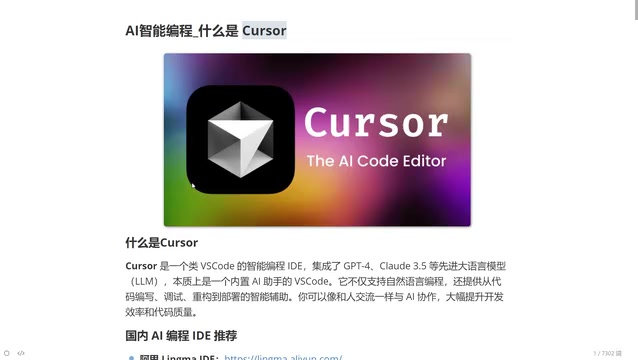
A comprehensive guide to Cursor, the AI-native IDE that lets anyone write high-quality code using natural language.
Cursor is an AI-native programming IDE built from the ground up with large language models integrated at its core. Unlike traditional IDEs with bolted-on AI plugins, Cursor offers natural language-driven code generation, deep context awareness, and multi-model switching. It dramatically lowers the programming barrier for beginners while boosting productivity for experienced developers, representing the future of human-code interaction.
What is Cursor?
Cursor is an AI-powered programming tool that can essentially be understood as an upgraded version of VS Code. But it's not simply a feature add-on — it's a completely new programming IDE built from the ground up with AI at its core. Unlike Microsoft's free VS Code editor, Cursor has top-tier large language models built in, capable of assisting developers throughout the entire workflow: writing code, debugging, error detection, refactoring, and more.
Put simply, Cursor is a "VS Code that can write code and teach you programming." You can describe your requirements in natural language (Chinese works too), such as "write me a login API endpoint," and it will understand the context, auto-complete code, and explain the underlying logic.
Compared to similar domestic tools (such as ByteDance's Trae or Alibaba's Tongyi Lingma), Cursor currently maintains a leading edge in overall feature integration and intelligence.
Four Core Features of Cursor
AI-Native Architecture
Cursor isn't a traditional IDE with AI plugins bolted on afterward — it's a programming environment built for AI from the ground up. This means AI capabilities permeate every corner of the editor, rather than existing merely as add-on features. This design philosophy makes the integration between AI and the programming workflow much more natural and fluid, delivering a user experience far superior to installing AI plugins on existing editors.
Natural Language-Driven Intelligent Code Generation
Simply describe your requirements in natural language, and Cursor generates complete code logic. It doesn't just apply templates or code snippets — it intelligently generates code based on your business scenario and logical requirements. Whether it's a simple utility function or a complete business module, Cursor can handle it.
Deep Context Awareness
One bottleneck of current large language models is context understanding — they tend to "forget" or produce "hallucinations" as conversations grow longer. Cursor has deeply optimized this aspect. It understands project structure, variable relationships, and file dependencies, providing precise suggestions in real-time as you write code.
Flexible Multi-Model Switching
Cursor integrates multiple world-class programming models, including:
- DeepThink (available for free)
- Claude 3.5/3.7/4.0 (currently the strongest coding model, paid access)
- Google Gemini series
Users can freely switch between models based on task complexity, choosing the AI capability best suited for the current scenario.
Six Key Differences Between Cursor and Traditional IDEs
Different Code Completion Approaches
Traditional IDE code completion is based on syntax analysis — function names you've written before get suggested the next time you type. Cursor's completion predicts what you're going to do next after understanding the context. It's essentially "guessing intent" rather than "matching history."
Code Generation Capabilities
Traditional IDEs rely on preset templates and code snippets. Cursor generates complete business logic code directly from natural language. You just describe your requirements, and it outputs runnable code, eliminating the time spent building from scratch.
Problem Diagnosis and Error Fixing
In traditional development, when beginners encounter errors, they typically have to search online or dig through documentation. Cursor has a built-in AI assistant — just ask questions in the chat panel on the right side of the editor. You can paste error messages directly to the AI, and it will analyze the root cause and suggest fixes.
Experienced programmers can fix bugs quickly because they've seen the same errors countless times. Cursor essentially gives that "accumulated experience" directly to every user.
Code Understanding and Refactoring
Traditional IDEs provide syntax highlighting and basic structural analysis. Cursor can deeply understand code logic and provide detailed explanations. For refactoring, the traditional approach relies entirely on developer experience, while with Cursor you just say "optimize this function for me," and it delivers a reasonable refactoring plan.
Development Efficiency and Code Quality Improvement
This is the most critical difference: with a traditional IDE, junior programmers produce junior-level code. But with Cursor, junior programmers can produce code approaching senior engineer quality. AI shifts the "experience" variable from the individual to the tool.
Dramatically Lower Learning Curve
Traditional IDEs require memorizing numerous keyboard shortcuts and feature locations. Cursor lets you accomplish most operations through natural language conversation, significantly reducing the barrier to entry.
Who Should Use Cursor?
Cursor's target audience is remarkably broad:
- Senior programmers (5+ years of experience): Let Cursor generate simple, repetitive code that only needs minor tweaks, freeing you to focus on architecture design and core logic
- Junior to mid-level programmers: Write higher-quality code with AI assistance while learning and improving by comparing AI-generated code with your own
- Product managers or entrepreneurs with zero coding experience: Even with no programming knowledge, you can describe requirements in natural language and have Cursor generate runnable code
A noteworthy trend: once you master AI programming tools like Cursor, the programming language itself is no longer a barrier — whether it's Python, Java, Go, or frontend tech stacks, AI can help you develop efficiently across all of them.
Domestic AI Programming Tool Comparison
There are several noteworthy AI programming tools in China:
- Tongyi Lingma: An Alibaba product offering AI-assisted programming capabilities, relatively friendly to domestic developers
- Trae: A ByteDance product positioned as a domestic alternative with features similar to Cursor
These tools are all iterating rapidly, but in terms of intelligence and feature integration, Cursor remains the benchmark product in this space. For developers pursuing the ultimate programming experience, understanding and mastering Cursor is essential.
Conclusion
Cursor represents the future direction of programming tools — AI is no longer a nice-to-have plugin but a fundamental redefinition of how humans interact with code. It transforms programming from "typing code character by character" to "describing requirements and reviewing results" — a quantum leap in development efficiency. Regardless of your technical level, learning to use AI programming tools will become one of the core competitive advantages for developers.
Related articles
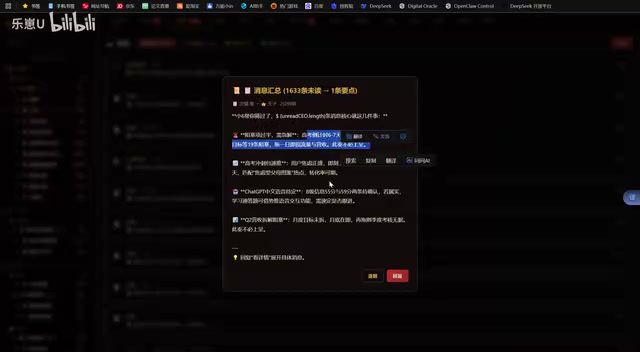
Vibe Coding in Practice: A Junior Student Uses Cursor to Build a Multi-Agent System with 51 AI Officials Based on the Three Departments and Six Ministries Framework
A junior student uses Cursor and Vibe Coding to build a multi-agent system with 51 AI officials modeled on China's Three Departments and Six Ministries, featuring task distribution, approval workflows, and Token cost visualization.
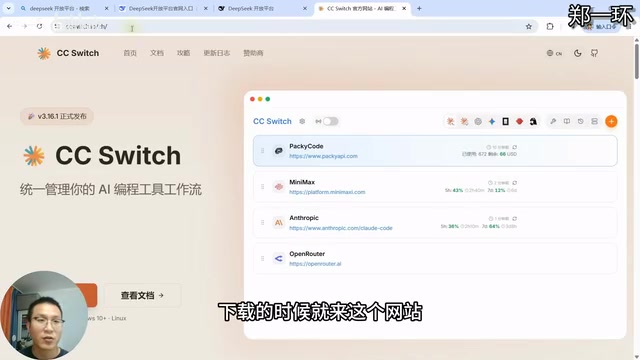
How to Connect Codex to DeepSeek Models: Free Switching via CC Switch
Learn how to connect OpenAI Codex to DeepSeek models via CC Switch, enabling free switching between DeepSeek and GPT with complete setup and routing guide.
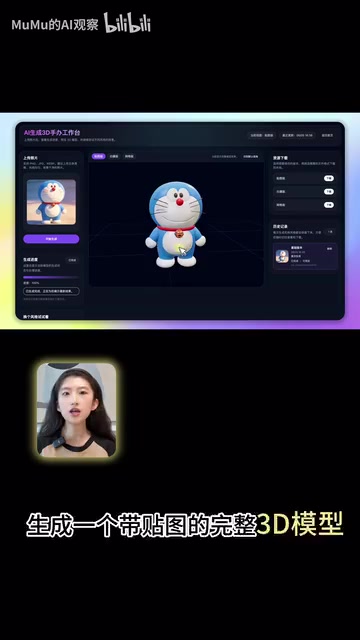
AI Coding Deployment Guide: A Complete Hands-On Workflow from Local Demo to Live Website
Most AI Coding tutorials stop at local demos. This guide walks through 8 key steps to deploy an AI-powered 3D figurine website from Codex coding to live server deployment.