How to Connect Codex to DeepSeek Models: Free Switching via CC Switch
Use CC Switch to route OpenAI Codex requests to DeepSeek models and switch freely between providers.
This guide walks through connecting OpenAI Codex to DeepSeek models using CC Switch, a local proxy tool that redirects API requests without modifying Codex itself. It covers getting a DeepSeek API Key, installing CC Switch, configuring local routing, verifying the connection, and switching between DeepSeek and GPT on demand.
Introduction
When using OpenAI's Codex programming assistant, many users face a practical problem: the built-in GPT model quota is limited and runs out quickly. OpenAI Codex is an AI programming assistant integrated into development environments like VS Code, capable of generating code from natural language descriptions, debugging errors, explaining code logic, and more. Users typically need a ChatGPT Plus subscription ($20/month) to get usage credits, but these credits come with call frequency and rate limits that heavy users often hit quickly. For developers looking for alternatives, connecting Codex to models like DeepSeek offers an affordable solution. This article provides a detailed walkthrough on using the CC Switch tool to freely switch Codex between DeepSeek and GPT.
Prerequisites: Getting a DeepSeek API Key
Registration and Top-Up
The first step is creating an account on the DeepSeek Open Platform. Search for "DeepSeek Open Platform" in your browser, go to the official site, register, and add funds. DeepSeek is a Chinese large language model developed by DeepSeek AI, known for strong performance in code generation and mathematical reasoning. The DeepSeek-V3 and DeepSeek-Coder series models have achieved near GPT-4-level results on multiple coding benchmarks. The platform uses a pay-per-token pricing model, with API call costs significantly lower than OpenAI's official pricing — typically just a few RMB per million tokens. A top-up of 10 RMB is more than enough to get started with daily coding assistance.
Creating an API Key
After topping up, create your API Key within the platform. This Key is the core credential for connecting to Codex — just enter a recognizable name when creating it. Make sure to save the generated Key securely, as you'll need it during configuration.
A special note on security: an API Key is an identity credential for accessing LLM API services, essentially a digital key. If leaked, others can make calls using your account balance, incurring unexpected charges. Follow these best practices when managing API Keys: never hardcode Keys in your code or upload them to public repositories; rotate Keys regularly; set spending limits on the DeepSeek platform to prevent abnormal charges; and if you suspect a Key has been compromised, delete it immediately on the platform and generate a new one.
Installing and Configuring CC Switch
Download and Installation
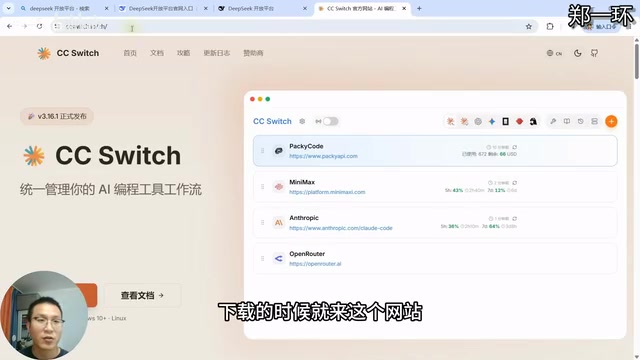
CC Switch is the key middleware tool that enables model switching. From a technical standpoint, CC Switch is essentially a local proxy/routing tool. It sets up a local proxy server compatible with the OpenAI API format, intercepting API requests that Codex would normally send to OpenAI's servers and forwarding them to third-party model providers (like DeepSeek) API endpoints. Since many Chinese LLMs provide OpenAI-compatible API interfaces, this middleware forwarding approach works seamlessly. Its core value is that you don't need to modify Codex's code or configuration files — model switching is achieved entirely through network-layer request routing.
You can download it from its official website or GitHub page. When downloading, keep in mind:
- Use official channels only — avoid downloading from third-party sites
- Choose the version matching your operating system (Windows users should select the corresponding installer)
- Find the installation file in the assets directory
The installation process is straightforward — select your installation directory and wait for it to complete.
Key Configuration: Preserving Official Login State
This is a step many users easily overlook. If you have both a ChatGPT Plus subscription and want to use DeepSeek, you need to configure the following:
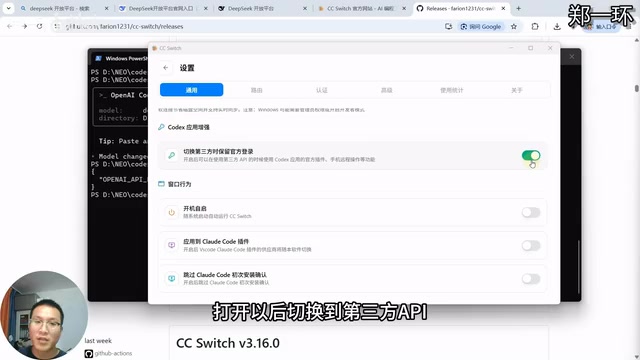
- Click "Settings" in CC Switch
- Go to "General" options
- Enable "Preserve official login when switching to third-party"
This setting ensures that when you switch to DeepSeek, Codex still maintains the official ChatGPT login state, making it easy to switch back anytime. Without this option enabled, switching to a third-party model may clear the official authentication info, requiring you to re-authenticate when switching back to GPT — an unnecessary hassle.
Connecting DeepSeek to Codex
Adding the Model Provider
In CC Switch, select the configuration entry for Codex, then click the plus button to add an LLM provider. The software has built-in support for multiple model providers, including DeepSeek, Kimi, and others. Select DeepSeek, paste your previously created API Key into the corresponding input field, and click Add.
Enabling Local Routing
This is the core step that makes the configuration take effect. Local routing works similarly to a network proxy — when Codex initiates an API request, CC Switch listens on a specific local port, intercepts these requests, and decides which model provider's server to forward them to based on user-configured rules. This process is transparent to Codex; it still thinks it's communicating with OpenAI, but the requests have actually been redirected. The advantage of this architecture is that it decouples the client from the server, allowing model switching by simply modifying routing configuration without changing any client settings.
Here are the specific steps:
- Click "Settings" in the top-left → "Routing"
- Enable "Show local routing toggle on main page"
- Turn on the "Routing master switch"
- Enable the "Codex" option
After configuration, go back to the DeepSeek provider interface and click "Enable."
Verifying the Connection
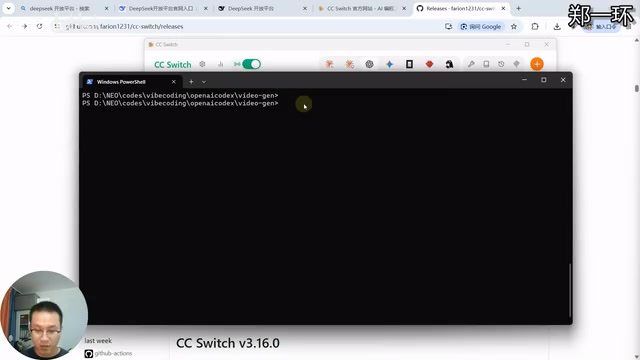
After restarting Codex, verify that DeepSeek has been successfully connected. Enter the codex command in your terminal, then use the slash command to view the model list. If DeepSeek models appear (such as Flash and Pro versions), the configuration was successful. The Flash version typically corresponds to DeepSeek's lightweight model — faster response times and lower token consumption, suitable for simple code completion and Q&A. The Pro version corresponds to the more powerful model, performing better on complex code generation and reasoning tasks, but with higher token consumption.
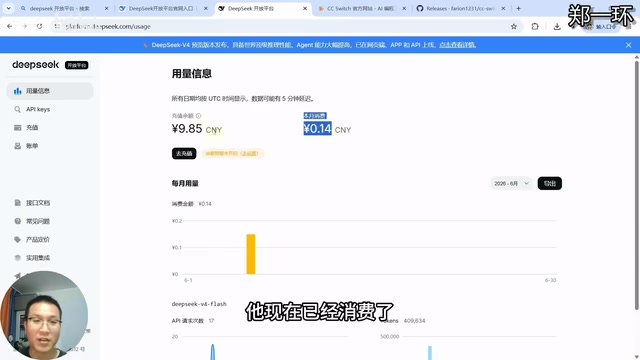
Also check the Codex App — the model list should now show DeepSeek options. You can make an actual call, then check the DeepSeek platform billing to confirm whether a consumption record was generated, verifying the connection is fully working.
Switching Between DeepSeek and GPT
Switching Back to ChatGPT
If you want to switch back to using your ChatGPT Plus credits, follow these steps:
- Disable local routing in CC Switch settings (turn off both routing switches)
- Click to enable the official channel
- Restart Codex
After restarting, check the model list to confirm you've switched back to GPT series models. With local routing disabled, Codex's API requests will no longer be intercepted by CC Switch and will go directly to OpenAI's official servers, restoring the original connection method.
Extending to Other Models
The same method applies to other Chinese LLMs. Domestic model providers currently offering OpenAI-compatible API interfaces include Alibaba's Qwen, Baidu's ERNIE, Moonshot AI's Kimi, Zhipu AI's GLM series, and more. Add the corresponding provider and API Key in CC Switch, and follow the same configuration process. Different models have their own strengths in code generation capability, response speed, context window size, and other aspects — developers can choose the model that best suits their needs based on actual requirements and usage experience. The only thing to note is that each model switch requires restarting Codex to take effect, because Codex loads model configuration information and establishes API connections at startup and doesn't dynamically refresh these configurations during runtime.
Conclusion
With CC Switch as a middleware tool, we can easily switch Codex between different LLMs. The entire configuration process isn't complicated — the core steps are: get an API Key → install CC Switch → configure routing → restart and verify. For developers with limited GPT credits who frequently need AI programming assistance, DeepSeek offers a worthwhile alternative with its low pricing and solid code generation capabilities.
From a broader perspective, this approach of using middleware to enable free model switching reflects an important trend in the current AI tools ecosystem: as major LLMs increasingly standardize at the API layer (most being compatible with OpenAI's API format), developers are no longer locked into a single provider. Instead, they can flexibly choose the most suitable model service based on cost-effectiveness, performance, and specific use cases. This "model-agnostic" approach to AI-assisted development will become the norm going forward.
Related articles
Anthropic London Developer Conference: Claude Model Upgrades, Enterprise Agent Platform, and Developer Tools Fully Evolved
Anthropic's first London Code with Claude event unveiled Opus 4.7, Mythos, Cloud Managed Agents, Claude Code Routines, and more for AI-assisted development.
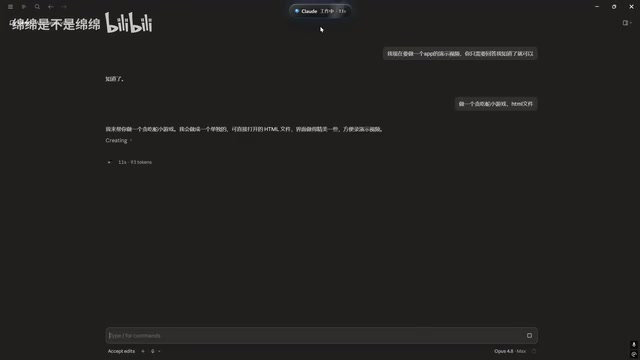
Claude Code Desktop Status Capsule: An Open-Source Widget for Real-Time AI Coding Status Monitoring
An open-source desktop status capsule that monitors Claude Code's idle, working, and completed states in real time, with multi-conversation management, memos, and music control for developers.
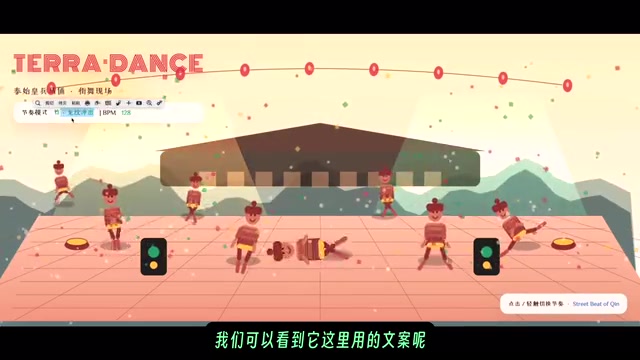
GPT-5.2 Codex vs Opus 4.5 Hands-On: A Comprehensive Comparison of Coding Ability, Speed, and Developer Experience
Hands-on comparison of GPT-5.2 Codex vs Opus 4.5 across frontend generation, physics simulation, 3D scenes, and code refactoring, with practical selection advice.