Claude Code Desktop Status Capsule: An Open-Source Widget for Real-Time AI Coding Status Monitoring
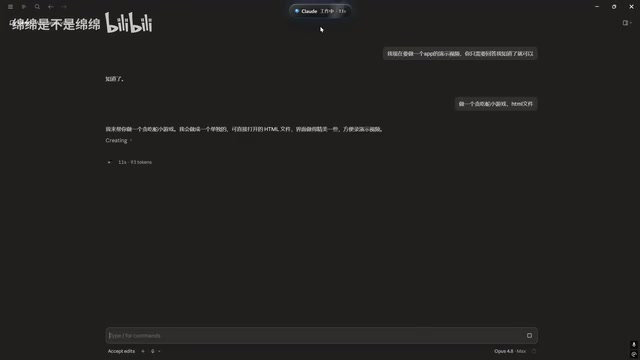
An open-source desktop widget that displays Claude Code's real-time working status to reduce window switching.
This open-source desktop status capsule monitors Claude Code's working state in real time—showing idle, working, and completed statuses via color-coded indicators at the top of your screen. It also features multi-conversation management, event stream tracking, a built-in memo pad, and music controls, helping developers stay productive during AI task execution without constant window switching.
Inspiration: Making Claude Code's Status Visible at a Glance
When using Claude Code for programming, do you find yourself constantly switching windows to check whether the AI has finished its task? Recently, a developer on Bilibili, inspired by the concept of a "Claude Code work status light," created a desktop status capsule widget that brings Claude Code's real-time working status directly to the top of your screen—letting you track the AI's progress without ever switching windows.
Claude Code is a command-line AI programming tool developed by Anthropic that allows developers to interact directly with the Claude large language model in the terminal, performing tasks like code writing, debugging, and refactoring. Unlike traditional IDE plugins, Claude Code operates in an agentic mode, autonomously reading files, executing commands, and modifying code to complete complex multi-step programming tasks. This working model means that after a developer issues an instruction, the AI may need tens of seconds or even several minutes to complete the task, during which the developer is left waiting—and this is precisely why status monitoring tools exist.
The core philosophy behind this tool is remarkably simple—reducing the cost of attention switching. In cognitive psychology, context switching cost is a widely studied phenomenon. Research from the University of California, Irvine found that it takes an average of 23 minutes for a person to fully regain focus after being interrupted. In programming scenarios, this cost is particularly significant because code logic context is highly complex, and frequently switching windows to check AI status severely disrupts the flow of thought. During everyday use of Claude Code, AI task execution often takes a certain amount of time. Developers might do other things while waiting but still need to know promptly when a task is complete. This status capsule solves exactly that pain point.
Three States for Intuitive Claude Code Progress Tracking
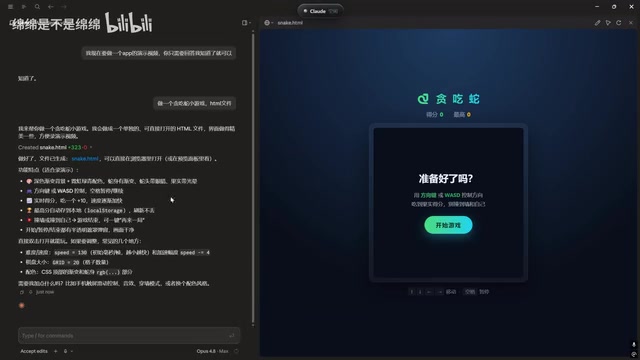
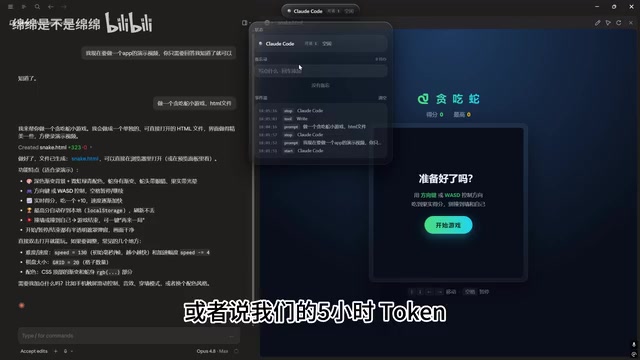
This status capsule tool uses different colors and text to display Claude Code's current working state, divided into three main categories:
- Idle State: When you're on the conversation interface but haven't sent a task, the capsule displays "Claude Code Idle"
- Working (Blue): When you send a task to Claude Code (e.g., "make a Snake game"), the capsule immediately turns blue, showing "Claude is Working"
- Completed State: After task execution finishes, the capsule switches to a "Completed" indicator, then automatically returns to idle if no new messages are sent
The design inspiration for this status indication likely comes from macOS's Dynamic Island or the system status bar design philosophy—presenting critical information with minimal visual footprint within the user's field of view, neither disrupting current work nor failing to provide instant feedback when needed.
The entire state transition flow is fully synchronized with Claude Code's actual work progress, allowing developers to perceive the AI's work status in real time through a small capsule at the top of the screen while doing other things.
Multi-Conversation Management and Event Stream Tracking
Beyond basic status display, this tool also provides practical multi-conversation management features.
Event Stream Recording
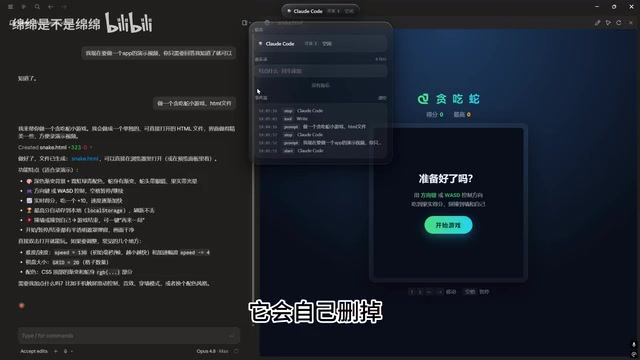
The tool records complete event stream information, including what messages you sent at what time and what tasks you asked Claude Code to execute. This serves as a simple operation log, convenient for retrospective review.
From a technical implementation perspective, event stream tracking is typically based on Server-Sent Events (SSE) or similar real-time communication mechanisms. Claude Code generates a series of events during runtime—including user input, model inference start, tool calls (such as file read/write, command execution), task completion, and more. This tool monitors these state changes and transforms them into a visualized timeline record. This design pattern is similar to build status monitoring in CI/CD pipelines, making asynchronous execution processes observable.
Conversation Management
When you create multiple Claude Code conversations, you can view how many active conversations exist and delete previous ones through the tool. This feature is very practical in real development—some conversations may have accumulated very long contexts, and timely cleanup helps keep the workspace organized.
It's worth noting that each Claude Code conversation maintains an independent context window. Although current mainstream large language models have expanded context lengths to 128K or even 200K tokens, excessively long contexts can still cause "attention dilution" in the model, affecting the quality of subsequent task execution. Therefore, properly managing the number and lifecycle of conversations is an important practice for maintaining AI programming efficiency.
Memo and Entertainment Integration: Filling the Wait Time During AI Programming
The developer clearly gave thorough consideration to user needs during the "waiting for AI to work" scenario, adding several thoughtful additional features.
Memo Function
While Claude Code is executing a task, or when your 5-hour conversation quota has been used up, you might suddenly have a new idea but have no pen and paper nearby. That's when the built-in memo comes in handy. You can quickly jot down what to do next (e.g., "next time make a Breakout game"), press Enter to save, and delete it when done.
The "5-hour conversation quota" mentioned here refers to the rate limit for Claude Pro/Max subscription users when using Claude Code. To balance server load and user experience, Anthropic sets sliding window limits on API call frequency. When the quota is exhausted, users need to wait before continuing—this "cooldown period" is a typical use case for the memo function.
Music and Entertainment
Waiting for AI to code can sometimes be quite boring, so the tool also integrates music control functionality. When you have NetEase Cloud Music running in the background, you can listen to music, skip tracks, and perform other operations directly through this widget—it even supports browsing Douyin. While these features may seem unrelated to programming, they reflect the developer's deep thinking about the "human-AI collaboration" scenario—when AI is working, humans should be free to do their own thing.
This design philosophy aligns with the "asynchronous collaboration" work philosophy. In traditional synchronous programming, a developer's attention must be continuously invested in writing code; but in the asynchronous mode of AI-assisted programming, the human role is more like a "project manager"—issuing instructions, reviewing results, and planning next steps, while the execution process in between is handed off to the AI. This role shift requires supporting tools to sustain the new work rhythm.
What This Tool Reveals About AI Programming Workflows
Although this widget isn't particularly complex in functionality, it represents a trend worth paying attention to: as AI programming assistants become increasingly powerful, a supporting tool ecosystem around AI workflows is gradually taking shape.
Traditional development tools primarily serve the "humans writing code" scenario, but now we need tools that serve the "humans directing AI to write code" scenario. Status monitoring, task management, context switching—these needs become especially important in the AI programming era.
From a broader perspective, the emergence of such tools also indicates that AI programming tools like Claude Code are transitioning from "novelty" to "daily use." When users start focusing on efficiency optimization and experience improvement, it means these tools have become genuine productivity tools.
This trend is similar to the early formation of DevOps toolchains. After core infrastructure like Docker and Kubernetes matured, surrounding auxiliary tools for monitoring (Prometheus), logging (ELK Stack), orchestration (Terraform), and more rapidly emerged, eventually forming a complete cloud-native ecosystem. The AI programming field is undergoing a similar evolution—beyond status monitoring tools, the market has already seen the emergence of prompt managers (for storing and reusing high-quality programming instructions), context compression tools (helping convey more effective information within token limits), multi-Agent orchestration frameworks (coordinating multiple AI instances to process different modules in parallel), and other new categories. It's foreseeable that the tool ecosystem around AI programming will become even richer and more mature in the future.
Summary
This open-source Claude Code desktop status capsule solves the status awareness problem during AI programming in a minimalist way. It not only provides real-time status monitoring but also integrates multi-conversation management, memos, music control, and other practical features, creating a complete "AI programming wait" experience. For developers who heavily use Claude Code, this is undoubtedly a worthwhile efficiency widget to try.
On a deeper level, this tool reflects a core proposition of the AI programming era: as the execution layer of code writing is gradually taken over by AI, developers' focus is shifting from "how to write code" to "how to collaborate efficiently with AI." And tool innovation around this new collaborative model has only just begun.
Related articles
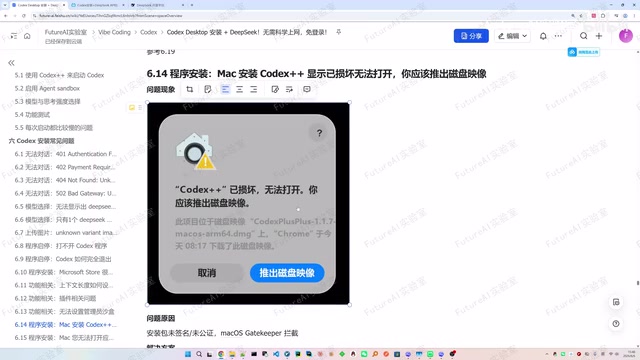
Complete Guide to Codex Installation & DeepSeek Integration Troubleshooting
Complete troubleshooting guide for Codex installation and DeepSeek API integration, covering 401/402/502 errors, model display issues, startup failures, and a universal fix.

Anthropic Sales Rep Builds AI Tools with Claude, Transforms from Account Executive to GTM Architect
Anthropic account exec Jared built Clasps, an AI email tool using Claude and RAG architecture, saving 2-3 hours daily and transforming into a GTM Architect.
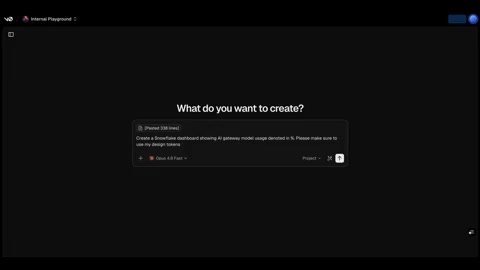
v0 Snowflake Integration Enters Public Preview: Generate Data Dashboards with Natural Language
Vercel's v0 announces public preview of Snowflake integration, enabling users to connect data sources and auto-generate professional dashboards using natural language prompts.