Gemini CLI Shutdown: A 100K-Star Project Killed Overnight — Three Alternatives Compared
Gemini CLI Shutdown: A 100K-Star Proje…
After Gemini CLI's shutdown, how developers should choose sustainable terminal AI coding alternatives
Google's 100K-Star open-source project Gemini CLI was abruptly terminated, once again exposing the trust crisis of big-tech open-source projects that can be killed at any moment. This article compares three alternatives: Claude Code (experience-first), Aider (flexible multi-model switching), and Cline (full autonomy and control), and proposes three core principles for tool selection: project governance structure, substitutability, and data sovereignty.
The Incident: A 100K-Star Project Abruptly Terminated
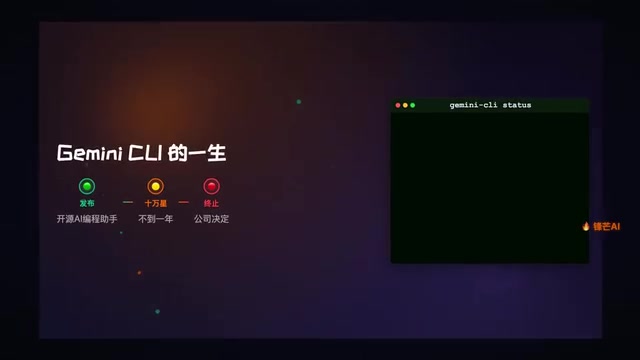
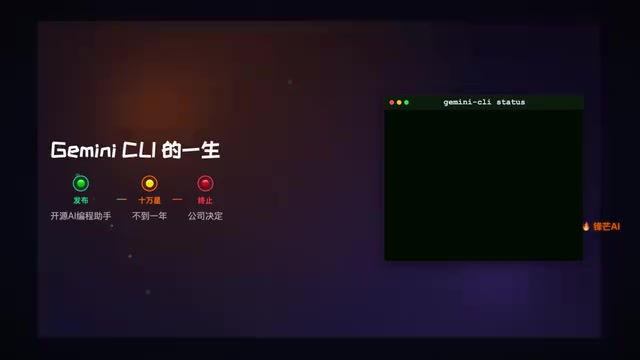
Google's Gemini CLI officially ceased service on June 18. This open-source terminal AI coding assistant from the search giant once attracted a massive developer following with its generous quota of 60 requests per minute and 1,000 free requests per day, accumulating 100K Stars in less than a year.
Terminal AI coding assistants (CLI AI Coding Assistants) are a category of AI tools that run in command-line environments. They interact with large language models (LLMs) to help developers with code generation, debugging, refactoring, and other tasks. Unlike IDE plugins (such as GitHub Copilot), CLI tools are better suited for server environments, remote development, and CI/CD pipelines, without depending on any specific editor. These tools typically read project context (file structure, git history, dependencies) to provide more precise code suggestions. Their core technologies include context window management, code AST parsing, and deep integration with version control systems.
However, this seemingly promising project was terminated by a single corporate decision. This once again confirms a long-standing consensus in the developer community: The biggest risk with big-tech open-source projects is that they can be killed at any moment.
The Trust Crisis of Big-Tech Open Source: Starting with Google's Product Graveyard
This is not an isolated case. Google has a notorious "product graveyard" tradition — from Google Reader to Stadia, countless products have been axed after users became deeply dependent on them. When this pattern extends to open source, it affects not just ordinary users, but developers who have integrated these projects into their workflows.
Google's "Product Graveyard" (Google Graveyard) is the developer community's tongue-in-cheek term for Google's habit of frequently shutting down products. By incomplete count, Google has discontinued over 290 products and services since 2006. Among the most mourned are: Google Reader (RSS reader, shut down in 2013 while still having millions of active users), Google+ (social network, shut down in 2019), and Stadia (cloud gaming platform, shut down in 2023, just 3 years after launch). The root cause lies in Google's OKR-driven culture — project leads are often promoted for launching new projects, while maintaining existing products lacks incentive. When this culture seeps into open source, the consequences are even more severe, because open-source projects often carry the trust of an entire ecosystem.
100K Stars represent tens of thousands of active users and dependents. When a project that has already formed an ecosystem is suddenly terminated, it means:
- Developers must urgently migrate their workflows
- Automation scripts built on the tool become entirely useless
- Teams need to re-evaluate and learn alternative tools
This serves as a wake-up call for all developers: when choosing tools, a project's sustainability and autonomy may matter more than its features.
In-Depth Comparison of Three Open-Source Alternatives
Facing Gemini CLI's sudden departure, three terminal AI coding tools are positioned to absorb this migration wave.
Claude Code: The 120K-Star Front-Runner
Claude Code currently leads the terminal AI coding tool space with 120K Stars. As Anthropic's official CLI tool, it excels in code comprehension, generation, and debugging.
Advantages:
- Highest community activity and rapid iteration
- Claude models perform exceptionally well on programming tasks
- Works out of the box with a low learning curve
Risk Warning: Note that Claude Code is also led by a commercial company (Anthropic). While its momentum is strong, the lesson from Gemini CLI means developers should remain vigilant and monitor whether its governance structure is truly open.
Best For: Developers seeking an out-of-the-box experience who primarily use Claude models.
Aider: The Flexible Veteran with 45K Stars

Aider is a veteran terminal AI coding tool whose biggest feature is support for nearly all mainstream LLMs, including GPT-4, Claude, Gemini, local models, and more.
This multi-model support design philosophy directly addresses the "vendor lock-in" problem. Vendor lock-in refers to the phenomenon where users become deeply dependent on a specific vendor's products or services, making migration costs prohibitively high. In the AI tools space, vendor lock-in manifests at three levels: the API level (tools only support a specific model's API format), the workflow level (team automation scripts and processes are built around a specific tool), and the data level (conversation history, project configurations, etc. cannot be exported). Aider abstracts the model interface layer, allowing users to freely switch underlying models without changing their workflow, architecturally mitigating lock-in risk.
Advantages:
- Broadest model support — not locked into any single vendor
- Mature and stable, battle-tested over time
- Flexible configuration options
Best For: Developers who need to switch between different models flexibly and don't want to be tied to a single ecosystem.
Cline: The 60K-Star Autonomous Choice
Cline is a fully autonomous open-source project that emphasizes community-driven development and complete openness.
Advantages:
- Fully open source with community self-governance
- Independent of any commercial company's decisions
- Can be self-deployed and customized
Best For: Developers with a strong need for tool autonomy and control, who fear experiencing another project termination.
How to Choose: A Quick Decision Table
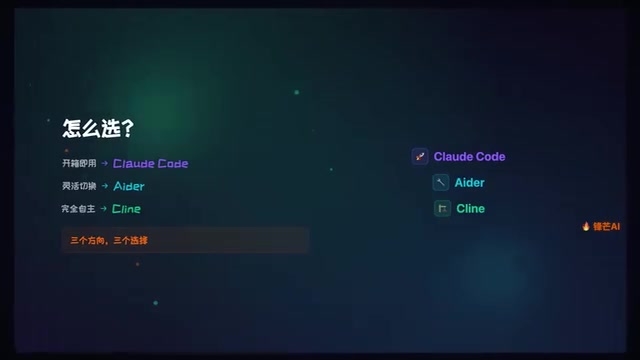
| Need | Recommended Tool |
|---|---|
| Out-of-the-box, experience-first | Claude Code |
| Flexible multi-model switching | Aider |
| Full autonomy and control | Cline |
All three tools are currently in a high-growth phase with highly active communities. But the lesson we should take from the Gemini CLI incident is: Don't put all your eggs in one basket.
Final Thoughts: Three Core Principles for Choosing Tools
The termination of Gemini CLI taught the developer community a lesson. When choosing development tools, beyond features and performance, we also need to consider:
- Project governance structure — Is it corporate dictatorship or community co-governance?
- Substitutability — Does it support multiple backends to avoid vendor lock-in?
- Data sovereignty — Can you self-deploy and maintain control over your own data?
Regarding the first point, it's worth understanding deeply: GitHub Star counts are often used as a metric for open-source project popularity, but they don't fully reflect a project's health. More meaningful indicators include: commit frequency (code activity), issue response time (maintainer engagement), number and diversity of contributors (whether there's over-reliance on a single organization), fork count (depth of community participation), and the number of downstream projects depending on it. A project with 100K Stars but 90% of contributions from a single company is far less sustainable than a project with 10K Stars but hundreds of independent contributors. The Gemini CLI case perfectly illustrates this — high Star counts cannot offset the single-point-of-failure risk in governance structure.
Don't blindly chase stars — real-world testing reveals the truth. Rather than chasing Star counts, focus on a project's long-term sustainability. After all, even 100K Stars can't stop a shutdown decision.
Related articles
 Industry Insights
AI Product Development in Practice: Model Selection, Building Moats, and Paths to Commercialization
Practical strategies for AI product development: why not to train models from scratch, when to use APIs vs. fine-tuning, building product moats, and the full path from evaluation systems to commercialization.
 Industry Insights
No Product Fits Your Needs? Building It Yourself Is the Best Starting Point for Indie Developers
Can't find a product that fits? Building from personal pain points is the best entry for indie developers. Niche needs + AI tools = rapid product creation.
 Industry Insights
OpenAI Codex Tutorials Mass-Copied on Bilibili, Highlighting AI Content Farm Problem
At least 9 Bilibili accounts mass-published identical OpenAI Codex tutorial videos, exposing content farm operations in the AI tools space.