Reading Code Is More Important Than Writing It in the AI Era: 6 Practical Tips to Improve Your Code Reading Skills
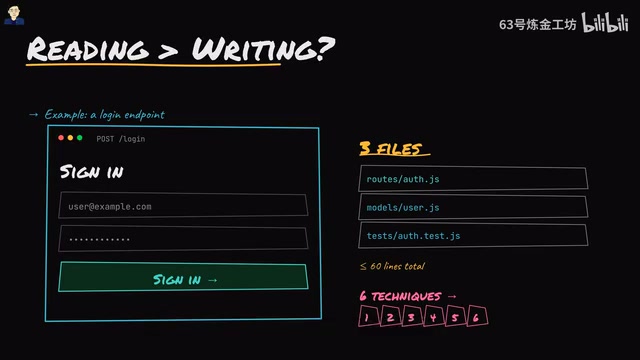
Six practical techniques to read and understand unfamiliar code faster in the AI era.
As AI tools lower the cost of writing code, the ability to read and understand code becomes an engineer's core differentiator. This article demonstrates six practical techniques—starting from entry points, reading tests first, tracing data flows, skipping irrelevant details, studying failure paths, and compressing understanding into one sentence—using a login endpoint as a hands-on example.
Introduction: Code Reading Is Becoming a Core Competency
In an era where Claude and Cursor can produce first drafts of most code, a thought-provoking question emerges: Is reading code more valuable than writing it?
The answer is almost certainly yes. The cost of writing code drops every month, but understanding code and catching edge cases that models miss remains a highly demanding skill. The problem is that most engineers are trained to write code, not to read unfamiliar codebases. When asked to read code, they tend to scroll through it top to bottom like reading a book—and after a few minutes, they're still lost.
This article uses a common Login Endpoint as an example, demonstrating six code reading techniques applicable to any real-world codebase through three files and no more than 50–60 lines of code.
Tip 1: Start Reading from the Entry Point, Not the Top of a File
Don't randomly open the user model folder or the middleware folder. Find the line that handles the incoming request—in the login scenario, that's app.post('/login') in routes/auth.js. This is where the outside world enters the code.
In software engineering, an "Entry Point" is where a program receives external input and begins execution. For web applications, entry points are typically route definitions—the mapping between URL paths and handler functions. Start from the entry point and trace outward along the call chain. Because code is essentially a graph of "who calls whom," not a linear story from beginning to end.
Understanding why code is a "graph" rather than a linear story requires grasping the concept of a Call Graph: each function may call multiple other functions, and the same function may be referenced by multiple callers, forming a complex network structure. The traditional top-to-bottom reading approach is inefficient precisely because it tries to understand a non-linear structure in a linear way. Features like "Go to Definition" and "Find All References" in modern IDEs (such as VS Code and JetBrains products) are essentially tools that help developers navigate this call graph quickly.
This mental shift is crucial—it determines whether you can build an overall understanding of the code in the shortest possible time.
Tip 2: Read the Tests Before the Source Code
Before opening the login handler, open auth.test.js and find the Happy Path test. You'll see a five-line test: send an email and password, expect a 200 status code and a token in return.
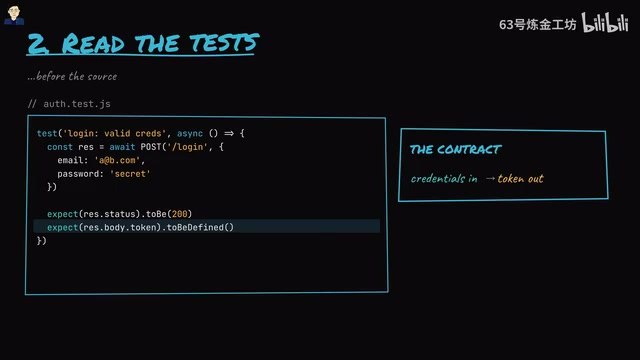
This is the code's contract: input credentials, output a token. The idea of test cases as code contracts originates from the Design by Contract philosophy, first systematized by Bertrand Meyer in the Eiffel programming language. Happy Path tests verify the code's expected behavior under ideal inputs, while Sad Path tests cover boundary conditions and error handling. In Test-Driven Development (TDD) practice, tests are even written before the implementation code, meaning the tests themselves serve as the most authoritative requirements documentation.
For code readers, a good test suite is equivalent to an executable specification—it not only tells you what the code should do but can also be run to verify whether the code actually does it. Tests aren't the whole story, but they give you an anchor—before reading any source code, you already know the expected behavior. This is far more efficient than blindly reading implementation details.
Tip 3: Trace the Data Flow Instead of Diving Deep into Every Function Call
After opening the login handler, focus on the core variable user and trace its lifecycle:
- Birth:
User.findByEmail(req.body.email)queries the user from the database - Validation:
bcrypt.compare(password, user.passwordHash)compares the password hash - Transformation:
user.idis packaged into a signed JWT token (usually with an expiration time) - Return: The token is sent back to the client via the response body
In step two, bcrypt is an adaptive hash function specifically designed for password storage, created by Niels Provos and David Mazières in 1999 based on the Blowfish encryption algorithm. Unlike general-purpose hash functions (such as SHA-256), bcrypt has a built-in "work factor" parameter that can increase computational cost as hardware performance improves, providing ongoing resistance against brute-force attacks. bcrypt also automatically handles salt generation and storage, preventing rainbow table attacks. The bcrypt.compare() function in the code extracts the salt from the stored hash, performs the same hashing operation on the input password, and then compares the results. Notably, bcrypt.compare typically implements constant-time comparison, which is one of the key mechanisms for defending against the timing attacks mentioned later.
In step three, JWT (JSON Web Token) is an open token format based on the RFC 7519 standard, consisting of three parts: Header (declaring the algorithm and type), Payload (carrying claims such as user ID), and Signature (a signature of the first two parts using a secret key). When the code packages user.id into a JWT, the server signs the token with a secret key (typically HMAC-SHA256 or an RSA private key). When subsequent requests carry this token, the server only needs to verify the signature to confirm the user's identity without querying the database each time—this is the core advantage of Stateless Authentication. Setting the expiration time (exp claim) is a balance between security and user experience: too short and users must re-login frequently; too long and the risk window after token leakage increases. In production environments, a Refresh Token mechanism is typically used to resolve this trade-off.
This is the core login flow, understandable in 30 seconds. The key insight: you're tracing the transformation of data, not diving deep into each function's implementation. This data flow tracing method helps you quickly grasp the main thread of the code.
Tip 4: Boldly Skip Irrelevant Code on Your First Pass
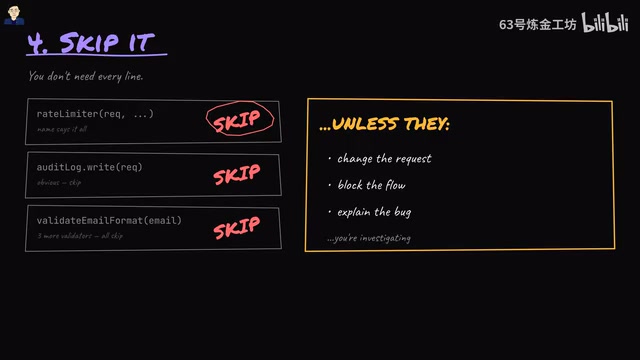
You'll see rate limiters, audit log calls, various validators—skip them all on the first pass. Unless they meet one of the following conditions:
- They modify the request data
- They interrupt the execution flow
- They're related to the bug you're investigating
It's worth elaborating on how rate limiters and middleware work. Rate limiters are critical components for defending against brute-force and DDoS attacks, with common algorithms including Token Bucket, Leaky Bucket, and Sliding Window. In web frameworks like Express.js, rate limiters are typically implemented as Middleware. Middleware follows the onion model architecture—requests pass through multiple middleware layers like peeling through an onion, where each middleware can either pass the request to the next layer (by calling next()) or terminate the request directly (e.g., returning 429 Too Many Requests). Understanding middleware execution order is crucial for code reading because it determines which checks run before the business logic and which run after.
Middleware and validators do determine whether the handler runs, so you can't ignore them forever—you're just temporarily skipping them while building an overall picture of the code. This is exactly where most engineers fail: they feel obligated to click into every helper function they encounter, spending unnecessary time and getting lost in the details.
Tip 5: After Understanding the Happy Path, Carefully Read One Failure Path
For the login endpoint, ask two critical security questions:
Question 1: Are the error messages different when an email exists versus when it doesn't?
If the error messages differ, attackers can easily enumerate which accounts actually exist (username enumeration vulnerability).
Question 2: Is the response time for an incorrect password different from the response time when the user doesn't exist?
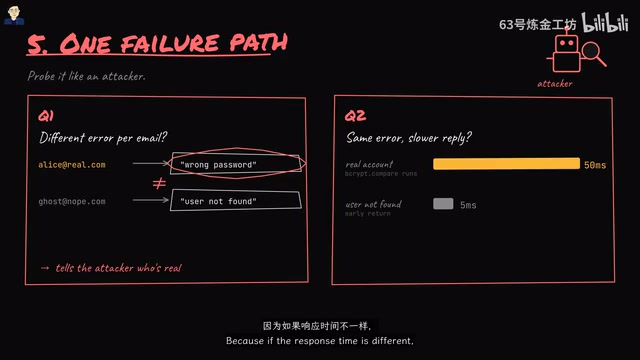
Even if the error messages are identical, if response times differ, attackers can infer which emails are registered through a Timing Attack.
Timing attacks are a type of Side-Channel Attack, first systematically described by Paul Kocher in his 1996 paper. In the login scenario, if the server returns an error immediately when a user doesn't exist (skipping password comparison) but needs to perform a time-consuming bcrypt operation when the user exists, the response time difference can reach tens of milliseconds—enough to be detected through statistical analysis. Defenses include performing a bcrypt operation regardless of whether the user exists (dummy comparison) and using constant-time string comparison functions. Username enumeration vulnerabilities are listed by OWASP as a common web security risk, and many major platforms (including early GitHub and Facebook) have had this issue. AI code generation tools are particularly weak at handling these security edge cases because much of the example code in their training data doesn't account for these defenses.
This is a classic security edge case and one of the areas where AI-generated code is most likely to fall short.
The happy path tells you what the code does; the failure path tells you what the code gets wrong.
Tip 6: Compress Your Understanding into a Single Sentence
This is a step almost nobody takes but is extremely effective: write a one-sentence trace of the code in your notes.
For the login endpoint, that sentence is:
"Look up the user by email, compare the password against the stored hash, sign a JWT with the user ID, and return it."
If you can't compress what you just read into a single line, you didn't understand it—you just looked at it.
The value of this technique lies in forcing information distillation. Cognitive science research shows that human working memory has limited capacity (typically 4±1 chunks of information), and the process of compressing complex information into a single sentence is essentially "Chunking"—merging multiple low-level pieces of information into one high-level concept. This not only aids current understanding but also provides a quick index for future code reviews. In actual engineering practice, many senior engineers maintain an Architecture Decision Record (ADR) in their repositories, where each key module has a similar one-sentence summary—this aligns perfectly with the thinking behind this technique.
Conclusion: Build Your Mental Model for Code Reading
The core logic of these six code reading tips forms a clear reading path:
- Find the entry point (locate the starting point)
- Read the tests (understand the contract)
- Trace the data flow (grasp the main thread)
- Skip the details (manage your attention)
- Read the failure path (discover hidden risks)
- Write a summary (verify your understanding)
These six steps actually form a progressive understanding framework that moves from macro to micro, from normal to exceptional. It aligns closely with Cognitive Load Theory: first build the overall framework (reduce extraneous cognitive load), then gradually fill in details (focus intrinsic cognitive load), and finally consolidate understanding through summarization (promote schema construction).
In an era where AI is increasingly proficient at generating code, engineers who can quickly read, review, and identify problems are the ones who are truly irreplaceable. Next time you face an unfamiliar codebase, give this approach a try—you'll find that improving your code reading ability demonstrates your engineering value far more than writing a few extra lines of code.
Related articles

Huawei HDC Deep Dive: Pangu 2.0 Goes Open Source and HarmonyOS 7 Agents Reshape the Mobile AI Ecosystem
Huawei HDC unveils Pangu 2.0 full open source and HarmonyOS 7 system-level Agent capabilities. Deep analysis of sparse architecture efficiency, on-device 30B models, and the Agent gateway battle.
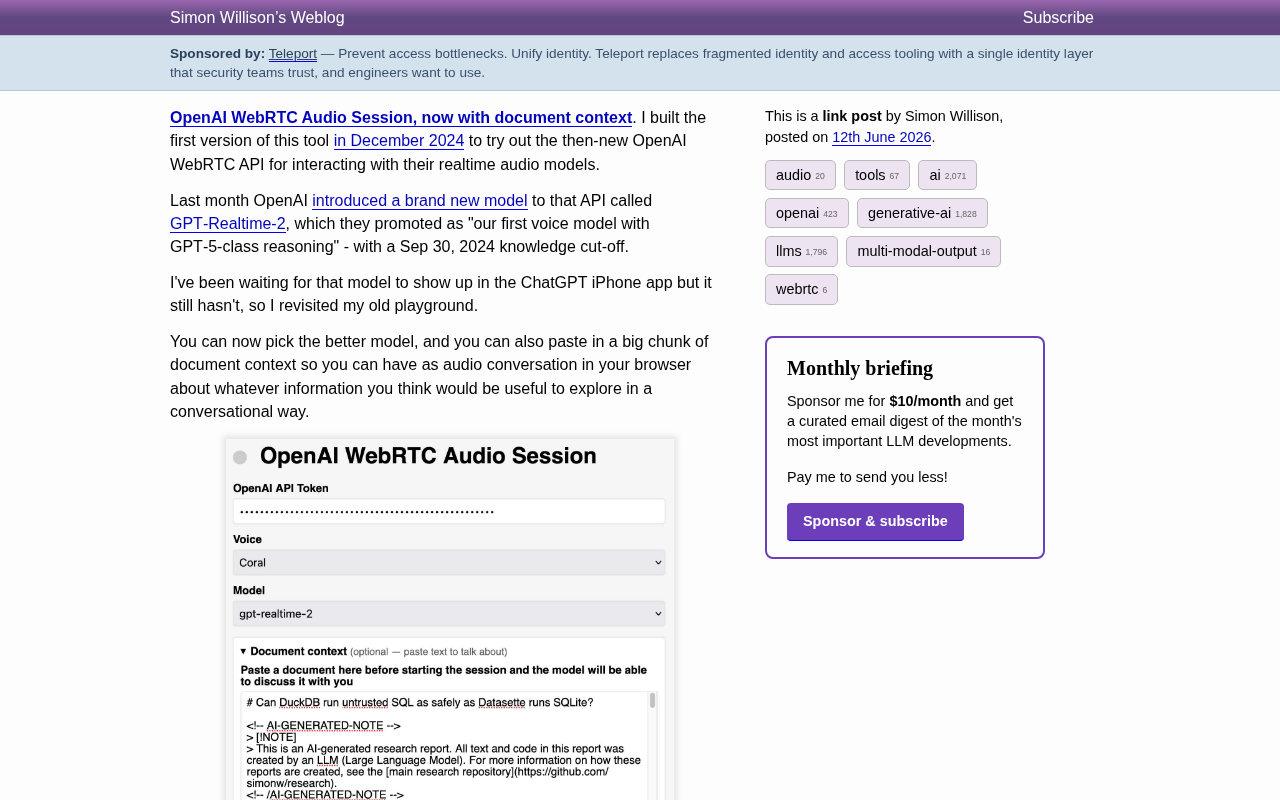
Simon Willison Updates WebRTC Voice Tool: Now Supports Document Context Conversations and GPT-Realtime-2
Simon Willison updates his OpenAI WebRTC voice tool with document context support and GPT-Realtime-2, enabling low-latency voice conversations grounded in specific documents.
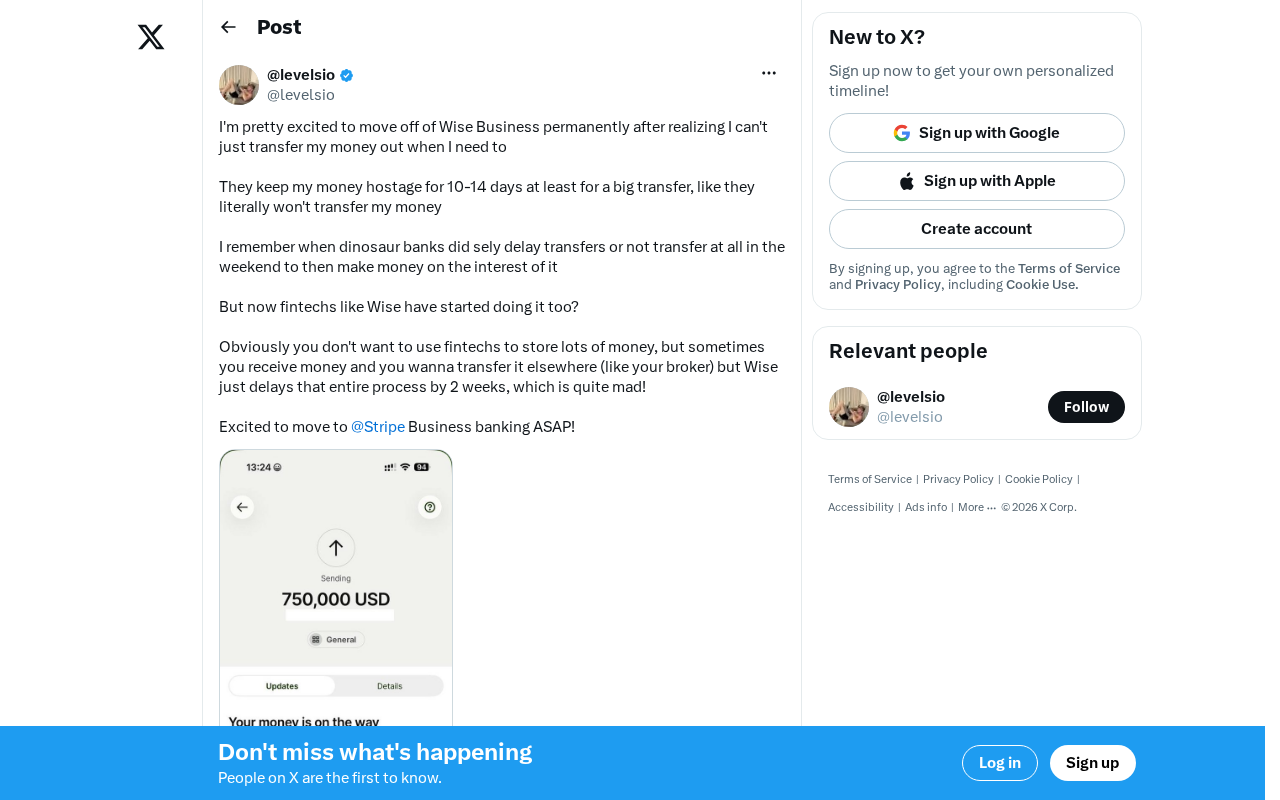
Wise Large Transfer Delayed Two Weeks: How Should Cross-Border Entrepreneurs Respond?
Wise Business users face 10-14 day delays on large transfers, sparking debate on whether fintech is repeating traditional banking mistakes. Analysis and practical tips for cross-border entrepreneurs.