RX 9070 GRE Review: The Real $155 Price Gap Makes It a Better Value Than the 9070
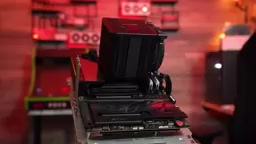
The RX 9070 GRE's real $155 price gap vs the 9070 makes it the smarter mid-range GPU choice.
A deep dive into the AMD RX 9070 GRE reveals that the actual retail price gap versus the RX 9070 is $155, not the advertised $50. Paired with a budget platform, the GRE delivers smooth 1440p gaming in titles like Cyberpunk 2077, Starfield, and Helldivers 2. The review exposes the budget creep trap in PC building and challenges the review industry's reliance on high-end test platforms that don't reflect real user scenarios.
When "Good Enough" Is Actually Good Enough
In the PC hardware world, there's a deeply ingrained mindset: if it's only $50 more, why not get the better one? The logic seems bulletproof, but Jeff from the YouTube channel Craft Computing used an in-depth review to thoroughly dismantle this "just a little more" spending trap, proving the true value of the AMD RX 9070 GRE as a "good enough" graphics card through a real-world build.
The RX 9070 GRE is based on AMD's latest RDNA 4 architecture, using a cut-down version of the Navi 48 GPU. GRE stands for "Golden Rabbit Edition," a naming convention that first appeared with the RX 7900 GRE — a product line AMD originally launched for the Chinese market before expanding it globally. Compared to the previous-generation RDNA 3, the RDNA 4 architecture delivers significant improvements in ray tracing performance while introducing enhanced AI acceleration units to support FSR 4 frame generation technology. The GRE variant achieves cost savings by reducing the number of compute units and lowering memory bandwidth, but retains the full suite of architectural features, including hardware ray tracing accelerators and the AI inference engine.
The Massive Gap Between MSRP and Actual Retail Prices
Most reviewers concluded at launch that the RX 9070 GRE was "pointless" — a $549 card that performs 15%-25% worse than the $599 9070. Why not just spend $50 more for the full version?
But Jeff pointed out a fact that was collectively overlooked: actual retail prices are nowhere near MSRP. Here's a key concept to understand: MSRP (Manufacturer's Suggested Retail Price) is fundamentally just a "suggestion." Actual retail prices are influenced by supply and demand, channel markups, and the custom design costs of AIBs (Add-in Board partners like ASUS, MSI, Gigabyte, and other non-reference card manufacturers). These AIB partners add better cooling solutions, higher factory overclocks, or RGB lighting on top of the reference design, all of which push prices higher. Even in today's relatively balanced supply-demand environment, most available models are priced significantly above MSRP, because MSRP typically corresponds to the most basic reference or entry-level custom designs — models that are often produced in tiny quantities or never even hit store shelves.
On the day of filming, he surveyed average prices for mid-range GPUs on Newegg and found that the RX 9070's actual average selling price was $155 more than the 9070 GRE — not the $50 gap advertised. Nearly every 9070 GRE model could be purchased for $549-$570, while the 9070, aside from a single $599 listing, was priced at $640-$670 or higher.
What does this mean? You're looking at a 15% performance gap, but against a 22% price discount. From a price-to-performance perspective, the RX 9070 GRE is actually the more rational choice.
The Chain Reaction of "Just $50 More": The Budget Creep Trap
Jeff used a brilliant thought experiment to expose the price inflation trap in PC building:
- Spend $50 more on the GPU for the 9070
- Don't like the color? Add $30 for the white version
- Motherboard PCIe slot layout doesn't work? Upgrade from $199 to $440
- RAM upgrade from DDR5-5000 to 6000? Another $100
- Storage from Gen4 to Gen5? Another $180
- Then add an X3D processor, 360mm AIO cooler, premium case...
The motherboard upgrade step deserves special explanation. Modern GPUs commonly use 2.5-slot or even 3-slot thick cooler designs that physically block adjacent PCIe slots and M.2 SSD connectors once installed. Entry-level motherboards (like B650M mATX boards) typically have only one PCIe x16 slot and limited M.2 slots in a compact layout. High-end motherboards (like X870E ATX boards) offer more slots with greater spacing, better accommodating large graphics cards. This is why a "GPU upgrade" sometimes triggers a motherboard upgrade — not because of insufficient performance, but because of physical space incompatibility.
Each step is "just a little more," but ultimately your budget balloons by over $600. This is precisely the tiered pricing strategy that PC hardware manufacturers have carefully designed.
A Real-Budget 1440p Gaming PC Build
To prove his point, Jeff assembled a budget-oriented 1440p gaming PC with the following specs:
| Component | Choice | Price |
|---|---|---|
| CPU | AMD Ryzen 5 7600X | $177 |
| Motherboard | ASRock B650M HDV | $99 |
| Cooler | Thermalright Peerless Assassin Vision | $58 |
| RAM | 2×8GB DDR5-4800 (JEDEC spec) | $235 |
| Storage | Crucial Gen4×4 1TB | - |
| PSU | Fractal Design ION SFX 600W | - |
| Case | Jonesbow D33 White Wood Panel | $120 |
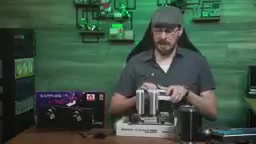
Total without GPU: approximately $735. No X3D processor, no 32GB of RAM, no X870E motherboard, no XMP overclocking — all "good enough" choices.
The memory choice here deserves explanation. Jeff selected DDR5-4800, the baseline DDR5 standard frequency defined by JEDEC (Joint Electron Device Engineering Council), meaning the memory runs stably at default voltage and timings without manually enabling any overclocking profiles in the BIOS. Memory sticks marketed as DDR5-6000, DDR5-7200, and other high frequencies actually require enabling Intel XMP (Extreme Memory Profile) or AMD EXPO (Extended Profiles for Overclocking) to reach their advertised speeds — these are essentially manufacturer-validated overclocking presets. High-frequency memory is not only more expensive but also places demands on the motherboard's power delivery design and the CPU memory controller's silicon quality, potentially failing to run stably at rated speeds on entry-level motherboards. Choosing JEDEC-spec memory — trading a 5%-10% memory bandwidth improvement for significant cost savings and guaranteed compatibility and stability — is the "good enough" philosophy in action.
16GB of RAM is admittedly tight these days, but Jeff was blunt: when a 32GB DDR5 kit costs $500, he can't in good conscience recommend everyone buy 32GB.
RX 9070 GRE Gaming Benchmarks: How Does It Perform at 1440p?
In 3DMark benchmarks, this platform scored within ±2% of the average for systems with the same GPU, proving that the budget platform wasn't bottlenecking the graphics card. Real-world gaming results were even more convincing:
Cyberpunk 2077 (1440p, RTX Ultra preset, FSR Auto): Average 79 FPS, 1% Low 49 FPS
FSR (FidelityFX Super Resolution) mentioned here is AMD's upscaling technology that competes with NVIDIA's DLSS. FSR renders the image at a lower resolution and then uses algorithms to upscale it to the target resolution, significantly boosting frame rates with minimal visual quality loss. FSR's "Auto" mode dynamically adjusts the internal rendering resolution based on the current frame rate, automatically finding a balance between smoothness and image quality.
Helldivers 2 (Ultra settings): Average 113 FPS, 1% Low 83 FPS, 0.1% Low 59 FPS
Red Dead Redemption 2 (Water Physics lowered from Ultra to High): Average 117 FPS, 0.1% Low 73 FPS

Oblivion Remastered (High settings): Average 108 FPS, 1% Low 72 FPS
Starfield (Ultra settings): Average 108 FPS, 0.1% Low 52 FPS
Indiana Jones and the Great Circle (Supreme/highest settings): Average 95 FPS, 0.1% Low 75 FPS — a result that even Jeff himself couldn't believe, running the test three times to confirm.
When interpreting these numbers, it's important to understand what 1% Low and 0.1% Low frame rates mean. Average FPS only reflects overall smoothness, while these two metrics are the real indicators of actual gaming experience. 1% Low means that for 99% of the test duration, the frame rate stayed above this value, reflecting occasional performance dips during gameplay (such as scene transitions, heavy particle effects, or complex physics calculations). 0.1% Low is even more extreme, representing the worst stuttering moments. If the average FPS is 100 but the 0.1% Low is only 20 FPS, players will clearly feel intermittent stuttering. In Jeff's test results, most games maintained high 1% Low values (like Helldivers 2's 83 FPS), indicating that this platform delivers not only excellent average frame rates but also outstanding frame rate consistency.
All tests were conducted without frame generation enabled, representing pure rasterization and ray tracing performance. Frame Generation is a technique that uses AI algorithms to insert synthesized frames between two real rendered frames to multiply the frame rate. While it can significantly boost FPS numbers, it introduces additional input latency, and the synthesized frames aren't truly rendered results. Jeff excluded frame generation to showcase the GPU's real performance, making the test results more meaningful as a reference.
Reflections on the Review Industry Ecosystem
Jeff specifically pointed out that standardized reviews typically use AMD-provided media kits — including a 9800X3D, 32GB DDR5-6000, and a high-end X870E motherboard, with the total test platform valued at around $1,750 (excluding storage and GPU). On such a platform, saying "spend $50 more for the 9070" makes perfect sense, but it doesn't represent real users' purchasing scenarios.

This practice introduces structural bias: AMD and NVIDIA ship standardized test platform kits to review media at launch, typically including the strongest consumer-grade CPU of the generation, high-frequency large-capacity memory, and a flagship motherboard. The official justification is eliminating CPU bottlenecks so reviewers can accurately measure the GPU's performance ceiling. But users buying a $549 mid-range GPU typically have a total system budget of $1,200-$1,500 — they're not pairing it with a 9800X3D and DDR5-6000 memory. This chasm between review conclusions and real user experience has been collectively ignored by the industry for years. Jeff's content resonated precisely because he filled this blind spot in the review ecosystem — testing a mid-range GPU's actual performance on a real-budget platform.
He emphasized that he wasn't attacking other reviewers, but rather offering a perspective that's often overlooked: PC components are expensive, and compromises are necessary. Sometimes $50 is the difference between being able to afford a gaming PC or not. And "spending $100 more on every component" is exactly the consumption path manufacturers have designed.
Conclusion: You Don't Need a Ferrari to Drive
Jeff's closing statement hit hard:
You don't need a Ferrari to drive, you don't need a 4,500-square-foot house to raise a family, and you don't need to spend $2,500 to play video games.
If the price difference between the RX 9070 GRE and the 9070 were truly just $50, he'd recommend the latter without hesitation. But when the actual gap is $155 — over 10% of the entire PC's cost — and the performance difference only means going from 105 FPS to 120 FPS, the upgrade loses its justification.
The core message of this review isn't that "the RX 9070 GRE is the best graphics card." Rather, in an environment where PC hardware prices continue to inflate, we need to redefine what "worth it" means. When a GPU can smoothly run the vast majority of games at 1440p Ultra settings, it has already fulfilled its mission. The half-dozen games that require dialing settings down one notch shouldn't be the reason you spend an extra $155.
Related articles

Hermes Agent Deployment Guide: Building a Mobile AI Coding Workflow with Telegram
Learn how to deploy Hermes Agent on a VPS with Telegram Bot integration for mobile AI coding. Covers Docker setup, GitHub integration, auto-deployment, and comparison with OpenClaw.

AI Tool Fable Ports Classic FPS to Browser in Two Hours — With Full Multiplayer
A developer used AI coding tool Fable to port Return to Castle Wolfenstein to the web browser in just two hours with full multiplayer, revealing AI's power in system-level engineering.

Building a Cold Chain Logistics Optimization Research Project with Codex: A Complete Workflow from Scratch to PDF Paper
Learn how to use OpenAI Codex to build a complete cold chain logistics optimization research project from scratch, including simulated annealing implementation, experiments, figures, and LaTeX paper compilation.