Teach Skill Explained: An AI Tutoring Tool That Auto-Generates Interactive HTML Lessons
Teach Skill turns Claude Code into an AI tutor that auto-generates interactive HTML lessons with progress tracking.
Teach is a Claude Code Skill by Matt Pocock that acts as an AI private tutor. It analyzes learning goals, creates structured study plans, and generates self-contained interactive HTML lessons with animations and exercises — all from natural language input. With built-in progress tracking via local files, it supports continuous learning across sessions and applies to subjects ranging from math to martial arts.
What Is Teach Skill
Matt Pocock — a well-known Skill developer in the developer community (whose Grimming Skill has been downloaded nearly 300,000 times) — recently released a brand-new AI learning tool called Teach. Built on Claude Code, this Skill is designed specifically to assist learning. It automatically creates study plans and generates interactive HTML lessons based on the user's learning goals, essentially acting as an always-available AI private tutor.
Some background is helpful here: Claude Code is a command-line AI programming tool from Anthropic that lets developers interact directly with the Claude model in the terminal to write code, manage files, handle projects, and more. Skills are an extension mechanism within the Claude Code ecosystem — essentially sets of predefined Markdown instruction files that inject domain-specific behaviors and workflows into Claude Code. Think of a Skill as a "professional module" you install on the AI; installing different Skills is like giving a generalist AI different professional identities. Matt Pocock is one of the most active Skill developers in this ecosystem. His earlier Grimming Skill was aimed at TypeScript development scenarios, while Teach extends the Skill concept from programming into general education.
Installation and Basic Usage
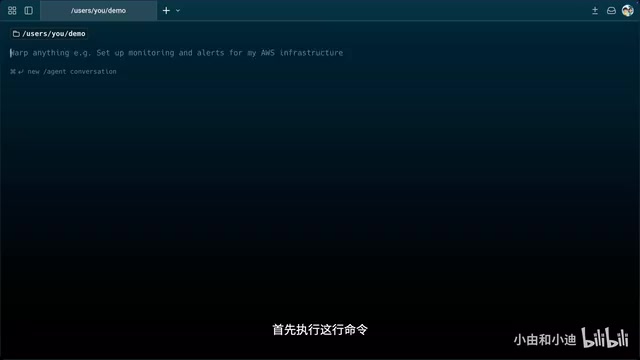
The workflow for using Teach is remarkably straightforward. First, install the Teach Skill into your Claude Code environment via the command line, then launch Claude Code to start using it.
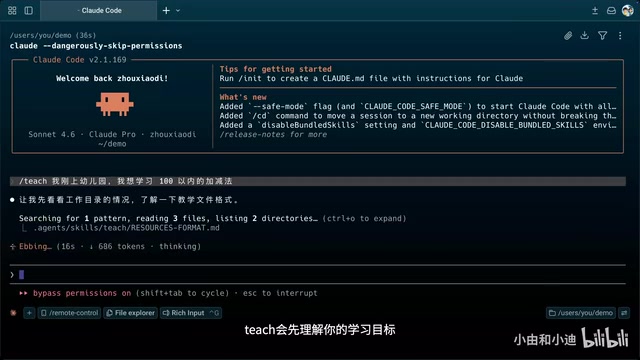
Once the Skill is activated, you simply tell it what you want to learn in natural language. For example, from the perspective of a kindergartener: "I just started kindergarten and want to learn addition and subtraction within 100." Teach then automatically completes three steps:
- Understand the learning goal: Analyze your current knowledge level and learning needs
- Create a study plan: Generate a systematic curriculum appropriate for your current stage
- Generate the first lesson: Output an HTML lesson file that can be opened directly in a browser
Behind this workflow lies the concept of automated instructional design. Traditional instructional design typically follows the ADDIE model — Analysis, Design, Development, Implementation, and Evaluation — with each phase requiring significant time from education experts. Teach essentially has the AI complete the first three phases of this entire process in seconds: natural language understanding handles the needs analysis, curriculum planning handles the instructional design, and HTML generation handles the content development.
The Interactive Lesson Experience
Not Just Text — Complete Interactive Courseware
The lessons Teach generates aren't dry text-only content — they're carefully designed HTML files. When opened in a browser, you'll see a fully structured interactive learning page.
Take arithmetic teaching as an example: the first half of the lesson covers foundational concepts, using vivid and intuitive methods to help children understand "what addition means." The second half includes practice problems, with feedback animations and encouraging messages appearing after correct answers, making the entire learning process fun and interactive.
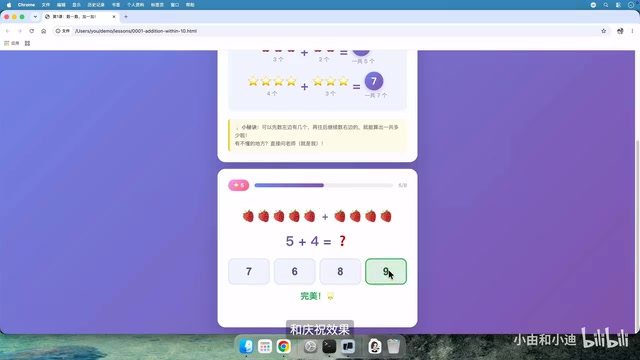
From a technical standpoint, these HTML lessons can achieve rich interactive effects because Claude Code has full code generation capabilities. Each lesson is essentially a self-contained single-page web application with embedded HTML structure, CSS styling, and JavaScript interaction logic. The AI automatically writes button click events, answer validation logic, animation transitions, and other front-end code based on the teaching content — it even uses CSS animations or Canvas drawing to create visual demonstrations. This means the generated courseware requires no server support whatsoever; just double-click the HTML file to run it in any modern browser. This "zero-dependency" design makes sharing and using the courseware extremely convenient — parents can even send the generated HTML file directly to their children to open and study on a tablet.
Animations That Aid Understanding
As the course progresses, later chapters include vivid animations alongside concept demonstrations, helping learners understand abstract concepts more intuitively. This multimedia approach to teaching is far easier to understand and remember than traditional text-only explanations.
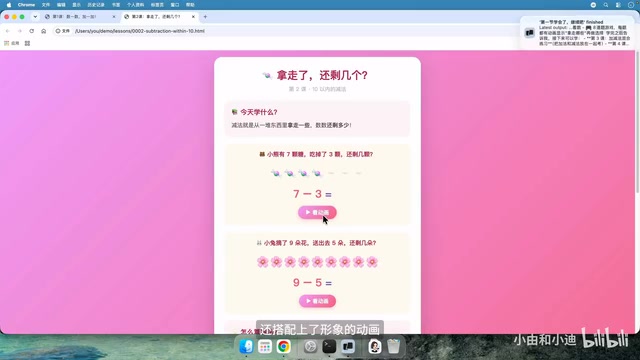
This design philosophy aligns closely with Dual Coding Theory from educational psychology. Proposed by psychologist Allan Paivio, the core idea is that the human brain processes information simultaneously through verbal and visual systems, and when learning materials activate both systems at once, memory retention improves significantly. The courseware Teach generates combines textual explanations (verbal channel) with animated demonstrations (visual channel), giving abstract concepts concrete expression, thereby reducing cognitive load and improving learning efficiency.
Continuous Learning and Progress Tracking
Automatic Progress Saving
One of Teach's most practical features is its learning progress tracking mechanism. After completing the first lesson, when you return to Claude Code and ask it to generate subsequent lessons, Teach automatically records your previous learning performance and adjusts the difficulty and pacing of future content accordingly.
Even if you close the conversation midway, the next time you restart Claude Code and activate Teach, you simply tell it to "continue teaching" and it picks up right where you left off. The experience is like having a private tutor with a good memory who always keeps track of your learning progress.
The implementation behind this "memory" is worth understanding in depth. As is well known, large language models are inherently stateless — after each conversation ends, the model doesn't "remember" previous interactions. Teach solves this problem by leveraging Claude Code's local file system access capabilities: it creates structured progress files (typically in Markdown or JSON format) in the project directory, recording completed lesson chapters, learner performance data, current course stage, and other information. When a new conversation starts, the Skill's instructions guide Claude Code to first read these local files, thereby "restoring" its awareness of the learner's state. This design cleverly converts short-term conversational memory into persistent file storage — a typical pattern for achieving cross-session continuity in current AI tools.
Applications Beyond Academic Subjects
It's worth noting that Teach's applications extend far beyond academic education. The video creator mentioned using it to practice Wing Chun, demonstrating that whether it's programming skills, language learning, athletic training, or artistic creation, Teach can generate corresponding study plans for specific domains.
This broad applicability stems from the general knowledge base of large language models. The Claude model was exposed to massive amounts of multi-domain text data during training, covering academic papers, textbooks, technical documentation, encyclopedias, and other knowledge sources. When Teach's Skill instruction framework combines with this domain knowledge, the AI can generate structured teaching content on virtually any topic. Of course, this also means teaching quality varies by domain — for fields like programming and mathematics with abundant high-quality training data, the generated courses tend to be more accurate and systematic; for practice-heavy domains like Wing Chun where text resources are relatively limited, courses may focus more on theoretical explanations and movement descriptions, with actual physical training still requiring real human guidance.
Use Cases and Target Users
Teach offers different value propositions for different user groups:
- Parents: No need to prepare lessons yourself — AI automatically generates age-appropriate interactive materials
- Teachers: Quickly generate supplementary teaching materials, dramatically reducing lesson prep time
- Self-learners: Get systematic learning path planning and break free from fragmented learning
- Developers: Receive step-by-step practical guidance when learning new tech stacks
It's important to note that using Teach currently involves certain barriers and costs. First, Claude Code itself requires a paid Anthropic subscription (Max plan or pay-per-API-usage), and each lesson generation consumes tokens. Second, the entire workflow is based on a command-line interface, which may require a learning curve for parents or teachers unfamiliar with terminal operations. However, as the Claude Code ecosystem matures and graphical interfaces improve, these barriers are expected to gradually decrease.
Summary
Teach represents a noteworthy direction in AI-assisted education — it doesn't simply answer questions but plays the role of a teacher who plans, remembers, and interacts. By generating visual HTML courseware, it combines AI's content generation capabilities with front-end interactive experiences to create an entirely new personalized learning model.
Placing Teach in the broader context of AI education tool development, it represents the embryonic form of third-generation AI education products. The first generation consisted of "information retrieval" tools like search engines and online problem banks. The second generation featured "conversational Q&A" tools like ChatGPT and Khanmigo (Khan Academy's AI tutor), where users ask questions and AI answers, but with limited systematization and continuity. The third generation that Teach represents is the "course generation" type — AI doesn't just answer questions but proactively plans learning paths, generates structured materials, and tracks learning progress, truly taking on the role of "teacher" rather than "assistant." While it currently still relies on the Claude Code environment, this "AI + interactive courseware" approach opens new possibilities for the edtech space. It's foreseeable that as these tools become more user-friendly and costs continue to drop, the democratization of personalized education will reach an important inflection point.
Related articles
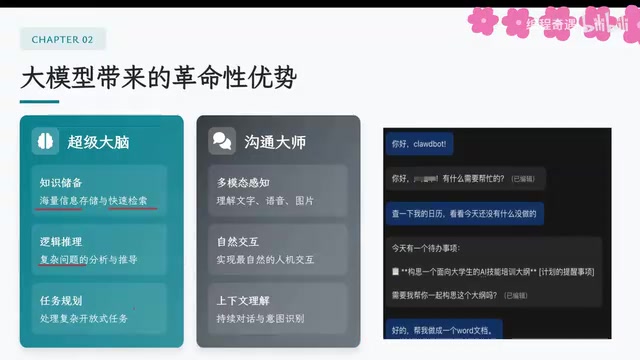
AI Agent Core Architecture Breakdown: From Concept to Enterprise-Grade Intelligent Agent Development
Deep dive into AI Agent architecture: perception, brain, and action modules. Covers RAG memory systems, tool calling mechanisms, Chain of Thought reasoning, and enterprise agent development roadmap.
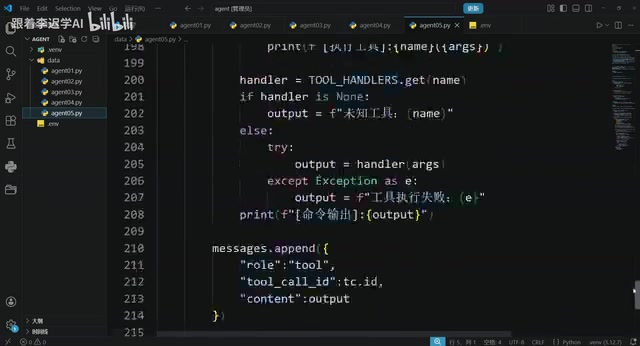
Hands-On Tutorial: Build an AI Agent from Scratch with 200 Lines of Python
Build an AI Agent from scratch with 200 lines of Python, covering prompts, memory, tool calling, RAG, and Skills — a practical guide for developers.
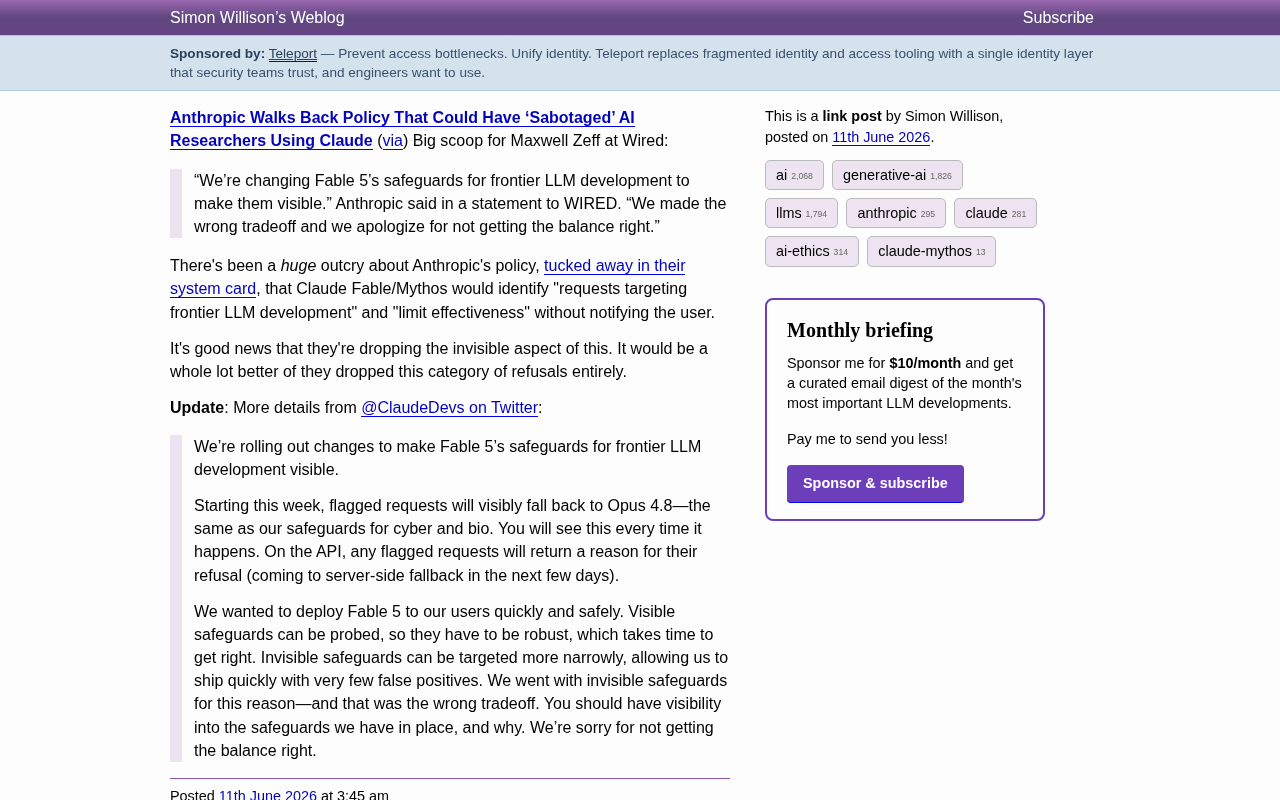
Anthropic Reverses Controversial Policy of Secretly Throttling AI Researchers Using Claude
Anthropic reverses its controversial policy of secretly throttling Claude Fable/Mythos responses to frontier LLM development requests after community backlash, raising critical questions about AI transparency.