AI SDK TUI 1.0.165 Patch Released, Further Optimizing the Command-Line AI Experience
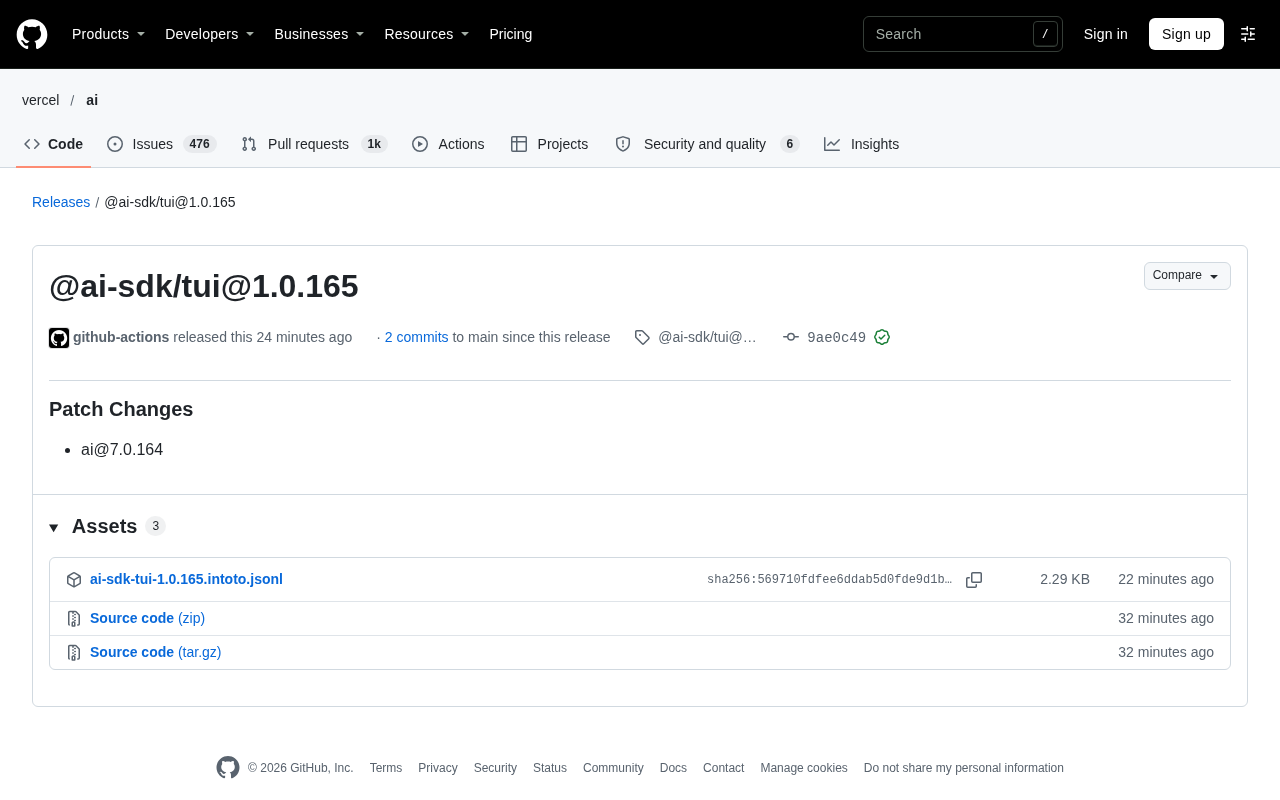
@ai-sdk/tui releases patch 1.0.165, mainly syncing the ai package to 7.0.164.
The terminal interface module @ai-sdk/tui in the AI SDK ecosystem has released version 1.0.165, a patch update focused on dependency synchronization, with the core change being an upgrade of the underlying ai core package to 7.0.164 and no new APIs or breaking changes. The article notes that keeping the TUI module aligned with the main SDK avoids type conflicts and inconsistent runtime behavior, reducing dependency management costs. As a relatively niche but practical module, TUI is suited to debugging model output in the terminal, managing conversation flows, and quickly validating tool calls, and is more lightweight than a web interface. The release was automated via GitHub Actions with signature verification, reflecting the project's engineering standards. The author advises developers to review the upstream ai package changelog before upgrading and to verify in a test environment before merging.
The AI SDK ecosystem has seen another minor iteration. According to the official GitHub release page, @ai-sdk/tui has released version 1.0.165, a patch update whose core change is synchronizing the ai package to 7.0.164. For developers using the AI SDK to build terminal interfaces, this update means further alignment of the dependency chain and signals that the team is still actively refining TUI (terminal user interface), a relatively niche but practical scenario.
Small Patch, but Dependency Alignment Is Key
Judging from the release notes, 1.0.165 is a typical patch version (Patch Changes), with changes concentrated on dependency versions: bumping the underlying ai core package to 7.0.164. Such updates usually introduce no new APIs or breaking changes; their main purpose is to keep the TUI module in sync with the main SDK and fix potential compatibility issues.
For projects using @ai-sdk/tui, keeping versions aligned avoids type conflicts or inconsistent runtime behavior caused by differences in the core package. Especially when a project depends on both ai and @ai-sdk/tui, locking to consistent version numbers is a simple and effective way to reduce "dependency hell."
Under the Semantic Versioning (SemVer) specification, a version number consists of major, minor, and patch numbers in the form MAJOR.MINOR.PATCH. An increment in the patch number (e.g., from 1.0.164 to 1.0.165) usually contains only backward-compatible bug fixes, introducing neither new features nor breaking changes; a minor version increment indicates new backward-compatible functionality; a major version increment means potentially incompatible interface changes. Therefore, when you see a "Patch Changes" label, you can expect relatively low upgrade risk.
However, semantic versioning is only a convention, not a hard constraint, and in practice a version nominally a patch may still change behavior. Dependency version management tools (such as npm's ~ and ^ prefixes) are based on this convention: ~1.0.165 allows only the patch number to float, while ^1.0.165 allows the minor version to float. Understanding this helps determine which version-locking strategy to adopt when @ai-sdk/tui and the ai package are upgraded in sync.
Where TUI Fits in AI Development
TUI (Terminal User Interface) is an easily overlooked but valuable module in the AI SDK. It lets developers build interactive interfaces directly in the terminal for debugging model output, managing conversation flows, or quickly validating tool-calling logic. Compared with web interfaces, the terminal approach is more lightweight and better suited to local development and scripted workflows.
@ai-sdk/tui lowers the cost of setting up AI interactions in command-line environments—developers can implement basic conversation display and input handling without introducing a frontend framework. Although this update brings no functional changes, the continued version maintenance shows the team has not abandoned this product line.
TUI (Terminal User Interface) is not the same as the commonly seen CLI (Command-Line Interface). A CLI typically uses a one-shot interaction model of "enter a command, get a result," whereas a TUI uses ANSI escape sequences, cursor positioning, and terminal drawing capabilities to render refreshable panels, lists, input boxes, and even split-pane layouts within a character terminal, forming a continuously running, interactive interface. Common implementation libraries include Ink (React-based terminal rendering) and Blessed in the Node.js ecosystem, as well as Bubble Tea for Go and Ratatui for Rust.
For LLM applications, the advantage of a TUI lies in streaming output and state display: tokens returned by the model can be refreshed segment by segment in a fixed area, and tool calls, loading states, and multi-turn conversation history can be presented in separate regions without repeatedly printing full screens of text. Compared with a web frontend, a TUI requires no browser or build/bundling pipeline, starts fast, and uses fewer resources—naturally suited to local debugging and server-side operations scenarios, which is why @ai-sdk/tui chose this form.
Maintenance Status as Seen from Release Cadence
The release page shows that this version was automatically published by github-actions, contains 2 commits, and the commits carry GitHub verified signatures. The automated release process and standardized signing mechanism indicate that the project maintains good consistency at the engineering level.
Frequent patch versions often mean the upstream dependency (the ai package) is iterating rapidly and the TUI module chooses to keep pace. For users, this is both good and a reminder: good in that upstream fixes are obtained promptly; the reminder is to watch the changelog and avoid upgrading production directly without testing.
GitHub Actions is the CI/CD automation platform provided by GitHub, where workflow files define build, test, and release tasks that run automatically on code push, merge, or schedule. The statement that this version was "automatically published by github-actions" indicates the repository has a release pipeline configured, with version number generation, changelog aggregation, and npm publishing all done by machines, reducing omissions from manual operations.
The "GitHub verified signature" on commits comes from Git's commit signing mechanism: when a commit is signed by a GitHub-hosted key or a developer-configured GPG/SSH key, GitHub displays a Verified badge to prove the commit really came from the claimed account and its contents were not tampered with. As for the bot account github-actions[bot] in the commits, it is typically the identity used when automated processes commit on behalf of humans. Together, these engineering details are important signals of an open-source project's credibility and maintainability.
What Developers Should Do
If your project is using @ai-sdk/tui, it is recommended to review the specific changes in ai@7.0.164 before upgrading to confirm nothing affects existing functionality. Since this is a patch version, risk is generally low, but it is still advisable to verify in a separate branch or local environment before merging.
For developers not yet using the TUI module, this update is a good opportunity to reconsider the value of terminal interaction in AI workflows. In rapid prototyping and local debugging scenarios, a lightweight TUI is often more efficient than building a full frontend.
Conclusion
@ai-sdk/tui@1.0.165 is a maintenance update focused mainly on dependency synchronization, with no new features. Its significance lies not in functional breakthroughs but in maintaining version consistency within the ecosystem and providing a stable foundation for developers who depend on the module. Teams following the AI SDK can include it in their regular upgrade process while keeping an eye on future developments in the upstream ai package.
Related articles
 Tech Frontiers
Edge AI on Microcontrollers: When Is It Actually Worth Deploying?
Drawing on Reddit discussions and Arm case studies, this article analyzes the real-world use cases for edge AI on microcontrollers: when each device needs independent inference, when a gateway or cloud is more reasonable, and the costs and boundaries of specialized hardware.
 Tech Frontiers
Pushing the Limits of Extreme Sudoku on a 16GB GPU: Insights from Depth and Flow Matching
A researcher trained a 16.54M-parameter model on a 16GB GPU to solve extreme Sudoku, finding effective depth breaks the 60% plateau and flow matching with improved sampling pushes accuracy past 99% with ~50× lower layer-evaluation budget.
 Tech Frontiers
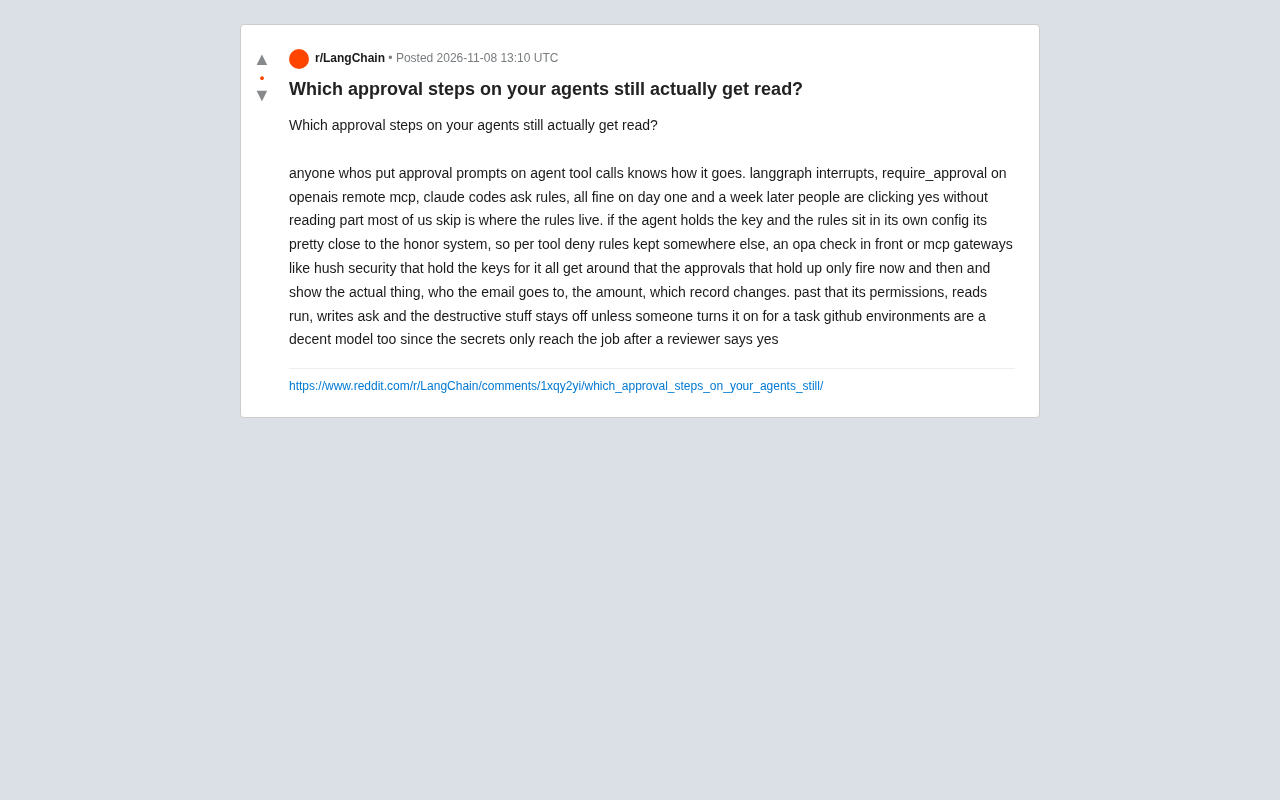
AI Agent Approval Workflows: Why Human Confirmations Always Get Mindlessly Clicked
Why do AI agent approval workflows always get mindlessly clicked? A Reddit discussion shows that separating rules from keys, low-frequency high-risk approvals, and GitHub Environments-style gates are the keys to effective approvals.