Bilibili's Step-by-Step Codex Guide: AI Coding Agents from Beginner to Hands-On

Bilibili tutorial explains the Codex agent: core capabilities, a four-module learning path, and usage boundaries.
Based on the popular Bilibili tutorial "The Most Detailed Step-by-Step Codex App Guide on All of Bilibili in November," this article outlines the core capabilities and learning path of the AI coding agent Codex. It notes that Codex is more than a code generator — it can read project files, write code, execute commands, and run tests, and supports desktop app, command line, and IDE modes. A common pitfall is treating it as a code chat tool, which wastes its project-level execution capabilities. The tutorial divides the learning path into four modules: introduction, advanced, case studies, and comprehensive application, with the advanced stage covering Skills, MCP, and other extensions. The article also stresses that complex projects still require technical knowledge and human verification, that beginners can start with simple tasks, and that learners should practice alongside the companion materials to truly put the tool to use.
In an era where AI coding tools keep proliferating, many developers face a practical question: where should they invest their limited learning time? A recent popular tutorial on Bilibili offers one answer worth considering — Codex. Titled "The Most Detailed Step-by-Step Codex App Guide on All of Bilibili in November," the video aims to take beginners from installation to mastery in a single course, using a wealth of hands-on examples. Based on that tutorial and combined with observations of the AI coding agent landscape, this article breaks down Codex's core capabilities, learning path, and key points for real-world adoption.
What Exactly Is Codex: More Than a Code Generator
According to the tutorial, Codex is an AI coding agent. In plain terms, it understands your natural-language requirements and can directly read project files, write code, execute commands, and even run tests. It supports multiple usage modes including a desktop app, command line, and IDE, which means developers no longer have to start writing code from scratch every time — they can simply describe their needs in natural language and let it help complete development tasks.

More importantly, Codex is not just a code generation tool. Projects that previously required looking up information, writing code, and repeatedly debugging can now be handed to it for assistance. Whether it's building a website, developing an AI application, writing automation scripts, or modifying projects and fixing bugs, it can be involved in all of it.
An Underestimated Potential: Don't Treat It as a Code Chat Tool
The tutorial raises a phenomenon worth watching out for: many people open Codex only to have it generate a few snippets of code or answer a few programming questions. Even though it can analyze an entire project, modify files, and execute tasks, it ends up being treated as an ordinary code chat tool — which is a real shame.
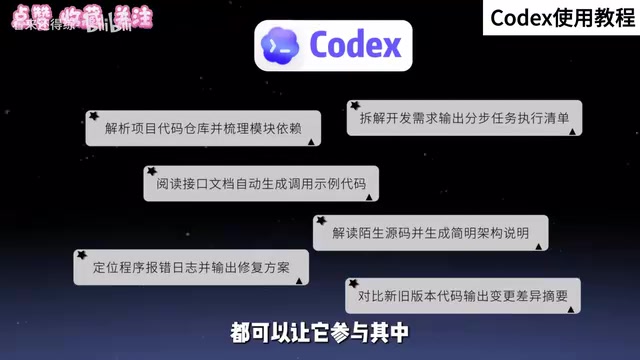
This observation points to a common misconception in how AI coding tools are currently used: users often apply a "chatbot" mental model to agents, which leaves much of the tool's real capability idle. Codex is positioned as something that "can actually execute tasks in a project," not something that "tells you how to do it." Understanding this distinction is the prerequisite for unlocking its value.
A Four-Module Learning Path: From Beginner to Comprehensive Application
To help beginners get started systematically, the tutorial divides the course into four modules: Introduction, Advanced, Case Studies, and Comprehensive Application, covering everything from basic operations to real project development.
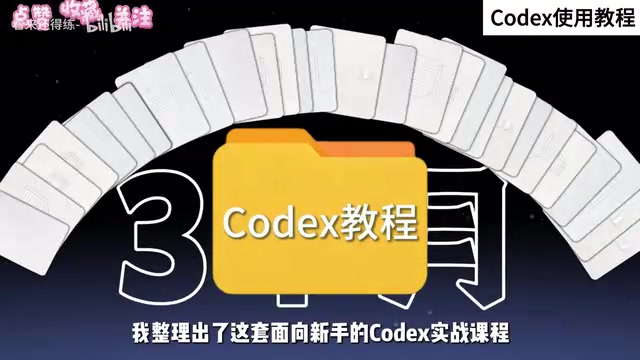
The rationale behind this layered design is that the learning curve for AI coding agents is not linear. The introductory stage requires familiarizing yourself with basic interaction and how to issue tasks; only at the advanced stage do you encounter extension capabilities like Skills and MCP; the case studies module connects knowledge points through real projects; and comprehensive application tests multi-task combination and handling of complex scenarios. The tutorial makes it clear that it's fine if you don't know how to code, and fine if you've never touched AI development — you can start with simple projects, follow along with hands-on practice, and gradually work your way into project development, code debugging, and advanced features like Skills and MCP.
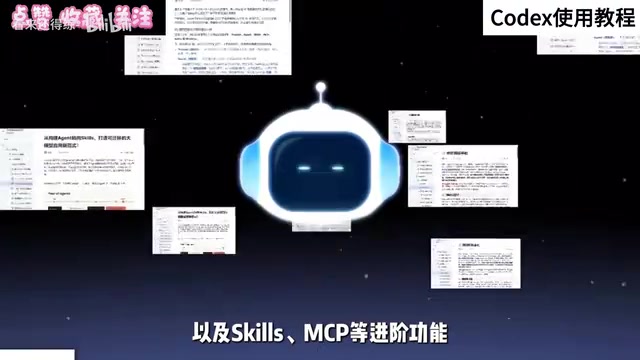
MCP (Model Context Protocol) is an open protocol proposed by Anthropic that enables AI models to connect to external tools and data sources in a standardized way. You can think of it as a "universal interface" between AI applications and the outside world: developers implement an MCP Server according to the protocol, and the model side can then call services such as file systems, databases, and APIs in a unified way, without writing separate adapter code for each tool. In the context of AI coding agents, MCP lets agents access information and operational capabilities outside the project in a safe, controlled manner — an important mechanism for expanding their task boundaries.
Skills generally refer to preset or custom "skill modules" for agents — that is, packaging a certain type of repetitive task (such as scaffolding for a specific framework, code style checks, or deployment workflows) into reusable combinations of instructions and tools that the agent can invoke when it encounters the corresponding scenario. Compared with one-off prompts, Skills emphasize reusability, maintainability, and accumulation, and are key to moving an agent from "improvising" to "engineering-grade use." The tutorial places these two topics in the advanced module precisely because they require users to first understand how agents fundamentally work before discussing capability extensions.
A Rational View of the Boundaries: Complex Projects Still Need Human Verification
To its credit, the tutorial does not over-mythologize the tool. It acknowledges that complex projects still require necessary technical knowledge and human verification, but emphasizes that you can absolutely start with basic tasks. This attitude aligns with the actual capability boundaries of AI coding agents: agents excel at well-scoped, verifiable tasks, while scenarios involving architectural decisions, ambiguous requirements, and high-risk changes still cannot do without human oversight.
Companion Materials and Learning Advice
The tutorial also puts together a companion resource pack covering four modules: installation and configuration, prompt templates, hands-on case studies, and a Skills usage guide, along with project materials you can use for direct hands-on practice. The advice is straightforward: once you have the materials, watch and do at the same time — don't let the tools just sit in your bookmarks. For a highly practice-oriented skill like AI programming, hands-on practice takes far higher priority than collecting materials.
Final Thoughts
If Codex is treated merely as a code completion or Q&A tool, its value will be severely underestimated. The value of this Bilibili tutorial lies in restoring Codex to what it is — an agent capable of executing project tasks — and providing a gradual path from basic operations to real project development. For developers who want to get started with AI programming, choosing a tool and actually putting it to use is more meaningful than endlessly agonizing over tool selection.
Related articles

FastAPI Learning Path: From Beginner to AI Project Practice
A Bilibili creator recommends *FastAPI Web Development: From Beginner to Advanced with Practical Projects*. This article outlines the FastAPI learning path: target audience, the 15-chapter six-part structure, project-driven learning, and practical directions from web backend to AI Agents, helping beginners avoid detours.

Reverse-Engineering Taobao's sign Signature Parameter with AI in 10 Minutes: A Practical Walkthrough
Based on a Bilibili hands-on demo, this article explains how to combine DeepSeek with vision models to automatically reverse-engineer Taobao's sign signature parameter, track dynamic titter and token values, and successfully scrape product data within ten minutes—while analyzing the capability boundaries and compliance risks of AI Agents in crawler reverse engineering.

LangChain+MCP from Beginner to Practice: A Deep Dive into the Bilibili Tutorial
A deep dive into a Bilibili LangChain+MCP tutorial: framework positioning, agent abstraction, and MCP protocol basics. Why not hand-build frameworks, and how beginners can follow the code-practice path.