Browser Automation Agent Stuck in Infinite Loop + Pydantic Errors? A Practical Fix Guide

Infinite loops in browser automation Agents are mostly caused by failed state judgment and retries after Pydantic validation failures, requiring systematic troubleshooting and repair.
The article analyzes the problem of browser automation Agents falling into infinite loops and repeatedly throwing Pydantic validation errors. The author points out that the root cause of the loop is usually not an explicit while loop, but a decision closed loop formed by failed state judgment, non-executable LLM output actions, and missing exception handling. Pydantic errors are a symptom of the loop rather than the cause; they reflect a mismatch between the LLM output structure and the expected model. Repair requires action at multiple levels: setting a maximum iteration count as a hard termination, converting ValidationError into structured readable prompts, introducing state hash deduplication and loop detection, performing lenient parsing at tool call boundaries, and adding structured logs to improve observability. The article concludes by emphasizing that a robust Agent should build termination conditions, lenient parsing, and replayable logs as infrastructure.
Title
Browser Automation Agent Stuck in Infinite Loop + Pydantic Errors? A Practical Fix Guide
Meta Description
What should you do when a browser automation Agent falls into an infinite loop and throws Pydantic validation errors? This article analyzes the causes of the loop and the root causes of the Pydantic errors, and provides systematic repair steps such as limiting iterations, structuring errors, and deduplicating state, helping developers quickly locate and resolve Agent deadlocks.
Article Content
Is your browser automation Agent stuck in an infinite loop while continuously throwing Pydantic validation errors? This is not an isolated case. On Reddit, a developer ran into this maddening problem: the Agent was stuck in a loop, Pydantic errors flooded the screen, and debugging was impossible. This article starts from the root causes of the errors and provides a systematic troubleshooting and repair plan.
Why Does the Agent Fall into an Infinite Loop?
The loop in a browser automation Agent is usually not caused by a while True written in the code, but by a closed loop formed between the decision logic and state feedback. There are three common triggers:
State judgment failure. The Agent relies on page elements or URLs to determine the current step. If the selector cannot match, or the page does not load completely, the Agent thinks it is "not done yet" and retries. If the retry logic has no upper limit, it becomes an infinite loop.
LLM output actions are not executable. When an action output by the model (for example, clicking a nonexistent button) is rejected, the Agent may feed the error message back to the model, and the model outputs the same action again, forming a self-reinforcing loop.
Missing exception handling. When Pydantic validation fails, if the outer layer does not catch and terminate the process but simply retries, it will repeatedly hit the same error.
What Do Pydantic Errors Mean?
Pydantic errors are essentially not "the cause of the loop" but "a symptom of the loop". They tell you that the data structure received by the Agent does not match expectations.
Typical error scenarios include: the JSON returned by the LLM is missing required fields, field types do not match (for example, an int is expected but a string is received), or the structure of nested models does not match. When the Agent passes tool call parameters directly to a Pydantic model for validation, any format deviation triggers a ValidationError.
The key question is: after Pydantic validation fails, what does your code do? If it only catches the exception and retries without correcting the input or changing strategy, the loop will continue.
Pydantic is a widely used data validation library in the Python ecosystem. Its core is the BaseModel class: developers declare field structures through type annotations, and Pydantic automatically validates data types, requiredness, and nested relationships during instantiation. When the input does not conform to the model definition, it throws a ValidationError, which contains each erroneous field's loc (location path), type (error type, such as missing, int_parsing), and msg (human-readable description). In LLM application scenarios, Pydantic is often used as the gatekeeper for "structured output"—the JSON returned by the model is first validated by the model and then passed to downstream tools for execution. Therefore, the error itself is a protection mechanism at work, not a defect; what really needs attention is the handling strategy after the error is triggered.
Systematic Repair Steps
1. Add Hard Termination Conditions to the Loop
No matter where the retry logic is written, a maximum number of iterations must be set. A practical approach is to maintain a step counter in the Agent's main loop, force exit when it exceeds a threshold (for example, 10 or 20 steps), and output a snapshot of the current state. This does not solve the root problem, but it prevents endless screen flooding during debugging and preserves error logs.
2. Make Pydantic Errors Readable and Actionable
Pydantic's raw error messages are not LLM-friendly. It is recommended that after catching ValidationError, extract structured error details (field name, error type, expected value), convert them into natural language prompts, and then decide whether to request the model again or terminate the process. At the same time, using Field(description=...) in the model definition to add descriptions to each field can significantly reduce the probability of model output format errors.
3. Introduce State Deduplication and Loop Detection
Record each step's action and page state hash. If the same combination of action and state appears repeatedly across consecutive steps, it is determined to be a loop, and the process is actively interrupted with diagnostic information output. This is more precise than simply limiting the number of steps and can also help you locate which step's feedback has gone wrong.
A state hash usually refers to computing a digest of the key features of the current page. Common approaches include: hashing a normalized serialization of the target area in the DOM, hashing a combination of the URL and page title, or sorting and concatenating the list of interactive elements and then hashing it. The benefit of hashing is that it normalizes states that "look the same", avoiding misjudgment caused by noise such as timestamps and random IDs. Loop detection then maintains a sliding window on this basis, comparing the recent N steps' (action, state hash) pairs; if the repetition rate within the window exceeds a threshold, it is determined to have entered a loop. This mechanism is complementary to the maximum step limit: the step limit is a fallback, while state deduplication can detect "spinning in place" patterns earlier.
4. Check the Parameter Validation Layer for Tool Calls
Pydantic errors often occur at tool call boundaries. Confirm whether your Agent framework (whether LangChain, LlamaIndex, or self-built) performs lenient parsing before passing LLM output to tools. Consider using model_validate_json with a fault-tolerant mode, or setting default values for optional fields in the model definition, to avoid overall failure due to a single missing field.
5. Add Human Breakpoints and Observability
During development, output structured logs for each step of the Agent: current step, raw model output, parsing result, and validation status. This way, when a loop occurs, you can quickly see from which step it began to deviate from expectations. Without observability, debugging Agent loop problems is almost like the blind men and the elephant.
Prevention Is Better Than Repair
The root of this type of problem lies in the lack of "fault-tolerant design" in the Agent. A robust browser automation Agent should have: clear termination conditions, lenient parsing of model output, classified handling of validation errors, and replayable state logs. Building these as infrastructure is far more cost-effective than firefighting every time a problem occurs.
One-line Summary
Infinite loops in browser automation Agents are mostly caused by failed state judgment and retries after Pydantic validation failures, requiring systematic troubleshooting and repair.
Paragraph Summary
The article analyzes the problem of browser automation Agents falling into infinite loops and repeatedly throwing Pydantic validation errors. The author points out that the root cause of the loop is usually not an explicit while loop, but a decision closed loop formed by three triggers: failed state judgment, non-executable LLM output actions, and missing exception handling. Pydantic errors are a symptom of the loop rather than the cause; they reflect a mismatch between the LLM output structure and the expected model. Repair requires action at multiple levels: setting a maximum iteration count as a hard termination, converting ValidationError into structured readable prompts, introducing state hash deduplication and loop detection, performing lenient parsing at tool call boundaries, and adding structured logs to improve observability. The article concludes by emphasizing that a robust Agent should build termination conditions, lenient parsing, and replayable logs as infrastructure.
Related articles

DeepSeek Harness: A Beginner's Installation and Testing Guide
A DeepSeek Harness tutorial for test engineers: set up Node.js, launch with one NPX command, configure official and third-party models, and explore web search, file I/O, and trace-view agent observability.
AI Game Development in Practice: Designing Levels with the Four-Step Method and Pacing Curves
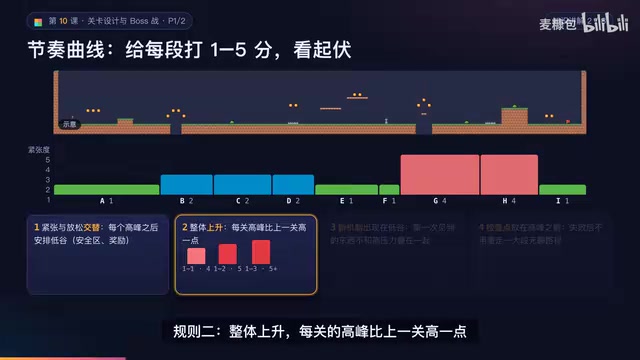
AI game development lesson 10: design levels with the four-step method (teach, practice, combine, test) and a 1-5 pacing curve, plus sightline guidance and safety zones—implement Animatable Body 2D moving platforms and generate ASCII sketches for 1-2 Underground Cavern and 1-3 Guard Hall.

AI Game Development in Practice: Two-Phase Boss State Machines and Death Heatmap Tuning
AI game development lesson 10: implement a two-phase Boss with a state machine, guarantee fairness with color signals and a 0.4-second warning floor, locate difficulty cliffs with a death heatmap, and apply lightest-to-heaviest fixes one at a time, with an acceptance checklist and common pitfalls.