ChatGPT Codex in Practice: A Zero-Basics Guide from Configuration to AI Programming
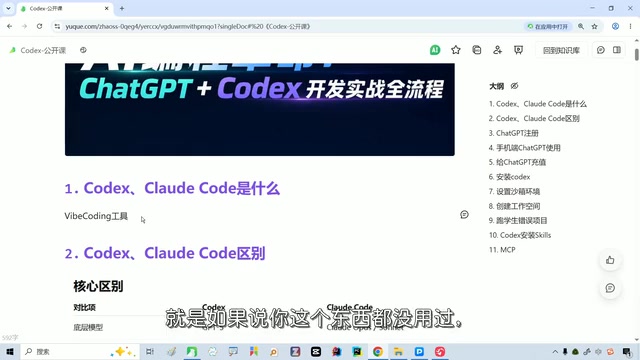
Codex and Claude Code are first-tier AI agents; the barrier is configuration, not programming.
Based on a veteran Bilibili creator's live class, this article discusses the positioning and selection of two popular AI programming agents, Codex and Claude Code. Large models can only think, not act; agent tools give them hands and feet. The creator recommends Codex for better Chinese comprehension, stronger analysis, full-stack capability, and a fast-growing MCP ecosystem, while Claude Code is capable but costly. The biggest obstacle for beginners isn't programming but GPT account setup and environment configuration.
AI programming tools are evolving from mere code completion into agents that can independently execute tasks. ChatGPT Codex and Claude Code are currently the two most talked-about options, and their capability boundaries and onboarding thresholds directly determine whether ordinary developers can truly put AI to use.
What Is an AI Agent Tool? How Does It Differ from a Large Model?
A large model on its own can only think; it can't do things for you. Tools like Codex and Claude Code are essentially brains equipped with hands, feet, and a toolbox. According to the explanation given by a Bilibili creator with over a decade of teaching experience in a live class, the core value of such tools lies in turning the model's reasoning capability into executable operations rather than leaving it at the conversational level.
He ranks Codex and Claude Code together in the current first tier, believing that both tools are worth mastering regardless of whether you can program. For non-programmers, even just using Codex to configure GPT for looking things up is a valuable thing to do.
MCP (Model Context Protocol) is a key concept for understanding the current ecosystem of AI programming tools. It is an open protocol proposed and promoted by Anthropic, functioning like a "peripheral interface standard for AI tools": it lets large models call external tools, data sources, and services in a unified way, without having to write separate integration code for each tool. You can think of MCP as analogous to the USB protocol—the model is the computer, the various tools are peripherals, and MCP defines how they handshake and communicate. For agent tools like Codex and Claude Code, the richness of the MCP ecosystem directly determines how many capabilities they can "reach," such as reading and writing local files, querying databases, and calling third-party APIs. This is also why the original article treats the MCP ecosystem as an important plus when evaluating Codex: the more prosperous the ecosystem, the more ready-made capabilities users can reuse, and the lower the cost of configuring things themselves.
How to Choose Between Codex and Claude Code
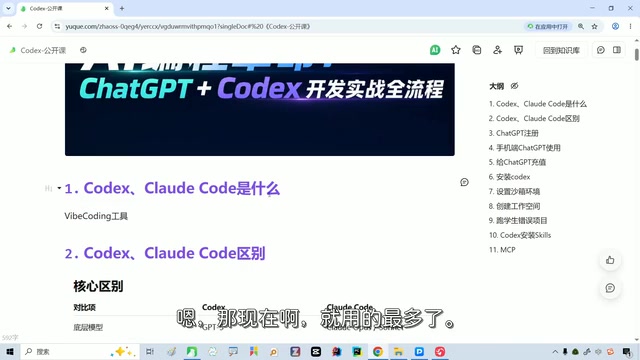
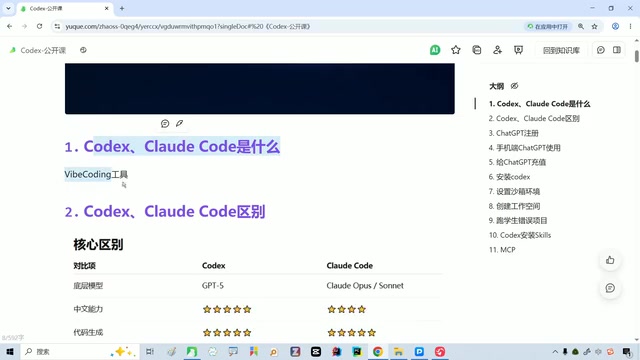
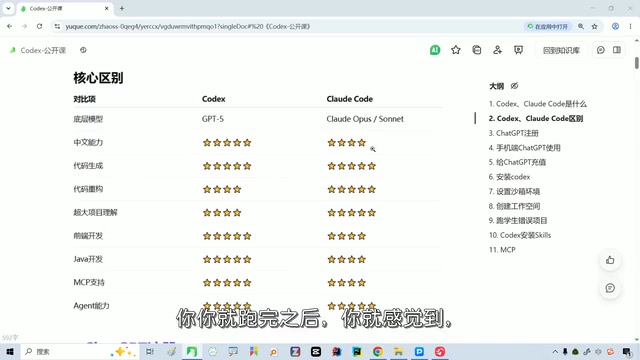
This is the first question many beginners agonize over. The creator's personal conclusion is direct: Codex is better to use. He has actually installed three tools—Codex, Claude Code, and Cursor—and Codex is his daily driver, mainly for several reasons.
He configured Codex with the GPT model, which understands Chinese better, has stronger requirements analysis capabilities, and excels at full-stack front-end and back-end development. In addition, Codex's MCP ecosystem is developing rapidly, backed by major investment from OpenAI itself, and it has a mobile app for convenient use anytime.
Claude Code uses the Claude model, which is no slouch in capability but is relatively expensive. The creator also mentioned that some people pair it with DeepSeekAd models to reduce costs, but in practice it still isn't as smooth as foreign models.
Cursor is another category of tool mentioned but not elaborated on in the original article, and understanding it helps clarify the positioning differences among the three. Cursor is essentially an AI code editor deeply customized based on VS Code, following an "IDE enhancement" approach: developers still write code in a familiar editor interface, with AI assisting through completion, inline edits, and chat. Codex and Claude Code, by contrast, lean toward a "command-line agent" approach, where users issue tasks in natural language and the tool autonomously reads files, executes commands, and modifies code while the human reviews the results. The former's advantage is controllability and fit with traditional workflows; the latter's advantage is the ability to independently complete multi-step tasks, closer to "delegation" than "assistance." This also explains why the original author, despite installing all three tools, uses Codex as his daily driver—he values the agent's task execution over the completion experience inside the editor.
The First Hurdle for Zero-Basics Codex Setup: Getting GPT Working
Many people want to use Codex but get stuck at the first step—logging into a GPT account, downloading, installing, and configuring it. The creator says outright that this is precisely the biggest threshold right now, and it's also why some people on channels like Douyin make money by "helping others get through this whole process."
There isn't much room for shortcuts in this step; you need to follow the official process to prepare your account and install the tools. For users with absolutely zero background, it's advisable to first follow a complete hands-on demonstration from start to finish, get the environment running, and then consider subsequent programming tasks.
The "configure GPT" repeatedly mentioned in the original article actually involves two layers: first, accounts and subscriptions, i.e., registering an OpenAI account, completing login verification, and subscribing to the appropriate plan; second, API Key and local environment, i.e., entering the key in the tool's configuration file, specifying the model name, and confirming that the network and dependencies are available. For zero-basics users, the difficulty often isn't the technology itself but the tedious process, unintuitive error messages, and the uncertainty caused by differences in network environments across regions. This is also the fundamental reason "configuration-as-a-service" can become a business—what it sells isn't technology but the certainty of reducing uncertainty to zero. Once you understand this, a more effective strategy when you get stuck is to find a complete hands-on record tailored to your operating system and network environment and compare step by step, rather than searching for individual error messages in a scattered way.
Where AI Programming Tools Are Heading
The creator offered a pragmatic judgment in the live stream: foreign models are indeed ahead by a margin right now, but the gap won't last forever and will eventually close. By then, choosing a tool will become choosing a price—use whichever is cheaper.
This view is worth considering. For individual developers, there's no need to over-agonize about "taking sides" at this stage; getting proficient with one set of tools and understanding how agent tools work has more long-term value than repeatedly comparing specs.
Final Thoughts
The barrier to tools like Codex isn't programming ability but configuration and account setup. Once you get past this hurdle, AI programming becomes accessible to zero-basics users. This live class covered installation and configuration, AI programming, Skills, and MCP, and is suitable for anyone who wants to systematically get started by following along from beginning to end.
One-line Summary
Codex and Claude Code are first-tier AI agents; the barrier is configuration, not programming.
Paragraph Summary
Based on the content of a live class by a veteran Bilibili creator, the article discusses the positioning and selection of two popular AI programming agent tools, Codex and Claude Code. The author points out that large models can only think, not act, while tools like Codex and Claude Code are like giving the model hands and feet, turning reasoning into executable operations. Between the two, the creator recommends Codex after hands-on testing, citing better Chinese comprehension, stronger requirements analysis, outstanding full-stack capability, a fast-growing MCP ecosystem, and a mobile app. Claude Code is capable but expensive, and pairing it with DeepSeek to cut costs isn't ideal either. The article emphasizes that the biggest obstacle for zero-basics users isn't programming ability but the hurdle of GPT account registration, download and installation, and environment configuration—some people even make money specifically by handling this process for others. As for the industry's direction, the creator judges that foreign models currently lead but the gap will eventually close, at which point choosing a tool will become choosing a price.
Related articles
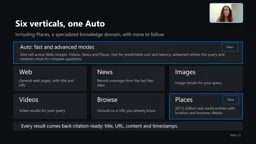
Microsoft WebIQ: Verifiable Real-Time Web Grounding for AI Agents
Microsoft WebIQ gives AI Agents real-time, citable web grounding across web, news, images, videos, and Places—164ms P95 latency, 50% fewer tokens, Scopes source control, and MCP integration.
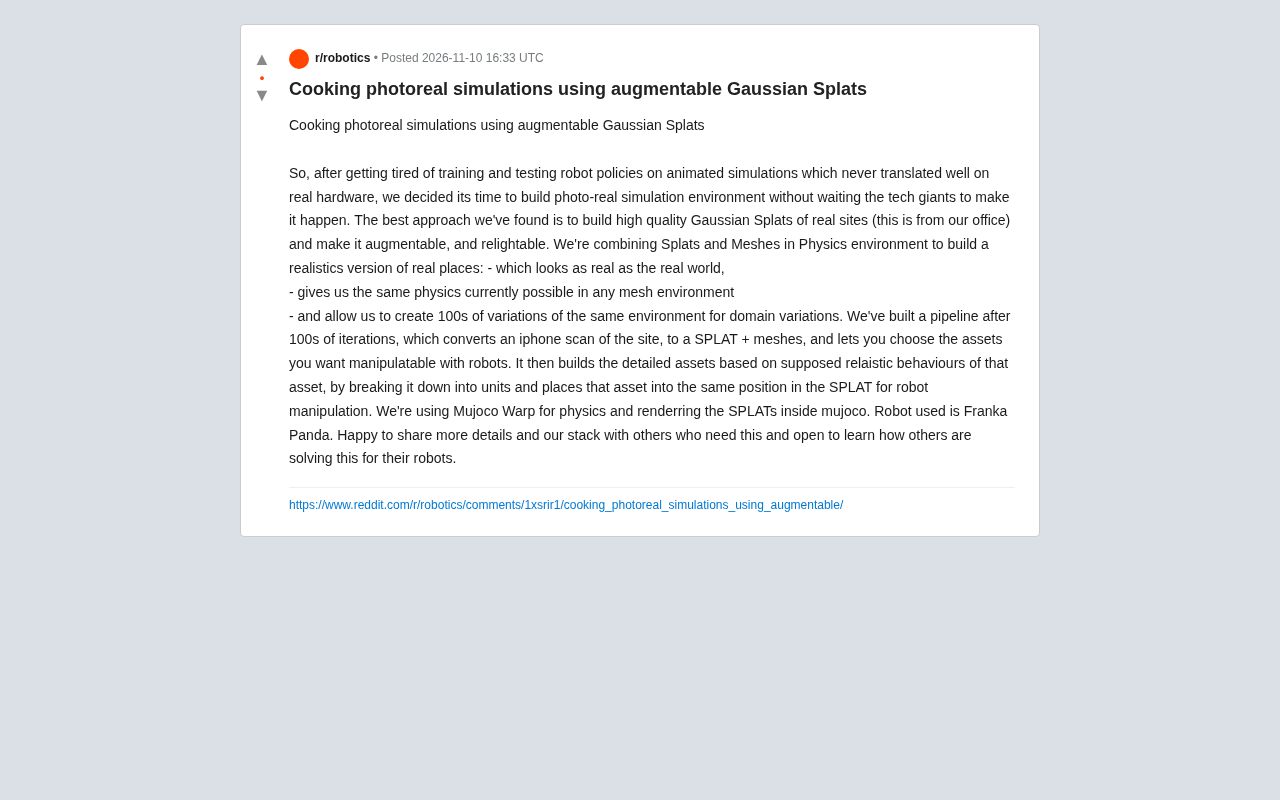
Augmentable Gaussian Splatting: Building Photorealistic Simulation Environments for Robot Training
Team combines Gaussian Splatting with meshes to build photorealistic robot simulation environments, integrating MuJoCo Warp physics and Franka Panda for augmentable, relightable real-site simulation.

Gemini 4 Carbon Released: The Leap from Gemini 3 to Gemini 4 in Under a Year
Google releases Gemini 4 Carbon, less than a year after Gemini 3. In the official demo, Carbon reverse-engineered the Theme Park binary, added a new DeepMind-themed ride, and ported it to the web in one shot.