Claude Code in Practice: Building Your Own AI Coding Assistant from Scratch

Claude Code is evolving into an engineering collaboration partner; this article outlines its configuration and practical workflow.
The article outlines Claude Code's evolution from a command-line coding tool into an engineering collaboration partner. It now analyzes whole project structures and supports SDD specs, automated testing, and Skill capture. Installation pitfalls—network and official model access—can be solved with domestic mirrors and CC switch. Core practice is the locate—show—approve—execute loop, with Git operations in natural language. Commands split into slash and external, with -p headless mode for scripts.
Claude Code is evolving from a standalone command-line coding tool into an AI collaboration partner that can participate deeply in engineering workflows. For indie developers and teams alike, understanding its capability boundaries and mastering its configuration matters more than simply knowing how to write prompts. This article, based on a systematic hands-on tutorial, outlines the key path from environment setup and IDE integration to real project practice.
How Claude Code's core capabilities have changed
Early versions of Claude Code offered only a command-line chat interface, mainly used to analyze project code, understand file relationships, modify code, and offer suggestions. As versions iterated rapidly, the center of gravity of its capabilities has shifted noticeably.
Context awareness has been upgraded from "understanding a single file" to "analyzing the entire project structure." You can ask directly about the details of a project's architecture, and it will give you a remarkably thorough breakdown. More importantly, there are enhancements oriented toward engineering: Claude Code can now support the implementation of SDD files, automated testing logic, and even capture development experience as reusable skills through the Skill mechanism. This means it is no longer just a chat box for modifying code, but is gradually becoming a true work partner—extending from writing code to testing, deployment, video generation, and more.
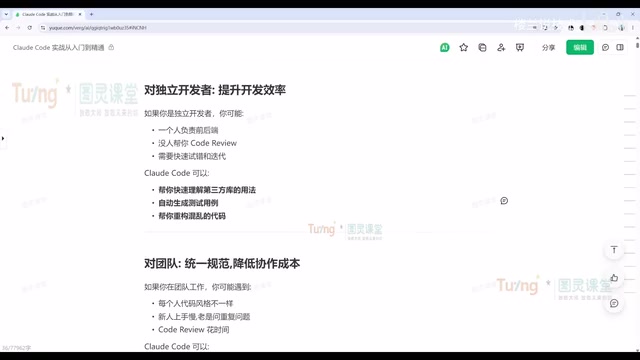
For programming beginners, Claude Code's value lies in lowering the barrier to understanding: open-source projects you can't follow, or tricky production errors, can all be handed to it for analysis and pinpointing. For indie developers, multi-agent orchestration makes it possible for one person to play the roles of product, development, and testing simultaneously. For teams, it can unify development standards, lower the onboarding cost for newcomers, and turn code review and Issue analysis into executable Skills.
SDD (Spec-Driven Development) is a practice that drives development starting from structured specification documents: first write down the requirement background, interface contracts, acceptance criteria, and boundary conditions in formats like Markdown, then have the AI generate the implementation and tests based on the spec. Compared with verbally describing requirements, SDD turns "intent" into a version-manageable file, keeping Claude Code aligned with a consistent goal across multi-turn sessions and making team review and traceability easier. Files are usually placed in the repository (e.g., spec or docs directories) and committed alongside the code, so the spec becomes a traceable engineering asset.
The Skill mechanism refers to packaging reusable development experience into structured skill packages, generally including documentation, trigger conditions, execution steps, and accompanying scripts or templates. When a task matches a Skill, Claude Code loads the corresponding context and executes according to the established process, so you don't have to describe things repeatedly each time. It is well suited to capturing team conventions such as code review standards, Issue analysis templates, and release checklists, turning individual experience into team-reusable capability.
Installation and environment setup: avoiding the two pitfalls of network and model
Claude Code currently comes in three forms: Web, CLI command-line, and IDE plugin. The Web version is good for simple conversations; in actual development, the CLI and editor plugins are more commonly used.
CLI installation itself is simple—one command for Mac, Linux, and WSL, and the corresponding install command for Windows. You need to have Node.js set up beforehand; once installed, running claude -v and seeing the version number means success. If the installation stalls, it's usually a network issue—switching to a domestic mirror source noticeably improves speed.
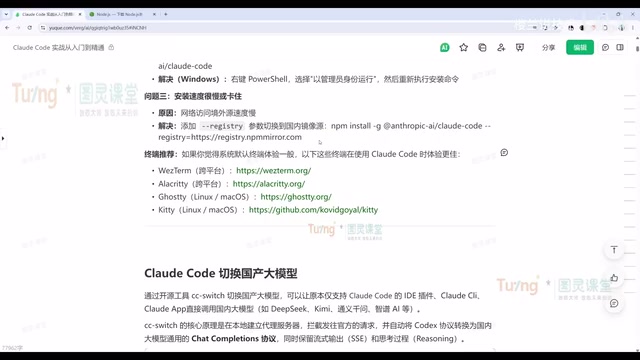
A more practical obstacle is the access restrictions on the official models. The tutorial's solution is to use tools like CC switch to switch to domestic large models (such as DeepSeekAd, Kimi, etc.). The process: download the installer for your system, enter the API key in the tool, enable it and check local routing, then restart Claude Code and you'll see the new model in the slash commands. It should be noted that the results after switching may differ from the official models, but stability is better. If you use the official paid subscription, just go through the normal login flow.
CC switch belongs to the category of model routing and configuration-switching tools; its role is to point Claude Code's requests to third-party model services compatible with the Anthropic API protocol. Its core is local routing: the tool starts a forwarding endpoint locally, Claude Code sends requests to that endpoint, and it then forwards them to the target model and fills in protocol differences, so Claude Code itself doesn't need to be modified. When choosing a domestic model, pay attention to three things: whether the model supports tool calling and long context, whether the context window is large enough to hold what project analysis requires, and the degree of protocol compatibility—when compatibility is insufficient, some advanced capabilities (such as subtask dispatch) may fail.
Getting started with a project: from analyzing structure to running through the Git workflow
Once in an actual project, the first thing is usually to have Claude Code analyze the project structure. The tutorial demonstrates a Java backend management system; Claude Code can identify that this is a backend project based on a certain frontend framework and analyze it module by module. For newcomers just taking over a project, this is more direct than reading documentation.
The daily modification workflow is worth noting: Claude Code first locates the files that need modification in the project, shows the changes, and waits for your approval before executing. You can approve one by one, or choose not to accept. This loop of "locate—show—approve—execute" is the foundation for understanding its behavioral logic.
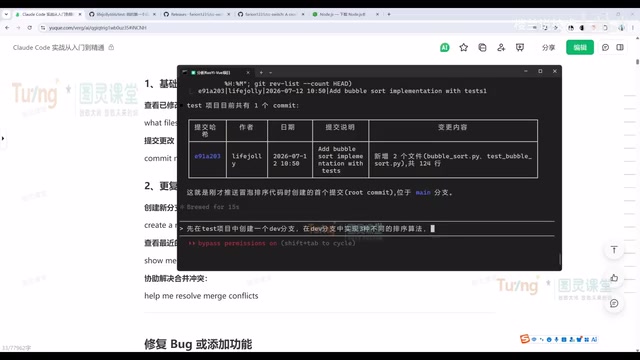
Git operations are the smoothest part of this workflow. The tutorial demonstrates the complete chain: have Claude Code create a personal tech blog project, then sequentially pull the repository, move files, commit, and push. Later you can also create a new branch from an existing repository, implement three sorting algorithms in the new branch, commit and push, then have it analyze problems in the branch code and output an Issue file. The whole process requires no memorizing of Git commands—just describe your needs in natural language.
The issue-fixing process follows the same fixed logic: first understand the context and analyze the code logic to find the root cause, then give modification suggestions and show them, and if the project has tests, run them to verify. In the tutorial, Claude Code was asked to fix all issues by referring to the Issue files it had generated itself and commit and push—without a single line of code being manually changed throughout. This automated chain of "discover problems—organize problems—solve problems" is a typical use of Claude Code in engineering scenarios.
Command system: the division of labor between slash commands and external commands
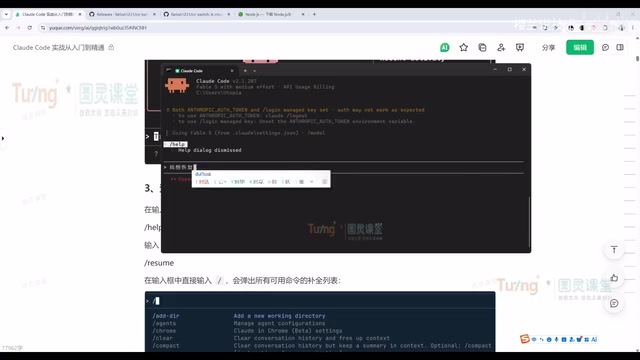
Claude Code's commands fall into two categories. One is slash commands used within the chat window, such as /login, /resume, and /clean, used for restoring conversations, clearing context, switching accounts, etc. Among them, /resume and /continue are high-frequency commands, used to select and restore from a history list and to directly restore the previous conversation, respectively.
The other category is commands executed outside the terminal, such as claude -p headless mode, which can execute a single conversation directly as a command—suitable for embedding Claude Code capabilities into scripts or pipelines; claude -r is used to restore the previous conversation; and claude commit directly invokes a Git commit. When you forget how to use a command, you can also just ask Claude Code itself—it will tell you which command to use.
MCP (Model Context Protocol) is an open protocol for connecting external data sources and tools to AI applications in a standardized way. The server exposes resources (readable data) and tools (callable operations), and the client discovers and invokes them on demand during a session. For Claude Code, once an MCP service is connected, it can query databases, read documentation systems, operate ticketing platforms, and so on, breaking through the boundaries of the local file system. In practice, you should control the number of connected services and the scope of permissions to avoid context bloat and the risk of erroneous operations.
SubAgent is a task-dispatch mechanism: the main session assigns a clearly scoped subtask (such as "scan all test files and summarize the causes of failures") to a subagent with its own independent context, and the subagent returns only the conclusion when done. This allows multiple tasks to be processed in parallel and prevents intermediate processes from polluting the main conversation's context window. When designing subtasks, the clearer the input and output and the more single-purpose the responsibility, the more stable the result.
Commentary: the direction of tool evolution and the user's positioning
Judging from the content covered in this tutorial, Claude Code's design philosophy is clear: hand repetitive engineering labor to the AI, and leave goal-setting, constraint judgment, and aesthetic decisions to humans. It supports MCP service integration, SubAgent task dispatch, and connections among plugins and the memory system—capabilities that point toward the dispatch and collaboration of complex tasks rather than single-point code generation.
For developers evaluating whether to adopt Claude Code, the recommendation is to first run through the complete loop of "analysis—modification—Git push—issue fixing" in a real small-to-medium project, then gradually introduce Skill capture and MCP integration. The tool itself iterates quickly, but the logic of building a workflow is a relatively stable asset.
One-line Summary
Claude Code is evolving into an engineering collaboration partner; this article outlines its configuration and practical workflow.
Paragraph Summary
The article outlines Claude Code's evolution from a command-line coding tool into an engineering collaboration partner. In terms of capability, it has upgraded from understanding a single file to analyzing the entire project structure, and supports SDD spec implementation, automated testing, and Skill experience capture. The two main obstacles in installation are network and official model access restrictions, which can be solved with domestic mirror sources and switching to domestic large models via CC switch. In project practice, the core is the loop of "locate files—show changes—wait for approval—execute," and Git operations can be completed entirely in natural language, including creating branches, committing and pushing, and analyzing and fixing issues. The command system is divided into in-chat slash commands and external terminal commands, the latter of which includes the -p headless mode suitable for scripted integration. The author recommends first running through the complete loop in a real small-to-medium project, then gradually introducing Skills and MCP.
Related articles
 Tech Frontiers
How Do You Stop AI Agent Emails From Sounding Like AI? One Developer's Solution
AI agent emails always sound like AI? A developer shares reright: a rewrite step that validates numbers, names, and links, preventing humanizers from tampering with key info. Test data and integration details inside.
 Tech Frontiers
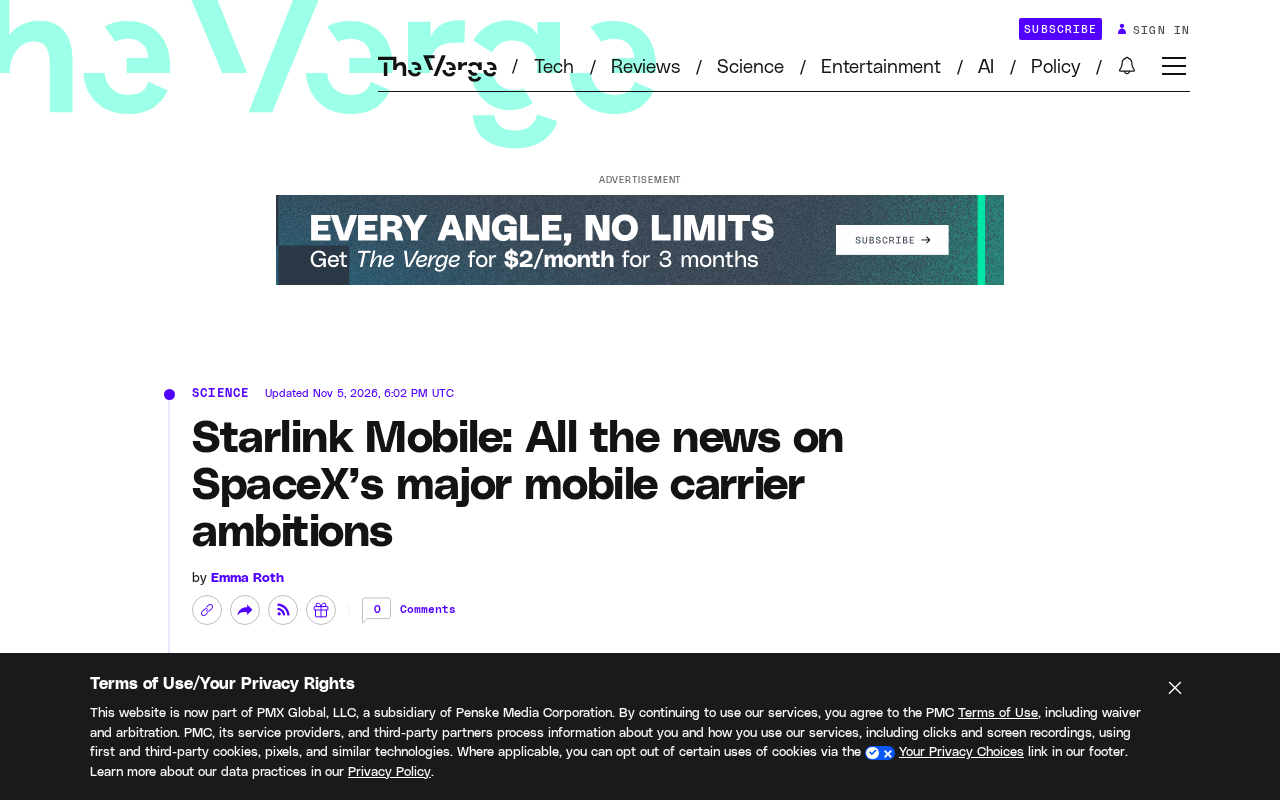
Starlink Mobile: SpaceX's Carrier Ambitions and the 5G Deployment Challenge
SpaceX plans to make Starlink Mobile a mainstream carrier, deploying thousands of direct-to-cell satellites and building a terrestrial 5G network to challenge AT&T, Verizon, and T-Mobile. This article analyzes its dual-track strategy, 5G deployment challenges, and the competitive landscape.
 Tech Frontiers
OpenAI Raises Another $11 Billion, Valuation Hits $1.25 Trillion
OpenAI has raised an additional $11 billion in a new funding round at a valuation of $1.25 trillion. The deal is not yet closed and is expected to be completed in the coming weeks, further consolidating its leading position in AI.