Claude Code in Practice: Installation, Model Switching, and Pitfall Avoidance
A hands-on guide for developers in China to install, configure, and switch models in Claude Code stably.
The article is aimed at developers in China and lays out a stable, working configuration process for Claude Code. The author notes that the installation method recommended on the official site has a low success rate under China's network environment, and suggests switching to NPM installation, preparing Git, Node.js, and a usable network environment in advance. After installation, don't rush to log in; first use the open-source tool CC Switch to configure the model provider and API Key, letting it rewrite the local settings.json to avoid account ban risks. The article also clarifies the difference between Claude and Claude Code and emphasizes that the tool is not tied to Claude models—DeepSeek, Kimi, GPT, and others can all be integrated—and that daily programming doesn't require over-idolizing leaderboards.
Claude Code in Practice: Installation, Model Switching, and Pitfall Avoidance
Claude Code is an agentic coding tool released by Anthropic that can read codebases, edit files, run commands, and integrate with developer tools. It is essentially a domain-specific agent designed for programming scenarios. For programmers, tools like this are being used more and more frequently. However, users in China often run into network and account issues during installation and login. Based on hands-on experience, this article lays out a stable, working configuration process and clarifies a few common misconceptions.
Why Start with the Official Site and NPM
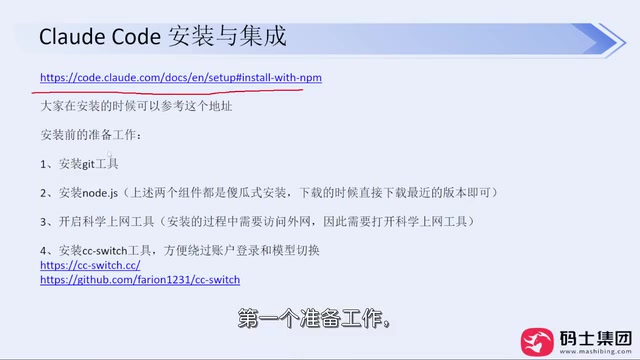
When learning a new tool, checking the official site first is the safest path. The Claude Code official site supports Simplified Chinese, has complete documentation, and clearly lists installation commands and configuration instructions. However, the installation method recommended on the official homepage has a low success rate under China's network environment, with common errors being permission errors or network timeouts.
A more reliable approach is to switch to NPM installation. Prepare three things in advance: install Git, install Node.js (during installation you only need to adjust the directory; the rest can stay default), and enable a VPN/proxy tool to ensure network ports are unobstructed. Then run the NPM install command, and the success rate will improve substantially. The original author mentions that installing it this way for non-programmer colleagues has basically never failed.
Don't Log In Right After Installing: The Bridging Role of CC Switch
After installation, don't rush to type claude to log in. The first run will ask you to trust the folder, choose a theme, and then pop up account login. If you log in directly with a Claude subscription or Console account, you may face the risk of intermittent account bans later on.
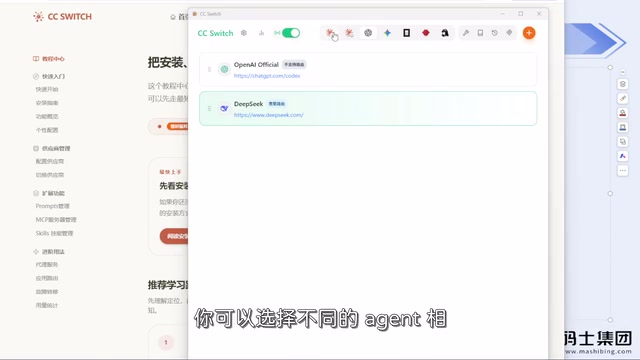
A safer path is to first use CC Switch, a small open-source tool, for configuration. It doesn't require login or a Claude subscription—just download the installer and run it locally. In CC Switch, select a model provider, fill in the API Key, and click enable; it will rewrite your local settings.json configuration file—originally you had to manually edit parameters in the .claude folder under the C drive user directory, which is error-prone for beginners, and CC Switch visualizes and simplifies this step.
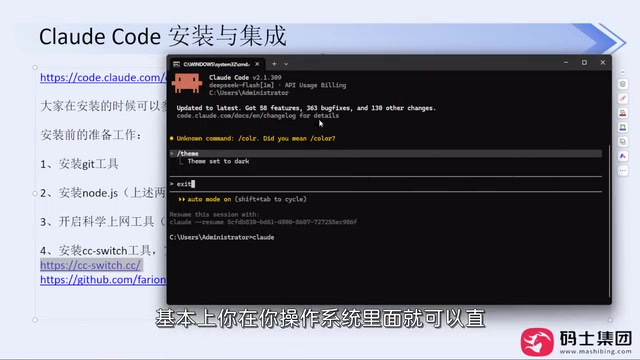
After configuring CC Switch, enter the Claude Code window to complete login, and account stability will be much better. The original author has used this method long-term without encountering account bans. It should be noted that CC Switch is only an adapter for local configuration files; it does not increase token consumption or perform any extra processing on requests.
settings.json is Claude Code's local configuration file, usually located in the .claude folder under the user directory (on Windows, C:\Users\<username>\.claude; on macOS/Linux, ~/.claude). It stores parameters such as model providers, API endpoints, API Keys, and various environment variables. When Claude Code starts, it reads this file to decide which model service requests are sent to, so a single wrongly edited field can cause authentication failures or requests going to the wrong address. Tools like CC Switch turn the key fields in this JSON into graphical interface options and handle reading and writing for the user, reducing the risk of misconfiguration. Once you understand this, even without CC Switch you can directly edit settings.json to achieve the same configuration.
Models Can Be Switched Freely—No Need to Be Tied to Claude
A common misconception is that "if you use Claude Code, you must use Claude models." In fact, Claude Code is just a coding agent; as long as a model provider can offer a usable API interface, it can be integrated. Models such as DeepSeekAd, Kimi, and GPT can all be configured and switched in CC Switch.
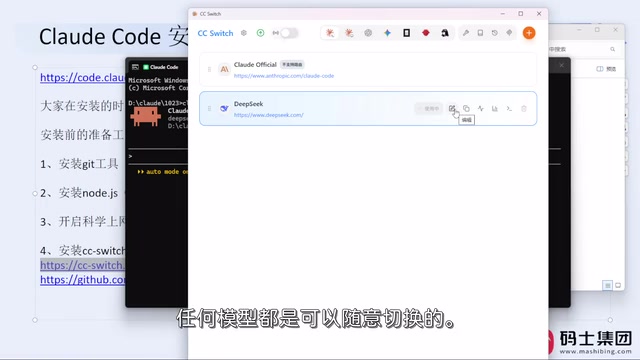
The original author's view is worth considering: daily programming work mainly involves writing code, organizing documentation, and analyzing requirements, and mainstream models can basically meet these needs—there's no need to over-idolize leaderboards or capability differences under extreme benchmark conditions. Just use whichever you're comfortable with. Domestic models such as the new version of DeepSeek, Kimi, and GLM are already quite capable, and the choices are much broader than before. Of course, if you insist on using official Claude models, you'll need to register the corresponding account and bear the associated network and account risks.
An API Key is a credential issued by a model provider to a user. Claude Code carries it with every inference request, and the server uses it to verify identity, bill, and rate-limit. Keys from different vendors cannot be mixed, and they are often bound to specific request addresses (Base URL). Therefore, when switching providers in CC Switch, you usually need to fill in the corresponding API Key and endpoint address together; the two must match, otherwise you'll get 401 (authentication failure) or 404 (wrong address). In addition, billing methods vary greatly between providers—some charge by token, others offer monthly subscriptions—so it's best to confirm quotas and pricing before switching models to avoid unexpected costs during debugging.
A Few Easily Confused Concepts
Claude is the large language model itself, while Claude Code is a coding agent built on top of it—they are not the same thing. Claude Code is naturally optimized for Claude models but is not forcibly tied to them. Similarly, tools like Codex and DeepSeek Harness can also be configured with other models. The tool is just a carrier; the model is what actually performs inference. Once you separate these two layers, configuration becomes much less confusing.
As for choosing Claude Code or Codex, there is no mandatory answer. Use whichever feels more comfortable; the key is to choose based on your own development habits and network conditions. This article focuses on Claude Code for demonstration, but the process and ideas are equally instructive for other agentic coding tools.
Agentic coding tools are fundamentally different from ordinary code completion plugins. Completion tools only predict the next piece of code based on the current cursor context, whereas agentic coding tools have a "read—modify—run" closed loop: they can proactively search the entire codebase, open and modify multiple files as needed, execute terminal commands, and adjust next actions based on output. This multi-turn autonomous decision-making depends on the model's support for tool calls, and precisely because of this, whether the integrated model has stable function-calling capabilities directly affects the experience. Understanding this layer explains why the same tool can perform noticeably differently after switching models.
Summary
A stable Claude Code configuration process can be summarized as: install via NPM, don't log in yet, configure models with CC Switch, then complete login. This process solves three practical problems: installation success rate, account stability, and model flexibility. For developers in China, getting the toolchain working is more meaningful than obsessing over model rankings—after all, daily development tasks have far less extreme demands on model capability than benchmarks do.
Related articles

GPT-6 Security Model and the AI Attack-Defense Escalation: This Week in AI
This week in AI: OpenAI's GPT-6 Saber found 948 Linux kernel root-escalation paths; Cursor deploys full apps from one sentence; Binance details a social engineering attack; C++26 fails ISO vote.
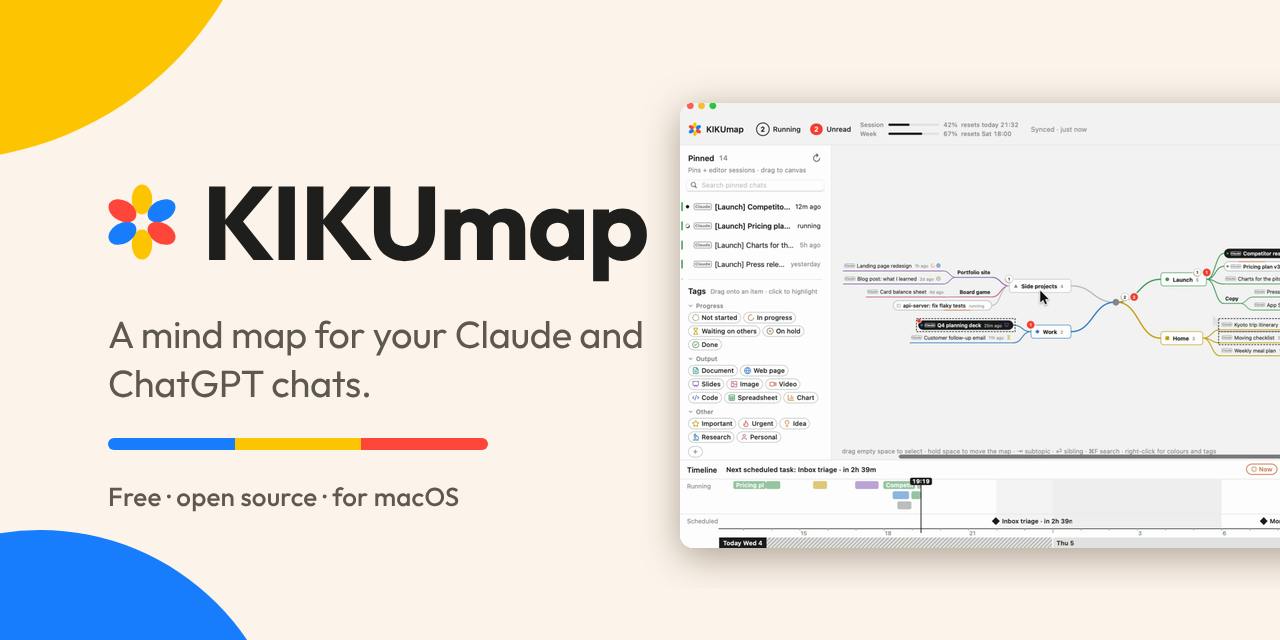
KIKUmap: Manage Your Claude and ChatGPT Conversations with Mind Maps
KIKUmap is a macOS menu bar app that visualizes Claude and ChatGPT conversations as mind maps with real-time status. Free and open source.
Hugging Face Executive Warns: Cyberattacks Are Eroding the Openness of Open-Source AI
Hugging Face executive Irene Solaiman warns that rising cyberattacks on open AI platforms may force stricter security limits, threatening the openness of the open-source community and affecting the developer ecosystem.