Cursor Gets a Visual Mode: PenFile Plugin Turns AI Coding into a Design Tool

The PenFile plugin gives Cursor a built-in visual editor, shortening the feedback loop from code to interface.
This article introduces PenFile, a new plugin for Cursor that pushes the AI code editor beyond plain text. After installing it from the Cursor extension marketplace, users can click a PenFile file to open a visual interface inside the editor. PenFile's core is a custom editor built by the team—visual editing isn't a bolt-on feature but a foundational layer of the product, and the capability can extend across multiple applications. The article argues its value lies in shortening the feedback loop from AI-generated code to visual adjustments, letting developers fine-tune interfaces without switching to external tools like Figma, making workflows more compact. However, the video doesn't demonstrate complex scenarios like responsive layouts, component library management, or team collaboration, so whether PenFile can replace traditional design tools remains uncertain.
From Code Editing to Visual Design: Cursor's New Trick
The AI code editor Cursor is pushing past the boundaries of "plain text." Recently, a plugin called PenFile has given Cursor visual editing capabilities—click a PenFile file and a visual editor opens right inside Cursor. As stated in the video: "We built our own custom editor inside Cursor," which is essentially embedding a design tool directly into the AI coding environment.
For developers accustomed to using AI to generate interfaces, this is a signal worth paying attention to: AI coding tools no longer just output code—they're starting to take over the visual layer too.
How Does PenFile Work?
Install and Go, No Complex Configuration
According to the video, getting started is extremely simple: open Cursor's extension marketplace, search for "PenFile," and install it—the plugin starts working immediately. There's no cumbersome initialization process and no additional build steps. This "out-of-the-box" design lowers the barrier to trying it out.

Built-in Custom Editor
PenFile's core is a custom editor implemented inside Cursor. The developers say they started with this editor and then built a series of applications around it. This means visual editing isn't a bolt-on feature—it's a foundational layer of the product.

Cursor's custom editor API is the key underlying capability that takes it from "text editor" to "multimodal workbench." The VS Code ecosystem originally only supported text-centric editors (such as code and Markdown), but Cursor has opened up deeper integration methods beyond Webview: plugins can register an independent editor type, embed any front-end interface (canvas, visual panel, form) into the editing area, and link it with the file system, AI completions, and the command palette. This means PenFile's visual editing isn't a floating popup—it's a "first-class citizen" on par with code files, able to participate in split views, tab management, and the keyboard shortcut system. Understanding this makes it clear why the article emphasizes that visual editing is a "foundational layer of the product" rather than a bolt-on feature.
More Than Design: Capabilities Extending Across Applications
PenFile's capabilities aren't limited to a single scenario. The video mentions that this visual editing capability can now run in multiple applications. "Now it works across all these apps," the developer describes. This suggests PenFile may use a reusable architecture that lets visual editing capabilities be embedded into different tools like building blocks.
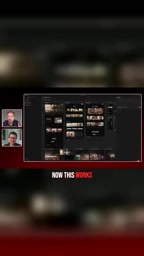
For the AI coding ecosystem, this approach is worth pondering: when code generation becomes ubiquitous, the differentiating competitive edge may shift to "visual adjustments after generation." Developers can fine-tune the interface directly in Cursor without switching to external tools like Figma, making the workflow more compact.
In the context of AI coding, the "code-to-visual feedback loop" refers to the complete round trip from generating code, rendering the interface, observing the result, to making modifications and adjustments. In traditional workflows, developers need to paste AI-generated component code into the project, start a local server, view it in the browser, then switch back to a design tool or code to make changes—each round trip comes with context-switching costs. PenFile puts rendering and editing in the same window, effectively compressing the latency of this loop to nearly zero. The shorter the feedback loop, the more iterations you can do, and the more efficient prototype exploration becomes—this is exactly why "visual adjustments after generation" is seen as a new competitive point.
What It Means for Developers
Based on the available information, PenFile is more like an "experiment in fusing design tools with AI editors." Its value lies in shortening the feedback loop from code to visuals: after AI generates components, developers can immediately make visual adjustments in the same window. For rapid prototyping and interface iteration, this integrated experience has real appeal.
However, the video doesn't demonstrate performance in complex design scenarios, such as responsive layouts, component library management, or team collaboration. Whether PenFile can replace traditional design tools remains an open question. But at least it gives Cursor users a new option: tweak the interface right where you write the code.
Summary
The PenFile plugin gives Cursor a visual mode—simple installation, a built-in custom editor, and support for running across multiple applications. It represents an attempt by AI coding tools to extend toward a "full-stack workflow." For developers seeking efficiency, it's worth searching for in the extension marketplace and giving it a try.
Related articles

Controversial US Surveillance Law Section 702 Nears Expiration: Congress Races to Renew
FISA Section 702 surveillance authority is nearing expiration. Congress is urgently pushing reauthorization, possibly attaching it to the NDAA. This article analyzes the controversies, legislative strategy, and future outlook.

iFood Manages 15,000 Repositories with Coding Agents: An Architectural Lesson at 4 Cents per Run
How iFood scaled coding agents to 15,000 repositories with its Remote Agents Platform: REST API-driven, GPT-5.6 Luna selection, structured output acceptance, $0.04 per run, security fixes doubled.

The No-Space Vacuum: The Mystery of Geometric Origins in Quantum Gravity
The "no-space vacuum" in group field theory refers to a state with no geometric quantum excitations—not empty space, but no space. This article explains how this quantum gravity concept yields macroscopic cosmic geometry through condensed matter mechanisms, along with the theory's current status and controversies.