Cursor Marketplace Hit by Supply Chain Attack: Claude Code Package Tampered, Up to 5,000 Users Affected

Cursor's official marketplace suffered a supply chain attack; the malicious Claude Code package executes without clicks and affects up to 5,000 users.
This article provides detailed coverage of the supply chain attack on Cursor's extension marketplace. Attackers replaced the correctly-named Claude Code package in the official marketplace; it was listed for approximately 11 hours, affecting up to about 5,000 users. The malicious code executes before the package starts, without requiring user clicks, adding SSH keys, establishing a reverse tunnel, setting up boot persistence, and reporting back host information and environment variable names. The article breaks down the four steps of the attack, provides self-check conditions and removal steps, and emphasizes the core lesson that "official name" and "official channel" are two different things, recommending individuals remove unused packages and avoid storing strong keys in environment variables, while enterprises establish package whitelists and monitor abnormal SSH access.
Cursor Marketplace Hit by Supply Chain Attack: Claude Code Package Tampered, Up to 5,000 Users Affected
AI coding tool Cursor's extension marketplace has been hit by a supply chain attack. The attackers did not create a fake package—instead, they replaced the correctly-named Claude Code package in the official marketplace with a malicious version. It was listed for approximately 11 hours, and Cursor officially estimates that up to 5,000 users may be affected. What's more troubling is that you don't need to click any buttons—the malicious code executes when the editor loads the package, and simply uninstalling it may not clean up the problem.
Background: The Chain of Trust Shifted from Author to Marketplace
Cursor is an AI code editor based on VS Code, used similarly to VS Code, and has its own extension marketplace. Think of the marketplace as an app store within the editor: installing an extension is like inviting a new colleague into the office—it can access more than most people realize. Many users also have auto-update enabled, so when a new version appears in the marketplace, the editor installs it automatically without even notifying the user.
According to an analysis by the YouTube channel An An, this attack is a typical supply chain attack—it doesn't attack you directly, but tampers with a link you trust. Developers' computers are especially valuable: source code, cloud keys, and corporate intranet connections are often all on the same machine. Attackers only need to compromise one widely-trusted package to reach a large number of high-value targets simultaneously.
Supply Chain Attack is an attack pattern where attackers do not directly attack the final target, but instead indirectly achieve intrusion by compromising or contaminating third-party software, tools, or services that the target trusts. In software development, typical supply chain attacks include tampering with open-source repositories, hijacking software update channels, and uploading malicious versions to official app stores. These attacks are dangerous because they exploit developers' natural trust in "official channels" and bypass conventional perimeter defenses. This Cursor marketplace incident is such a case: the attackers did not forge an independent fake package, but directly replaced the correctly-named extension package in the official marketplace, making it difficult for users to detect even when installing from official channels.
What the Malicious Code Does: Breaking Down Four Actions
After analysis by a security research firm (cited by An An as Foreign), the malicious code was inserted at the very beginning of the package's main program, executing before the package starts. It doesn't require you to open Claude Code; it automatically determines whether the environment is Mac, Windows, or Linux, then takes different paths. The entire attack chain can be broken down into four actions.
Step 1: Adding a Key to the SSH List
SSH is a common tool for engineers to remotely log into computers. The computer has an authorization list specifying which keys can enter. The malicious code adds the attacker's key to this list, disguised with a name resembling a system service: "SVC-Telemetry."
Step 2: Digging a Reverse Tunnel from the Intranet
Firewalls typically block external inbound connections, but the malicious code initiates an outbound connection from your computer and then uses this pathway in reverse—equivalent to digging a tunnel from inside the house to the outside. Even if you close the editor, the tunnel doesn't stop; it retries approximately once per minute. What's worse, this connection looks like normal outbound traffic, and many personal computer defenses won't notice it at all.
Reverse Tunnel is a network penetration technique. Normally, firewalls block inbound connections initiated by external hosts but allow outbound connections from internal hosts. A reverse tunnel exploits this characteristic: an internal host actively connects to an external server and requests that a port on the external server be "mapped" back to the internal host, thereby forming a channel from the outside that can access the internal network. Attackers often use this technique to bypass firewalls and control intranet machines from outside. In this incident, the malicious code actively establishes an outbound connection from the user's computer and uses it in reverse, allowing attackers to enter the user's intranet through what appears to be normal outbound traffic. Even if the editor is closed, the tunnel continues to retry, increasing the risk of persistent control.
Step 3: Establishing Persistence
On Mac, it places a startup item disguised with a label resembling an Apple service; on Windows, it attempts to create a scheduled task named Sysmon, and if that fails, places it in the startup folder instead. These actions don't require you to reopen the editor—it will come back after a reboot.
Step 4: Filtering for Worthy Targets
The malicious code reports back the hostname, account name, Git email, public IP, and up to 40 environment variable names that look like keys—note that these are names, not contents, but names alone are enough to determine which machine is worth attacking first.
Environment Variables are dynamic values in an operating system used to store system or application configuration information, such as paths, temporary directories, keys, proxy settings, etc. In development environments, developers often store sensitive information like API keys and database passwords in environment variables so programs can read them at runtime. In this attack, the malicious code reported back the names of environment variables, not their specific contents. Although the names themselves don't directly leak key values, attackers can use names (such as AWS_ACCESS_KEY_ID, GITHUB_TOKEN) to determine which high-value credentials might exist on the target machine, thereby prioritizing attacks or conducting targeted phishing. This reminds developers that even if environment variable values are not leaked, their naming can expose system information, and overly obvious sensitive names should be avoided.
Attacker Mistakes and Real Risks
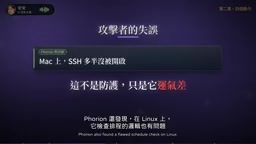
This malicious program is not invulnerable. According to research cited by An An, on Mac it needs to first check whether remote login is enabled, but the check fails without administrator privileges, and the program's misjudgment actually prevents the tunnel from being opened. Cursor also stated that on most Mac and Windows systems, attackers may not actually be able to log in through the tunnel. But this is just luck, not adequate protection.
The logic for checking scheduled tasks on Linux is also flawed—repeated execution may clear the user's original scheduled tasks; the OpenSSH installation process on Windows also doesn't work on ordinary computers. However, the key and startup items remain in the system, and once you enable the remote login entry yourself someday, the pathway will be established.
Are You Affected: Three Conditions and Self-Check Steps
An An provides clear screening conditions: First, you use Cursor, not the official VS Code marketplace or Open VSX; Second, you installed version 2.1.312 or 2.1.313 (Cursor's announcement covers Mac and Windows); Third, you had auto-update enabled between approximately 5 PM Taiwan time on October 29 and 4:30 AM on October 30. Many people may not even realize they updated, so don't rely on memory—actually check.
Mac users should open Terminal and check whether SVC-Telemetry appears in the SSH list; if there's output, the key is present. If there's no output, take one more step: confirm whether the above two versions exist in the editor's extension folder, and whether a file named com.app.sysmon exists in the Launch Agents folder—genuine Apple services won't be placed there. Windows users need to check two locations; specific commands are in Cursor's official announcement.

After Detection: Isolation, Removal, and Key Rotation
If the self-check hits, the first step is to isolate this machine and stop using it to log into important services; the second step is to run Cursor's provided removal script, which removes the package, startup items, tunnel, and keys; the third step is to assess whether a system reinstall is needed—Cursor's announcement also warns that uninstalling alone may not be enough; the fourth step is to use another clean computer to change all keys and login credentials that this machine could access.
The order is crucial: do not change passwords on the infected computer—that's like showing the new password directly to the attacker. Cloud keys, GitHub accounts, and corporate VPNs should all be included in the rotation scope; don't just change the ones you can think of. Corporate security staff can also check SSH logs for login records from the local machine—if present, it means the tunnel was actually used.
Official Response and a Misattribution Incident
Cursor's response measures include: removing versions 2.1.312 and 2.1.313, temporarily closing the entire marketplace, rebuilding and reopening the marketplace after rotating keys in conjunction with permission changes, and the attacker's servers have also been taken offline. The official recommendation is to update to 2.1.314.
In the early stages, some analyses claimed the problem was with Open VSX, which was corrected the next day—this version did not exist on Open VSX. Open VSX is an open extension library used by many VS Code-derived editors, and being named in this incident was a misunderstanding. This reminds us that the first version of security news often gets corrected; reading only the first report may cause unnecessary alarm.
As for the attacker's identity, it remains unknown, and how the two versions were listed has not been explained in the announcement—these are points to watch going forward. It's important to distinguish: this is not a vulnerability in the Claude Code program itself, nor did Anthropic release a bad version. Cursor's announcement is clear: someone modified it and put it on its marketplace. Anthropic's security engineer also stated that the version on official channels was not affected.

Lessons and Protection Recommendations
"Download software from official channels" remains correct, but the key lesson this time is: an official name and an official channel are two different things. The same package is maintained by different people in different marketplaces, with different risks. Auto-update is usually good for patching, and there's no need to disable it because of one incident, but in corporate environments, developer computers should ideally be able to quickly answer one question: what version is actually installed right now?
For individual developers: remove unused packages—every package is a door; don't carry strong keys in environment variables everywhere—use short-lived credentials when possible; occasionally open the SSH list and look—if you see an unfamiliar key, investigate.
For those managing corporate development environments: establish a package whitelist, pin versions for important tools, and verify new versions before allowing them; monitor whether the editor has abnormal access to the SSH folder—research firms also recommend this; the editor shouldn't touch that folder under normal circumstances; control developer permissions to avoid one machine's compromise bringing down the whole company. Also plan in advance who will lead incident response, ensuring all developer computers can be checked within a day.
This also applies to non-coders: extensions on phones and browsers follow the same principle—delete what you don't use, and be suspicious when too many permissions are requested. The more convenient AI tools become, the more permissions they receive; every once in a while, look back and ask: who exactly did you hand your keys to?
This article's information is current as of November 2; the investigation is still ongoing, and please refer to official announcements for updates.
One-line Summary
Cursor's official marketplace suffered a supply chain attack; the malicious Claude Code package executes without clicking and affects up to 5,000 users.
Paragraph Summary
This article provides detailed coverage of the supply chain attack on Cursor's extension marketplace. Attackers replaced the correctly-named Claude Code package in the official marketplace; it was listed for approximately 11 hours, affecting up to about 5,000 users. The malicious code executes before the package starts, without requiring user clicks, adding SSH keys, establishing a reverse tunnel, setting up boot persistence, and reporting back host information and environment variable names. The article breaks down the four steps of the attack, provides self-check conditions and removal steps, and emphasizes the core lesson that "official name" and "official channel" are two different things, recommending individuals remove unused packages and avoid storing strong keys in environment variables, while enterprises establish package whitelists and monitor abnormal SSH access.
Related articles
 Tech Frontiers
Edge AI on Microcontrollers: When Is It Actually Worth Deploying?
Drawing on Reddit discussions and Arm case studies, this article analyzes the real-world use cases for edge AI on microcontrollers: when each device needs independent inference, when a gateway or cloud is more reasonable, and the costs and boundaries of specialized hardware.
 Tech Frontiers
Pushing the Limits of Extreme Sudoku on a 16GB GPU: Insights from Depth and Flow Matching
A researcher trained a 16.54M-parameter model on a 16GB GPU to solve extreme Sudoku, finding effective depth breaks the 60% plateau and flow matching with improved sampling pushes accuracy past 99% with ~50× lower layer-evaluation budget.
 Tech Frontiers
AI Agent Approval Workflows: Why Human Confirmations Always Get Mindlessly Clicked
Why do AI agent approval workflows always get mindlessly clicked? A Reddit discussion shows that separating rules from keys, low-frequency high-risk approvals, and GitHub Environments-style gates are the keys to effective approvals.