Cursor Open-Sources Agent SDK: Build AI Agents with Just a Folder
Cursor opens its internal Agent SDK, letting developers build evaluable AI agents with folder-based instructions and tools.
Cursor has launched the Agent SDK, opening the same underlying toolchain its team uses internally to build agents for code review, security scanning, change approval, and more — not a simplified version. The essential difference between agents and chatbots is that agents take on complete tasks: breaking down steps, calling tools, and pushing through to completion. Building is compressed into one folder holding two files — Markdown instructions and TypeScript tools — making agents ordinary code assets that are readable, version-controllable, and rollback-able. Model scheduling, tool calling, loop advancement, and other underlying pipeline work are handled by Cursor's runtime, with both hosted and self-deployed paths, plus default key protection and isolated environments. The article particularly emphasizes the value of built-in evals: every change can be tested to judge whether the agent got better or worse. Official examples include PR review, ticket triage, and a Slack assistant.
AI coding tool Cursor has launched the Agent SDK, opening up to developers the entire toolchain it uses internally to build AI agents. This isn't a stripped-down version — it's the same underlying infrastructure the Cursor team uses day to day to build agents for code review, security scanning, change approval, and more. Its philosophy in one sentence: the best AI agents aren't for chatting — they're the ones quietly writing code, hunting bugs, and reviewing PRs for you.
What Exactly Is the Agent SDK?
"SDK" sounds technical, but it's really just a "parts kit." The kit Cursor is releasing this time is purpose-built for assembling AI agents.
Agents and chatbots are fundamentally different. A chatbot answers a question and stops; an agent takes on an entire job: breaking down steps, calling tools, and pushing through until it's done. It's more like an assistant that can actually get work done, rather than a search box.
AI Agent represents a paradigm shift away from single-turn Q&A models. A traditional chat model takes input, generates output, and that's it; an agent is given a goal, tools, and an execution loop, and can autonomously decide its next action and keep iterating until the task is complete or a termination condition is triggered. Technically, an agent usually consists of three parts: planning (breaking the goal into subtasks), tool calling (performing external actions such as reading files, sending requests, or querying databases), and memory (retaining context and intermediate results). Patterns commonly discussed in the industry, such as ReAct and Plan-and-Execute, are simply different designs for organizing these three components. Understanding this is key: an agent's capability ceiling depends not only on the underlying model, but even more on whether the tools are well designed, whether the instructions are clear, and whether the loop control is robust.
One Folder, Two Files
Cursor has compressed agent-building to an extreme minimum: one folder holding two things.
Instructions are plain text written in Markdown, telling the agent what to do and how to do it. You don't need complex configuration — it's as natural as writing handover notes for a new colleague.
Tools are concrete actions written in TypeScript — the agent's "hands." Instructions are the brain, tools are the hands and feet; put both in the same folder, and that folder is your agent.
The cleverness of this design is that an agent becomes an ordinary code asset that's readable, version-controllable, and rollback-able — not a black box you can only probe by trial and error.
Cursor Runs the Underlying Pipeline for You
Once the agent is running, all the dirty work — model selection, instruction parsing, tool calling, loop advancement — is handled by Cursor's runtime. You only need to provide the ideas and the instructions.
Deployment offers two paths: hosted on Cursor's infrastructure with zero ops, or running on your own machine with full control.
Security has default safeguards too — keys won't be left exposed in code, and agents run in isolated environments without overstepping into things they shouldn't touch.
Runtime refers to the underlying system responsible for scheduling model inference, parsing instructions, executing tools, managing context, and controlling the loop from the moment an agent starts until it finishes. Building a runtime yourself usually means dealing with a lot of tedious problems: how to truncate overly long context, how to retry failed tool calls, how to prevent infinite loops in multi-step tasks, and how to isolate resources for concurrent tasks. Cursor encapsulates this layer, so developers only need to declare "what to do" and "what can be called" without worrying about scheduling details. The difference between hosted deployment and self-deployment mainly lies in data flow and operational responsibility: hosting saves you servers and upgrade maintenance, while self-deployment suits teams with hard requirements around data residency and compliance auditing.
The Underrated Feature: Built-in Evals
Most people will focus on "how to build," but what really determines an agent's long-term quality is evals.
Every time you change instructions or add a tool, you can run a set of tests to judge whether the agent got better or worse. This turns agent iteration from "going by feel" into "looking at data." Combined with folder-style code management, you can compare versions, roll back failures, and keep refining.
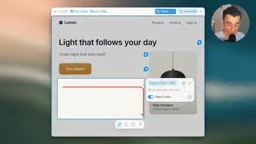
An agent that doesn't run evals may quietly degrade when you're not paying attention. This feature deserves serious attention from every user.
Evals are a set of methods in AI engineering for quantifying system performance, akin to unit tests and regression tests in traditional software. For agents, evals typically include a fixed set of inputs (such as a number of code changes or ticket samples) and judgment criteria (whether the output contains key information, whether the correct tools were triggered, whether operations exceeded permissions). Because LLM outputs are stochastic, a single run isn't enough to draw conclusions; evals often require multiple runs and pass-rate statistics. Without evals, instruction tuning easily turns into blind trial and error — "fix one thing, break another"; with evals, every change gets a comparable score, making the evolution of an agent engineering-controllable. This is also a key step in moving AI applications from demo to production.
What Agents Can Do: From PR Review to Slack Assistant
Cursor's official starter example is a PR review agent: watch for new code changes, read them, and leave useful comments like a tireless teammate.
Other typical scenarios include: a triage agent that immediately classifies new tickets, tags them, and flags urgent items; a Slack assistant that answers the hundred questions the team keeps asking, while handling small tasks along the way.
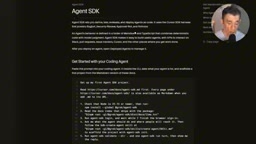
What these agents have in common: they take on a repeatable piece of real work, and because you wrote the instructions yourself, they behave exactly according to your intent — not the one-size-fits-all style of some generic assistant.
Getting Started Tips and Barriers to Entry
Start small. Don't try to build a big, all-encompassing agent on day one. Pick one boring, repetitive little task, get it working first, then expand gradually.
Spend time on instructions. Plain English (or Chinese) description carries most of the workload. Write instructions as if giving a new colleague a detailed handover — clear instructions will almost always beat clever code.
Run evals seriously. Testing sounds boring, but it's the dividing line between an agent that keeps getting better and one that quietly gets worse.
To be honest, this toolkit is more hands-on than point-and-click products. If you've never touched code, you'll face a learning curve with text files and a bit of TypeScript. But it also means you're not locked into someone else's idea of what an agent can do. If all you want is a bot that can chat, Cursor's Grokbot is the zero-code route; if you want an agent your team can test, trust, and rely on long term, the Agent SDK is the right tool.
TypeScript is a statically typed language led by Microsoft, a superset of JavaScript that compiles to run in environments such as Node.js. It retains JavaScript's flexible syntax while adding type annotations, catching errors like mismatched parameter types at writing time, which is why it's widely adopted in toolchains, backend services, and the AI SDK ecosystem. For beginners, mastering just function definitions, object structures, and type declarations is enough to write the "tools" part of an agent; complex type gymnastics aren't necessary. Compared with learning a new language from scratch, the barrier here is mainly "reading and modifying existing code" rather than building independently from zero.
A Signal of Tooling Equality
In the past, building a genuinely usable agent required an entire team and a lot of time. Now it takes a folder, clear instructions, and a bit of tinkering patience. Cursor opening its internal system as-is means individual developers and small teams have, for the first time, access to agent-building capabilities on par with large organizations.
This capability has a compounding effect: every small agent you build makes the next one faster. And right now most people haven't realized this door has opened — this window won't last forever.
One-line Summary
Cursor opens its internal Agent SDK, letting developers build evaluable AI agents with folder-based instructions and tools.
Paragraph Summary
Cursor has launched the Agent SDK, opening up the same underlying toolchain its team uses internally to build agents for code review, security scanning, change approval, and more — not a simplified version. The essential difference between agents and chatbots is that agents take on complete tasks: breaking down steps, calling tools, and pushing through to completion. Building is compressed into one folder holding two files — Markdown instructions and TypeScript tools — making agents ordinary code assets that are readable, version-controllable, and rollback-able. Model scheduling, tool calling, loop advancement, and other underlying pipeline work are handled by Cursor's runtime, with both hosted and self-deployed paths, plus default key protection and isolated environments. The article particularly emphasizes the value of built-in evals: every change can be tested to judge whether the agent got better or worse. Official examples include PR review, ticket triage, and a Slack assistant.
Related articles

Last Week Tonight Exposé: The Dangerous Ties Between Politicians and White Supremacy
Last Week Tonight investigates Georgia Senate candidate Mike Collins and Florida candidate Marshall Rawson, exposing their multiple ties to white supremacists and the Republican Party's silent response.
AI Buzz Weekly: GPT-6.5 Leak, New Claude Model, and MiniMax's Cost-Effectiveness
This week's AI buzz roundup: suspected GPT-6.5 leak, Microsoft configs showing GPT-6.1 Tera, Anthropic's new model that can identify entire classes of bugs, disappointing early Gemini 4 Carbon results, and MiniMax M3.1 Flash beating Claude Opus 5 and GPT-5.6 Sol in benchmarks at extremely low cost.

AI Briefing: Gemini 4 Carbon Released, Ant Open-Sources Ling-3.1
AI Briefing: Google releases Gemini 4 Carbon qubit model, claiming to surpass Opus 5.5 with half-price tokens; Ant open-sources Ling-3.1-1019 for real-task Personal Agents; domestic AI drug discovery succeeds in 18 of 19 projects, hitting all 6 GPCR targets; zero-revenue company valued at $20B raises another $1B; Sichuan convenience store robot sales fail.