DeepSeek Harness from Beginner to Pro: Deconstructing the AI Agent Foundation

DeepSeek Harness is an Agent foundation that moves models from conversation to execution, requiring understanding of a three-layer structure and crossing configuration thresholds.
DeepSeek Harness isn't just another chat tool but the "nervous system" of the DeepSeek model, responsible for turning model outputs into executable results. It integrates the model, terminal, file system, sandbox, memory, and task scheduling into a traceable, replayable execution system supporting task decomposition, tool calling, and automatic correction. Its core value is composability: models, tools, and workflows can all be replaced and recombined, making it an extensible Agent foundation. Beginners often get stuck on thresholds like environment configuration, API Key entry, and workspace selection, and need a six-step path: environment check, installation, startup, model configuration, workspace selection, and core operations with plugin installation. The article emphasizes getting it working first to build intuition, then filling in principles, with the ultimate goal of independently configuring plugins and building a personalized Agent workflow.
From Brain to Nervous System: What Exactly Is Harness
Many people hearing about DeepSeekAd Harness for the first time assume it's just another AI chat tool. But this project, open-sourced by DeepSeek officially, topped GitHub Trending the day after launch and set the record at the time for the fastest open-source software project to surpass 200,000 stars—such popularity clearly isn't sustained by "one more chat box."
According to the breakdown by a Bilibili tutorial author, if the DeepSeek model is the brain, Harness is its nervous system. What it does isn't think up answers for you, but turn answers into results: breaking down tasks, calling tools, saving progress, and continuously correcting based on execution results, pushing forward until the entire project reaches a closed loop.
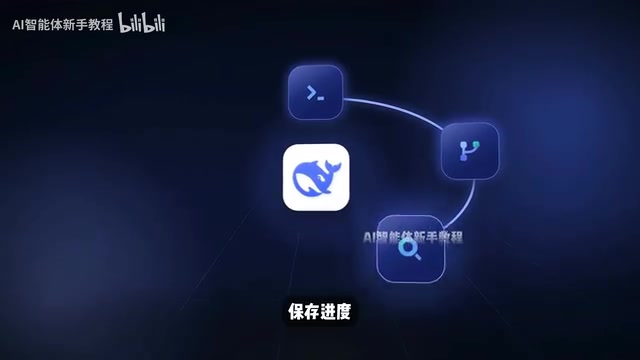
This positioning defines the dividing line between it and ordinary conversational AI. Chat AI outputs text; Harness outputs an execution trace. Give it a task, and it can break down requirements itself, run tests, and keep fixing after checking errors; if it lacks some capability, it can even write a plugin on the spot and mount it into the workflow.
Why It's the Foundation of an Agent, Not an Assistant
The key to understanding Harness lies in how it connects the model, terminal, file system, sandbox, memory, and task scheduling into a complete execution system.
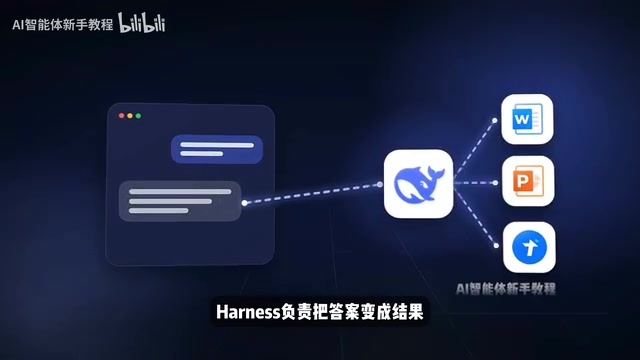
This system itself is also decomposable: the model can be swapped, tools can be swapped, and the task flow and operation interface can be recombined. Which tool was called at each step, what command was executed, where an error occurred—there's a complete trace that can be traced and replayed. This observability is essential for debugging complex Agent workflows.
So its ceiling isn't an AI assistant with more features, but an Agent foundation that can be continuously extended and reassembled according to your workflow.

My judgment is that the value of this kind of foundation-type product isn't in an out-of-the-box feature list, but in composability. The more specialized your workflow, the harder it is for a general assistant to satisfy it, and the more obvious the advantage of a foundation-type tool—provided you're willing to cross the configuration threshold.
Agent refers to a system that can perceive its environment, make autonomous decisions, and take actions to achieve goals. Unlike traditional AI assistants that only respond to single-turn instructions, an Agent typically has task planning, tool use, memory, and reflection capabilities, and can continuously advance goals across multi-step interactions. In the LLM context, an Agent often implements complex workflows through "chain-of-thought + tool calling," with its core being the transformation of model outputs into executable actions that form a closed loop. Harness is precisely the underlying framework that provides Agents with a runtime environment and orchestration capabilities, enabling models to stably interact with the environment, call tools, and correct behavior—distinguishing it from chat assistants that only output text.
Sandbox is an isolated runtime environment used to restrict a program's access to system resources and prevent malicious or erroneous operations from affecting the host. In Agent systems, a sandbox is often used to safely execute model-generated code or commands, avoiding damage to the real file system, network, or processes. Harness's integration of a sandbox means the Agent can trial-and-error, run tests, and debug in a controlled environment while keeping the host system safe. A sandbox typically provides file system isolation, network restrictions, and resource quotas, is important infrastructure for observable execution traces, and is a key component for putting Agent engineering into practice.
Where Beginners Get Stuck: Three High-Frequency Thresholds
The stronger the tool, the easier it is for beginners to get stuck at the first step. The tutorial author summarized several typical scenarios: environment configuration errors, not knowing where to fill in the API Key, not knowing how to choose a workspace after startup, plugins that won't install, and ultimately being able to use it only as ordinary chat software.

Behind these problems is actually the same cause: Harness isn't a product that works right after installation; it requires you to understand the three-layer structure of "workspace + model configuration + plugins." Skip any layer, and you'll hit pitfalls later.
API Key is an identity credential for calling large model services, usually generated by a model provider (such as DeepSeek) after a user registers. It's a unique string used for authentication, billing, and usage statistics. In tools like Harness, the API Key needs to be filled into a configuration file so the framework can initiate requests to the model API on the user's behalf. If not configured correctly, the tool won't be able to call the model, manifesting as startup failure or unresponsiveness. The API Key should be kept secure to avoid leakage, because others who obtain it may steal your quota. The format and acquisition method of API Keys vary by model, so refer to the corresponding platform's documentation.
Zero-Basis Hands-On Path: Six Steps Without Skipping
The complete path given by the tutorial is: environment check, installation, startup, model configuration, workspace selection, core operations and plugin installation. The design logic of this path is that each step prepares dependencies for the next, so skipping steps isn't recommended.
For zero-basis users, following along takes priority over understanding concepts—get it working first to build intuition, then go back and fill in the principles; the efficiency is actually higher. For common errors, it's also recommended to check them one by one; most problems lie in configuration-layer details rather than the tool itself.
Workspace in Agent development tools usually refers to an independent project directory containing code, configuration, plugins, and runtime data. Choosing a workspace means limiting the Agent's operation scope so that its file reading and writing, command execution, and plugin loading all revolve around that directory. This avoids accidentally operating on other files and also facilitates version management and environment isolation. Harness requires users to select a workspace after startup precisely to establish clear execution boundaries. A workspace structure typically includes configuration files, a plugin directory, and task logs; understanding its layout helps troubleshoot configuration problems and extend functionality.
From Being Able to Use It to Using It Well
The goal achievable after watching the tutorial isn't just being able to use Harness, but being able to independently configure plugins and build an Agent workflow that suits you. The author also compiled installation commands, plugin usage, and a pitfall-avoidance checklist for practicing while watching.
From an industry perspective, the significance of open-source foundations like Harness lies in returning the assembly rights of Agent engineering to users. As model capabilities converge, the room for differentiation lies in workflow orchestration—which is also why it's worth investing time to get hands-on.
Related articles

Vibe Coding in Practice: Full-Stack Development with Claude Code + Cursor
Based on Bilibili's Vibe Coding course series, this article maps a full-stack path with Claude Code and Cursor: from setup and Git to a finance app, payments, multi-agent and hooks, OpenCode deployment, and security compliance.

Master WorkBuddy in 40 Minutes: Desktop Office Agent from Beginner to Expert
Based on a 40-minute Bilibili course, this guide systematically covers WorkBuddy desktop office Agent installation, three working modes, multimodal practice, skills/experts/connectors ecosystems, memory rules, and automated scheduled tasks, plus credit consumption and pitfalls.
Codex Getting Started Tutorial: From Installation and Deployment to API Relay Configuration in Practice
A detailed Codex tutorial: bypass the credit card and phone number barriers of official login, complete registration, top-up, and key configuration through an API relay station, with a hands-on demonstration of editing the config.toml file on Windows—deploy in ten minutes.