Design Extract: Extract Website Design Styles and Let Claude Code Build Pages to Match
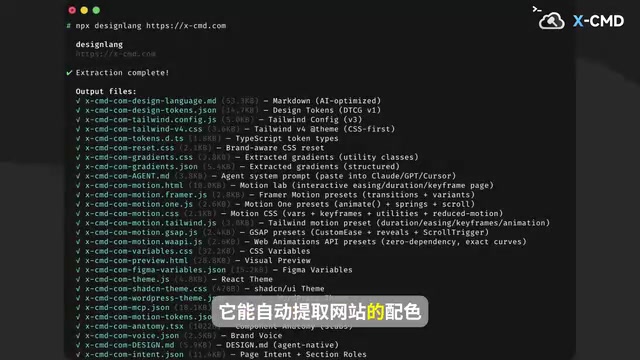
Design Extract automatically extracts website design specs, outputs Tailwind, Shadcn, and Figma formats, and supports MCP for AI coding tools.
Design Extract is a tool that automatically structures a website's visual style: input a URL to extract colors, fonts, layout, and animations into reusable design tokens. Its outputs plug directly into existing workflows—generating Tailwind CSS configs, Shadcn UI themes, and Figma variables so coding and design share the same visual language. It also offers MCP integration for AI coding tools like Claude Code, giving AI page generation a concrete style anchor instead of relying on average training-data aesthetics. The project has been in development for about six months and recently added page fidelity evaluation and brand guideline generation, but it is mainly developed by a single person with few external contributions, raising uncertainty about long-term maintenance.
When you see a website you like and want to bring its color scheme, fonts, and layout into your own project, you used to have to compare by eye and manually copy CSS. Now there's a tool called Design Extract that automates this: input a URL, and it pulls the target website's design information and organizes it into reusable specifications.
What It Actually Extracts
According to a related introduction on Bilibili, Design Extract can automatically extract design information such as a website's color scheme, fonts, layout, and animations, and organize it into a reusable specification. This means it doesn't just grab a few color values—it attempts to break down the visual style into structured design tokens.
For front-end developers, the value of this step is that it eliminates the "translation" work. Getting a structured design specification is far more reliable than guessing font sizes and spacing from screenshots.
Design tokens are the smallest reusable decision units in a design system, usually existing as key-value pairs, such as color-primary: #3B82F6, font-size-heading: 24px, spacing-md: 16px. Their core value lies in abstracting "visual decisions" out of specific pages and turning them into platform-agnostic, programmatically readable variables. This way, the same set of tokens can be compiled simultaneously into CSS variables, Tailwind configuration, iOS/Android resource files, or Figma styles, ensuring visual consistency across platforms. Compared with directly copying CSS, tokens emphasize semantic naming and hierarchical structure (such as base colors, semantic colors, and component-level tokens), making future skin changes and theme switching easier. Design Extract claims to break down a website's visuals into structured tokens, which is essentially an attempt to reverse-engineer this design decision system from the rendered output.
Output Formats Plug Directly Into Existing Workflows
Extraction is only the first step. The output formats of Design Extract are where it becomes genuinely practical. It supports generating Tailwind CSS configuration, Shadcn UI themes, and Figma variables files that can be dropped directly into your own project.
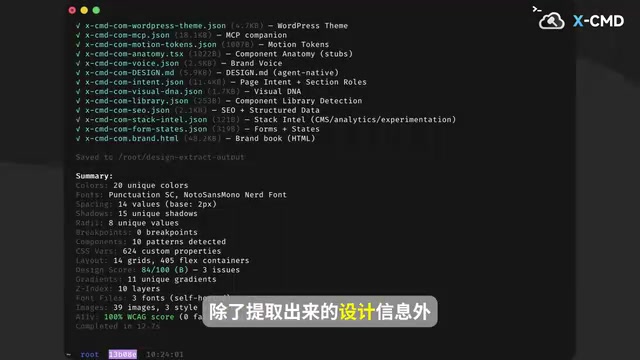
These three outputs cover the mainstream pathways of current front-end and design collaboration: coders get Tailwind configuration, component library users get a Shadcn theme, and designers import Figma variables. The same reference website's design language can stay consistent across all three tracks, reducing the cost of back-and-forth alignment.
Shadcn UI is not a traditional component library installed via npm, but a "copy-paste" collection of components: developers place component source code directly into their project, then control the theme through CSS variables and Tailwind configuration. Its theming mechanism revolves around a set of semantic CSS variables, such as --background, --foreground, --primary, --border, etc., defined in globals.css and consumed by Tailwind. Therefore, "generating a Shadcn UI theme" essentially means mapping the extracted color scheme onto this variable naming system, so that existing components automatically inherit the reference website's visual style. This also explains why it complements the Tailwind configuration output: the former handles component-level semantic colors, while the latter handles atomic-level style utility classes.
MCP: Let AI Coding Tools Understand Reference Websites
What's more interesting is its support for AI coding tools. Design Extract provides MCP (Model Context Protocol) integration for AI coding tools like Claude Code, allowing the AI to read a reference website's design information and write pages with similar colors, fonts, and layout.
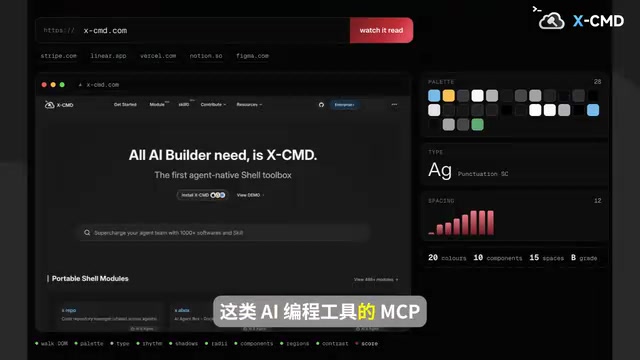
This solves a long-standing problem with AI-generated pages: models can write structurally sound code, but the visual output often looks generic. Once connected to a source of design information, the AI's output has a concrete style anchor instead of relying on the "average aesthetic" in its training data.
MCP (Model Context Protocol) is an open protocol proposed by Anthropic in late 2024 to standardize how AI models connect to external tools and data sources. You can think of MCP as the "USB-C port for AI applications": the model side (such as Claude Code, Claude Desktop, or other MCP-compatible clients) calls "tools," "resources," and "prompts" exposed by external services through a unified protocol, without needing to write separate integration code for each data source. An MCP Server encapsulates a capability (such as reading website design information) into an interface the model can call, and the model issues requests on demand during reasoning. For Design Extract, providing MCP means AI coding tools don't need built-in scraping logic—they can fetch structured design tokens on demand through a standard protocol, giving page generation a clear style constraint.
Rapid Iteration of a New Project
According to the same source, Design Extract has only been in development for six months, and recently it has been adding new AI-oriented features, such as evaluating page fidelity and generating brand guidelines.
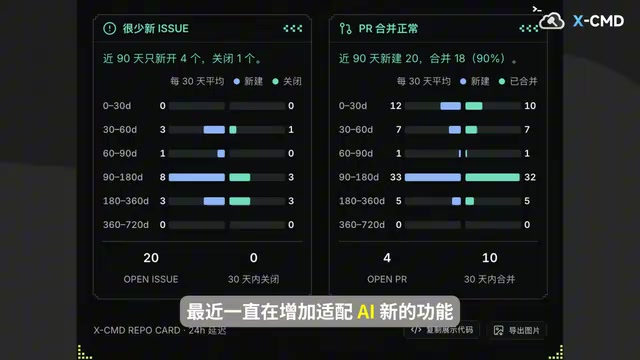
The page fidelity evaluation direction is worth watching: if the tool can judge how closely an AI-written page resembles the reference website and where it falls short, it creates an iterative feedback loop. Brand guideline generation expands the extraction scope from the visual details of a single page to a complete visual identity system.
It should be noted that this project is mainly developed by a single author, with very few external contributions. For users, this means the feature direction is fairly consistent, but also that iteration speed and long-term maintenance carry uncertainty—worth factoring into your evaluation.
Page fidelity evaluation typically refers to visually comparing an implemented page with a reference page and quantifying the differences in layout, color, fonts, spacing, and other dimensions. Common technical approaches include pixel-level diff (comparing screenshots pixel by pixel), structural comparison (differences in DOM trees or render trees), and feature similarity scoring based on vision models. Pixel diff is simple to implement but sensitive to font rendering, scroll position, and responsive breakpoints; structural comparison better reflects layout deviations but struggles to capture pure visual style. For AI-generated pages, the significance of fidelity evaluation is turning "does it look similar" into a measurable feedback signal that drives multiple rounds of revision, forming a "generate—evaluate—correct" loop. However, such metrics can also easily overfit to the reference website, requiring a trade-off between style transfer and content adaptation.
Who It's For
The most direct beneficiaries are indie developers and small teams: if you want to create distinctive pages in a short time without investing too much design manpower, using this kind of tool to establish a visual baseline first is a pragmatic approach. People who collect design references or do competitive visual analysis can also use it to organize materials in bulk.
It's important to note that extracting a design style and copying a website are two different things. The tool provides a reference at the design language level; when implementing, you still need to adapt it to your own content and brand, otherwise you risk creating pages that "look familiar but you can't quite place who they belong to."
What website design styles do you like? Would this kind of tool make it into your workflow? Feel free to share in the comments.
Related articles
Google's Gemini 4 Triple Launch: Hydrogen's Cost-Effectiveness Comeback and the Decisions API
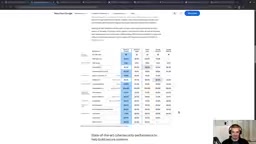
Google launches Gemini 4 Argon, Carbon, and Hydrogen. Hydrogen shines on cost-effectiveness at high reasoning tiers, the Decisions API adds audio input for real-time decisions, plus the low-cost Omni 1.2 Flash video model.
Gemini Omni 1.2 Flash Tops Two Leaderboards: Is AI Video Done With the Gacha Era?
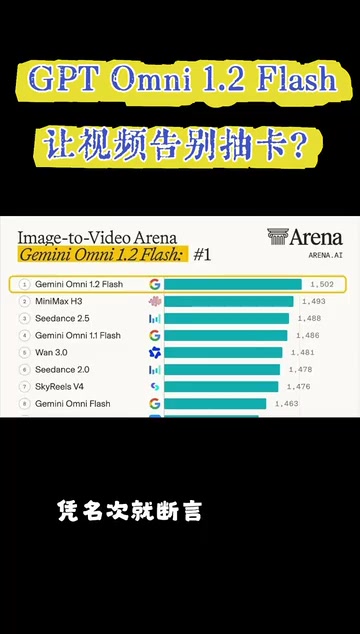
Google Gemini Omni 1.2 Flash tops both Arena text-to-video and image-to-video leaderboards. We break down its 15-second duration, iterative editing workflow, and 30% price cut at $0.07/sec for 720p—while noting that fast motion and complex physics still need work, and rankings don't equal real creative experience.

Sixgill Sharks and the Titanic Digital Twin: How Deep-Sea Exploration Is Rewriting Science
National Geographic's deep-sea team tagged sixgill sharks from a submersible and recorded their hunting behavior, while the Titanic was rebuilt as a digital twin from 700,000 scans.