Dify in a Week: 30+ Enterprise-Level Projects to Master AI App Building

A complete Dify learning path from deployment and LLM integration to workflows and app publishing, based on a Bilibili course outline.
Based on a Bilibili Dify course billed as "a one-week crash course + 30+ enterprise projects," this article maps out a complete learning path from environment setup to app publishing. It introduces Dify's five application types—Chatbot, Text Generation, Agent, Chatflow, and Workflow—then covers Windows Docker deployment with MySQL, LLM integration (paid APIs preferred; ERNIE and Tongyi offer millions of free tokens; local small models are limited), node-based workflows with extensive cases, and app publishing as a website, embed, or API.
From deployment to publishing, a complete Dify learning path. Workflows, agents, and knowledge bases all covered, with plenty of hands-on case studies.
Dify is a platform that makes building AI applications "fast and convenient." Whether you're an individual developer wanting to build a chatbot or an enterprise team looking to deploy an internal knowledge base system, Dify offers the corresponding capabilities. There's a series of courses on Bilibili built around Dify, billed as "a one-week crash course + 30+ enterprise-level hands-on projects." This article, based on the course outline, maps out a complete learning path from environment setup to application publishing, for readers preparing to get started with Dify.
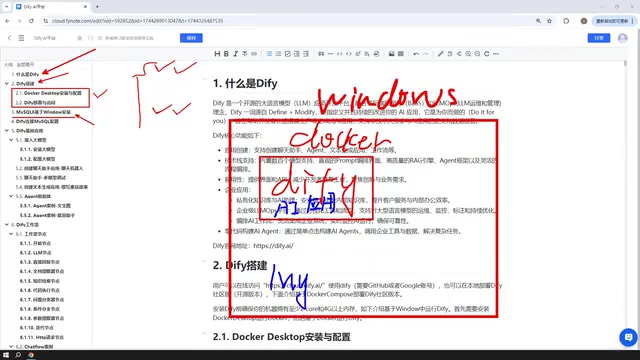
What Is Dify: Five Application Types as the Capability Foundation
The course is clear from the start about Dify's positioning: it's an AI platform through which you can quickly build AI applications, covering both enterprise-level and personal use. On Dify's creation page, you'll see five application types, and these five types define the core scope of Dify's capabilities.
The first three are basic applications: Chatbot is for conversing with AI models; Text Generation is for writing articles, documents, novels, and the like; Agent goes a step further than the first two—it can call tools to complete user instructions, such as scraping a webpage first and then analyzing it. The course includes corresponding case studies for all three application types, demonstrating the operations step by step.
The last two fall under the workflow category: Chatflow and Workflow. The difference can be simply understood as: Chatflow supports chat-style interaction with a workflow, while Workflow leans toward one-time execution that outputs a result. The course also admits that explaining the difference without any Dify foundation isn't very meaningful, so the detailed distinction is deferred to later case-study lessons.
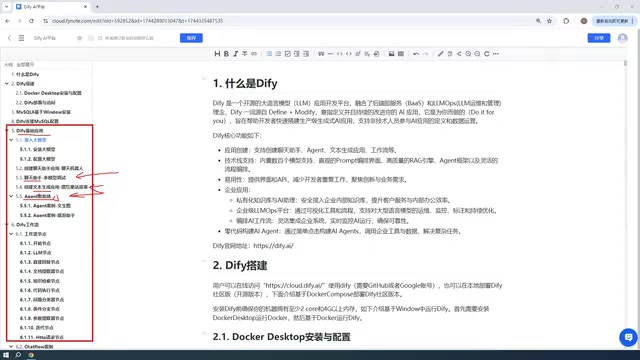
Agent and Function Calling
The reason an Agent can "call tools to complete tasks" rests on the large model's Function Calling capability—the model decides, based on user intent, which external tool to call, what parameters to pass, and then incorporates the tool's returned results into subsequent reasoning. An Agent in Dify can be equipped with built-in tools or custom API tools; the model judges in each round of conversation whether a call is needed, forming a "think—act—observe" loop. The difference from Workflow is this: Workflow's node order is pre-orchestrated by a human, whereas an Agent's execution path is dynamically decided by the model at runtime—more flexible, but relatively weaker in controllability and reproducibility. Understanding this helps you judge whether a requirement should be implemented with an Agent or with a workflow.
Environment Setup: Deploying Dify with Windows + Docker, MySQL Can Go Anywhere
The course chose to deploy Dify based on Windows Docker. It should be noted that this isn't the only deployment method—you can also deploy from source, or skip deployment entirely and just use the official online page. The online page and a self-hosted page are "very similar, basically the same"; the difference is that if an AI application built on the online version needs to access your local database or local environment, you'll need an intranet penetration tool to expose your local IP to the public internet.
The advantage of choosing local Docker deployment is that Dify can directly use local environments like MySQL. The course also offers production-environment advice: deploying to your company's internal applications yourself is still more convenient.
So that AI applications built in Dify can access a database, the course devotes a separate lesson to installing MySQL 8 on Windows. This database can also be deployed via Docker or placed on a VMware virtual machine. Once Docker is installed, Dify's network can communicate with both MySQL 8 in Windows and VMware virtual machines, so MySQL can go anywhere. Next, you also need to master how to configure Dify's connection to MySQL, because subsequent AI applications will read database data and build interactive applications.
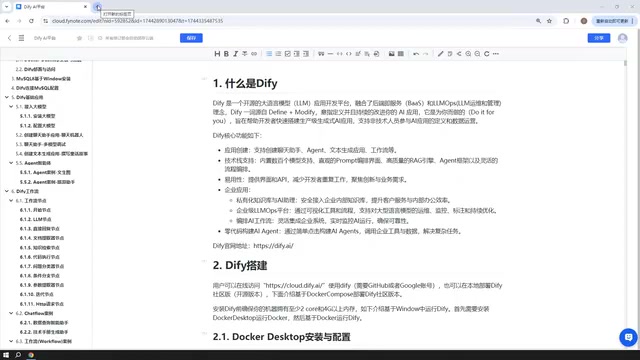
Why Intranet Penetration Is Needed
Intranet penetration (tools like frp, ngrok, cpolar, etc.) works by establishing a tunnel through a relay server with a public address when your local machine has no public IP, forwarding external requests to a port on your machine. When using Dify's official online version, AI applications run in the cloud; if they need to access your local MySQL or local services, you must use intranet penetration to expose your local ports—otherwise the cloud can't route to your LAN address. Likewise, when publishing a locally deployed Dify application as a public website, the link that external users access also needs this tunnel to reach your machine. Note that penetration services add extra security exposure; for production environments, deploying directly on the company intranet or a server with a public entry point is preferable.
Large Model Integration: Prefer Paid APIs, Local Models Depend on the Scenario
Before walking through the various application cases, the course first covers large model integration. The recommendation is to prioritize paid model APIs, such as DeepSeekAd and ChatGPT; there are also free options—for example, Baidu ERNIE Bot grants free tokens upon registration, and Alibaba's Tongyi Qianwen likewise offers a certain free token quota. The course mentions this volume is "probably in the millions, which is enough."
On local models, the course is fairly cautious: it doesn't recommend small local models, because they're "generally quite small and don't perform very well." However, integrating Dify with locally deployed Ollama models is still covered, with case studies—if your machine is very powerful, the downloaded model is large enough, or your enterprise uses a cluster deployment of Ollama running large-parameter models, building enterprise-level applications with Dify is feasible. The course mentions DeepSeek's open-source large models, whose parameter scale is enormous and download size reaches hundreds of GB; such models usually perform better.

The instructor uses his own DeepSeek account as an example: he topped up ten yuan and, after using it for a long time, had spent less than one yuan—showing that actual call costs are very low. For beginners worried about the payment barrier, this reference value is fairly convincing.
Ollama and Local Model Deployment
Ollama is a local large-model runtime tool that provides a unified command-line and API interface. It can pull and run open-source models like Llama, Qwen, and DeepSeek with a single command, and exposes a locally available interface compatible with the OpenAI format. Dify can integrate Ollama as a model provider by configuring this interface address. The core constraints of local deployment are VRAM and RAM: the larger the model's parameter count, the more resources required, and quantized versions (such as 4-bit quantization) can greatly reduce resource usage at the cost of a slight performance loss. This also explains why the course doesn't recommend small local models—when the parameter scale is insufficient, instruction-following and reasoning abilities drop noticeably, while enterprise-level results usually require large-parameter models paired with multi-GPU or cluster deployment.
Workflows and Nodes: The Case-Driven Advanced Section
Workflows are the more important application form in Dify. The course explains that both Chatflow and Workflow rely on "nodes" to build—each module is a node, and multiple nodes linked together form a complete flow. The course covers the common, most frequently used nodes; these nodes "include almost most of the nodes offered on Dify's official website," and each node comes with a detailed case study. According to the course description, the workflow node section alone includes more than a dozen case studies, and with the Chatflow and Workflow cases, the total number of cases is considerable—this is also the main source of the "30+ hands-on projects" in the title.
Note that when the course was recorded, workflows were still a test version in Dify; the instructor judged that "it should be fairly stable by now." If you find discrepancies in the interface or features during actual practice, that's normal version evolution.
Application Publishing: More Than Just a Local Page
A built application isn't limited to use within the Dify page. The final part of the course covers application publishing: Dify supports publishing an application as a public website, generating a link everyone can access, letting the application step outside the local deployment environment—this also requires intranet penetration support. In addition, a built Dify application can be embedded into your own website or called via API.
Learning Path Summary
Stringing the course content together yields a clear learning sequence: first understand Dify's five application types, then complete the Windows Docker deployment and MySQL 8 installation, configure Dify's database connection, then integrate a large model API (or integrate Ollama local models as needed), then move on to the basic cases for Chatbot, Text Generation, and Agent, then go deeper into Chatflow/Workflow and the various nodes, and finally learn application publishing and integration. For readers starting from zero, every step of this path is backed by case studies, making it suitable for proceeding step by step.
A reminder: this article is compiled from the course's content introduction; for the specific operational details and version behavior involved, actual practice should be your reference.
Related articles

Last Week Tonight Exposé: The Dangerous Ties Between Politicians and White Supremacy
Last Week Tonight investigates Georgia Senate candidate Mike Collins and Florida candidate Marshall Rawson, exposing their multiple ties to white supremacists and the Republican Party's silent response.

AI Buzz Weekly: GPT-6.5 Leak, New Claude Model, and MiniMax's Cost-Effectiveness
This week's AI buzz roundup: suspected GPT-6.5 leak, Microsoft configs showing GPT-6.1 Tera, Anthropic's new model that can identify entire classes of bugs, disappointing early Gemini 4 Carbon results, and MiniMax M3.1 Flash beating Claude Opus 5 and GPT-5.6 Sol in benchmarks at extremely low cost.
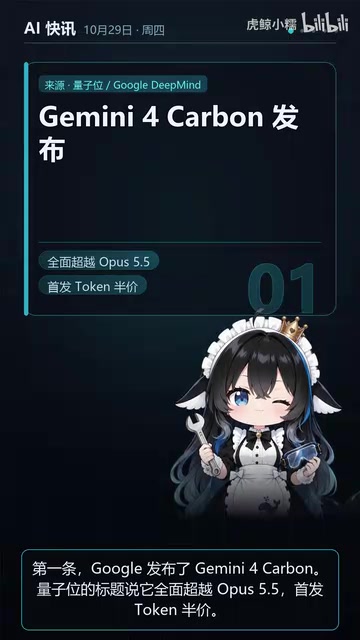
AI Briefing: Gemini 4 Carbon Released, Ant Open-Sources Ling-3.1
AI Briefing: Google releases Gemini 4 Carbon qubit model, claiming to surpass Opus 5.5 with half-price tokens; Ant open-sources Ling-3.1-1019 for real-task Personal Agents; domestic AI drug discovery succeeds in 18 of 19 projects, hitting all 6 GPCR targets; zero-revenue company valued at $20B raises another $1B; Sichuan convenience store robot sales fail.