Dify Workflow for Beginners: A Complete Guide from Deployment to AI App Building

A breakdown of Dify's core features, deployment path, model integration, and app publishing methods.
Based on a Bilibili Dify tutorial claiming to build 30+ AI apps, this article systematically reviews the platform's key aspects. Dify offers five app entry points—Chatbot, Text Generation, Agent, ChatFlow, and WorkFlow—lowering the development barrier through visual node composition. For deployment, the Windows + Docker beginner approach is recommended, with MySQL on the host accessed by Dify in the container; for production, self-hosted servers are advised. For model integration, paid APIs (like DeepSeek, at very low cost) are preferred, while local Ollama models suit scenarios with sufficient hardware. Apps can be published as public websites, embedded in your own site, or integrated via API. The article concludes that Dify provides a complete path from deployment to modeling to publishing for quickly validating AI ideas.
Dify, an open-source AI application development platform, is becoming the go-to tool for many developers building agents, knowledge bases, and automated workflows. A "hand-holding" tutorial on Bilibili claims it can take users from zero to 30+ AI applications, covering agents, knowledge bases, and automation scenarios, complete with full source code. This article, based on that tutorial, breaks down Dify's core features, deployment path, model integration strategy, and app publishing methods to help you decide whether it fits your project.
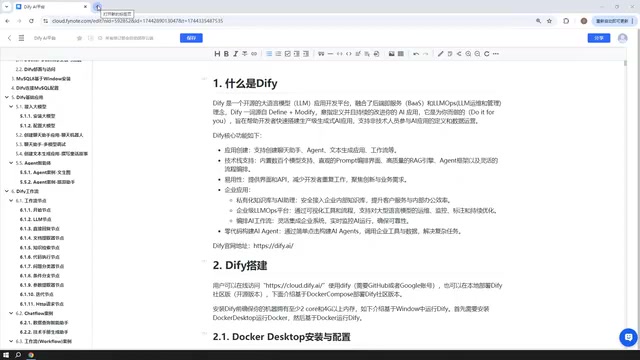
What Is Dify: A Platform for Rapidly Building AI Apps
Dify can be understood as an AI application building platform. Through it, developers can quickly build AI applications for enterprise or personal use. The tutorial author points out that Dify's core value lies in lowering the barrier to AI app development—you don't need to write frontend, backend, and model invocation logic from scratch; instead, you combine nodes, configure models, and connect databases through a visual interface to produce a working application.
In terms of app types, Dify officially offers five creation entry points: Chatbot, Text Generation, Agent, ChatFlow, and WorkFlow. The first three are basic apps, while the latter two fall under the workflow category. The tutorial emphasizes that these five types basically cover Dify's main use cases, and subsequent lessons will build case studies around them.
RAG (Retrieval-Augmented Generation) is the core mechanism behind Dify's knowledge-base applications: after a user uploads documents, Dify splits the text into chunks, vectorizes them, and stores them in a vector database. When the user asks a question, the system first retrieves the most relevant chunks, then feeds them as context to the LLM to generate an answer. This process significantly mitigates model "hallucination" and lets answers cite private enterprise materials. Understanding RAG's three steps—retrieval, concatenation, and generation—helps you correctly set parameters like chunk length, recall count, and similarity threshold in Dify; otherwise, you may run into issues like nothing being retrieved or context exceeding the limit.
Deployment: Windows + Docker Is the Go-To for Beginners
The tutorial chooses to deploy Dify using Docker on Windows. The advantage is that Dify runs in a Docker container but can access MySQL or other environments on the host Windows machine over the network. For personal learning and small-team internal use, this deployment method is quite convenient.
The author also mentions two other options: one is source-code deployment, suitable for cases requiring deep customization; the other is using Dify's official online page directly. The online version is functionally similar to the self-hosted version, but when an app needs to access a local database or local environment, you may need an intranet penetration tool to expose your local IP to the public internet. For production environments, it's recommended to deploy on your company's internal servers to better control data and networking.
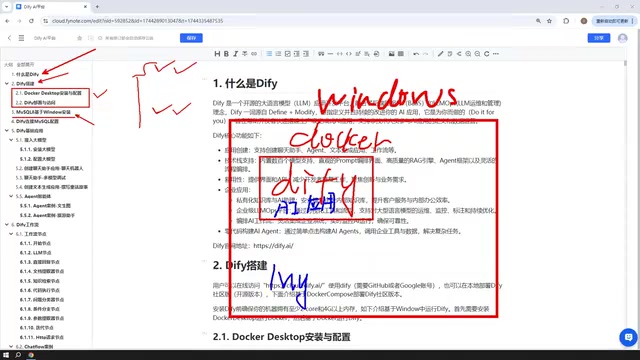
Database Connection: Why Install MySQL 8 on Windows
The tutorial devotes a dedicated section to installing MySQL 8 on Windows. The reason is that AI apps built in Dify later need to read database data to complete AI interactions. By installing MySQL on the Windows host, Dify in Docker can communicate with it over the network; likewise, if MySQL is deployed in a VMware virtual machine or Docker, Dify can also connect. The key is to make the database address and port reachable from Dify—specific configuration is covered in Part 4 of the tutorial.
Readers already familiar with MySQL installation can skip this section; but if you're new to Dify, understanding how Dify communicates with external databases is fundamental to building knowledge-base applications.
Five App Types and Workflow Nodes: ChatFlow vs. WorkFlow
Among Dify's five app types, Chatbot, Text Generation, and Agent are basic apps. Chatbot is for conversational interaction, Text Generation is for content creation like articles, documents, and novels, and Agent can call tools to complete multi-step instructions—for example, scraping a webpage and then analyzing it.
The workflow category includes ChatFlow and WorkFlow. The tutorial sums up the difference in one sentence: ChatFlow supports chat-style interaction with workflows, while WorkFlow is more oriented toward one-shot input/output. Both require combining "nodes" during construction—each node is a functional module, such as model invocation, conditional branching, or data processing. The tutorial says it will cover common nodes and provide a dozen or so case studies to help understand workflow construction logic.
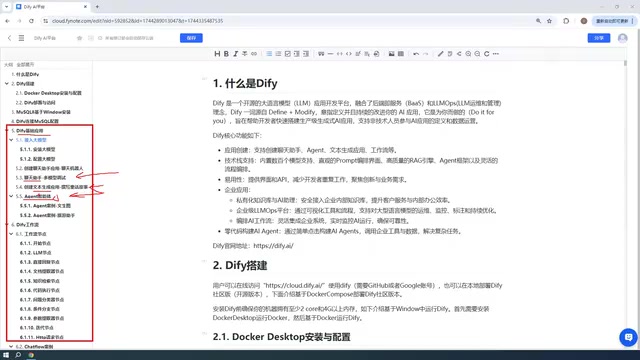
In Dify, a "node" is the smallest execution unit in a workflow. Common types include LLM nodes (invoke a model to generate content), knowledge retrieval nodes (recall chunks from a knowledge base), conditional branch nodes (take different paths based on variable values), code nodes (execute Python/JS snippets for data cleaning), HTTP request nodes (call external APIs), and control nodes like variable aggregation and iteration. Nodes pass data through variables, and the output of one node can serve as the input of the next. Mastering variable scope and node wiring logic is key to determining whether a workflow will run as expected—and it's the core skill drilled repeatedly through the tutorial's many case studies.
Model Integration: Paid APIs First, Local Models Within Your Means
When integrating LLMs, the tutorial recommends prioritizing paid APIs, such as DeepSeekAd, ChatGPT, or domestic models offering free tokens like Baidu ERNIE or Alibaba Qwen. The author does the math: a 10-yuan top-up on DeepSeek lasts a long time, and their own account used less than 1 yuan. Paid models are generally more stable than small local models, making them suitable for rapid validation early in app development.
The tutorial also notes that Dify can connect to local Ollama models, with case studies to explain how. If your machine is powerful enough, or your company has a clustered Ollama deployment, downloading large-parameter models (such as DeepSeek's open-source models) can also support enterprise-grade applications. But the author cautions that small local models have limited effectiveness and are not recommended as the primary development model.

Ollama is a local LLM runtime tool that provides a unified command line and API interface, allowing one-click pull and run of open-source models like Llama, Qwen, and DeepSeek. Dify integrates it as a model provider by configuring Ollama's service address (default port 11434). Note that local model inference speed is strongly tied to VRAM and RAM—larger parameter counts mean higher hardware requirements; quantized versions reduce VRAM usage but lose some accuracy. Therefore, using cloud APIs during development and validation and switching to local models for data-sensitive or offline scenarios is a practical combination strategy.
App Publishing: From Local Machine to Public Website
Built Dify apps aren't limited to use within the Dify interface. The tutorial's final section covers app publishing: you can publish an app as a public website and generate a link for others to access; embed it in your own website; or integrate it into other systems via API. Public publishing may also involve intranet penetration, requiring configuration based on your actual network environment.
For developers who want to quickly validate AI app ideas, Dify offers a complete path from deployment to modeling to publishing. The tutorial's "30+ apps" is more a promise of case quantity; the real value lies in getting familiar with node combinations and model configuration through repeated practice. If you're considering building your first AI app with Dify, start with Windows + Docker deployment, get a chatbot working first, then gradually try workflows and agents.
One-line Summary
A breakdown of Dify's core features, deployment path, model integration, and app publishing methods.
Paragraph Summary
Based on a Bilibili Dify tutorial claiming to build 30+ AI apps, this article systematically reviews the platform's key aspects. Dify offers five app entry points—Chatbot, Text Generation, Agent, ChatFlow, and WorkFlow—lowering the development barrier through visual node composition. For deployment, the Windows + Docker beginner approach is recommended, with MySQL on the host accessed by Dify in the container; for production, self-hosted servers are advised. For model integration, paid APIs (like DeepSeek, at very low cost) are preferred, while local Ollama models suit scenarios with sufficient hardware. Apps can be published as public websites, embedded in your own site, or integrated via API. The article concludes that Dify provides a complete path from deployment to modeling to publishing for quickly validating AI ideas.
Related articles

Last Week Tonight Exposé: The Dangerous Ties Between Politicians and White Supremacy
Last Week Tonight investigates Georgia Senate candidate Mike Collins and Florida candidate Marshall Rawson, exposing their multiple ties to white supremacists and the Republican Party's silent response.

AI Buzz Weekly: GPT-6.5 Leak, New Claude Model, and MiniMax's Cost-Effectiveness
This week's AI buzz roundup: suspected GPT-6.5 leak, Microsoft configs showing GPT-6.1 Tera, Anthropic's new model that can identify entire classes of bugs, disappointing early Gemini 4 Carbon results, and MiniMax M3.1 Flash beating Claude Opus 5 and GPT-5.6 Sol in benchmarks at extremely low cost.
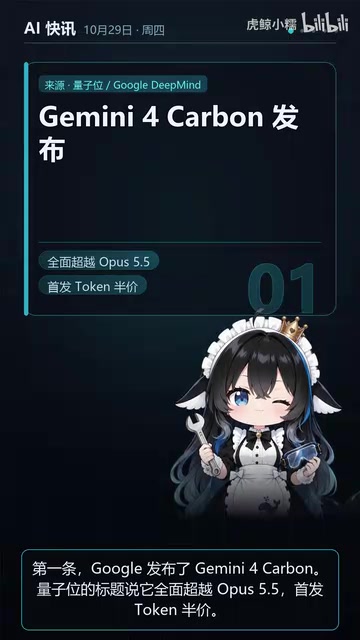
AI Briefing: Gemini 4 Carbon Released, Ant Open-Sources Ling-3.1
AI Briefing: Google releases Gemini 4 Carbon qubit model, claiming to surpass Opus 5.5 with half-price tokens; Ant open-sources Ling-3.1-1019 for real-task Personal Agents; domestic AI drug discovery succeeds in 18 of 19 projects, hitting all 6 GPCR targets; zero-revenue company valued at $20B raises another $1B; Sichuan convenience store robot sales fail.