Email Verification in Claude and Cursor: An Email Verification MCP in Practice

Connect an email verification tool via MCP in Claude and Cursor so AI agents check addresses before sending, avoiding bounces that damage domain reputation.
The article addresses the pain point of AI agents sending outreach emails without ever checking addresses, explaining how to connect the Verifox email verification tool via MCP (Model Context Protocol) in Claude Desktop and Cursor. On the Claude side you edit the config file and fully restart the app; on the Cursor side you batch-verify leads.csv via mcp.json, and in the demo 4 of 20 leads that would have caused bounces were caught in advance. The article also highlights the catch-all trap where servers return "exists" for every address, and how the verification tool flags these as risky rather than green-lighting them, emphasizing that ambiguous results should be presented honestly for the user to decide. The core conclusion: email verification should be a default pre-send step in AI outreach workflows to protect sending domain reputation.
When AI Agents Email People Who Don't Exist
Your AI agent is one click away from emailing someone who doesn't exist. This isn't alarmism—in the demo that opens the video, the same agent, with just one extra tool installed, ends up with a completely different outcome.
The problem lies in how AI agents work: they're great at writing copy, running scripts, and batch processing, but they never proactively check whether an email address actually exists. A typical scenario: the agent gets a lead list and your sending domain, then just starts running. Some addresses in the list are real, some are typos, and some mailboxes were deactivated years ago. Every bounce gets charged back to your domain, and receiving providers are constantly scoring your domain's reputation.
Google's official sender guidelines explicitly state: when emails start bouncing, you should slow down sending and remove addresses that keep bouncing. So the rule is clear—an agent that can send email must verify addresses first.
This piece centers on one specific question: how to connect an email verification tool via MCP inside two AI applications, Claude and Cursor, so the agent automatically checks addresses before sending.
What MCP Is: A USB-C Port for AI Applications
MCP stands for Model Context Protocol, an open standard for connecting AI applications to external systems. The official docs use a vivid analogy: the USB-C port of the AI world—unified, universal, plug-and-play.
An AI agent on its own can only "talk"; to actually perform actions it needs tools. MCP is the standard way to connect tools. The tool used in the video comes from Verifox, which provides an MCP server—once connected, the agent immediately gains six new tools. This walkthrough only uses two of them: verify a single email, and batch verify an email list.
For content creators and those using AI agents for outreach, this combination solves a very specific pain point: the agent's default behavior of sending first and never checking.

npx and the Node runtime: The article mentions launching the MCP server via npx several times. npx is the package runner bundled with Node.js—it can temporarily download and run an npm package without a prior global install. This means Claude Desktop or Cursor actually spins up a local Node process as the MCP server at startup, then communicates with it over standard input/output. That's why the configuration requires Node 18 or newer—newer Node versions have more stable fetch, module resolution, and subprocess behavior; with an older version you may see server startup failures, connection timeouts, or an empty tool list. If you can't see the tools in Connectors, first check your Node version and whether your network can reach the npm registry.
Connecting the Verification Tool in Claude
The process isn't complicated, but there's one easily overlooked detail: after changing the configuration, you must fully quit the Claude app—not just close the window, but quit the entire application—then reopen it for the configuration to take effect.
The specific steps: open the Claude menu, go to Settings, select Developer, click Edit Config—this opens a file named claudedesktopconfig.json. Paste the config block into the file, telling Claude to run the Verifox server via npx, which is why Node 18 or newer is required. Replace the API key with yours and save.
After reopening Claude, click the plus button in the chat box and go to Connectors, and you'll see Verifox and all six of its tools.
The video demonstrates a live test on claude.ai. The instruction was "verify these six emails before sending," and Claude chose the batch tool on its own and requested permission before executing. One mail server responded slowly, so the tool returned a task ID, and Claude kept polling until it finished—no human supervision needed throughout.
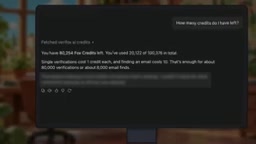
The verification results are worth a closer look: Stripe's support email was judged safe; a shared inbox was flagged as risky—because it's shared and doesn't correspond to a specific person; one provider's email returned unknown—their server doesn't answer; a Gmail address with two letters swapped was judged invalid; a made-up person's name under the Stripe domain was judged risky; and a completely nonexistent domain was invalid.
These are answers from real mail server queries, not the model guessing. Each verification consumes one credit, and the tool also returns the account balance.
Batch-Cleaning a Lead List in Cursor
Connecting in Cursor is similar: put the config block into an mcp.json file, either in the .cursor folder under your home directory or in the project directory.
Then instruct the agent: before running the outreach script, verify every email in leads.csv and keep only the safe addresses. The agent reads the file, sends the entire column of addresses into the batch verification tool at once, and writes out a clean list.
The results in the demo are convincing: 20 leads in, of which 5 were safe, 11 were risky and set aside, and 4 would have caused bounces. Those 4 bounces were caught in advance.

When the Answer Becomes "Maybe"
The most valuable part of the video is a counterexample. Gary brings out a made-up person's address that had previously been judged risky, and the mail server's answer for this address was: "absolutely exists"—it gave it a corner office.
This is the catch-all mechanism: the server says yes to every address, real or fake. So an affirmative answer from a catch-all server is actually meaningless.
Verifox's approach: it doesn't trust that answer, flags the address as catch-all, and deducts points in the score. So what the agent sees is a "maybe," not a green light. This design philosophy is worth borrowing—the value of a verification tool isn't just in giving a yes or no, but in faithfully presenting ambiguous cases so the user can decide what the agent does with a "maybe": send safe addresses directly, set risky ones aside, discard invalid ones.
Key Takeaways and Practical Advice
MCP is the plug, the verification tool is the socket, and together they let the agent check every address before pressing send. The point of this workflow isn't just fewer bounces—it's protecting your sending domain's long-term reputation.
A few practical reminders: keep your API key secret—it was blurred in the video; the Node version needs to meet requirements; and you must fully restart the app after changing the configuration. Also, verification requires that you already have an address to check. If you only have a name and company, the next step is finding the person's work email inside Claude—the video teases that as the next topic.
For teams using AI agents for outreach, the core value of this approach is turning manual after-the-fact cleanup into automatic pre-send interception. An agent's capability boundary is defined by the tools it's connected to, and email verification should become a default step in any outreach workflow.
Sender domain reputation and bounce rate: Email providers (such as Gmail and Outlook) maintain a reputation score for every sending domain, based on factors like bounce rate, complaint rate, sending volume, and recipient engagement. Hard bounces (address doesn't exist) and soft bounces (temporary failure, mailbox full) both drag the score down, and a hard bounce rate above roughly 2% over time can trigger throttling, landing in spam, or even a ban. This is also why Google's sender guidelines require "slow down and remove addresses that keep bouncing." Once domain reputation is damaged, recovery takes weeks or even months, so verifying beforehand costs far less than fixing things afterward. For new domains, it's advisable to warm up with small batches first and keep bounce rates low.
Background Notes
catch-all mailboxes: A catch-all is a mail server configuration where, once set by the administrator, any mail directed at the domain but not matching a specific mailbox account is forwarded to a designated inbox instead of bouncing. Its original purpose is to prevent lost mail from typos or missing department aliases, but for email verification it's disastrous: the server returns "recipient exists" for any-string@that-domain, so a verification tool can't tell real employees from made-up names. Identifying a catch-all usually requires sending probe requests to random addresses under the same domain—if the random address is also accepted, it's judged a catch-all. In practice, treat results from such domains as "undeterminable," switch to manual confirmation or other lead sources, rather than blasting them directly.
Related articles

Running a PS2 Emulator in the Browser with Claude: Inside TabStationToo
TabStationToo ports the PCSX2 core to the browser with WebAssembly and WebGPU, letting a PS2 emulator run in a tab. We break down its tech, AI workflow, and optimization.

AI Customer Service Evaluation Gone Wrong: 41 Failures, 28 Were Test Bugs
A live evaluation of a Shopify AI customer service agent produced 41 failures, but 28 were test bugs. This article analyzes scorer flaws, overly strict response checks, and other evaluation pitfalls, and summarizes best practices to prevent test bugs from masking real model failures.

No API Needed! Build a WhatsApp Receptionist with a Free Claude Account
A developer shares a weekend experiment: using a free Claude.ai account and browser scripts to turn WhatsApp Web into an automated receptionist—no API required.