Firefox Prefetching Causes Trouble: Datasette Removes link rel=next Header

Datasette discovered that Firefox misinterprets the link rel=next header as a prefetch instruction, so it hides the header from Firefox to save bandwidth.
While debugging the network panel, Datasette creator Simon Willison discovered that Firefox interprets the `link: rel="next"` HTTP header in HTML pages as a prefetch instruction, automatically fetching the next page's data in advance. For a paginated database tool, most visitors will not click the next page, causing the browser to waste bandwidth and the server to render for nothing. Further investigation revealed a 24-year-old Bugzilla issue about this behavior in Firefox, and Willison's own 2002 blog had discussed the same problem. Datasette's fix (issue #3046) is to hide the header only from Firefox, preserving its value for crawlers and other clients. The article uses this to remind developers: the `rel` semantics of HTTP headers may trigger actual browser behavior, and hidden performance costs should be watched for.
A Browser Behavior Overlooked for 24 Years
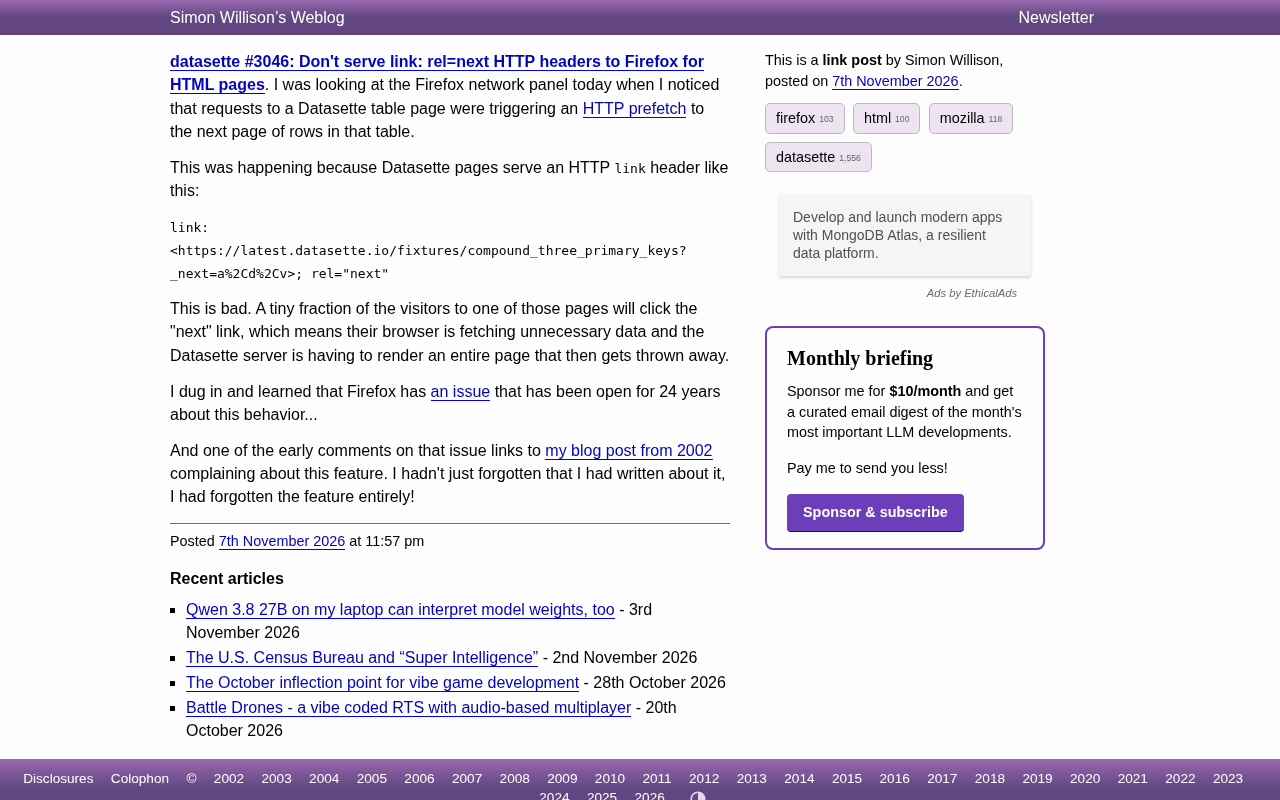
While debugging the Firefox network panel, Datasette creator Simon Willison discovered a surprising phenomenon: when visiting a Datasette table page, the browser automatically initiates a prefetch request for the "next page" data. The reason is that Datasette returns an HTTP response header like the following for HTML pages:
link: <https://latest.datasette.io/fixtures/compound_three_primary_keys?_next=a%2Cd%2Cv>; rel="next"
This header was originally intended to inform browsers and crawlers of the next page's address, but Firefox interprets it as a prefetch instruction and proactively fetches the next page content in advance. For a database tool with paginated browsing, the vast majority of visitors will not click "next page," which means the browser is wasting bandwidth and the server is rendering pages that will soon be discarded for nothing.
Root Cause: Firefox's 24-Year-Old Unresolved Issue
Upon further investigation, Willison found that Firefox has a 24-year-old bug report about this behavior (Bugzilla #175418). Coincidentally, an early comment in that issue quoted a blog post he himself wrote in 2002, when he was already complaining about Mozilla's prefetching behavior. Willison admitted in the issue: "I didn't just forget I wrote about this—I had completely forgotten this feature existed."
This story reveals an easily overlooked engineering reality: browsers do not handle HTTP link relations uniformly. rel="next" is a semantic hint in the specification, but different browsers assign additional behaviors to it—Firefox chose prefetching, while other browsers may not.
The Specification Semantics of rel="next" vs. Browser Implementation Differences
In the HTML and HTTP Link specifications, rel="next" is a type of "link relation," originally intended to declare the next resource in the logical sequence of the current document, commonly used for pagination navigation. The specification itself only assigns it a semantic hint, without mandating any specific network behavior. However, browser vendors can layer performance optimizations on top of that "hint"—for example, Firefox treats it as a candidate resource for prefetching. Similar rel values include prefetch, preload, and preconnect, which trigger different resource loading strategies. Developers need to distinguish between "semantic declaration" and "behavior trigger": the former describes document structure, while the latter may cause additional network requests. This gray area between specification and implementation is a common source of cross-browser behavioral inconsistency.
Datasette's Fix Approach
The title of issue #3046 directly states the solution: do not provide Firefox with the link: rel=next HTTP header for HTML pages. This is a targeted fix rather than a comprehensive removal of the header.
From an engineering perspective, this decision is quite pragmatic:
- Preserve the header's value for crawlers and other clients, which may need it to discover pagination structure
- Hide the header from Firefox through user-agent detection (or content negotiation) to avoid triggering meaningless prefetching
- Reduce unnecessary server rendering load and bandwidth consumption
This approach of "differentiated responses per client" adds code branches, but compared to removing the feature or allowing waste to continue, it is a more balanced choice.
Trade-offs Between User-Agent Detection and Content Negotiation
There are typically two implementation paths for differentiated responses to specific browsers: one is parsing the User-Agent request header for branch decisions, and the other is using the Vary response header with content negotiation. The former is simple to implement but fragile, because UA strings can be forged and come in many formats; the latter is more HTTP-semantically correct but requires the caching layer to properly understand Vary, otherwise it may cause cache pollution. Datasette's choice to hide the link header from Firefox is essentially using UA detection in exchange for minimal changes. In engineering practice, this approach of "tailoring responses per client" should minimize the scope of branches and document the reasons for decisions, to prevent future maintainers from mistakenly removing them. At the same time, consider providing a configuration switch so deployers can decide whether to enable this workaround based on their own traffic characteristics.
Implications for Developers
This case serves as a reminder for web developers: HTTP headers are not just metadata—they trigger actual browser behavior. The rel values in the link header may be merely semantic annotations in the specification, but browser vendors may implement them as performance optimizations (such as prefetching, preconnecting, or preloading).
When building pagination APIs or content sites, it is worth checking whether you are inadvertently sending "load ahead" signals to browsers. This is especially true when the next page involves expensive database queries or large amounts of data—the hidden cost can be considerable.
Willison's discovery also shows that even experienced developers can lose memory of behaviors they themselves helped define. Regularly reviewing the actual requests in the network panel remains the most direct way to uncover performance issues.
Related articles
 Tech Frontiers
Edge AI on Microcontrollers: When Is It Actually Worth Deploying?
Drawing on Reddit discussions and Arm case studies, this article analyzes the real-world use cases for edge AI on microcontrollers: when each device needs independent inference, when a gateway or cloud is more reasonable, and the costs and boundaries of specialized hardware.
 Tech Frontiers
Pushing the Limits of Extreme Sudoku on a 16GB GPU: Insights from Depth and Flow Matching
A researcher trained a 16.54M-parameter model on a 16GB GPU to solve extreme Sudoku, finding effective depth breaks the 60% plateau and flow matching with improved sampling pushes accuracy past 99% with ~50× lower layer-evaluation budget.
 Tech Frontiers
AI Agent Approval Workflows: Why Human Confirmations Always Get Mindlessly Clicked
Why do AI agent approval workflows always get mindlessly clicked? A Reddit discussion shows that separating rules from keys, low-frequency high-risk approvals, and GitHub Environments-style gates are the keys to effective approvals.