From Frontend to AI: A Rapid Hands-On Introduction to Python and FastAPI

A rapid Python path from frontend to AI: UV environments, FastAPI endpoints, and routing practice.
For frontend developers moving into AI, this article offers a rapid path from environment setup to a working API. It emphasizes creating an isolated environment with UV, understanding Python syntax by comparing with JavaScript while noting that type hints are only static hints and still need runtime validation, then connecting functions to FastAPI routes and verifying with real HTTP requests, and finally organizing multiple endpoints with API Router. The core logic is to connect the chain first and fill in the content later, laying the foundation for connecting model services.
For frontend developers familiar with JavaScript, Python is often the first hurdle when moving into AI. But the real blocker usually isn't the syntax itself—it's the engineering environment: interpreters, dependency management, and so on. Based on a hands-on tutorial from Bilibili, this article lays out a rapid path from environment setup to a working API, helping frontend developers quickly build a usable Python backend development workflow.
Step 1: Set Up an Isolated Environment with UV
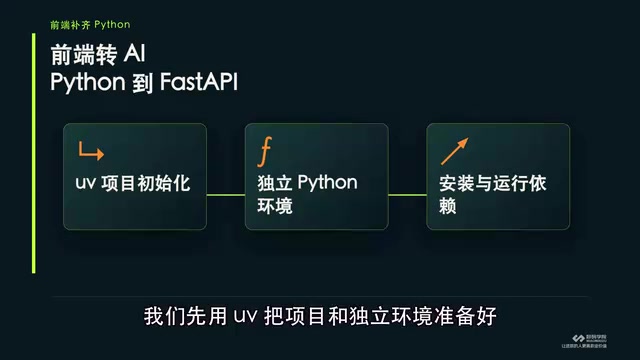
Frontend developers are used to package management with npm/yarn, and Python's pip and virtual environments can be confusing. The tutorial recommends using UV directly to prepare the project and an isolated environment—UV, as an emerging Python package management tool, can quickly create isolated environments and install dependencies just like npm.
First make sure the environment runs, then look at variables, control flow, and functions. This order is crucial: many beginners get stuck on environment configuration and give up, when in fact environment isolation is the foundation for everything that follows.
What is a virtual environment?
Python's virtual environment is an isolated directory containing the Python interpreter and third-party packages required for a specific project. Its purpose is to isolate dependencies between different projects and avoid version conflicts. Traditionally, developers use venv or virtualenv to create virtual environments and then install packages via pip. But this approach requires manually activating the environment and managing dependency files (such as requirements.txt), which is a bit cumbersome for frontend developers used to npm automatically managing node_modules. UV further simplifies the process on this basis: it can not only create virtual environments but also automatically handle dependency resolution and installation, and generate a lock file (uv.lock) to ensure the environment is reproducible.
Step 2: Understand Core Python Syntax by Comparing with JS
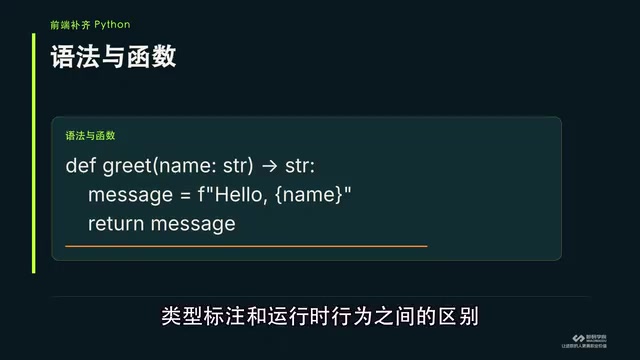
Once the environment is ready, you can understand Python's variables, control flow, and functions by comparing them with the JavaScript syntax you're familiar with. The tutorial specifically reminds you to pay attention to the difference between parameter type annotations and runtime behavior.
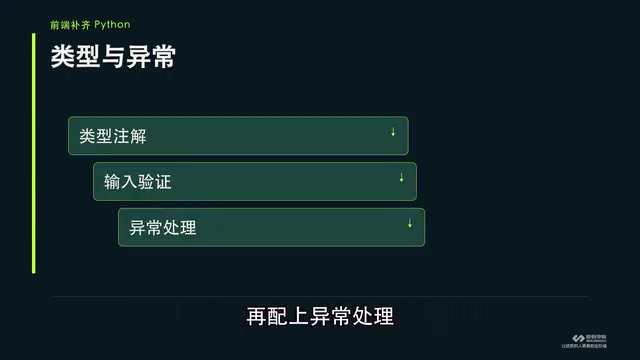
Python's type hints only express the relationship between inputs and outputs; they are not enforced at runtime. This differs from TypeScript's compile-time checking—Python annotations are more like documented conventions, and runtime data still needs validation. Therefore, pairing functions with exception handling to ensure ordinary functions can correctly accept inputs and return results is the first step toward reliability.
Type annotations and runtime validation
Python's type hint syntax, such as def foo(x: int) -> str:, is only used for static type checking tools (like mypy, pyright) and IDE hints; the interpreter does not enforce parameter types at runtime. This is fundamentally different from TypeScript's compile-time type checking: TypeScript reports errors at the compilation stage, while Python type errors are only exposed at runtime. Therefore, when building reliable functions in Python, in addition to writing type annotations, you also need to perform explicit data validation inside the function (for example, using isinstance checks or Pydantic models), along with try...except exception handling to catch invalid input.
Step 3: Connect Functions to FastAPI Routes
With a working function in hand, the next step is to connect it to a FastAPI route. FastAPI is a high-performance web framework in the Python ecosystem that is relatively friendly to frontend developers—it natively supports type annotations and can automatically generate API documentation.
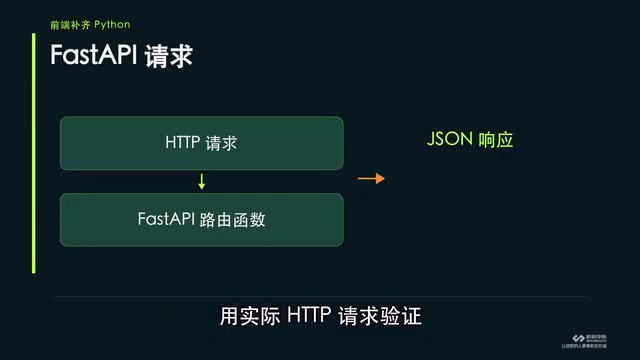
The tutorial emphasizes verifying with actual HTTP requests: which entry point the request reaches, what the response is, and where to troubleshoot when something goes wrong—you should see all of this for yourself. This "hands-on verification" approach helps frontend developers build intuition for the backend chain rather than staying at the level of theoretical understanding.
FastAPI and automatic documentation
FastAPI is a modern Python web framework built on Starlette (for the web part) and Pydantic (for data validation). One of its core features is automatically generating interactive API documentation from type annotations (via Swagger UI and ReDoc). When developers define route functions, they only need to add type annotations to parameters and return values, and FastAPI automatically handles request parameter parsing, data validation, and serialization, and generates the OpenAPI spec. This greatly reduces the work of manually writing documentation and validation logic, and is especially friendly to frontend developers because they can define API contracts as intuitively as using TypeScript interfaces.
Step 4: Organize Multiple Endpoints with API Router
Once there are many endpoints, split modules using API Router. Get one endpoint working first, then organize the routes well, so that when you later connect model services, the foundational chain is clear.
For AI application development, this foundational chain is especially important—whether calling a large model API or deploying an inference service, it's essentially HTTP request and response. Get FastAPI's routing and validation mechanisms working first, and connecting model services later will be a smooth transition.
The role of API Router
In FastAPI, APIRouter is similar to Express's Router, used to organize routes from different modules together. With APIRouter, endpoints for different functions such as user management and model invocation can be split into separate files and then mounted uniformly in the main app via include_router. This approach not only makes the code structure clearer but also facilitates team collaboration and later maintenance. For AI applications, multiple endpoints are usually needed (such as text generation, image recognition, and health checks), and using APIRouter allows modules to be divided by function, avoiding piling all routes into one file.
Practical Advice for Frontend Developers
- Environment first: Don't rush to write business code; first use UV to get the project and dependency management working. This is the foundation for everything that follows.
- Learn by comparison: Map Python syntax with a JS mindset, but pay attention to the difference in runtime behavior of type annotations.
- Verify hands-on: Test every endpoint with real HTTP requests, clearly see the entry point and response, and build a sense of the troubleshooting path.
- Organize incrementally: Get a single endpoint working first, then introduce API Router to split modules, avoiding getting bogged down in architectural complexity from the start.
The core logic of this path is: get the development environment and API chain working first, then consider models and business logic. For developers moving from frontend to AI, this "connect the chain first, fill in the content later" approach can effectively lower the barrier to entry.
One-line Summary
A rapid Python path from frontend to AI: UV environment, FastAPI endpoints, and routing practice.
Paragraph Summary
Aiming at the Python environment and engineering problems frontend developers encounter when moving into AI, this article proposes a rapid path from environment setup to a working API. It emphasizes first creating an isolated environment with UV, then understanding core Python syntax by comparing with JavaScript, paying special attention to the fact that type annotations are only static hints and still require runtime validation. Next, connect functions to FastAPI routes and verify the chain with actual HTTP requests, and finally organize multiple endpoints with API Router. The core logic is to connect the chain first and fill in the content later, laying the foundation for connecting model services afterward.
Related articles

FastAPI Learning Path: From Beginner to AI Project Practice
A Bilibili creator recommends *FastAPI Web Development: From Beginner to Advanced with Practical Projects*. This article outlines the FastAPI learning path: target audience, the 15-chapter six-part structure, project-driven learning, and practical directions from web backend to AI Agents, helping beginners avoid detours.

Reverse-Engineering Taobao's sign Signature Parameter with AI in 10 Minutes: A Practical Walkthrough
Based on a Bilibili hands-on demo, this article explains how to combine DeepSeek with vision models to automatically reverse-engineer Taobao's sign signature parameter, track dynamic titter and token values, and successfully scrape product data within ten minutes—while analyzing the capability boundaries and compliance risks of AI Agents in crawler reverse engineering.

LangChain+MCP from Beginner to Practice: A Deep Dive into the Bilibili Tutorial
A deep dive into a Bilibili LangChain+MCP tutorial: framework positioning, agent abstraction, and MCP protocol basics. Why not hand-build frameworks, and how beginners can follow the code-practice path.