Gemini Chat Now Generates and Edits Google Docs Directly, a New Breakthrough in Office Productivity

Gemini chat now generates and edits multi-format files, moving toward a productivity platform.
Google Gemini's chat interface now offers file generation, preview, and editing for PDF, Google Docs, Google Sheets, Slides, Markdown, TXT, and code files, available to all users. Web supports all formats, while mobile currently supports only PDF. The feature compresses generation, preview, and editing into the chat window, reducing copy-paste between AI conversations and office suites, and natively integrates with the Google Workspace ecosystem. The article argues this marks Gemini's leap from a conversational tool to a productivity platform, but details such as file synchronization with Drive and multi-user collaboration permissions have not been disclosed, so actual collaboration value remains to be verified.
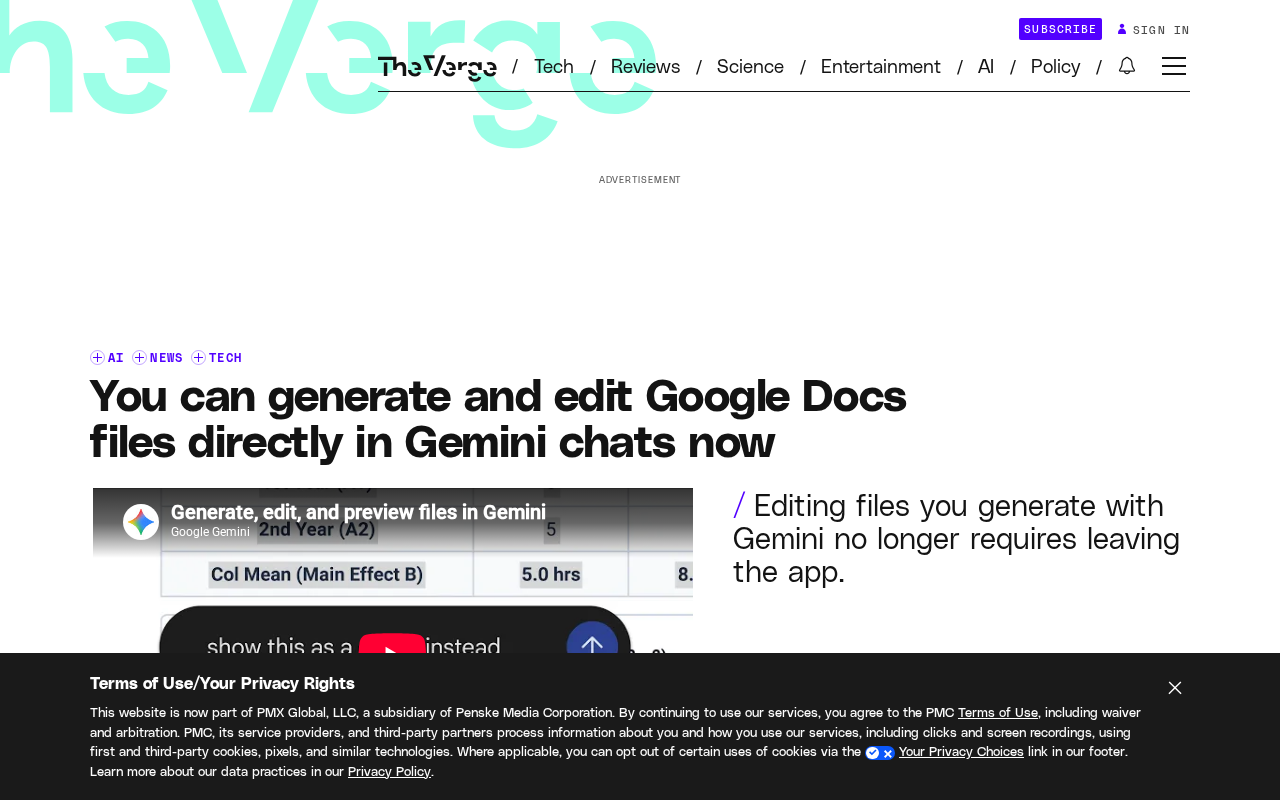
Google Gemini's chat interface can now directly generate, preview, and edit multiple file formats, including PDF, Google Docs, Google Sheets, Slides, Markdown, TXT, and code files. This new feature is available to all Gemini users starting today, marking a substantial leap for the AI assistant from a "conversational tool" to a "productivity platform."
From Conversation to Document: Gemini's "Productivity Loop"
In the past, using Gemini meant receiving text responses that users had to manually copy and paste into document tools and then format. The new feature compresses the three steps of generation, preview, and editing into the chat window, forming a short chain: users make a request, Gemini directly produces an editable file, and users modify it in place without switching apps.
According to official information, this capability covers PDF, Google Docs, Google Sheets, Slides, Markdown, TXT, and code files. Generated files can be previewed directly in the chat and edited in place. For users who frequently shuttle content back and forth between AI conversations and office suites, this reduces repetitive operations and the risk of format loss.
Google Workspace is Google's cloud-based office suite for enterprise and individual users, with core components including Gmail, Google Docs, Google Sheets, Google Slides, and Google Drive. Unlike Microsoft Office, Workspace is browser-first, emphasizing real-time collaboration and cloud storage. The file formats Gemini generates this time directly correspond to Workspace components, meaning AI output can enter an ecosystem that already has collaboration infrastructure such as version history, comments, and sharing permissions, rather than remaining isolated text within the chat window. This native format integration is a key product moat that distinguishes Gemini from general-purpose chatbots.
Capability Differences Between Web and Mobile
One detail to note is that platform support is not entirely equal. PDF preview and editing are available on both web and mobile, but other file formats are currently limited to web. This means mobile users can only enjoy PDF-related file operations for now; generation and editing of Docs, Sheets, Slides, and other formats cannot yet be done on phones.
Such differences are not uncommon in the early stages of a feature launch. Mobile screen sizes and interaction methods impose higher demands on multi-format file editing. Google chose to roll out most formats on web first and use PDF as a pilot entry point on mobile, which is a prudent pace. For heavy mobile office users, this remains a gap they must wait to be filled.
PDF (Portable Document Format) was introduced by Adobe in 1993, designed to maintain fixed layout across platforms, so its content structure centers on page rendering rather than editable paragraph flow. In AI products, PDF is usually handled as a "read-only preview" or "layout reproduction" object, and editing is more difficult than with flow formats like Docs and Markdown. Gemini's choice to first support PDF preview and editing on mobile may be because PDF's interaction model is relatively simple—viewing and annotating by page, without complex cursor editing and format reflow—making it more suitable for piloting in touch environments.
Impact on Office Workflows
The real value of this feature is not "being able to generate files," but that file formats directly connect to Google's own office suite. Docs, Sheets, and Slides are core components of Google Workspace, and content produced by Gemini in chat can seamlessly enter these tools for further collaboration.
For teams, a typical scenario is: discuss a solution framework in a Gemini conversation, directly generate a Google Docs draft, and then share it with colleagues for editing. This eliminates the cumbersome steps of "ask AI to write a paragraph → copy → paste into Docs → manually adjust formatting." The addition of code files allows developers to generate and preview code files in the conversation, reducing switching between the editor and the chat window.
However, the information disclosed so far does not cover details such as the synchronization mechanism between generated files and cloud Drive, or multi-user collaboration permissions. If generated files are only temporary artifacts within the chat rather than directly entering the Drive ecosystem, their collaboration value would be diminished. This point needs to be verified through actual use.
Google Drive is the cloud storage hub of Workspace. Docs, Sheets, and Slides files are essentially stored in Drive and achieve sharing and collaboration through Drive's permission system. For files generated by AI in chat to have team collaboration value, they usually need to enter Drive and become standard cloud documents so that others can access, comment on, and co-edit them via links. If generated files exist only within the Gemini session, they are closer to "temporary artifacts" and cannot directly leverage Workspace's collaboration capabilities. Therefore, the synchronization mechanism between generated files and Drive is a key variable for judging the productivity of this feature.
Position in the Competitive Landscape
Putting file generation and editing into the chat window is a clear signal in the competition among AI assistant products: pure language generation capability is no longer enough; whoever can turn AI output directly into usable artifacts is closer to users' real workflows. Backed by Google's office suite, Gemini has a natural advantage in native format support, which independent AI products find hard to replicate.
For users, this feature lowers the barrier to using AI for document tasks. For Google, it binds Gemini more tightly into the Workspace ecosystem, forming a loop from conversation to document. The feature is already available to all Gemini users. How it actually performs and whether the precision of multi-format editing can meet office needs will determine whether it is a gimmick or a real change in how work gets done.
Related articles

LLM Application Development: A High-Paying Career Guide for Ordinary People
LLM application development offers fresh graduates up to 35K/month, with SP offers reaching 600K. This article explains the core skills, how to break in, and how ordinary people can seize AI opportunities through learning by doing.

Say Goodbye to AI Influencer Faces: A Complete Guide to Creating Visual Assets for AI Comic Dramas from Scratch
Bilibili creator shares a full workflow for zero-basics AI comic drama visual assets: use Doubao Work skills with script-first, visual references, and real-person texture to escape AI influencer faces, then lock character and scene consistency with asset sheet layouts, weapon detail images, scene nine-grids, and cinematic color palettes.

The AI Production Pipeline Behind Great Videos: From Research to Agent Validation
AI video production isn't just a model race. This article breaks down a transferable four-step pipeline: researching professional workflows, organizing a skill checklist, configuring agents, and experimental validation—and explains how general-purpose LLMs like DeepSeek can replace paid tools to run the entire process.